

Audio KitNowość
Clean up, cut and convert any audio, right in your browser
Open any sound or the sound in a video, remove background noise, cut it by the waveform or by its words, level it for podcasts, and save it as MP3, WAV, M4A, FLAC, OGG or AIFF. Nothing to install, and your file never leaves your computer to be edited.
Darmowe konto, bez karty. Już korzystasz z aiKit? Zaloguj się, aby otworzyć Audio Kit
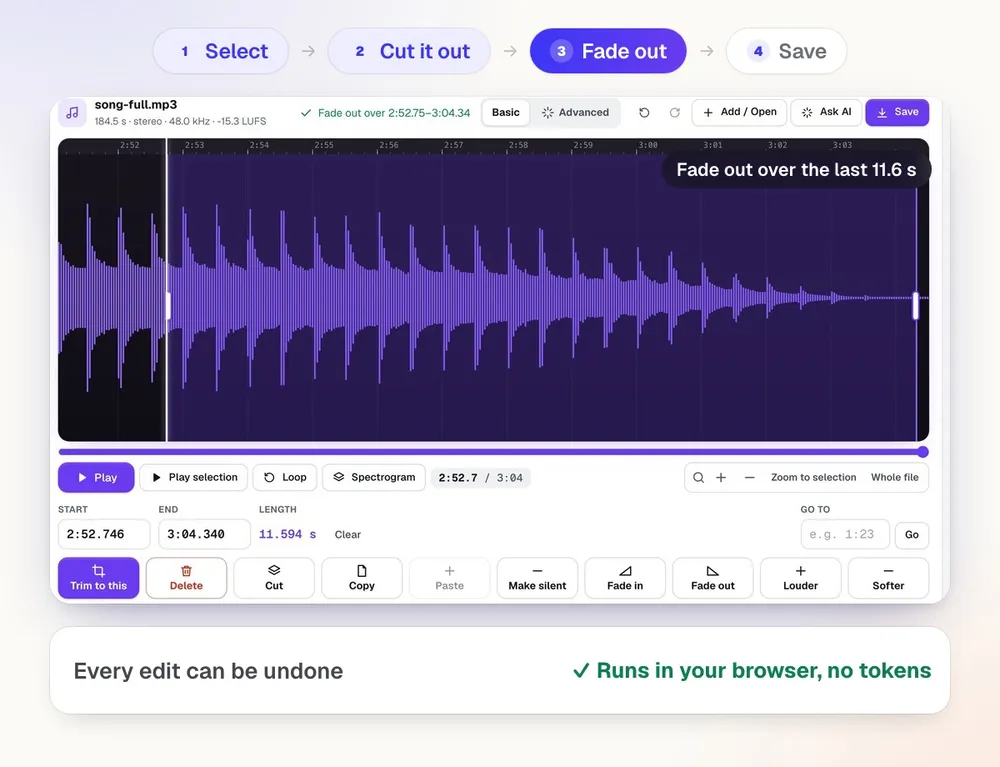
Co dostajesz
Open any sound or a video's sound, cut it on a waveform or by its words, remove background noise, level it, and save it as MP3, WAV, M4A, FLAC, OGG or AIFF, all in your browser.
Cut and trim by hand, exactly
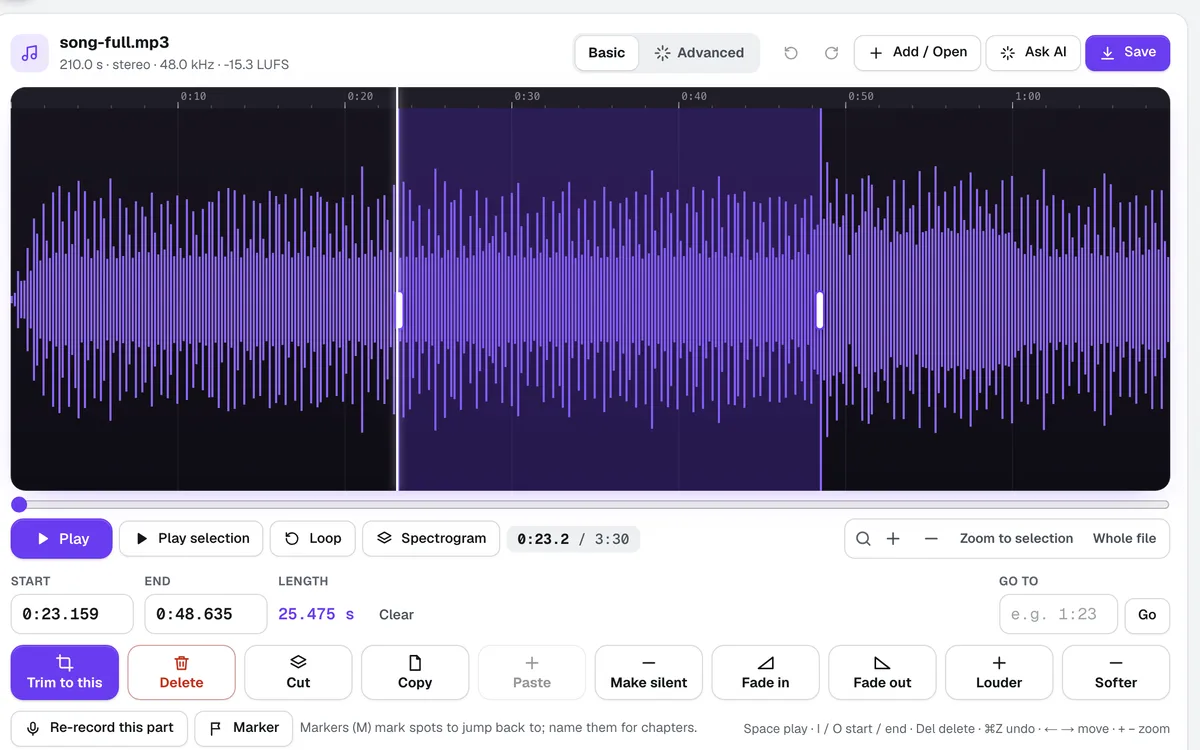
A big waveform with a time ruler: click to jump, drag to select, drag the handles to adjust, type a start and end to the thousandth of a second. Trim, Delete, Cut, Copy, Paste, Fade and Make silent are one big button or one key each, and every cut is sample-exact with a tiny crossfade so it never clicks.
See it work before you upload anything
The first screen shows each job with a picture and a Try it on a sample button: pull audio from a video, remove noise, edit by the words, split the voice from a song, convert. Each runs on a real sample in one click.
Background noise, gone
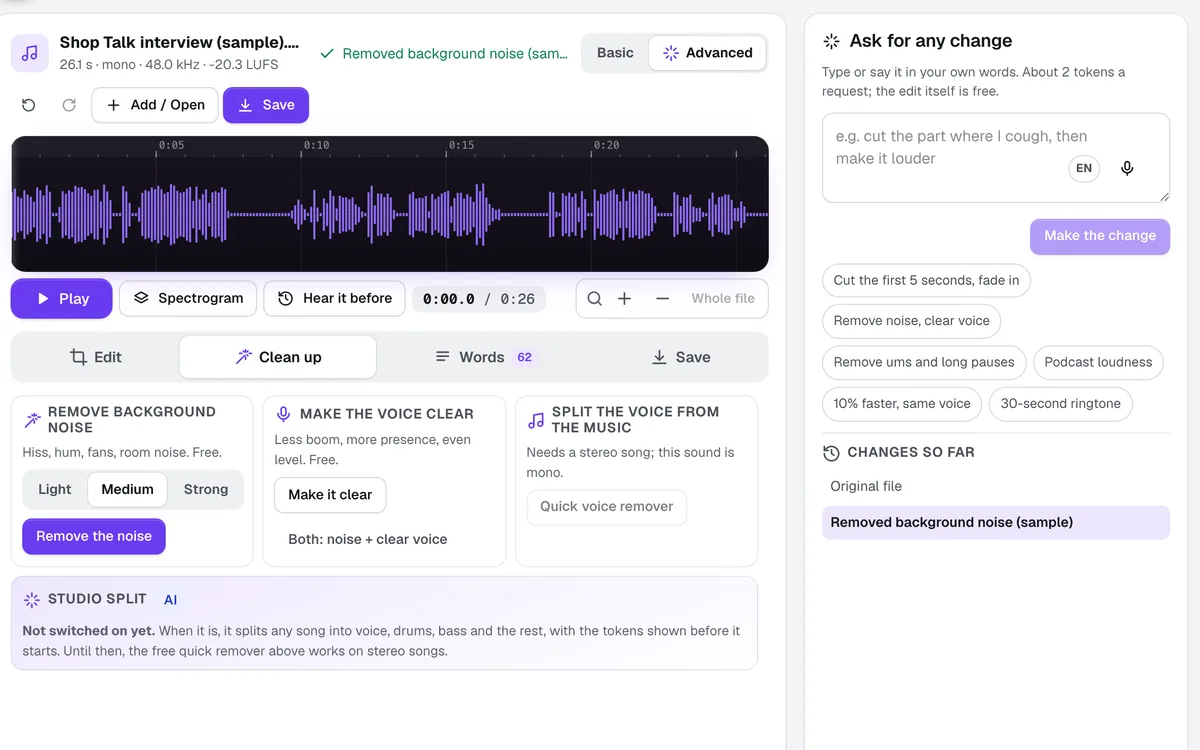
Pick Light, Medium or Strong. Audio Kit learns the hiss, hum or fan noise from the quiet moments and lowers it everywhere, and Hear it before the change lets you compare from the same spot.
Edit audio like a document
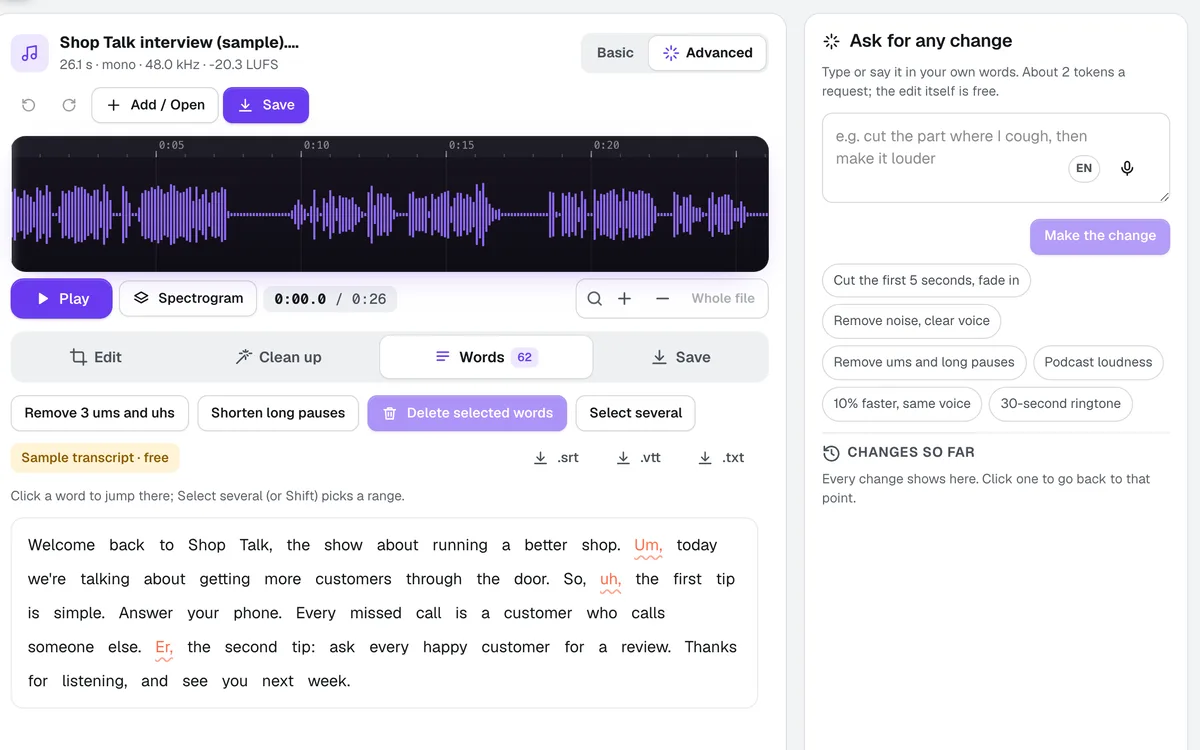
Make a transcript and every word sits under the sound. Delete words and the audio is cut with them; ums, uhs and long pauses go in one click. Download SRT or VTT captions too.
Every format, in plain words
Open and save MP3, M4A, AAC, WAV, FLAC, OGG and AIFF. Choose Best quality, Podcast, Small file for email or Ringtone instead of bitrates and sample rates, and see the file size before you save.
Podcast-ready loudness
One click levels to -16 LUFS for podcasts, -14 for YouTube and Spotify, or -23 for broadcast, measured the standard way, with peaks kept safe.
Ask for anything
Type or say "cut the first five seconds, remove the noise and make it louder". The steps run, anything that could not be done is listed first, and Undo puts it back in one step.
See it work
What Audio Kit does, shown with real results
Every picture is the tool's own output, made for an example business.
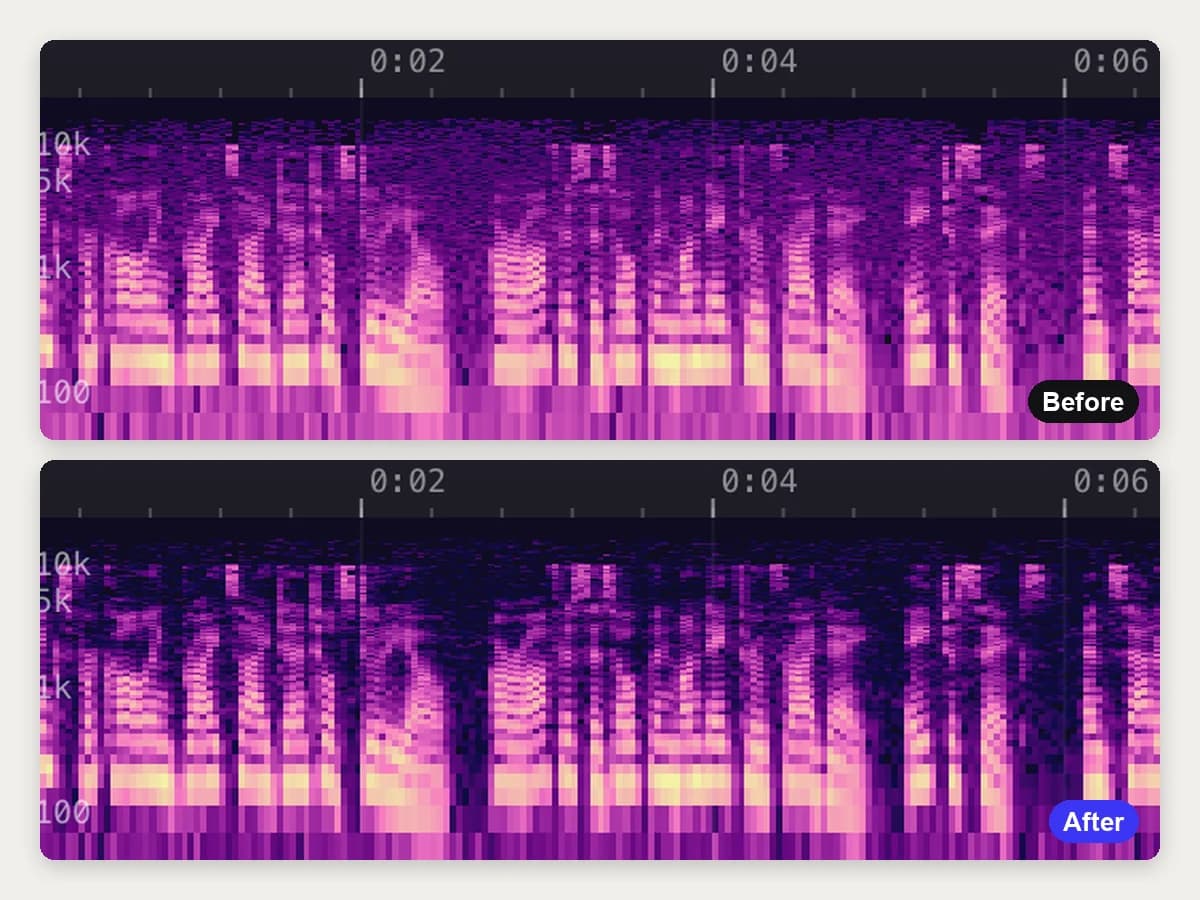
Remove background noise
Hum and hiss come out in one press. Play the before and after.
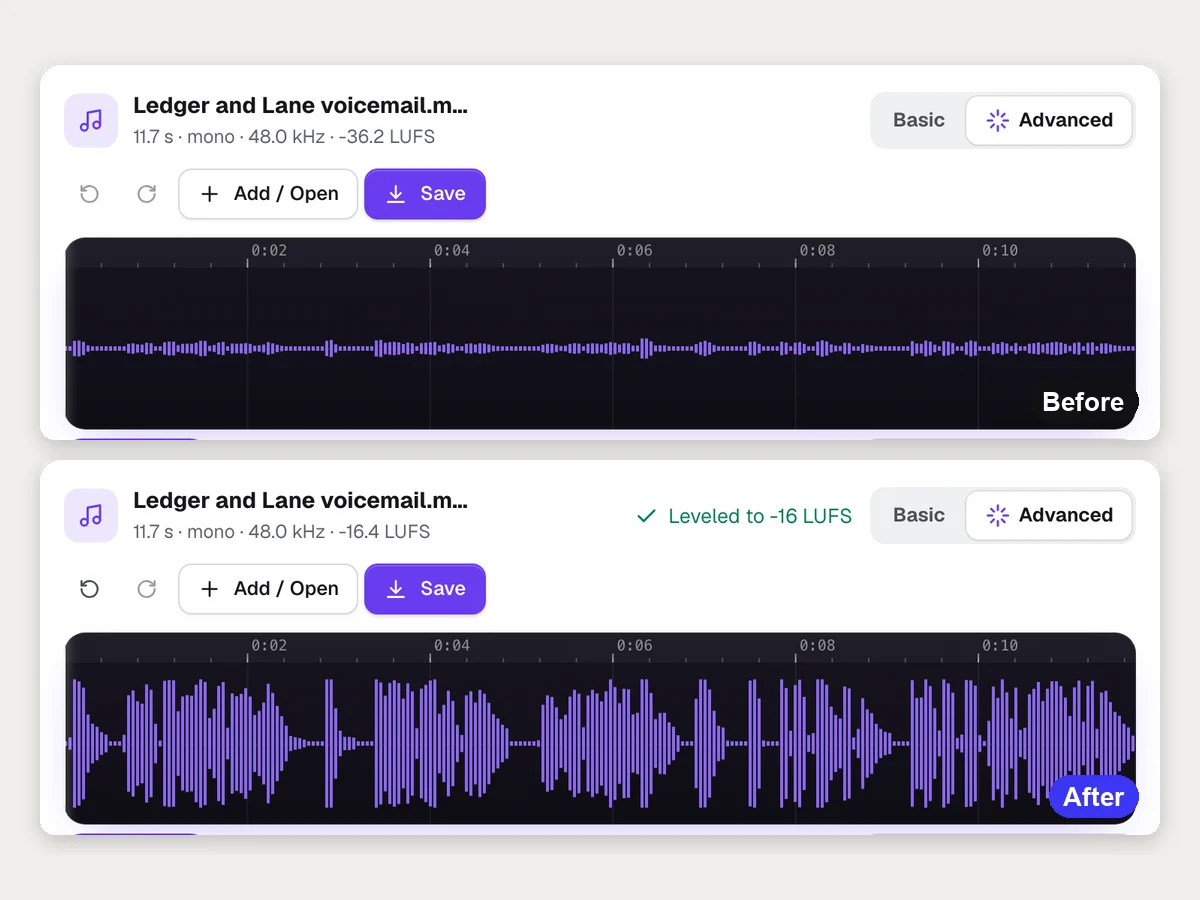
Podcast-ready loudness
A quiet recording is leveled to -16 LUFS for podcasts, or -14 for YouTube and Spotify, with peaks kept safe.
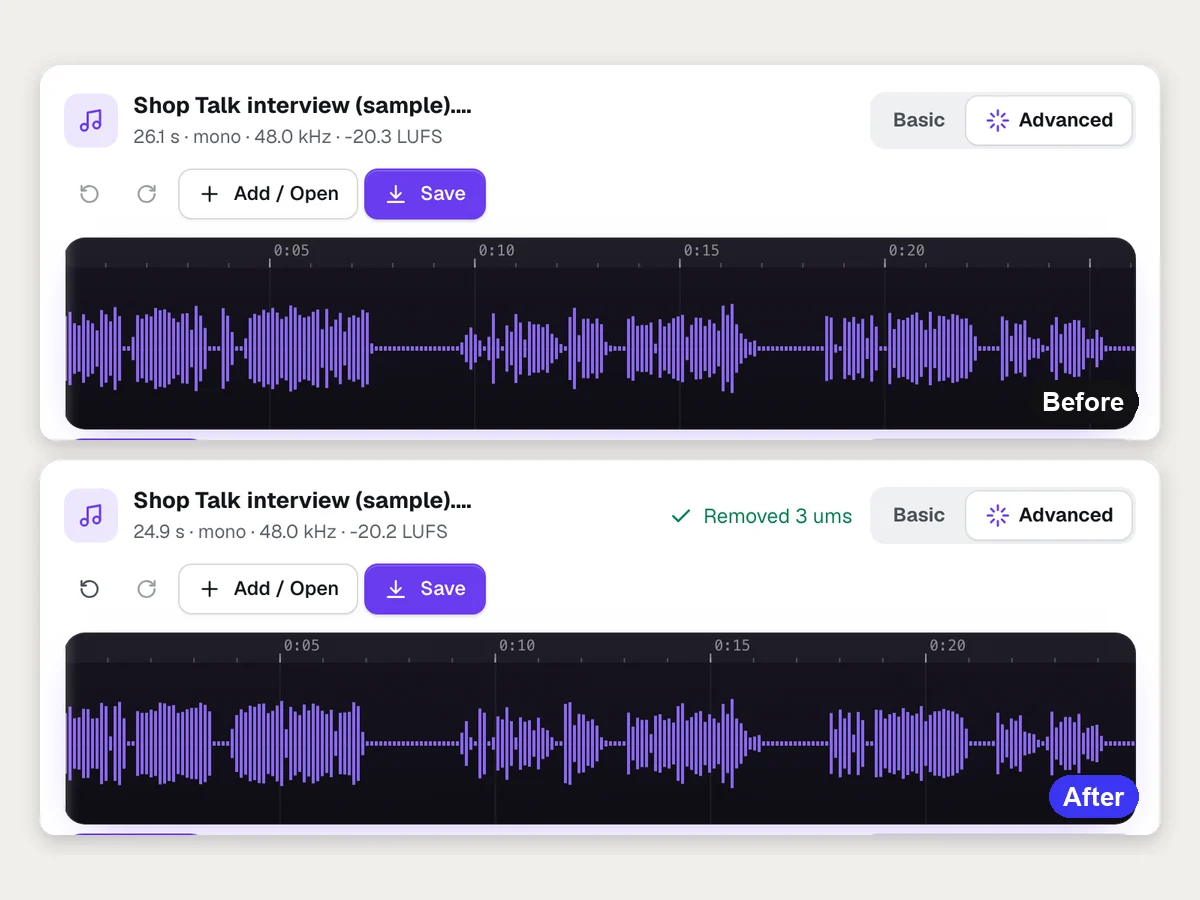
Edytuj po słowach
Make a transcript and remove ums, long pauses or any word. The sound is cut to match.
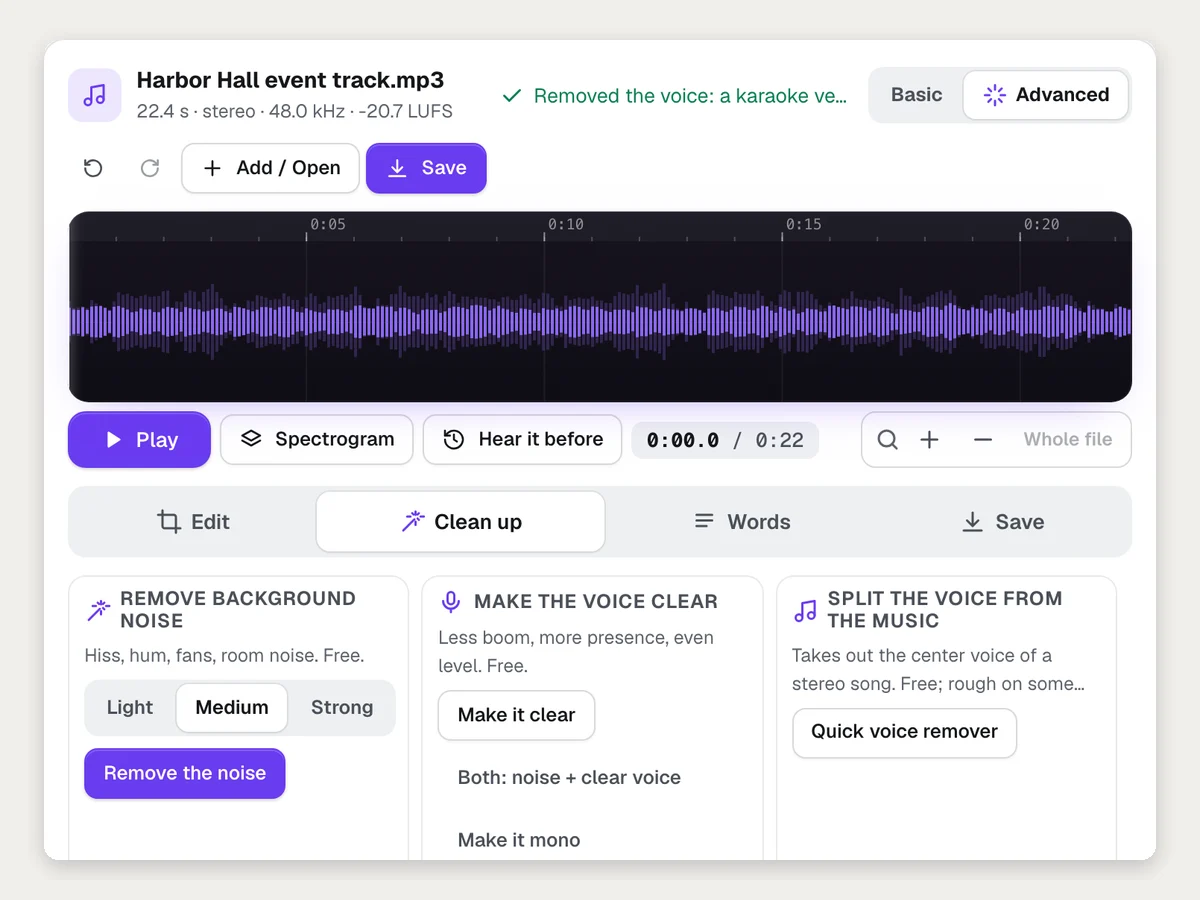
Take the voice out of a song
The quick voice remover makes a karaoke-style version of a stereo song, in the browser.
Wszystkie funkcje
Wszystko w Audio Kit
Pełna lista, zgodna z tym, jak narzędzie działa dziś.
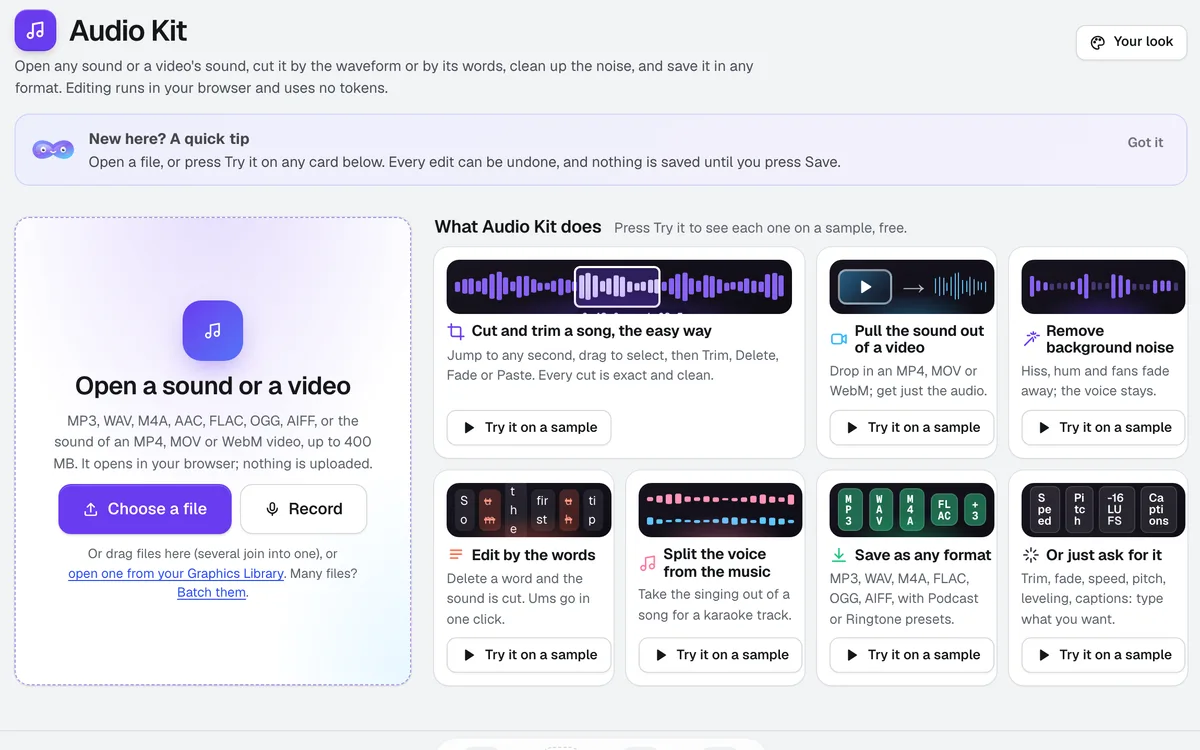
- Open MP3, WAV, M4A, AAC, FLAC, OGG and AIFF, and pull the sound out of MP4, MOV and WebM video, up to 400 MB and 60 minutes; record from your microphone; pick several files to join them
- A first screen that shows each job with a picture and Try it on a sample: pull audio from a video, remove noise, edit by the words, split the voice from the music, save as any format
- Basic mode for editing by hand: a big waveform with a time ruler, drag handles, zoom and pinch, Go to time, typed start and end, play and loop the selection, markers, and big buttons for Trim, Delete, Cut, Copy, Paste, Make silent, Fade in, Fade out, Louder and Softer; every cut exact to the sample with a tiny crossfade, and keyboard shortcuts for all of it
- Advanced mode: split marks, add a file, speed with the pitch kept, pitch, shorten long pauses, Undo and Redo for everything
- Music under a voice: two tracks with their own volume, and the music dips by itself while someone talks
- Record right in the tool, and re-record over just the selected part (punch-in)
- A spectrogram view: draw a box around a click, cough or beep and remove only that sound
- Named markers you jump between, exported as YouTube chapters or a podcast chapters file, and written into MP3 and FLAC files
- Recipes: save your own steps plus how to save (for example: trim silence, level, MP3) and use them in one click; Batch runs a recipe or a conversion on up to 50 files and gives one ZIP
- Title, artist, album, year, genre and cover art saved inside MP3, M4A and FLAC files
- Share for comments: the sound becomes a comment page with a waveform player where people comment at any second
- Leveling to the Podcast (-16 LUFS), YouTube and Spotify (-14) or Broadcast (-23) standard with peaks kept safe
- Remove background noise (Light, Medium, Strong), Make the voice clear, Make it mono and a Quick voice remover for stereo songs, compared with Hear it before the change
- Edit by the words: a transcript with every word timed; delete words and the sound is cut; remove ums and long pauses in one click; SRT, VTT and text downloads
- Ask for any change in plain words, typed or spoken, with anything not done listed first and one-step Undo
- Save as MP3, M4A, AAC, WAV, FLAC, OGG or AIFF with plain choices (Best quality, Podcast, Small file for email, Ringtone), all of it, the selection, or each part as a ZIP
- Save MP3, M4A and WAV to your Graphics Library, then What's next? to put it under a Video Kit video or a Motion Maker animation
- Your look: the editor in aiKit colors, your Brand Kit color, Studio or Soft, three waveform styles and a compact layout, saved to your account
Co zawiera
Co dostajesz z Audio Kit i jak działa z resztą aiKit
W cenie darmowego konta aiKit
- Every edit, noise removal, voice clean-up, leveling, the Quick voice remover and saving in all seven formats, free in your browser
- Opening MP3, WAV, M4A, AAC, FLAC, OGG, AIFF and the sound of MP4, MOV and WebM video, up to 400 MB and 60 minutes
- Edit by the words with the transcript, SRT, VTT and text downloads
- Ask for any change in plain words, with Undo
- Your look: aiKit colors or your Brand Kit color, three waveform styles, a compact layout
Co korzysta z AI, a co jest za darmo
Only two parts use tokens, shown before they run: the transcript (about 1 token for up to 10 minutes) and each plain-words request (about 2 tokens). Opening, editing, cleaning, leveling and saving use none.
Działa z Twoimi innymi narzędziami aiKit
- Voice Kit: A Voice Kit voiceover's What's next? has Clean up the sound, which opens it in Audio Kit.
- Music Maker: A Music Maker song's What's next? has Clean up the sound, to trim it, level it or make a ringtone.
- Video Kit: What's next? in Audio Kit's Save tab puts the sound under a Video Kit video as its music.
- Motion Maker: What's next? puts the sound on its own track under a Motion Maker animation.
- Graphics Library: Save to Graphics Library keeps MP3, M4A and WAV files in an Audio Kit folder, and anything in the library opens in Audio Kit.
- Brand Kit: Your look can use your Brand Kit color for the editor.
Keep Audio Kit in any of your kits, next to the tools you use with it. One monthly AI allowance covers every tool you add.
Jak to działa
Od pierwszego kliknięcia do gotowego efektu w 4 krokach.
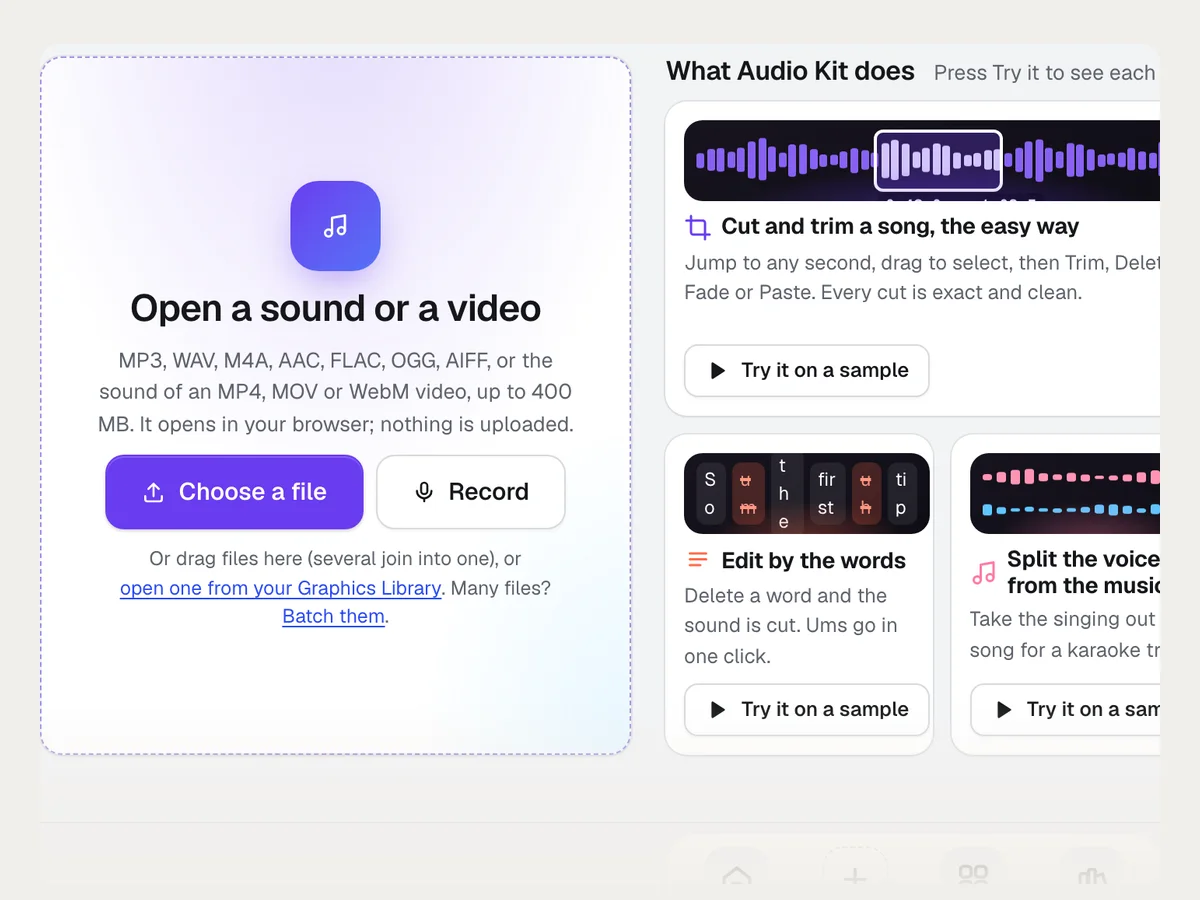
Open a file
Drop in a sound or a video (up to 400 MB), record from your microphone, or pick several files to join them. A video's sound is pulled out in seconds.
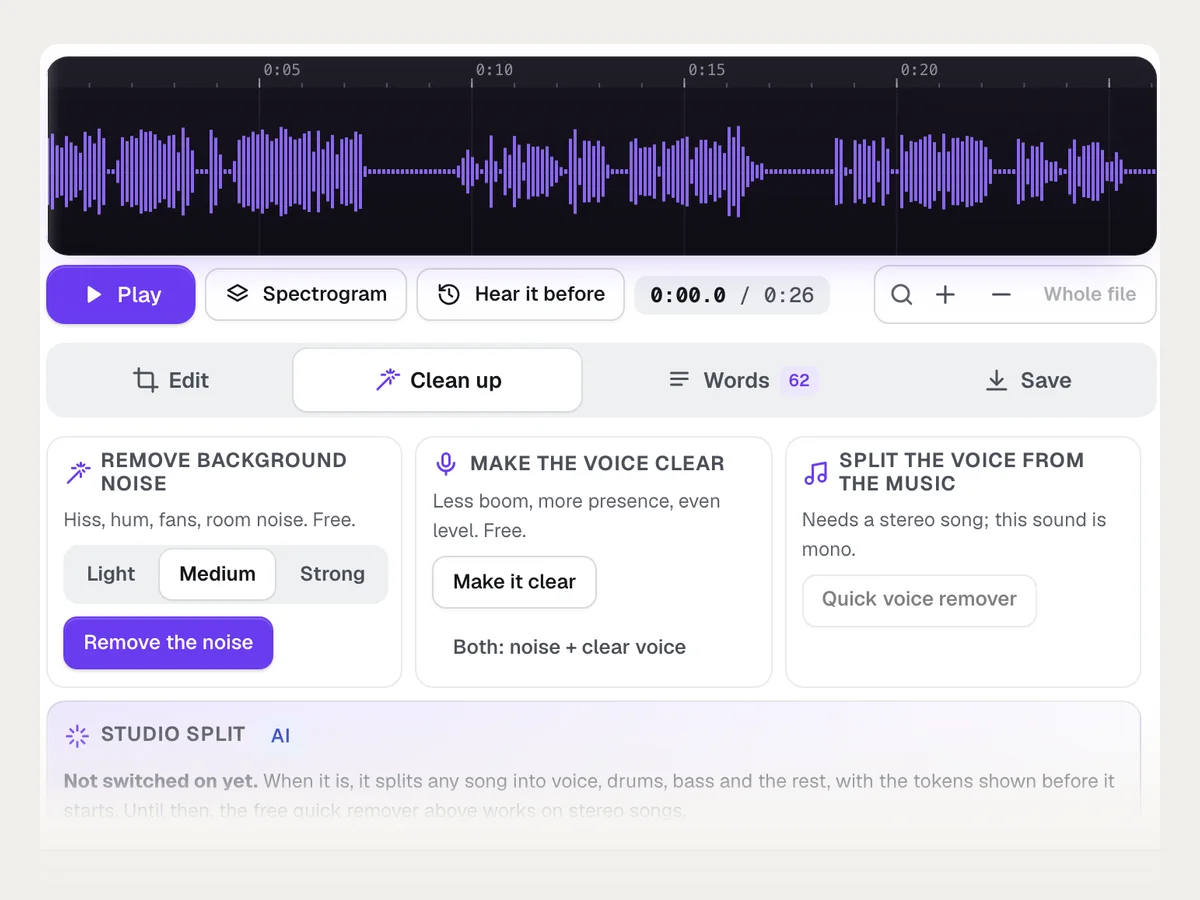
Uporządkuj nagranie
Remove background noise, make the voice clear, or level it to a podcast or YouTube standard. Every change can be undone.
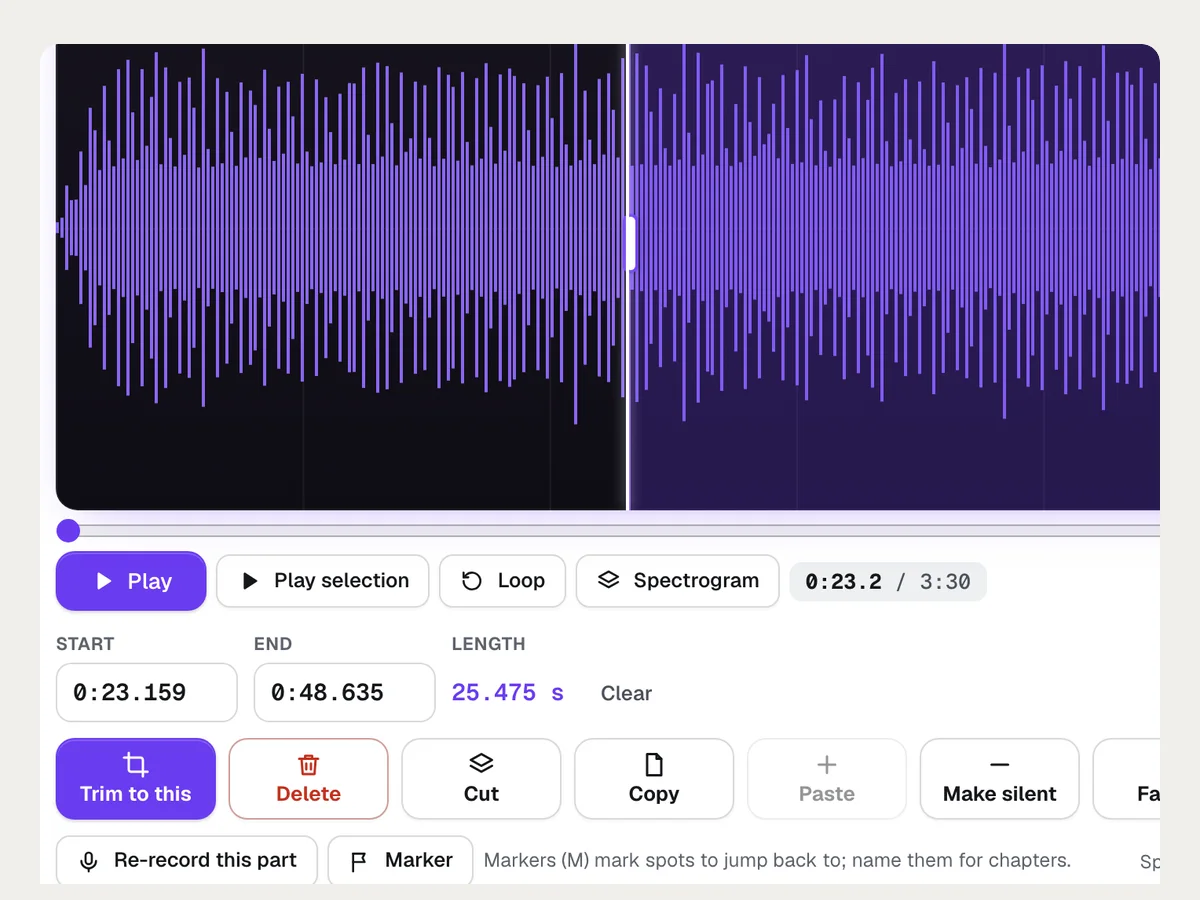
Cut it
Drag across the waveform to keep, cut or silence a part, or make the transcript and delete words. Fades, volume, speed and pitch are one click each.
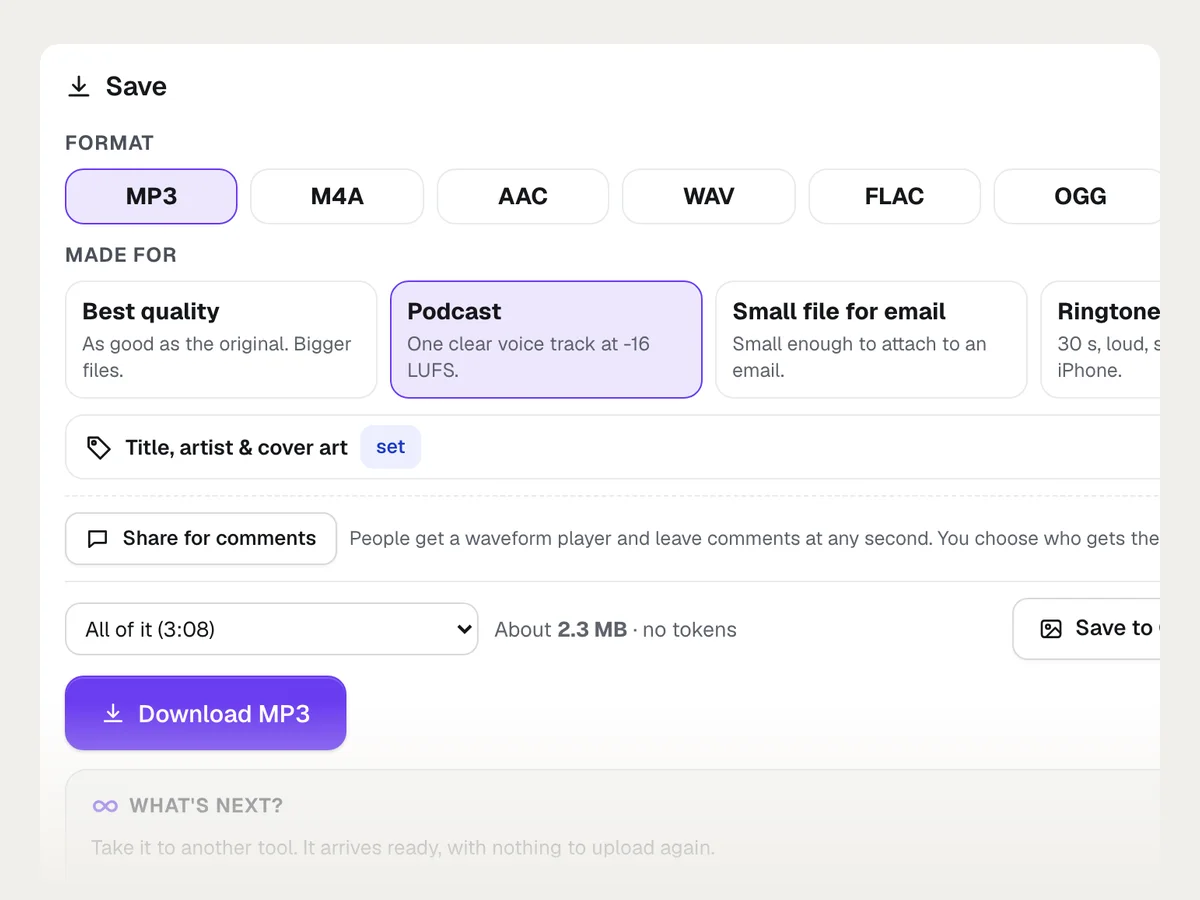
Save it
Pick what it's for and a format, see the file size, and download it, or save it to your Graphics Library and put it under a video or animation.
More it does
More of Audio Kit at work
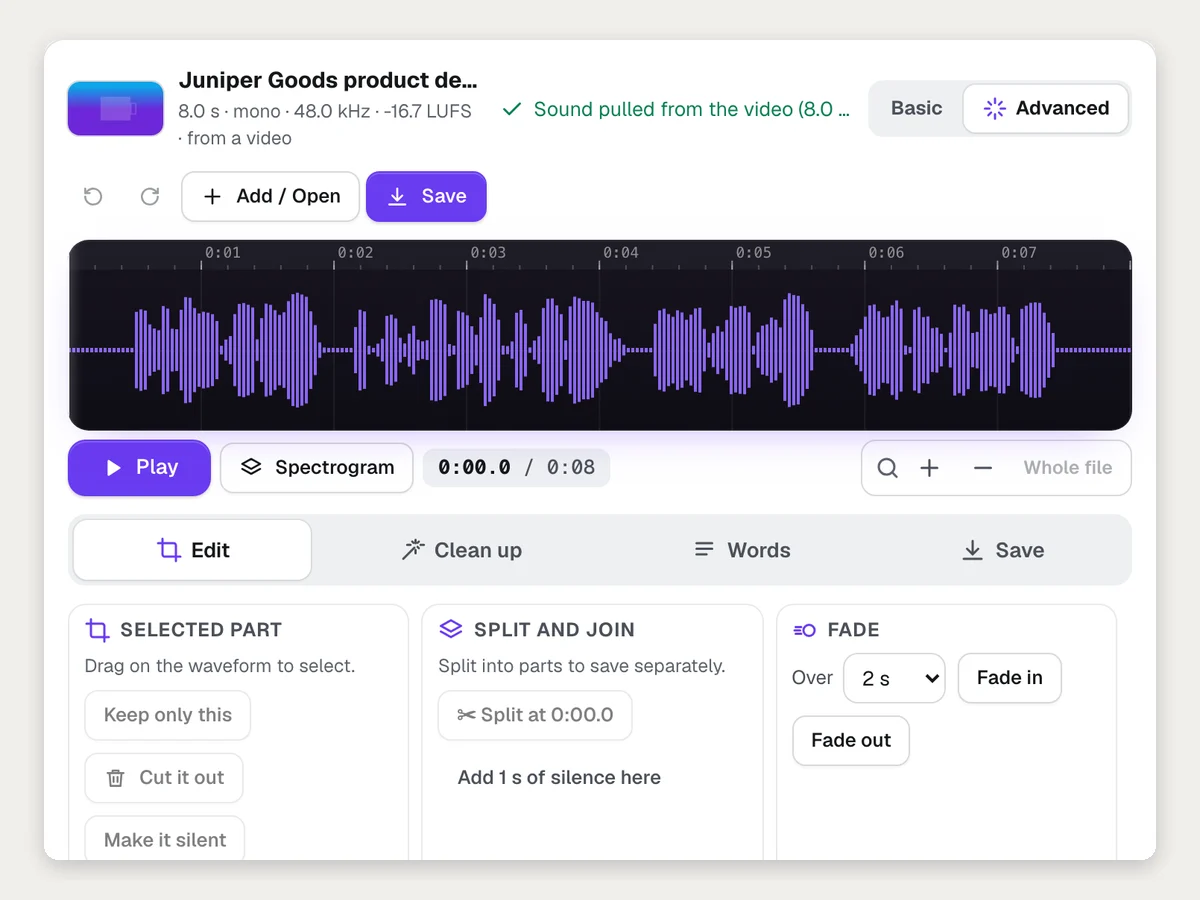
Pull the sound out of a video
Open an MP4, MOV or WebM and the audio is ready to edit and save on its own.
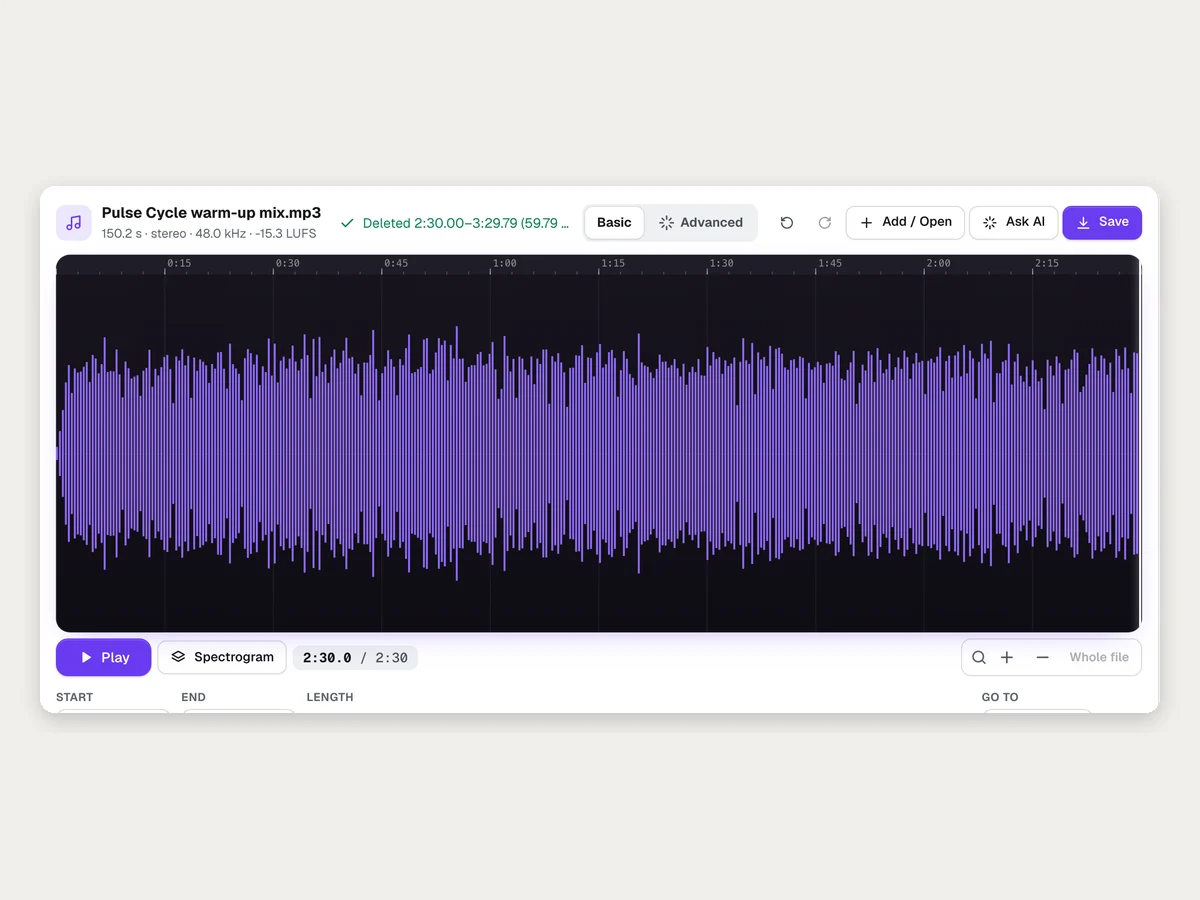
Cut a song by dragging
Drag across the part you don't want and press Delete. Here the last minute comes out, 3:30 becomes 2:30.
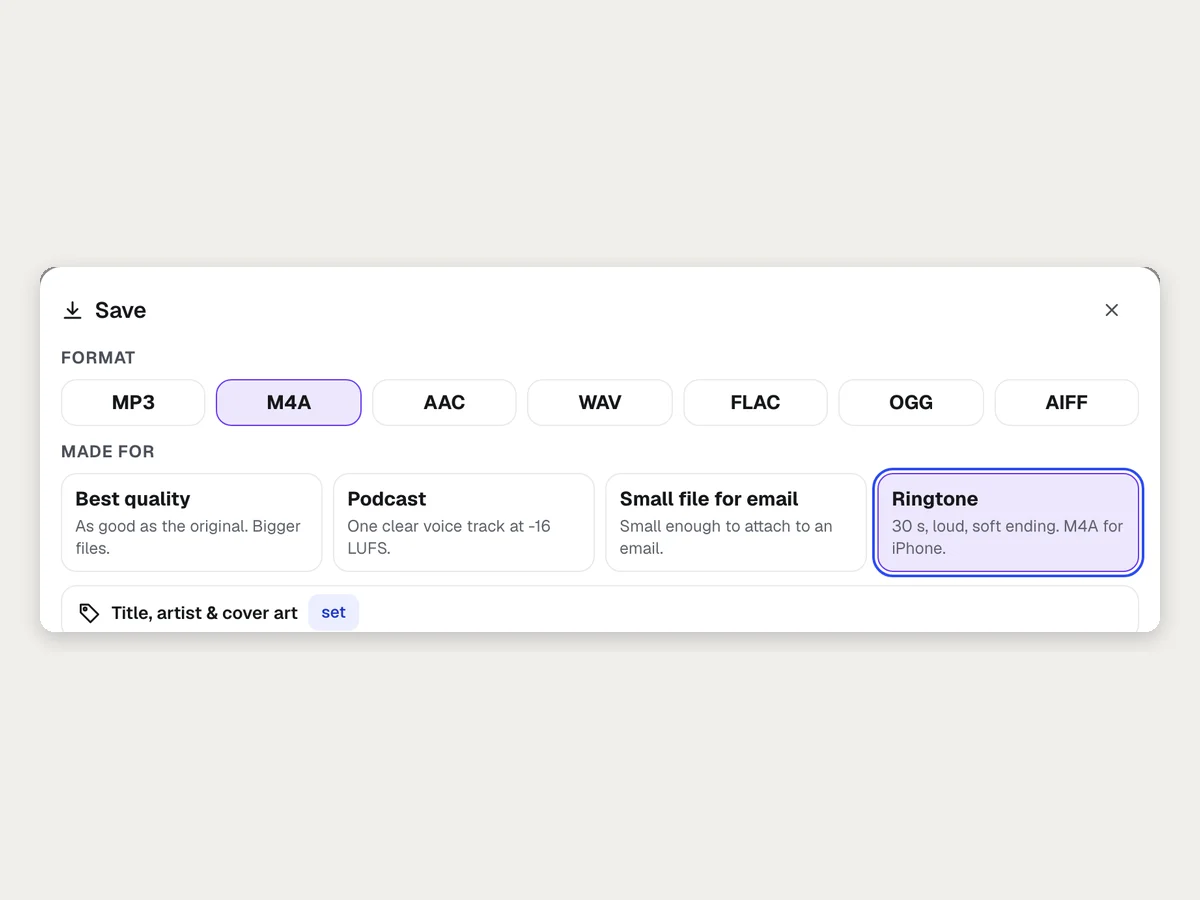
A ringtone for the shop phone
Pick Ringtone and the first 30 seconds are saved loud with a soft ending, as an iPhone ringtone (.m4r).
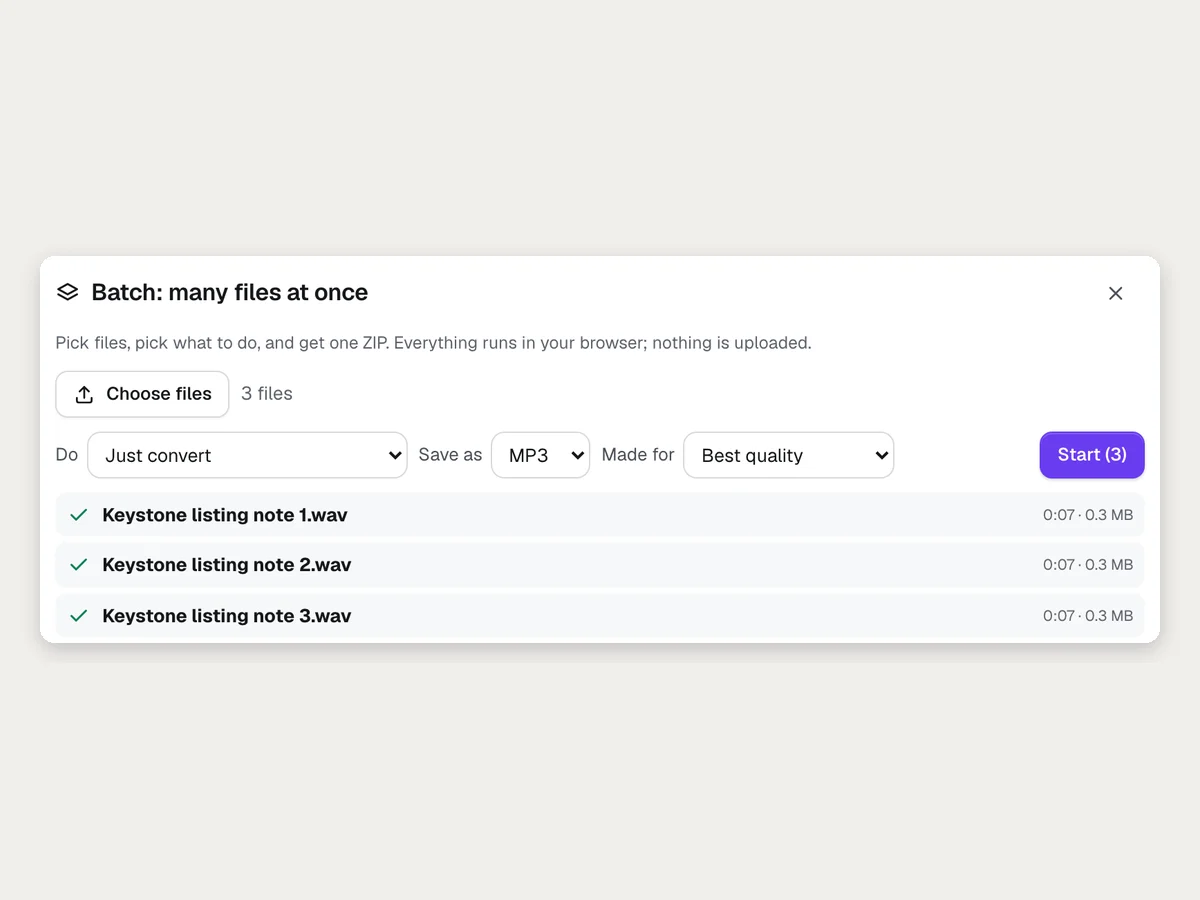
Batch many files at once
Pick files, pick what to do, and get one ZIP. Everything runs in your browser and nothing is uploaded.
Dla kogo
Jak różne firmy używają Audio Kit
A podcast episode in ten minutes
A coach records an interview on a laptop, removes the fan noise, deletes the ums and a cough by the words, levels it to -16 LUFS and downloads a Podcast MP3.
A phone greeting that sounds professional
A plumbing company records its greeting on a phone, cleans up the room echo, trims the start, and saves a small WAV for its phone system.
The sound from client videos
An agency pulls the audio out of a client's MOV interview, saves a clean MP3 for the transcript, and a FLAC for the editor.
Lecture audio students can hear
A trainer opens a long lecture recording, removes the projector hum, shortens long pauses, and downloads SRT captions for the course video.
A ringtone for the shop phone
A café owner opens the shop's jingle, selects the best 30 seconds, and saves a Ringtone M4A for the shop iPhone.
Karaoke tracks for an event
A DJ runs a stereo song through the Quick voice remover for a sing-along version and saves it as a WAV.
Idealne dla
- Anyone who records talks, interviews or podcasts and wants them clean and even without learning studio software
- Teams that need the sound from a video, or a file in a different format, in a minute
- Agencies tidying up clients' recordings before they go into videos and ads
Warto wiedzieć
- Nie dla: Multi-track music production or mixing many instruments
- Nie dla: Making music or voices from scratch (use Music Maker or Voice Kit)
- Nie dla: Recordings of other people without their consent
- Opening, editing, cleaning up and saving run in your browser and use no tokens. The transcript uses about 1 token for up to 10 minutes, and each plain-words request about 2 tokens, shown before they run.
- M4A, AAC and OGG files need a current Chrome, Edge or Safari on a computer; MP3, WAV, FLAC and AIFF save in any current browser.
- The Quick voice remover needs a stereo song and is rough on some songs. Studio split (voice, drums, bass, the rest) is not switched on yet.
- The transcript can mishear names and unusual words; noise removal works best on steady background noise.
Pytania
Audio Kit: najczęstsze pytania
Is there a free online audio editor that doesn't upload my file?
Can I convert an MP4 video to MP3?
How do I make an iPhone ringtone (.m4r)?
Can I remove long silences from a recording automatically?
How do I cut a part out of a song or recording?
How do I put music under a voice recording so it gets quieter when I talk?
Can I convert or clean up lots of audio files at once?
How do I add chapters, a title and cover art to a podcast MP3?
How do I get the audio out of a video?
How do I convert WAV to MP3 (or M4A, FLAC, OGG, AIFF)?
How do I remove background noise from a recording?
Can I edit audio by editing the transcript?
How do I make a ringtone from a song?
How do I level a podcast to -16 LUFS?
Can I remove the vocals from a song?
Świetnie działa z
Narzędzia do dodania do tego samego zestawu
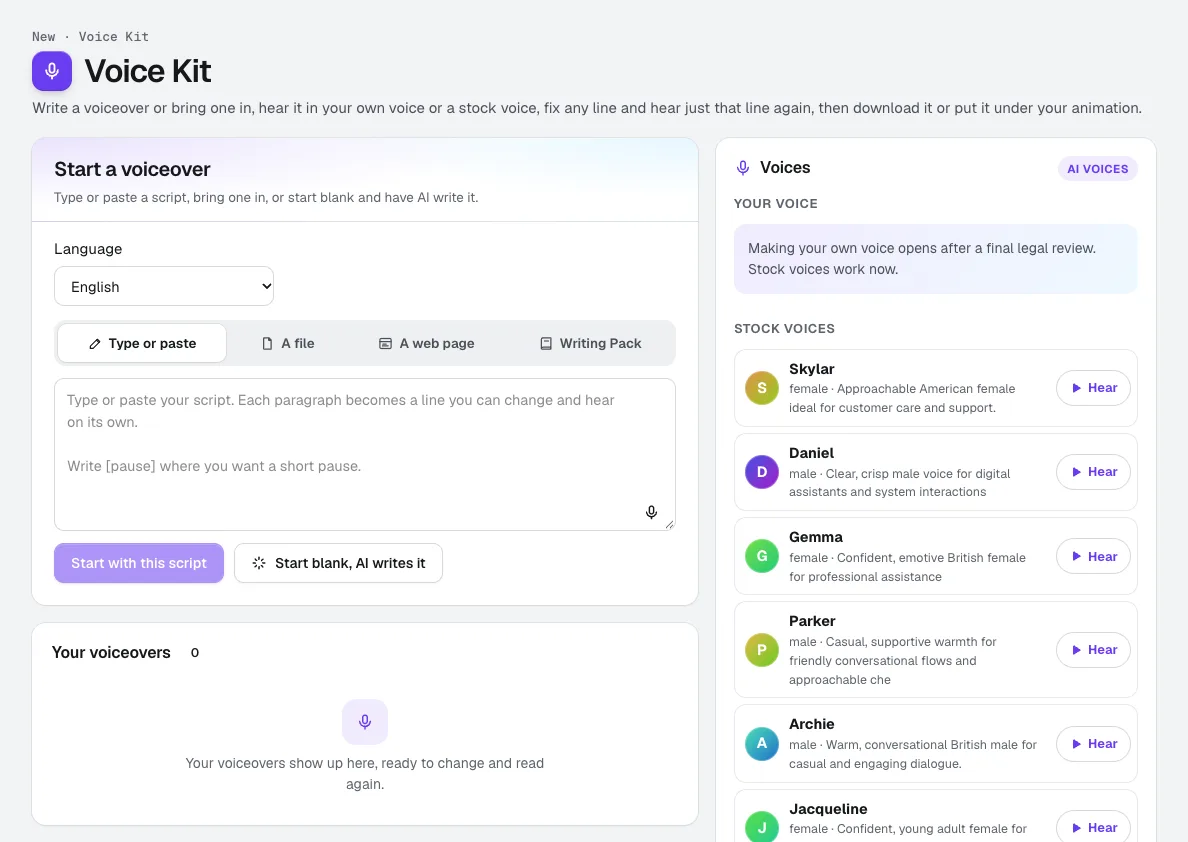
Voice Kit
Twój głosNagraj około minuty, potwierdź, że to Twój głos, a aiKit stworzy Twój głos AI. Czytaj nim skrypty, reklamy i lektory do animacji, popraw dowolną linijkę i posłuchaj tylko tej linijki, a przed uruchomieniem zobaczysz liczbę tokenów.
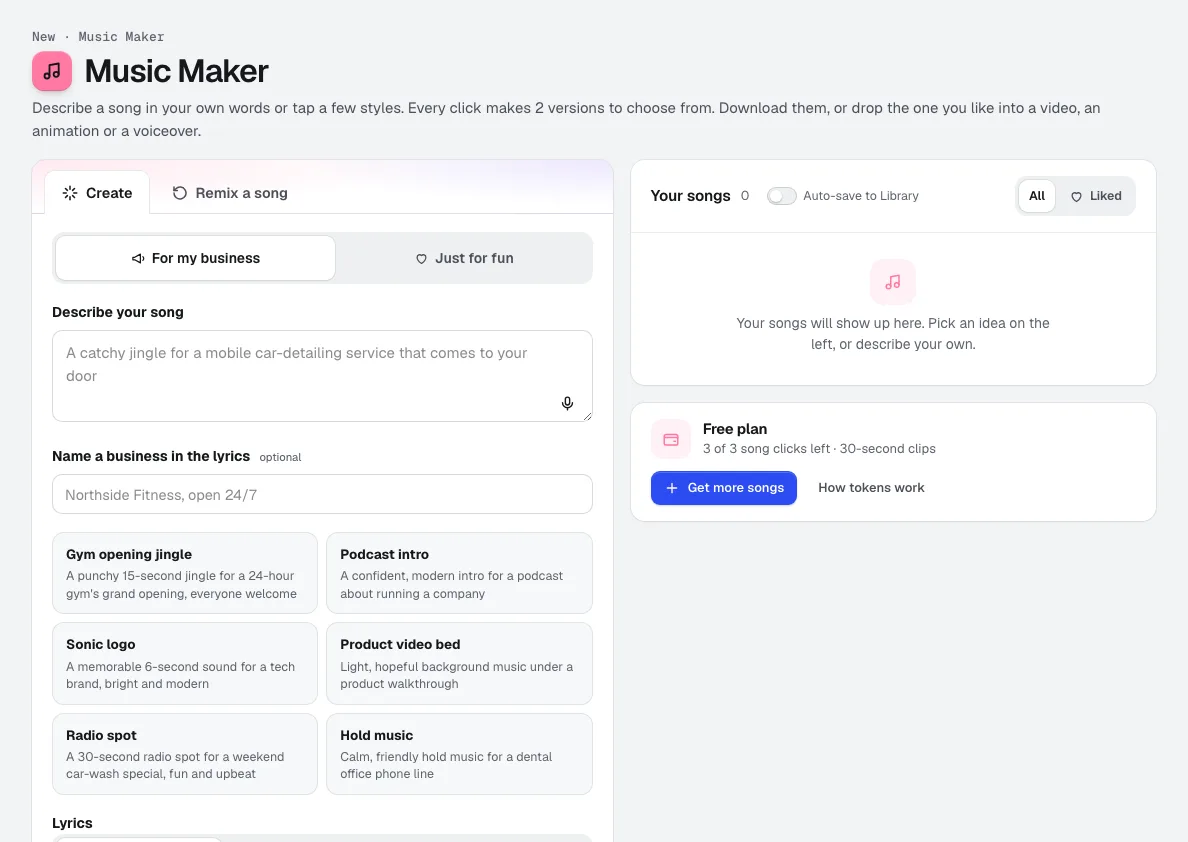
Music Maker
NowośćGenerator muzyki AI w aiKit zamienia opis lub kilka wybranych stylów w 2 wersje oryginalnej piosenki z tekstem napisanym przez AI, Twoim tekstem albo bez wokalu. Przytnij ją do reklamy, wyślij do akceptacji lub podłóż pod swój film.
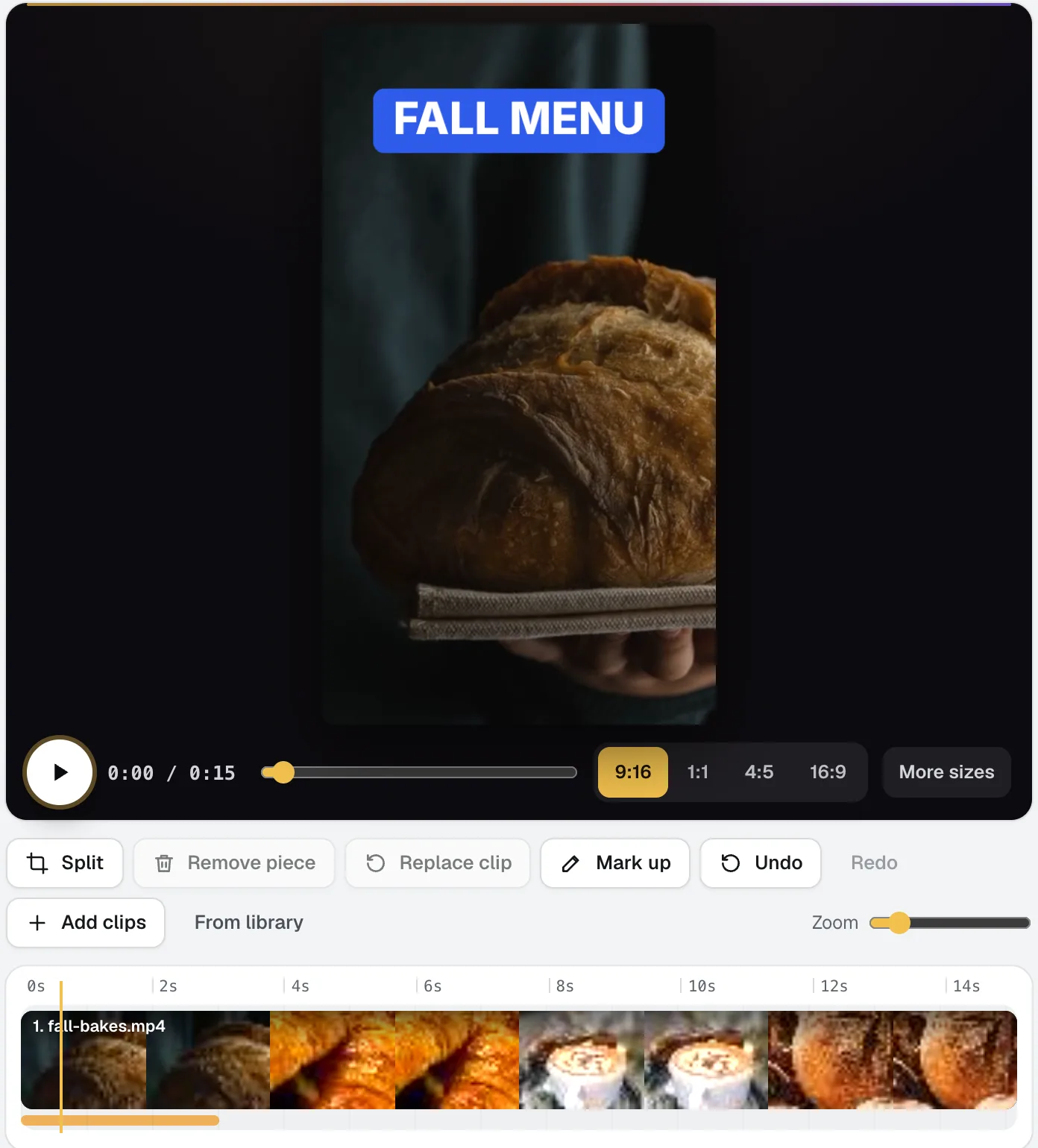
Video Kit
NowośćVideo Kit to edytor wideo AI do social mediów: wrzuć swoje klipy i edytuj je jak dokument. Usuń słowa, by przyciąć wideo, usuń pauzy i „eee” jednym przebiegiem, a zmiany zlecaj zwykłymi słowami. Napisy, rozmiary, muzyka i Twoje logo są wbudowane.
Używaj Audio Kit już dziś.
Załóż darmowe konto aiKit i otwórz Audio Kit oraz wszystkie inne narzędzia w swoim zestawie.
Strona ostatnio sprawdzona z produktem dnia 2026-11-01.