

Contract StudioNouveau
Proposals and contracts your clients sign online, sealed with proof
Contract Studio is e-signature software for proposals, contracts, releases and change orders. Clients confirm their email, sign on any phone, and everyone gets a sealed PDF with a Certificate of Completion.
Compte gratuit, sans carte bancaire. Vous utilisez déjà aiKit ? Connectez-vous pour ouvrir Contract Studio
Ce que vous obtenez
Proposals and contracts your clients sign online, with e-signatures that hold up.
Signatures with a paper trail
Each signer agrees to sign electronically, confirms a one-time code sent to their email, and adopts a typed or drawn signature before pressing Sign. Every step is recorded with the time, IP address and device.
Tamper-evident from send to seal
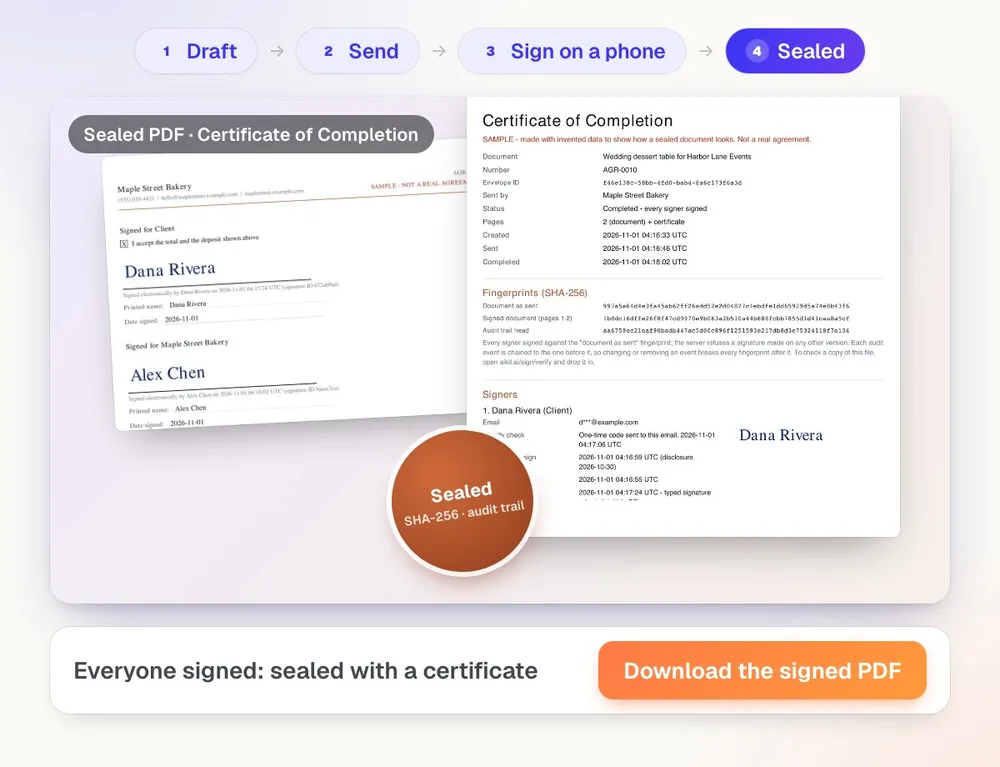
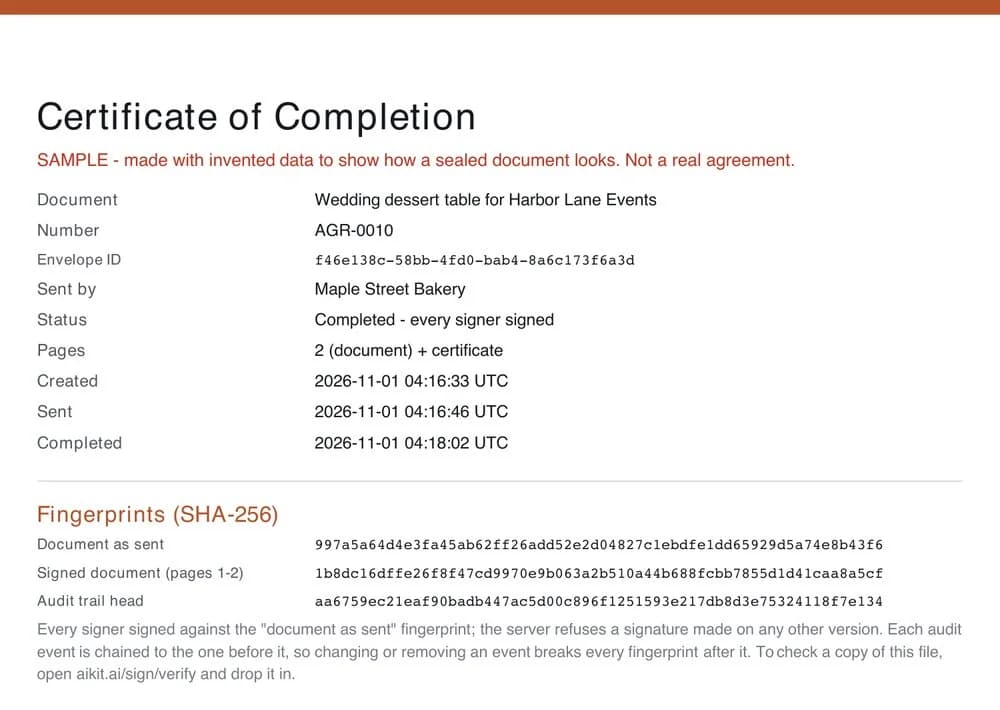
The document's SHA-256 fingerprint is fixed when you send it, and every event is chained to the one before it. The sealed PDF ends with a Certificate of Completion listing all of it.
Proposals that sell
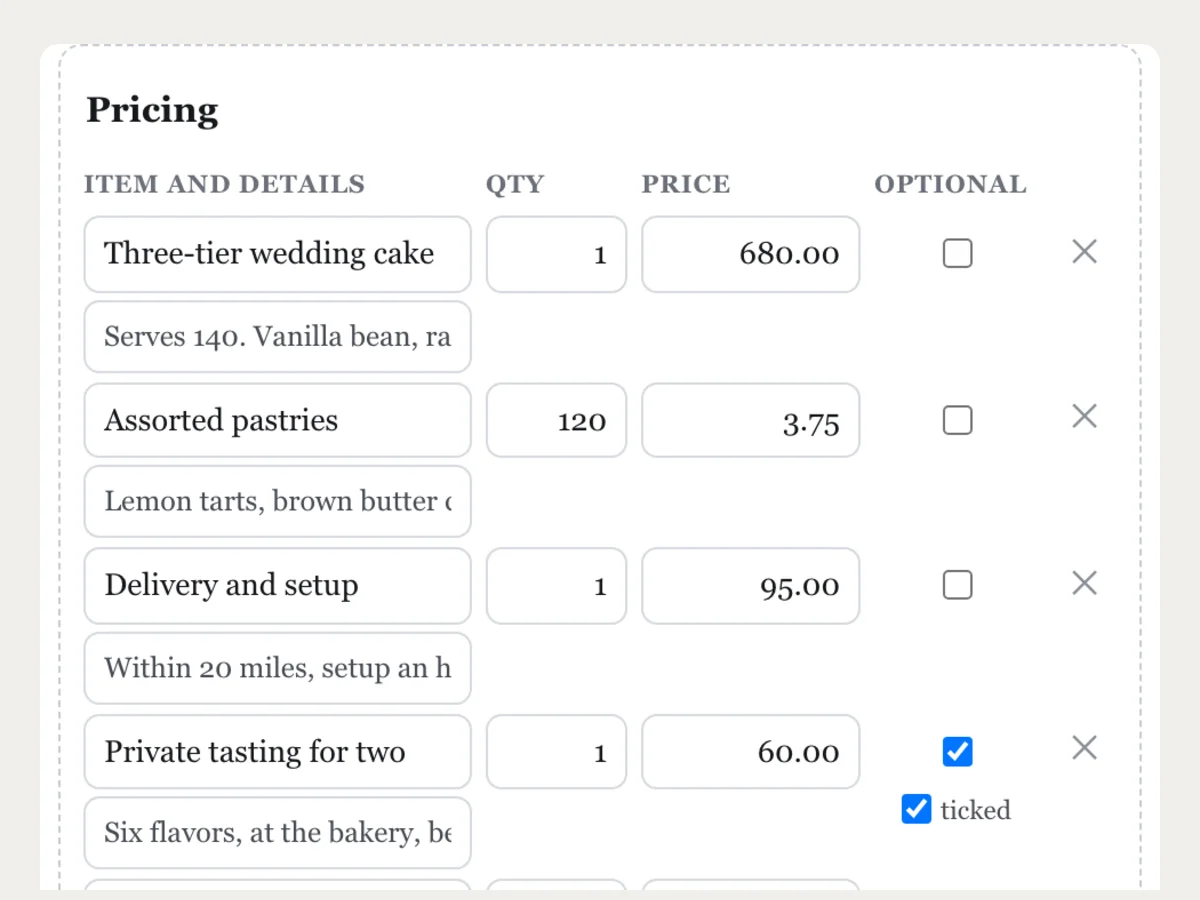
A price table with optional extras the client ticks, a live total, tax and a deposit. Accepting the price is a box they sign, so the yes and the signature are one step.
Demandez n'importe quelle modification en langage courant
"Add a cancellation clause, 14 days' notice." The assistant edits the document, lists what changed, and says first anything it didn't do. Prices come only from what you give it.
Your look, your rules
Logo, brand color and one of three document looks per business, signing order, reminder days, link expiry, numbering, approval before sending, and how long signed documents are kept.
Fits the rest of your work
Start a proposal from a Quote Studio quote, track it on a Hub board, upload your own PDF or Word file, and send events to your own systems with signed webhooks.
See it work
What Contract Studio does, shown with real results
Every picture is the tool's own output, made for an example business.
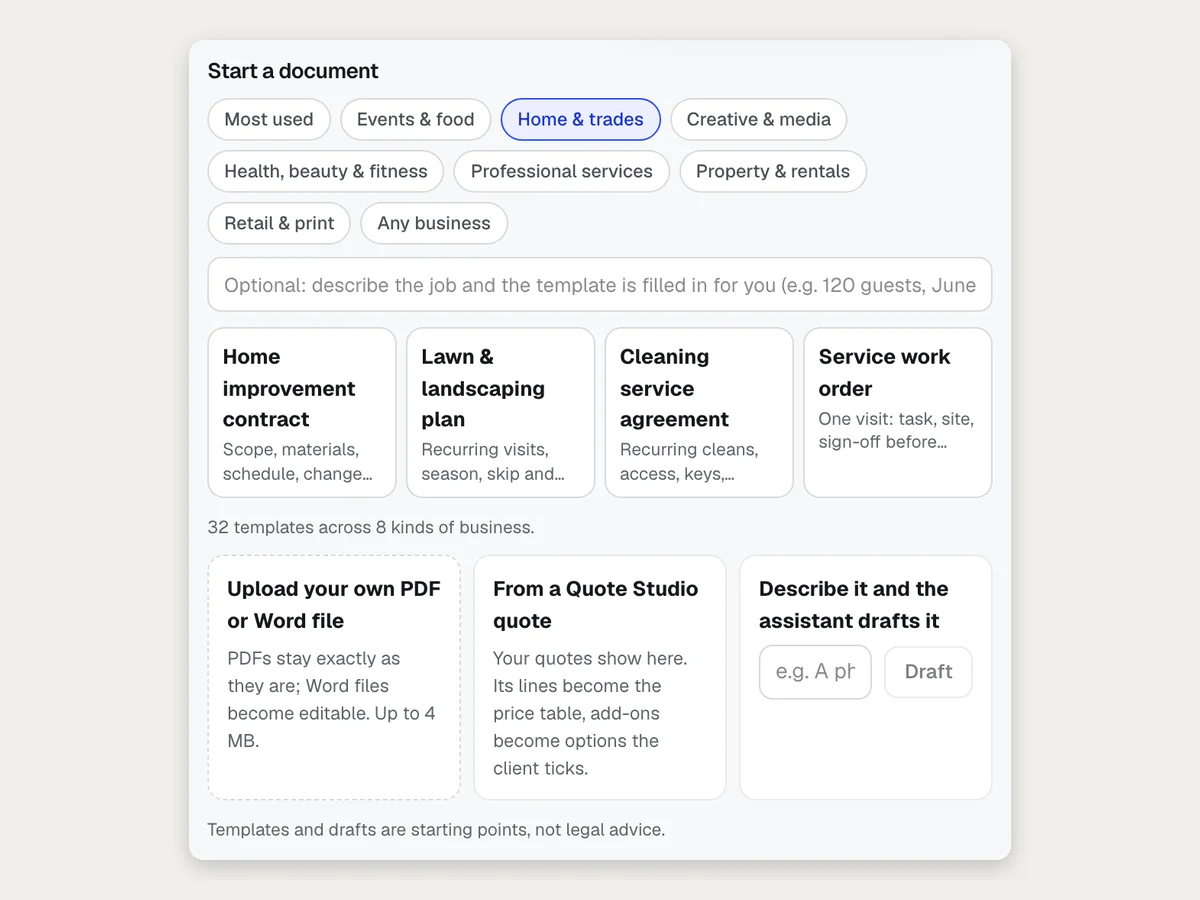
Start from 40 templates by industry
Pick your kind of business and start from its templates, or describe the job and the template is filled in for you.
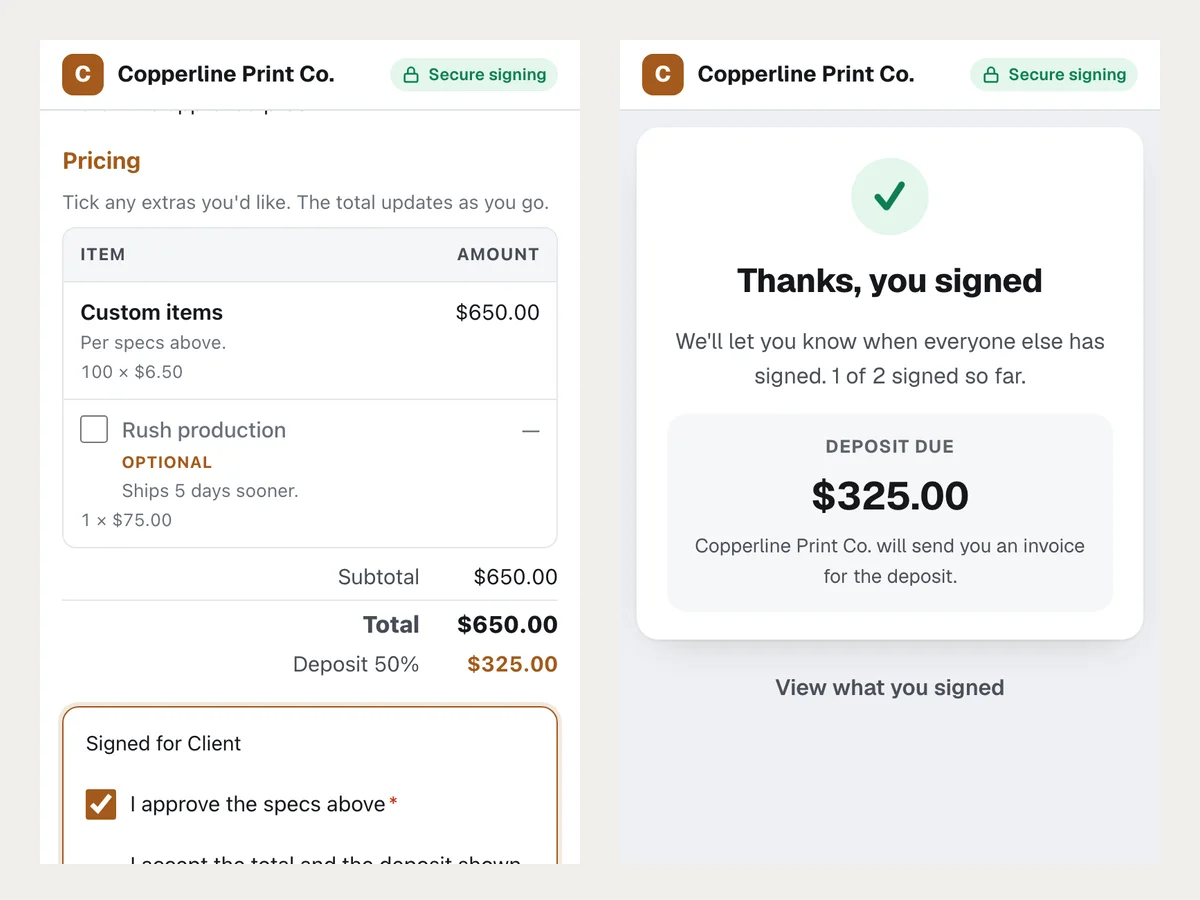
Proposals with optional extras and a deposit
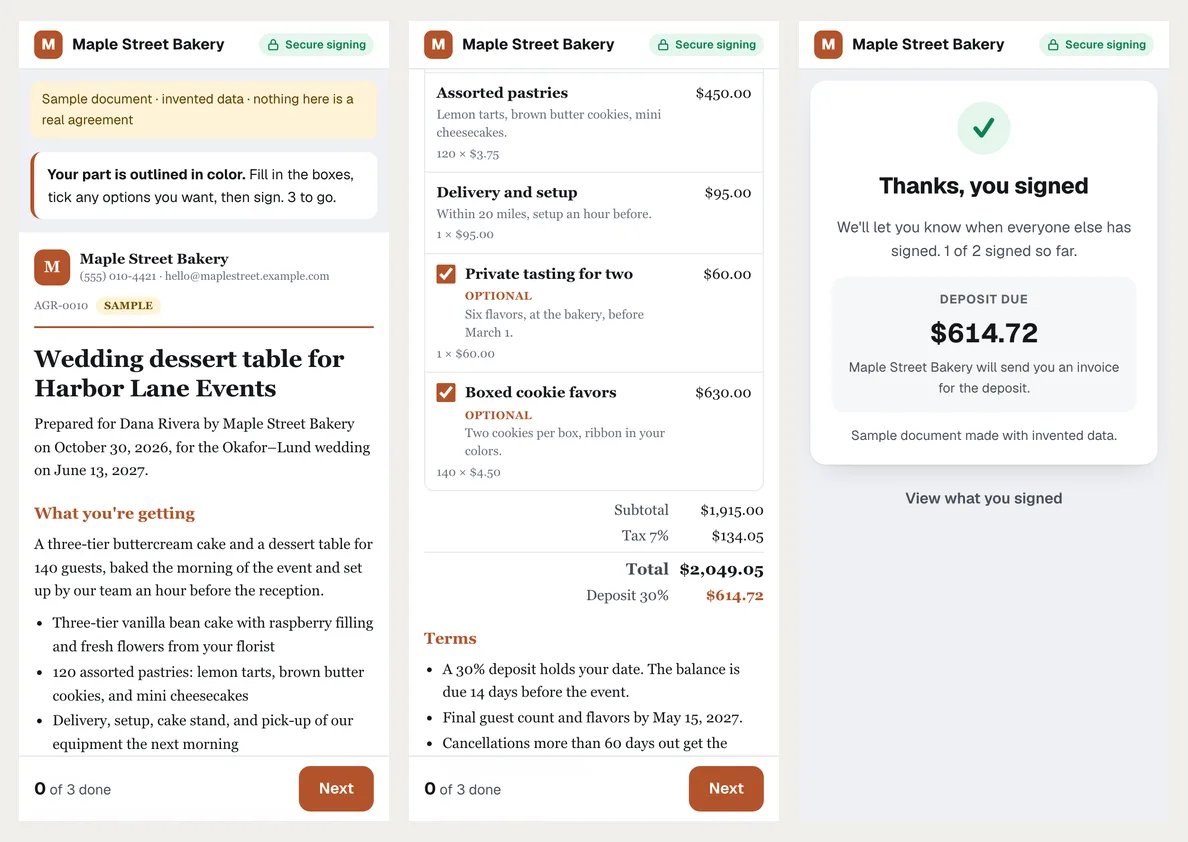
The client ticks the extras they want, the total and deposit update, and accepting the price is part of signing.
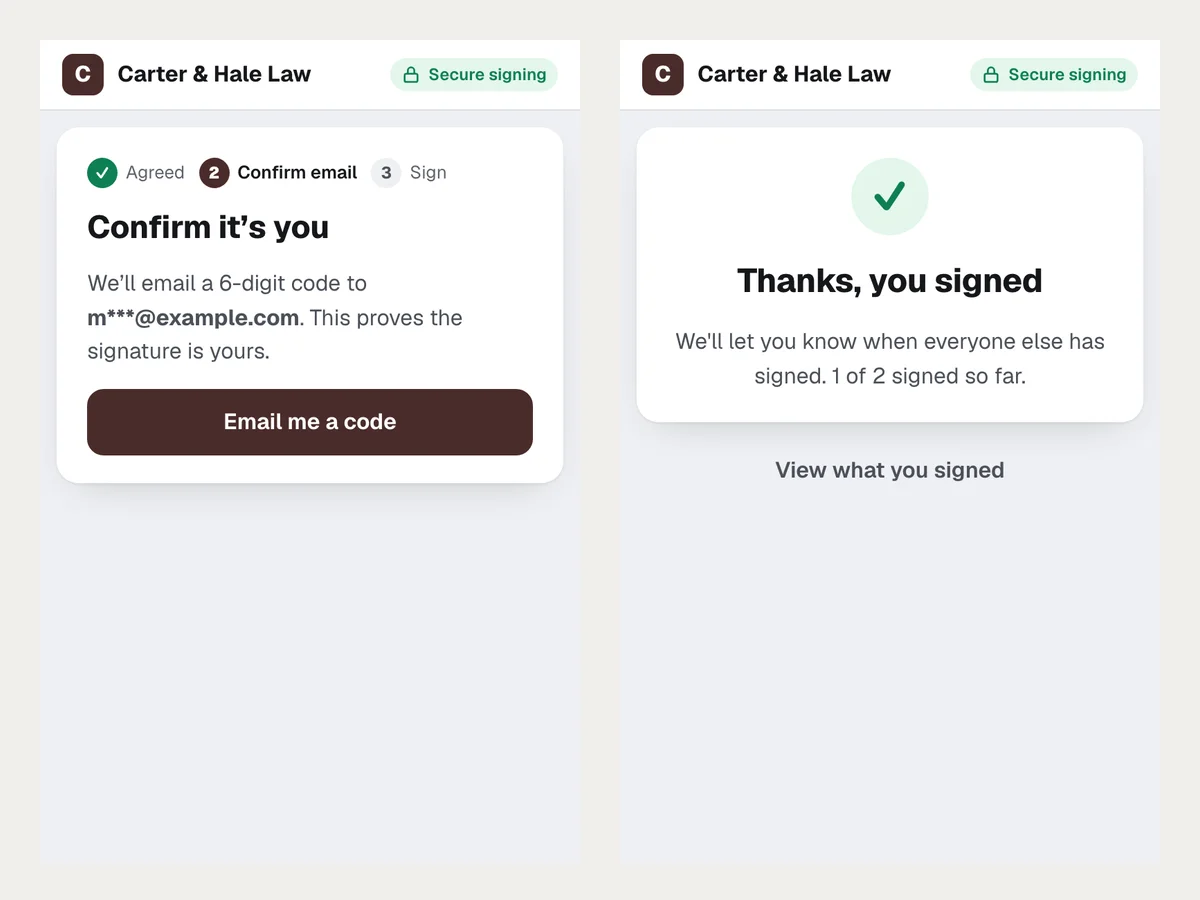
Identity checked by an email code
Before signing, each person confirms a one-time code sent to their email. The code expires after 10 minutes.
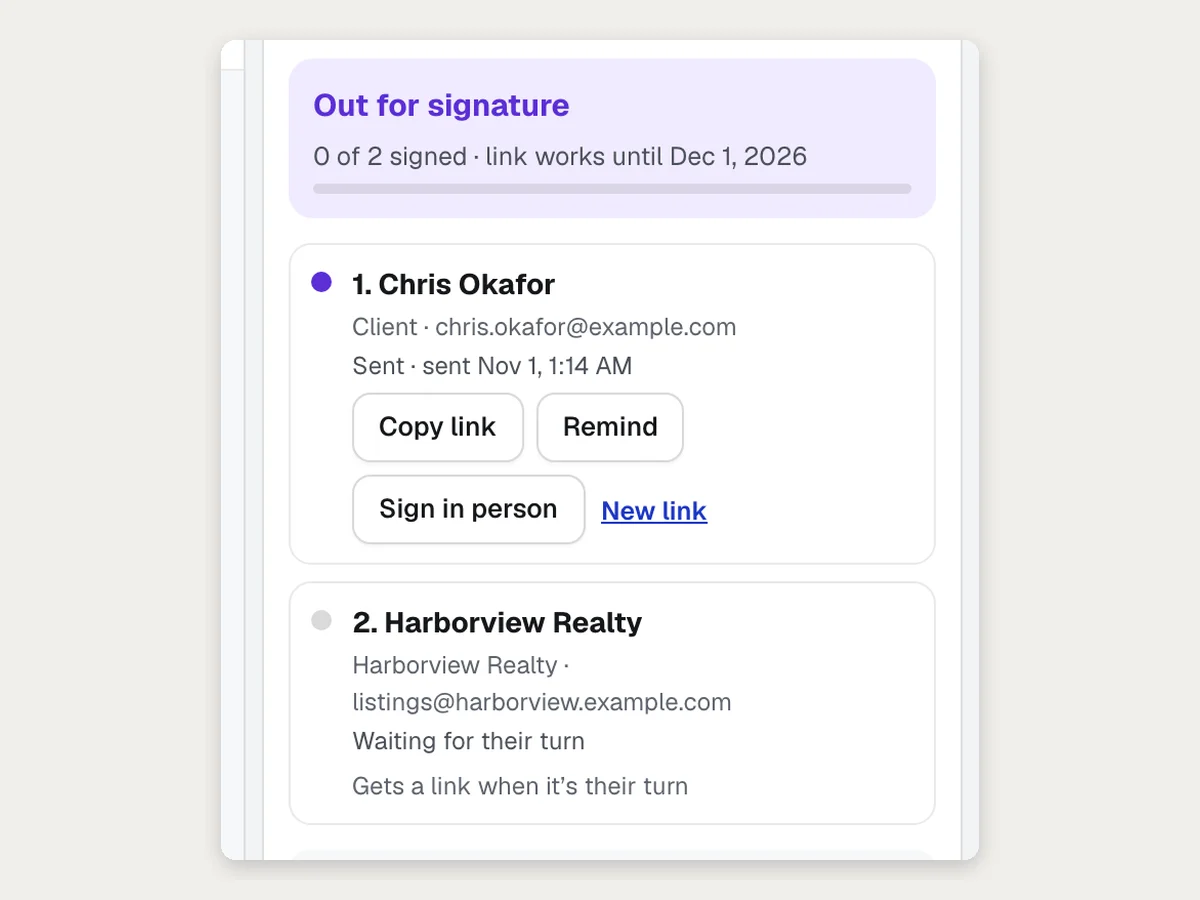
Signers in order
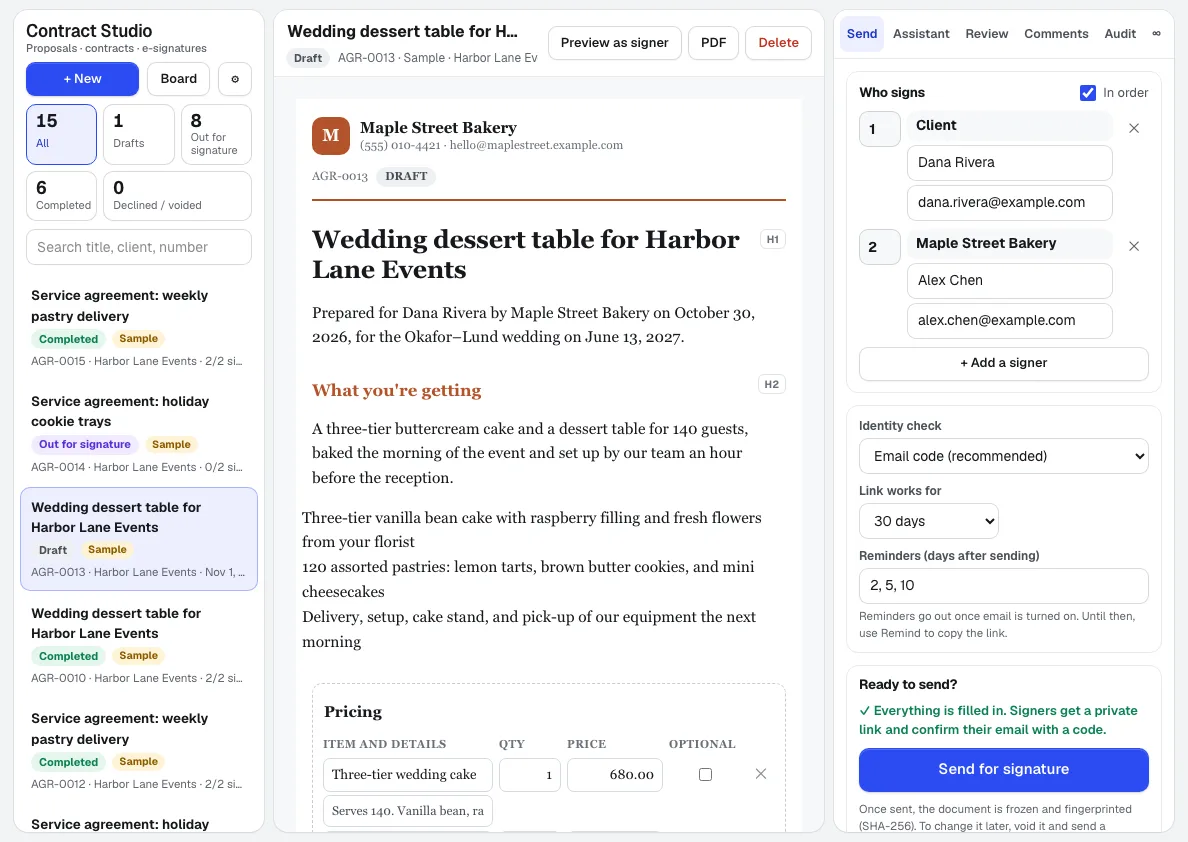
Add everyone who signs. The next person gets their link only when it's their turn.
Toutes les fonctionnalités
Tout ce que contient Contract Studio
La liste complète, telle que l'outil fonctionne aujourd'hui.
- 40 templates by industry (events and food, home services and trades, salons and fitness, agencies and professional services, property, print, promo and retail), each filled in from a sentence describing the job, plus your own saved templates
- Upload your own PDF (kept exactly as it is) or Word file (turned into an editable document)
- Start a proposal from a Quote Studio quote: its lines become the price table and add-ons become options the client ticks
- An assistant panel that drafts the document or makes any change you ask in plain words, says first anything it didn't do, and never invents prices
- Boxes for signature, initials, text, date, checkbox and price acceptance, for each signer, including smart boxes that show only when another is ticked (like a minor's name)
- A clause library, an instant risk check for missing or one-sided terms, and a plain-English explanation of the whole document
- Comments, suggested changes you accept or dismiss, saved versions, and a side-by-side compare before sending
- Fill a document's client and project from your aiKit clients or a Hub project
- Several signers, in order or all at once, private expiring links, reminders, decline or ask for a change, and void and send a corrected copy
- Send one document to many people at once, a walk-in link and QR code for a front desk, and signing in person on your own phone or tablet
- A status board of what's out, opened, overdue or expiring, with Remind and one-click audit trail exports
- The agreed deposit shown at signing, with a button to your own payment page
- Consent to sign electronically, a one-time code to the signer's email, and typed or drawn signatures adopted under a clear statement
- A sealed PDF with a Certificate of Completion (times, IP addresses, devices, SHA-256 fingerprints) and a hash-chained audit trail; anyone can check a copy at aikit.ai/sign/verify
- Your logo, color and document look per business, numbering, approval before sending, retention, webhooks and an API for other apps
Ce qui est inclus
Ce que vous obtenez avec Contract Studio et comment il fonctionne avec le reste d'aiKit
Inclus dans un compte aiKit gratuit
- 40 templates by industry, filled in from a sentence, plus your own saved templates
- Send one document to many people, a walk-in QR code, and signing in person
- Risk check, plain-English explanation, clause library, comments and version compare
- Upload your own PDF or Word file
- Several signers, signing order, reminders and expiring private links
- Email-code identity, consent, and typed or drawn signatures
- Sealed PDF with a Certificate of Completion and a hash-chained audit trail
- Your logo, color and document look per business, webhooks and an API
Ce qui utilise l'IA et ce qui est gratuit
Drafting a document from a description and plain-words changes use your account's monthly AI allowance, shared with every aiKit tool. Templates, editing by hand, sending, signing, the email check, the audit trail and the sealed PDF use no AI. Prices come only from your own words and quotes, never from the AI.
Fonctionne avec vos autres outils aiKit
- Quote Studio: Turn a quote into a proposal: its lines become the price table, add-ons become options.
- aiKit Hub: A Hub card links a contract, shows its status, and moves when it's signed.
- Brand Kit: Brand Kit colors appear as one-click swatches in Contract Studio's look settings.
Keep Contract Studio in any of your kits, next to the tools you use with it. One monthly AI allowance covers every tool you add.
Comment ça marche
Du premier clic au résultat final, en 5 étapes.
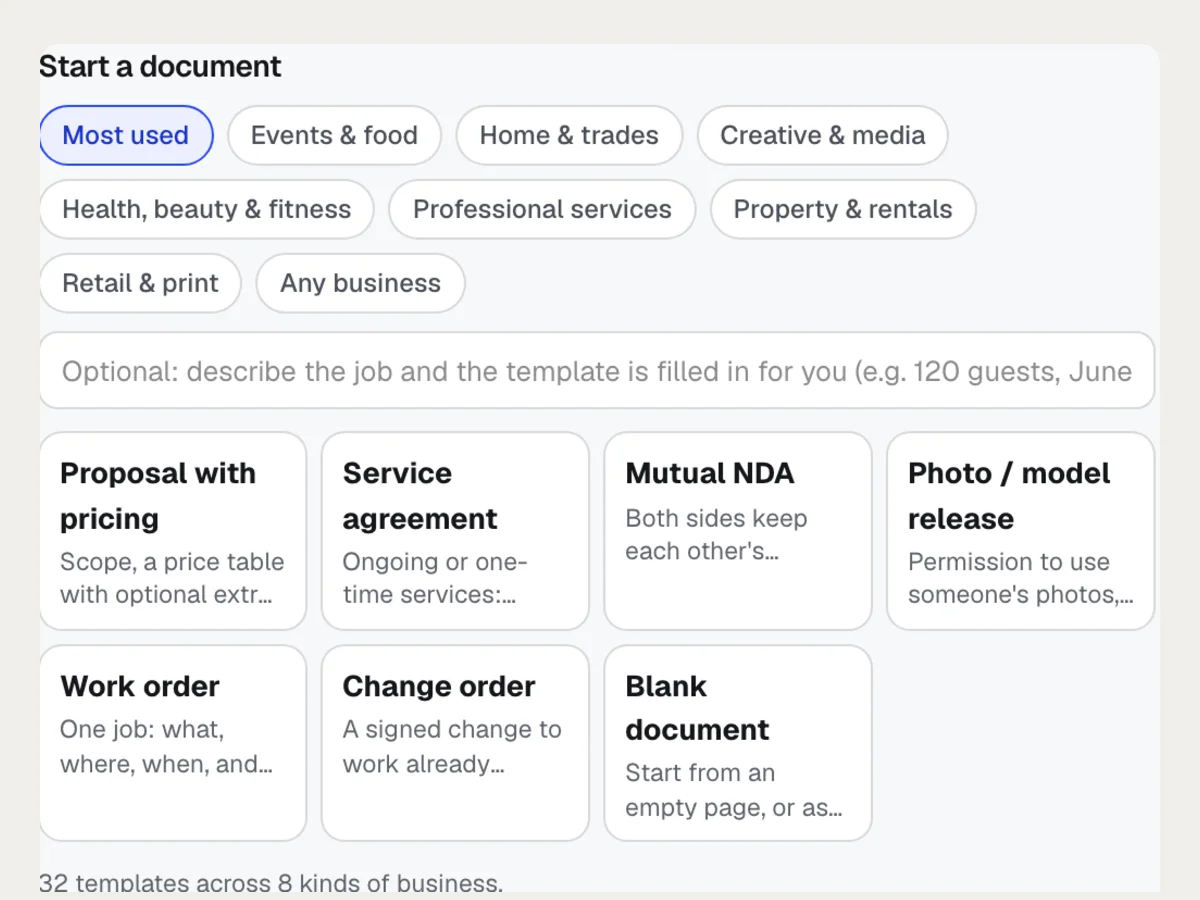
Pick a template, upload a file, or describe it
40 templates by industry, from catering proposals to fitness waivers; your own PDF or Word file; or a sentence the assistant turns into a full draft.
Edit it on the page
Click any text to change it, adjust the price table, and place signature, initials, date, text and checkbox boxes for each signer. It saves as you go.
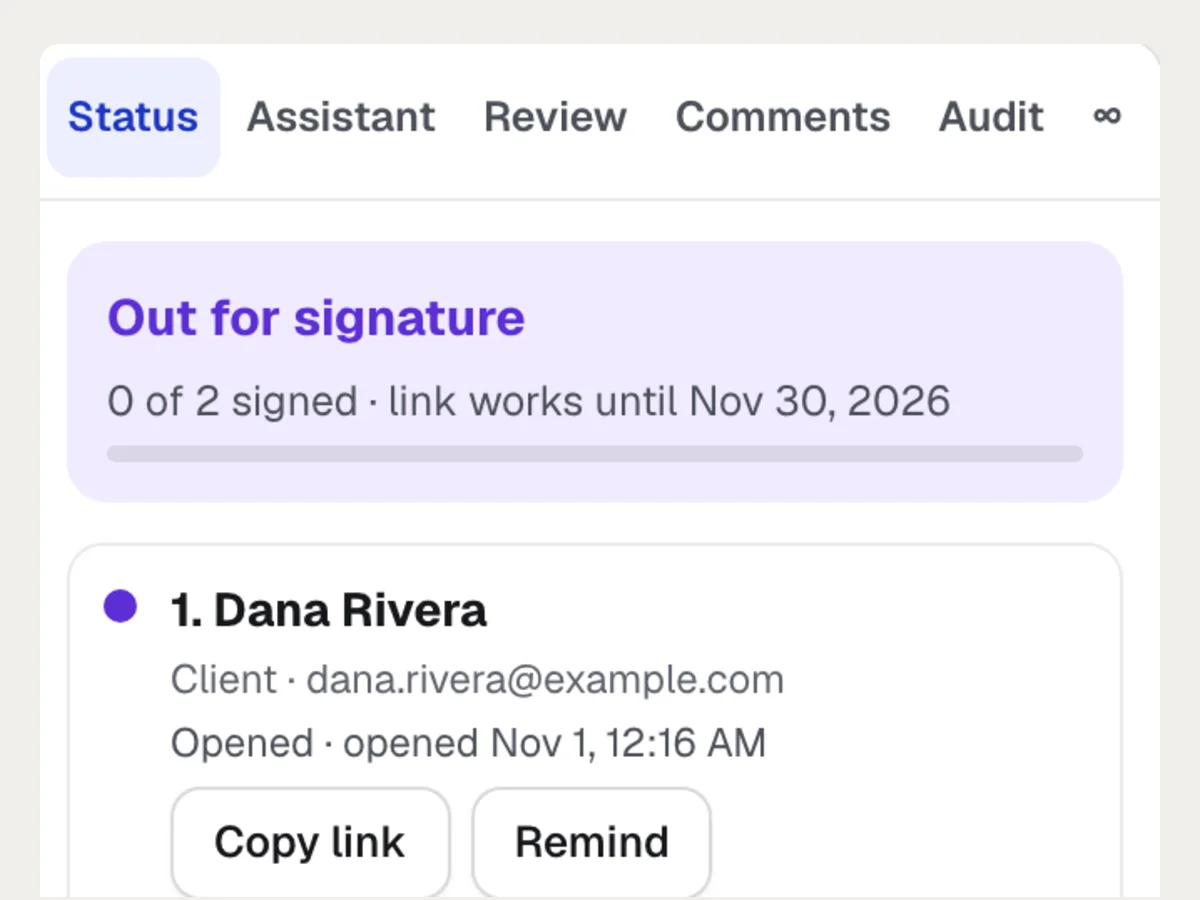
Add signers and send
Names, emails and the order they sign in. A checklist says what's missing before Send. Each signer gets a private link that expires.
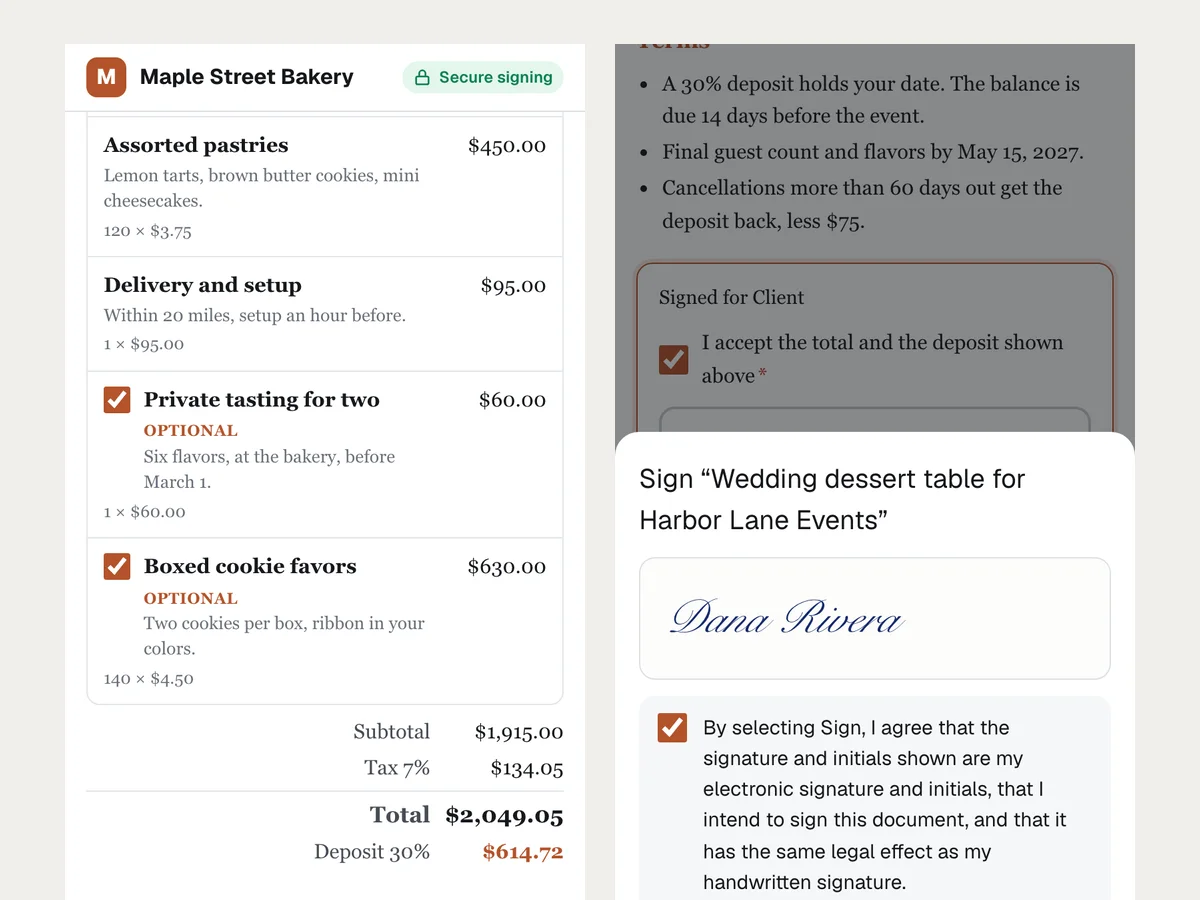
They review and sign on any phone
Agree to sign electronically, confirm the email code, fill in their boxes, tick any extras, adopt a signature and press Sign. The next signer gets their turn.
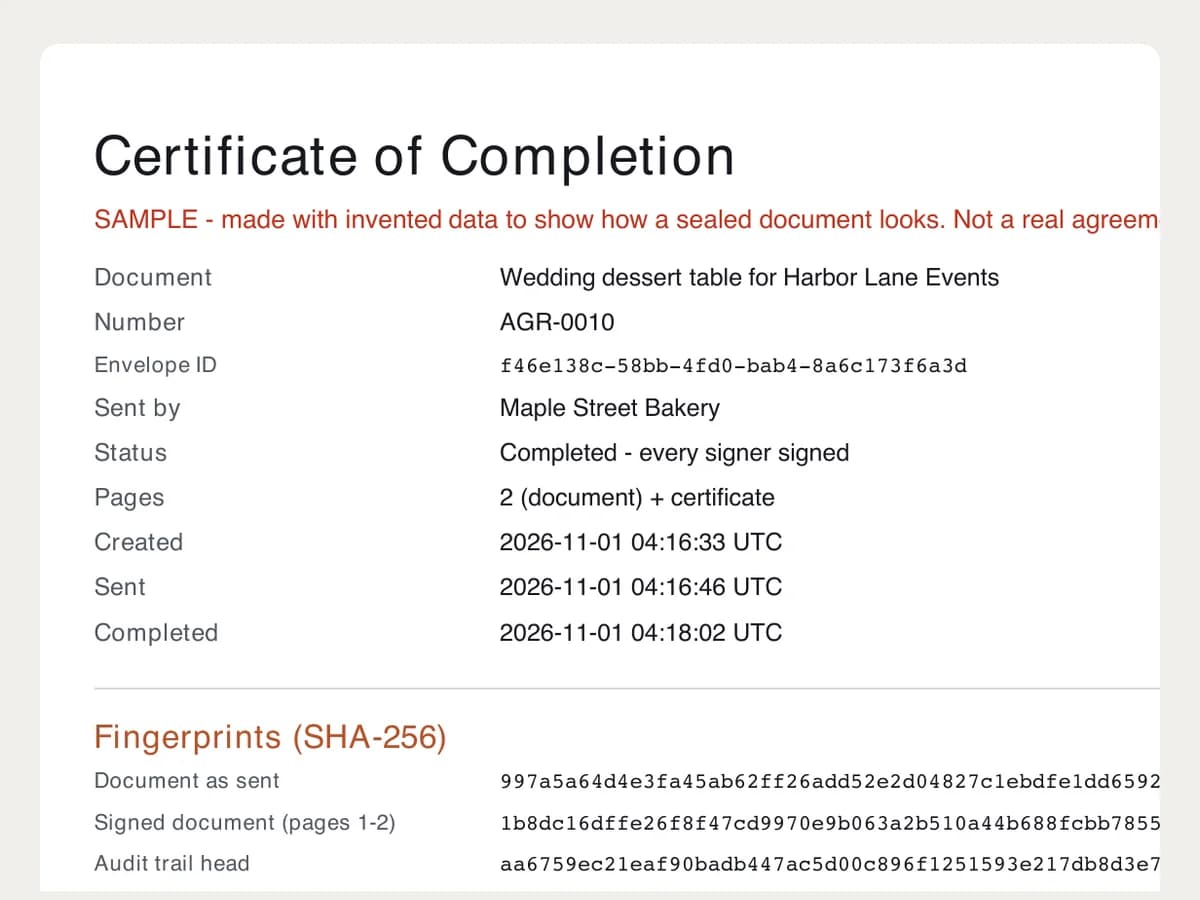
Everyone gets the sealed copy
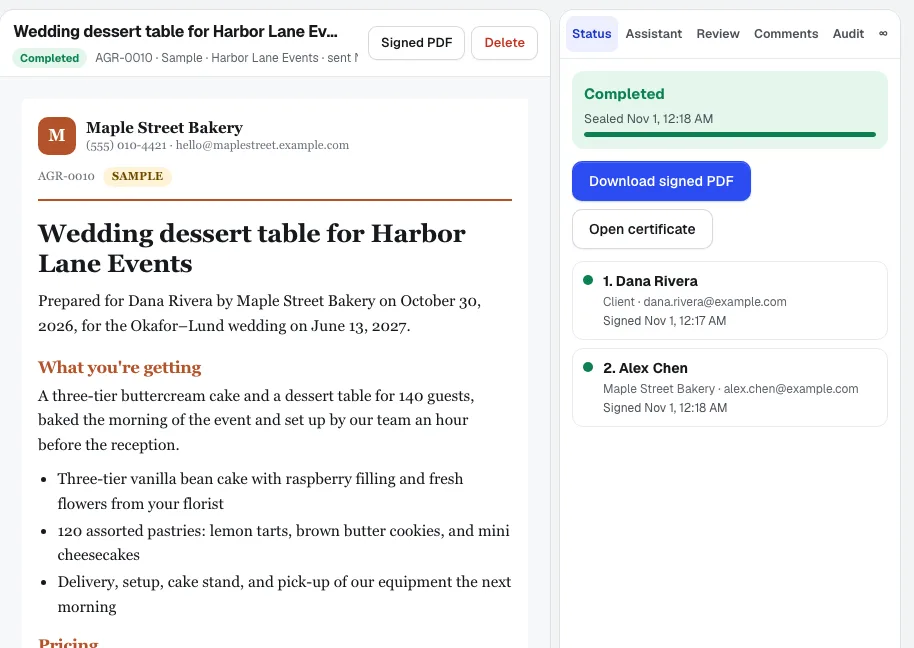
When the last person signs, the PDF is sealed with its certificate. Download it, check any copy at aikit.ai/sign/verify, and turn a signed proposal into the next step.
More it does
More of Contract Studio at work
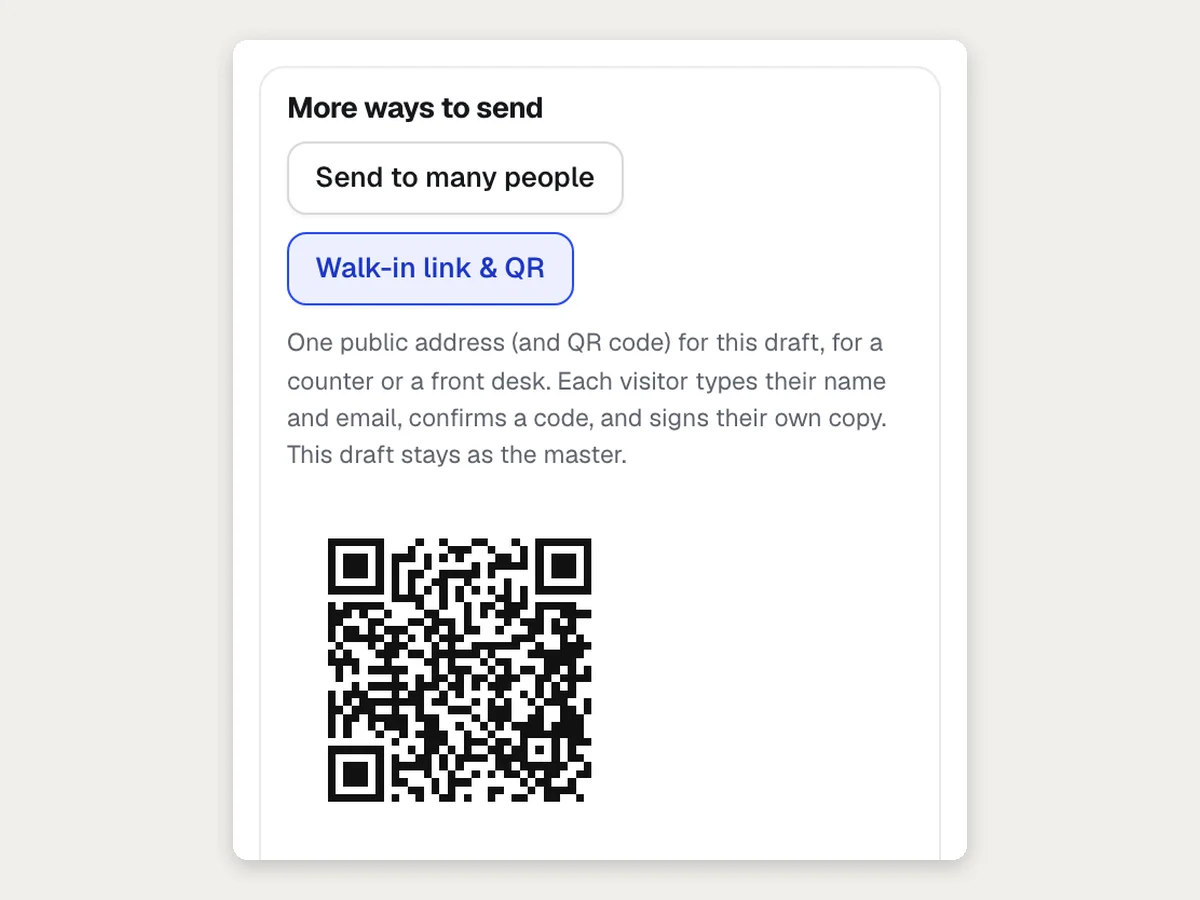
Walk-in link and QR code for the front desk
One address for a counter or a class: each visitor signs their own copy of the same form.
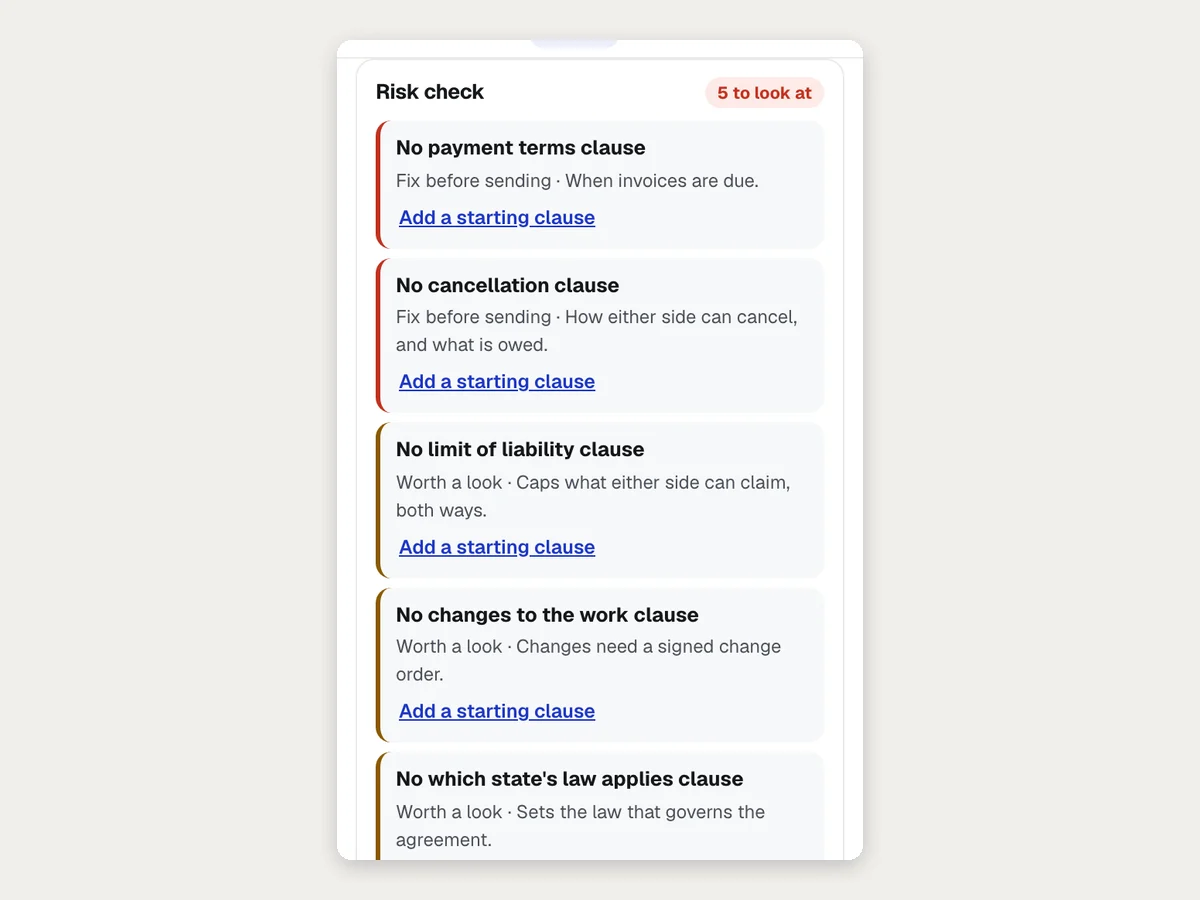
A risk check before you send
Contract Studio lists what a document is missing, like payment or cancellation terms, with a starting clause to add in one click.
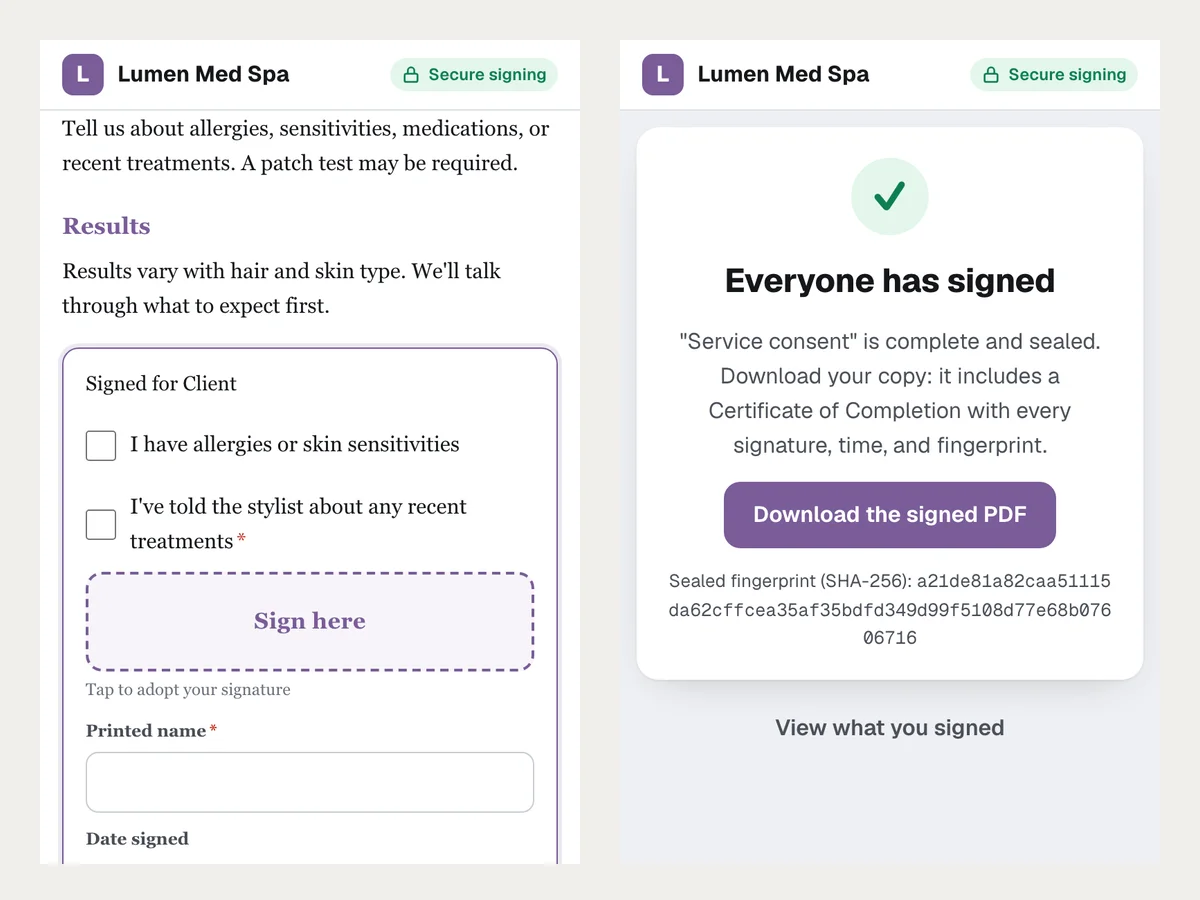
Consent forms signed on a phone
Clients answer the questions, tick the boxes and sign in about two minutes. No account, nothing to install.
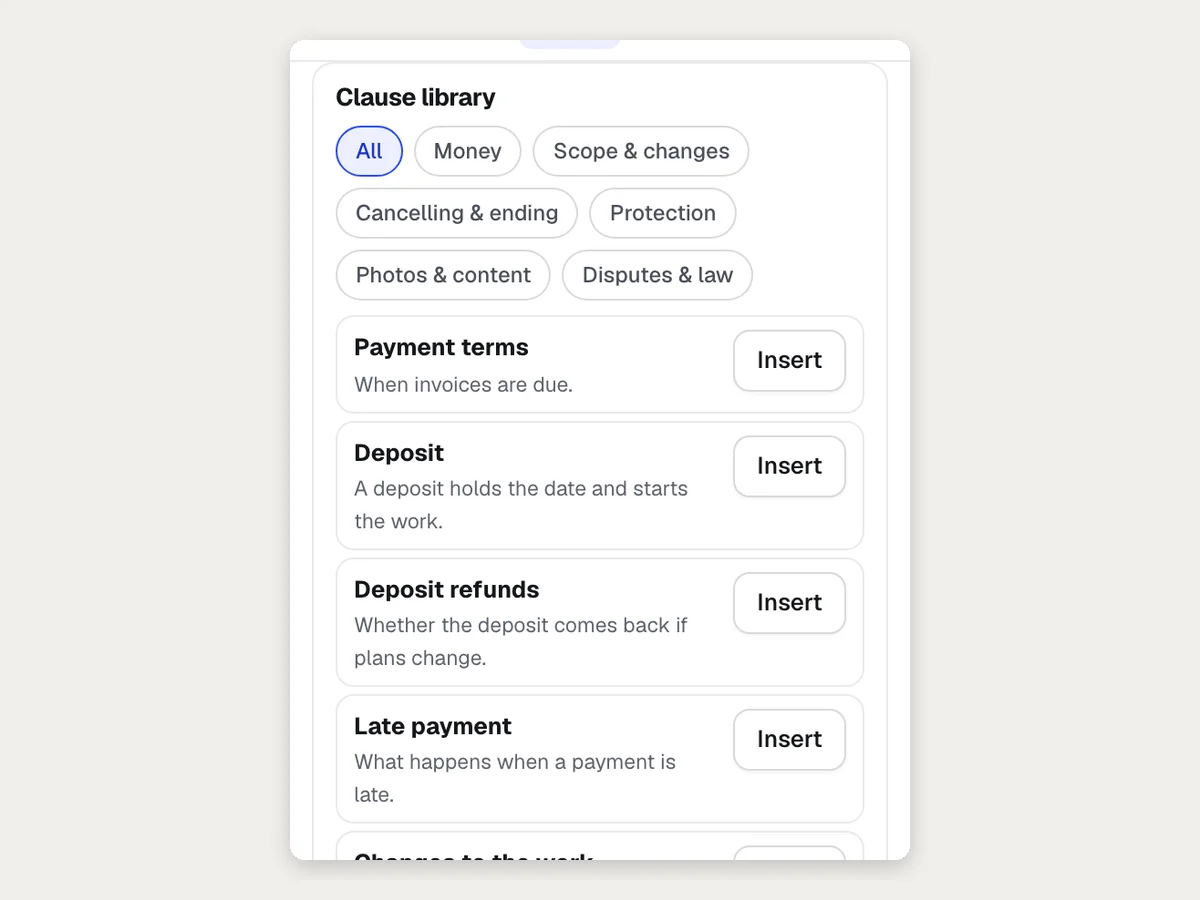
A clause library in plain English
Payment terms, deposits, cancellation, limits of liability and more, each with a one-line meaning and an Insert button.
Pour qui ?
Comment différentes entreprises utilisent Contract Studio
A wedding dessert proposal
An invented bakery sends a proposal with a cake, pastries and two optional extras. The couple's planner ticks the tasting, signs on a phone, and the 30% deposit is right there on the page.
A service agreement before the first visit
A cleaning company sends its agreement to a new office client. The office manager initials the cancellation terms and signs; the owner countersigns second.
Photo releases at a shoot
A photographer sends the release template to each model. Each one confirms their email and signs, and the sealed copies sit with the shoot's records.
Change orders that stop scope creep
An agency sends a change order with the added work and its price. The client's signature on the price change is part of the sealed record.
From quote to signed proposal
A print shop turns a Quote Studio quote into a proposal in one press: the lines become the price table and add-ons become options the client ticks.
An NDA before sharing listings data
A brokerage sends a mutual NDA to a partner before sharing private numbers, with both sides signing in order.
Idéal pour
- Service businesses sending proposals and agreements before work starts
- Photographers and event pros who need releases and contracts signed
- Agencies and contractors with change orders and work orders
Bon à savoir
- Pas pour : Documents the law requires on paper or before a notary, such as wills and some real-estate or family-law papers
- Pas pour : Encaisser des paiements ; un acompte s'affiche comme un montant que vous encaissez à votre façon
- Pas pour : Legal advice; templates and drafts are starting points for your own lawyer to check
- Emails and reminders go out once email is set up for your account; until then you copy each signer's private link and send it yourself.
- Uploaded files up to 4 MB. Uploaded PDFs are signed on a signature page added after the document.
- Signatures are electronic signatures under the U.S. ESIGN Act and UETA, and simple electronic signatures under the EU's eIDAS rules, not certificate-based digital signatures.
- No payments: aiKit never charges your client.
Questions
Contract Studio : les questions fréquentes
Are electronic signatures legally binding in the US?
Is there a free way to get contracts and proposals signed online?
How does Contract Studio prove who signed?
Can my client sign on a phone?
Can I check later that a signed PDF wasn't changed?
How do I send a contract for signature in aiKit?
What does the signer have to do?
What is the Certificate of Completion?
Can I change a document after I send it?
Can Contract Studio tell my other software when a document is signed?
Can I send the same release or form to many people at once?
Can a client sign in person on my phone or tablet?
Does Contract Studio check my contract for missing or unfair terms?
Fonctionne bien avec
Des outils à ajouter au même kit
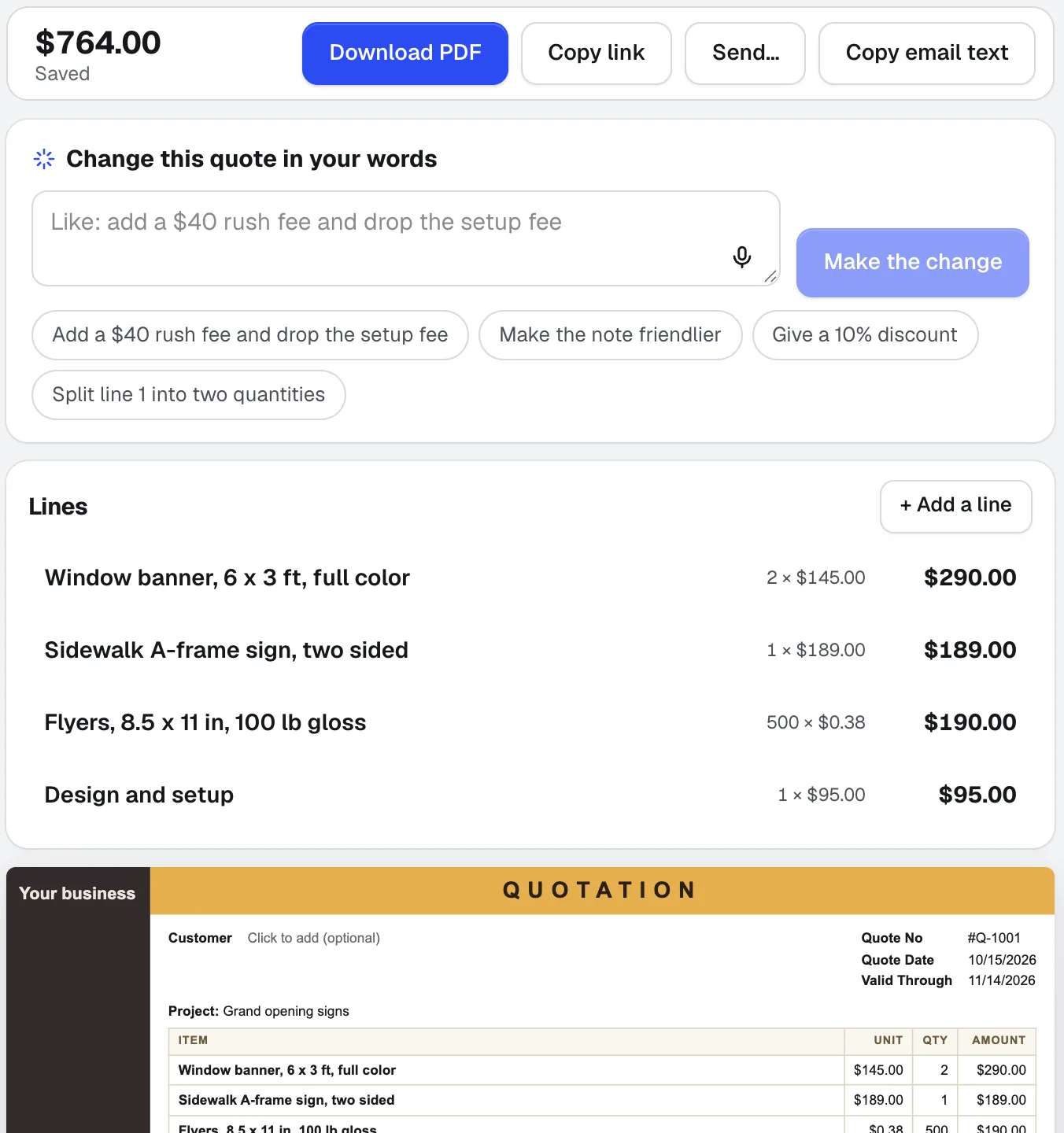
Quote Studio
NouveauCollez l'e-mail d'un client, dictez le chantier ou ajoutez une photo d'une liste manuscrite. Quote Studio est un logiciel de devis qui rédige un devis d'une page en utilisant uniquement vos propres prix ; vous téléchargez ensuite le PDF ou envoyez une page en ligne que votre client peut accepter.
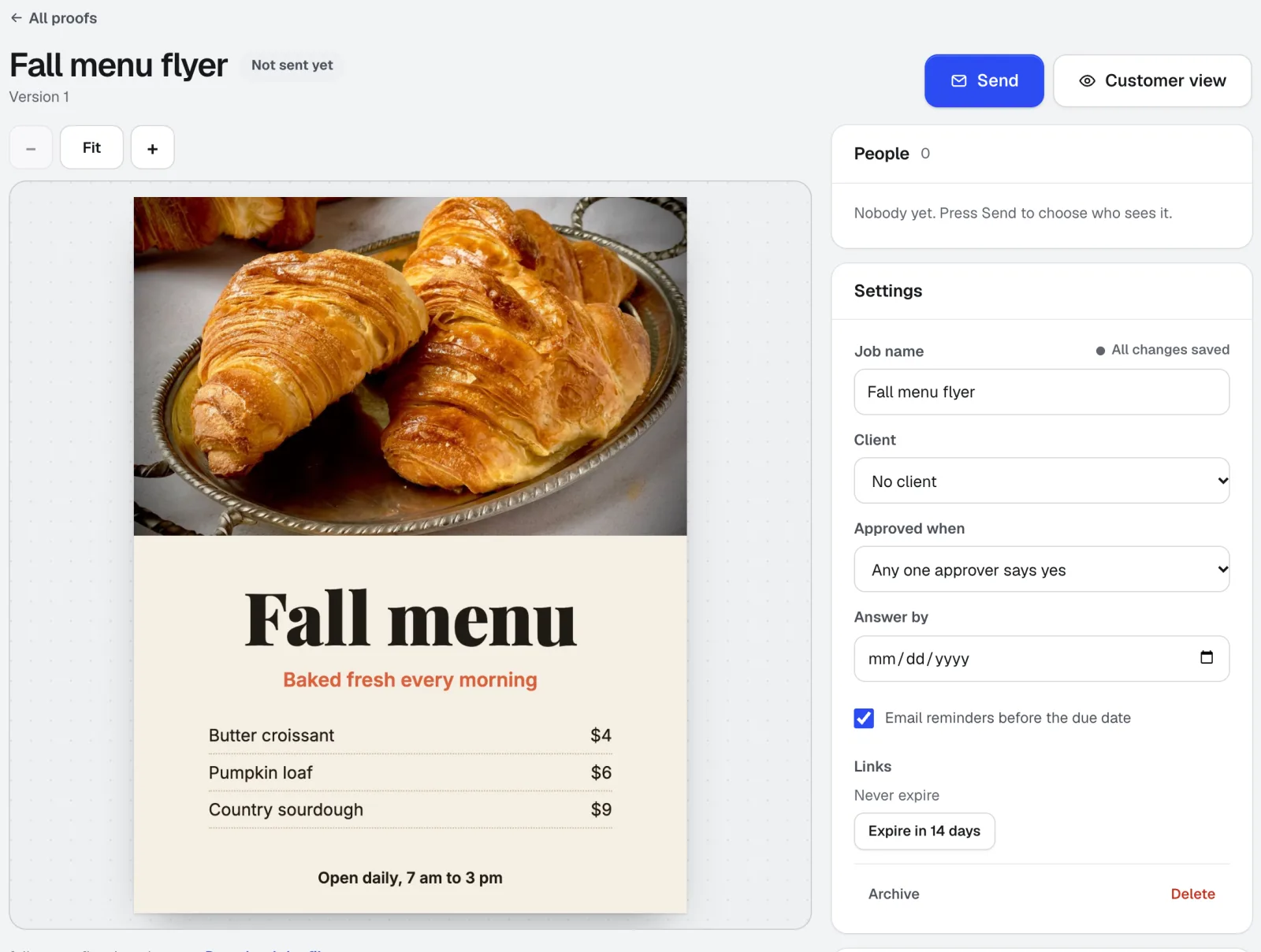
Customer Proofs
Aucun compte requis pour vos clientsCustomer Proofs est un logiciel de validation en ligne pour tout visuel, page web, vidéo ou fichier audio. Envoyez-le à une ou plusieurs personnes ; chacune reçoit un lien privé pour épingler des commentaires à l'endroit exact et approuver avec une liste de contrôle et son nom tapé. Aucun compte n'est requis de leur côté.
aiKit Hub
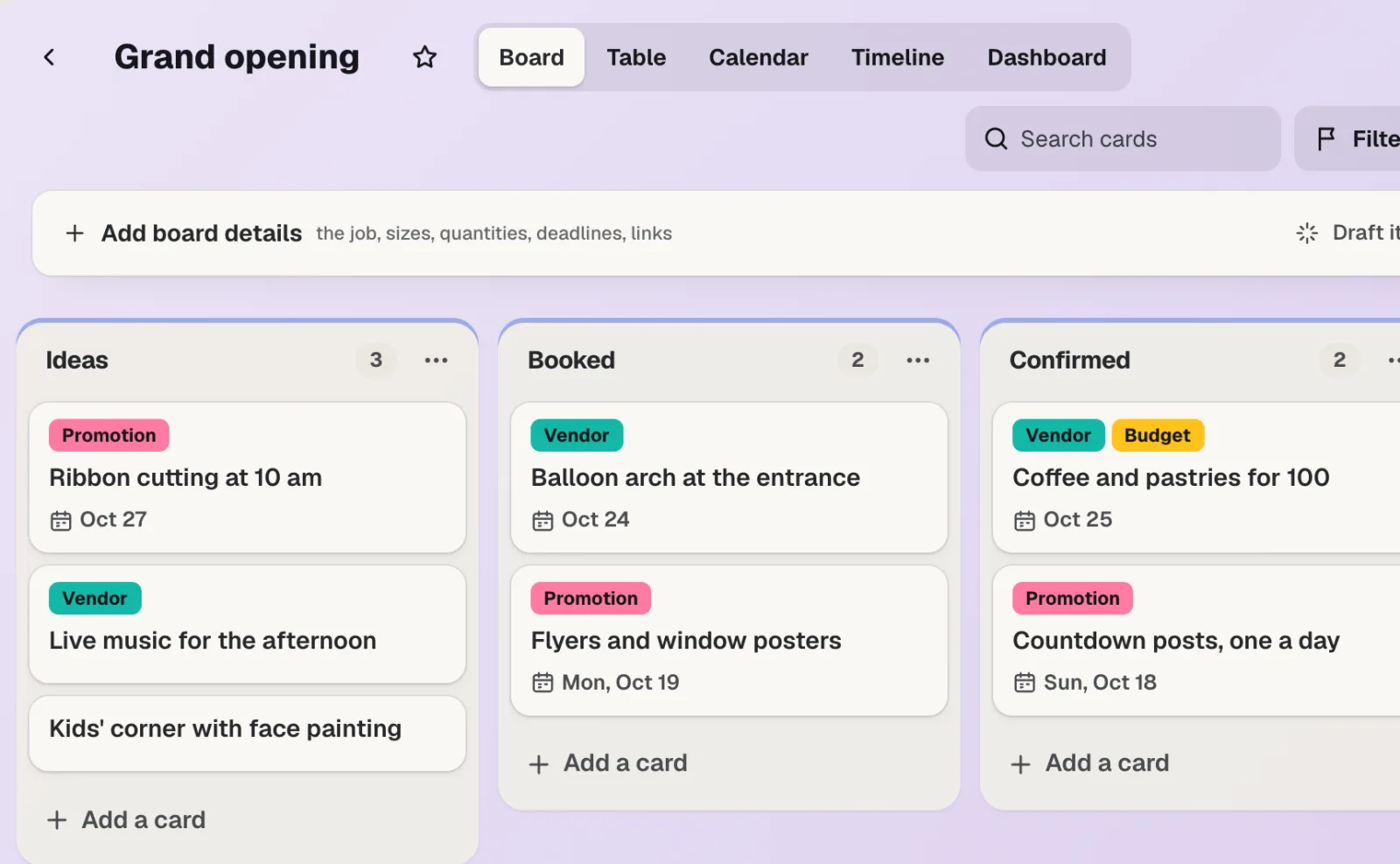
NouveauaiKit Hub est un logiciel de gestion de projets clients : listes de tâches qui se transforment en tableaux, messages, chat, planning partagé, documents et fichiers, ainsi qu'une vue client qui n'affiche que ce que vous choisissez. Vos devis, épreuves, réservations et demandes de site web vivent sur les cartes auxquelles ils appartiennent.
Utilisez Contract Studio dès aujourd'hui.
Créez un compte aiKit gratuit et ouvrez Contract Studio, ainsi que tous les autres outils de votre kit.
Page vérifiée par rapport au produit le 2026-11-01.