

360 Tour新機能
A 360 walk-through of any space, on their phone or in VR
Turn 360 photos into a tour with room-to-room arrows and info labels. Publish a link, a QR code or a website embed, or run a hazard hunt for new staff. Free, no app.
無料アカウント、カード不要。 すでにaiKitをご利用ですか? ログインして360 Tourを開く
できること
Turn 360 photos into a walk-through tour with info labels and room-to-room arrows, plus VR headsets and a hazard-hunt training mode.
From photos to a tour in minutes
Drop in 360 photos from a 360 camera or a phone's photo sphere mode. Each one becomes a room you name.
Arrows and labels
Click the photo to add a Go to room arrow or an info label with a short note, like "Quartz counters, redone 2025".
Phone, computer or VR
Visitors drag, move their phone to look around, or step inside with a VR headset's browser.
Hazard hunt training
Mark labels as hazards. New staff tap what looks unsafe and see their score, before day one.
Link, QR code or embed
Publish once for a short link, a QR code and an embed code. Publish again and the same link updates.
すべての機能
360 Tourのすべて
現在のツールの機能を完全にまとめた一覧です。
- Three real examples: an open house, a venue and a warehouse hazard-training tour
- Rooms from 360 photos (a 360 camera, a phone's photo sphere mode or a free 360 photo app), named, reordered and replaced
- Go to room arrows and info labels with a short note, placed by clicking the photo
- A start room and view, a room menu, a slow spin after a quiet moment, full screen, look-around by moving the phone, and Enter VR on a headset's browser
- Training mode: mark labels as hazards; visitors tap to find them and get a score
- Publish and share: a short link, a QR code and an embed code for your website; publish again and the same link updates
- Record a walk-through video or save a still to your Graphics Library (AR Studio folder)
- Export and import a tour file as a backup
含まれるもの
360 Tourでできることと、aiKitのほかのツールとの連携
aiKitの無料アカウントに含まれます
- Free on every aiKit account
- Three examples, arrows, info labels, VR and training mode
- Publish for a short link, QR code and website embed that update when you publish again
AIを使うものと無料のもの
360 Tour uses no AI and no tokens.
aiKitのほかのツールと連携
- Graphics Library: Add a 360 photo from the library as a room; walk-through videos and stills are saved to the AR Studio folder.
- Clip Studio: Cut a recorded walk-through into short clips from What's next.
- Your websites: Paste the embed code into your site, or ask your aiKit site's Assistant to add it.
360 Tourは、どのキットにも入れて、一緒に使うツールと並べられます。毎月のAI利用枠は、追加したすべてのツールで共通です。
使い方
最初のクリックから完成まで、4ステップ。
Add your rooms
Drop 360 photos in, name each room, and click a thumbnail to step inside.
Place arrows and labels
Click where a doorway is for an arrow, or on a feature for an info label.
Pick where visitors start
Turn to the best view and press Start here, looking this way, then preview it as a visitor.
Publish and share
Copy the link, print the QR code, or paste the embed code into your website.
こんな方におすすめ
さまざまなビジネスでの360 Tourの使い方
The listing, room by room
A made-up realty group publishes an open-house tour with labels on the new kitchen and the backyard, and embeds it on the listing page.
Walk the venue before the visit
A made-up event hall shares a tour of the ballroom and patio, so couples arrive at the showing already in love with it.
Safety training before day one
A made-up warehouse marks three hazards on its shop floor tour; new hires hunt for them on their phones before their first shift.
See the space before booking
A made-up salon embeds a tour of its stations and lounge on the booking page.
A campus tour from home
A made-up school shares a tour of its labs and library with families who live too far to visit in person.
こんな方に最適
- Realtors putting a listing walk-through on the listing page
- Venues, salons and gyms showing the space before people book a visit
- Warehouses and shops training new staff to spot hazards before day one
知っておきたいこと
- 向いていない用途: Measured floor plans
- 向いていない用途: Video tours shot with a regular camera (use Video Kit or Clip Studio)
- Free: it runs on your device and uses no tokens.
- Published room photos are made smaller (up to 4096 pixels wide) to load quickly on phones.
- Training scores show to the visitor; they aren't saved per person yet.
質問
360 Tourについてよくある質問
Is there a free 360 virtual tour maker I can embed on my website?
Can I make a 360 tour with just my phone?
How do I train new employees to spot hazards with a virtual tour?
What is AR Studio in aiKit?
Do the AR Studio tools cost anything?
Is my camera video uploaded?
Where do my AR photos and videos go?
How do I show a customer how big a sign will be on their building?
Does my customer need an app or an account to see it on their wall?
Which quote lines get See it at real size?
How do I make a branded selfie filter for my business?
Do my customers need an app for Brand Camera?
If I change my Brand Camera, do I need a new QR code?
How can a customer see furniture in their own room before buying?
Can I import my vendor's product list into Room Designer?
相性のいいツール
同じキットに追加したいツール
Room Designer
新機能Place real 3D furniture, TVs and decor true to size in a 360 room or a photo of your customer's room. Import your product list, compare layouts and send a picture. Free.
Life-Size
新機能Snap the storefront, lawn or wall and mark a door. The sign, banner or canvas appears at its true size. Or see it live through the phone. Free, and it runs on your device.
Graphics Library
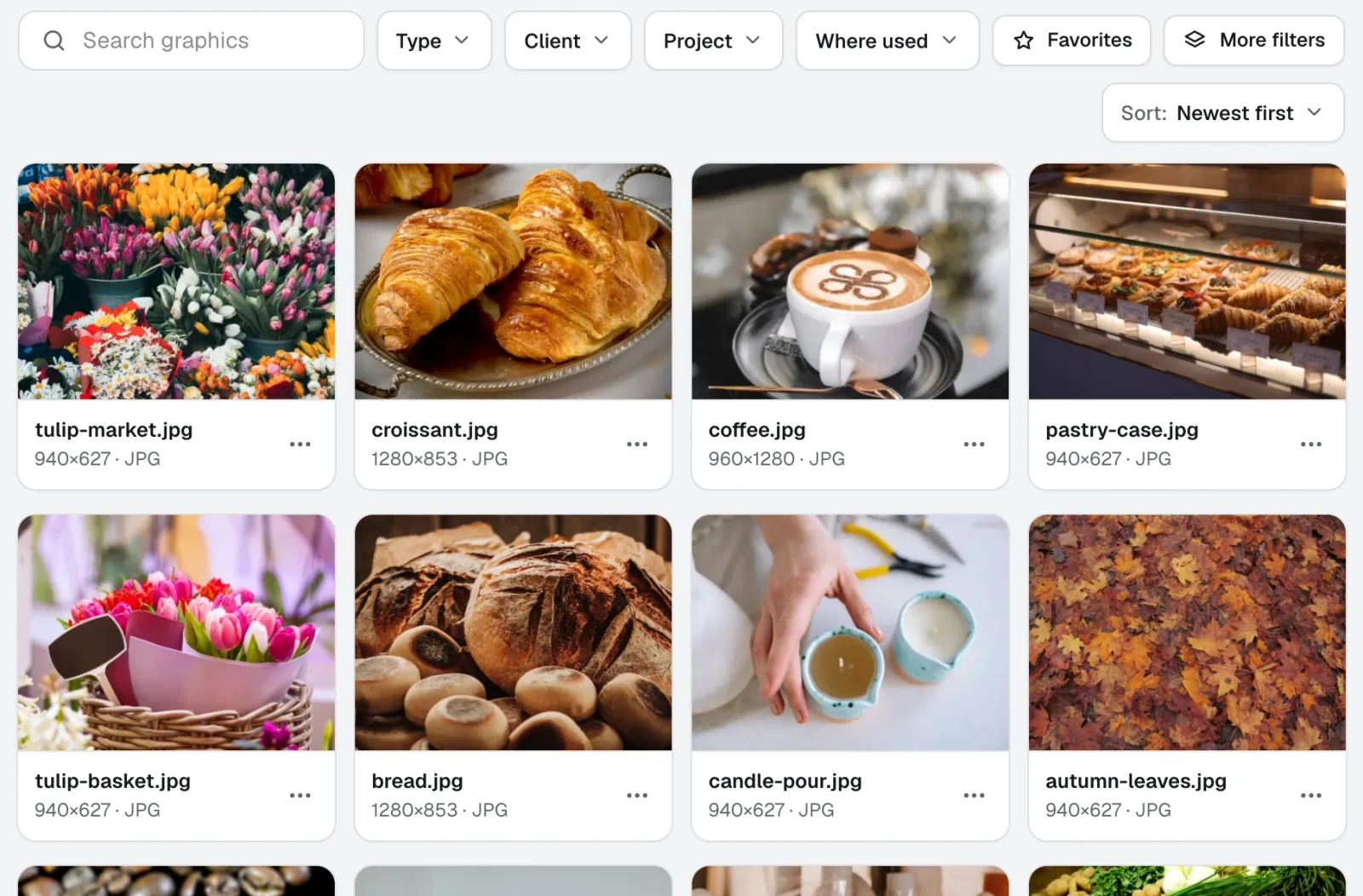
新機能Graphics Libraryは、チーム向けのデジタルアセット管理ソフトです。すべてのクライアントとプロジェクトのロゴ、写真、デザインファイルを、ラベル付きで1か所にまとめます。フォルダーごと投入でき、数百件を一度にラベル付けできるため、チームの誰もが必要なファイルをすぐに見つけられます。
このページは2026-11-22に製品の内容と照合して確認しました。