Skip to content
Start free

Content KitNew

Blog posts and product descriptions that sound like you

Content Kit is an AI blog writer for full blog drafts and product descriptions in your Brand Voice, with search titles, FAQs and alt text. It flags every fact to check before you publish.

Free account, no card. Already using aiKit? Log in to open Content Kit
aiKit · Content KitExample
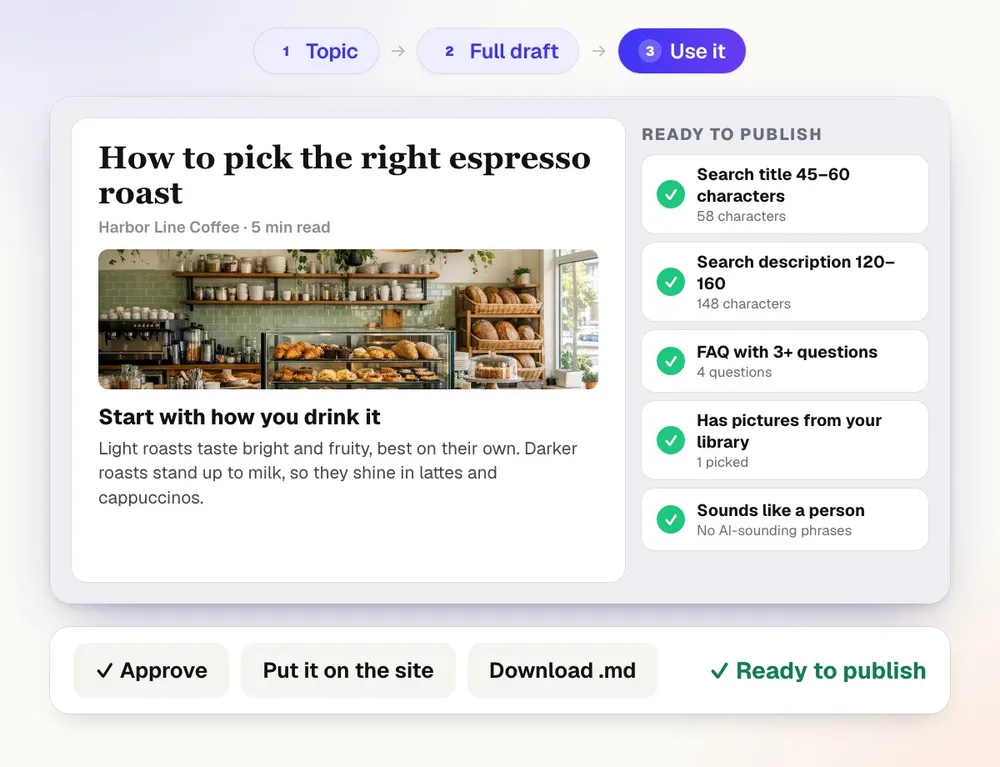
Content Kit writing a blog post about picking an espresso roast, with title, photo and paragraphs, while the Ready to publish checks tick off, then Approve and Put it on the site

What you get

Blog posts and product descriptions for your website, written for search, in your Brand Voice, with search titles, FAQs, and alt text.

Writes in your voice, per client

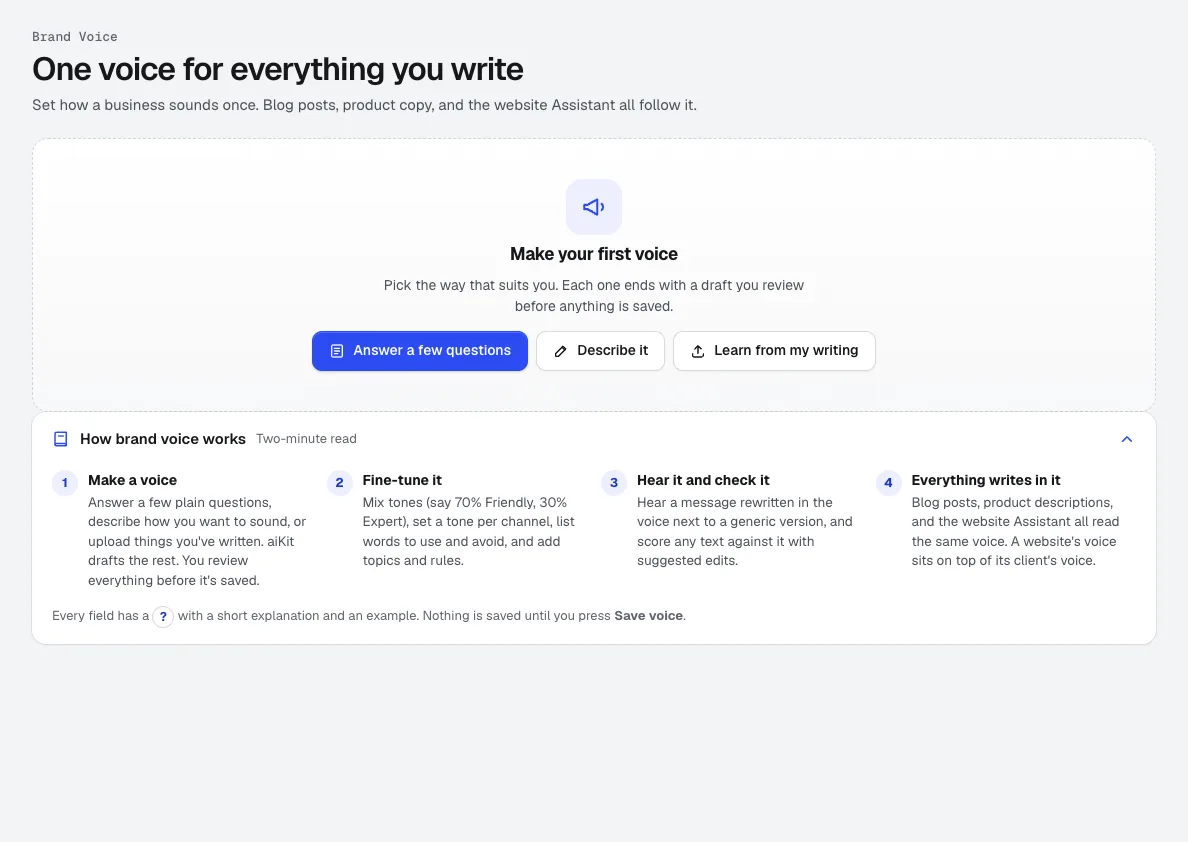
Every draft follows the voice you set in Brand Voice: your tone mix, words to use and avoid, topics and rules. Agencies keep a separate voice for each client and website.

A full post, not just paragraphs

Each blog draft comes with headings, an FAQ, a search title and description, links to add, and alt text for every picture. The HTML download includes the FAQ and article structured data.

Facts flagged, never invented

It never makes up prices, stats, awards, licenses or reviews. A Check before publishing list shows every statement to confirm, with the reason.

Up to 25 products at once

Paste one product per line or upload a CSV, and each gets a short and long description, key features, a specs table from your notes only, a search title and three alt texts.

A score before you publish

Ready to publish rates each post from 0 to 100 on length, search details, FAQ, links, pictures and blanks to fill, and Fix it buttons turn advice into changes.

Straight onto your aiKit website

For a site built with aiKit, Put it on the site adds an approved post at /blog/, as a draft for you to check when the site waits for Publish.

Every feature

Everything in Content Kit

The complete list, from the tool as it works today.

  • Writes in the voice you set in Brand Voice, per client and per website
  • Four quick questions first (the business, who it's for, the goal, the tone), filled in from your Brand Voice and kept for the next post or product list
  • Blog ideas, an outline you can change, and a full draft with headings, FAQ, search title, description, links to add, and alt text
  • Product descriptions one at a time or up to 25 at once, each with a short and long description, features, specs, and alt text
  • Edit by asking, every version kept, and Markdown, HTML, and CSV downloads
  • Uses your account's tokens for each blog draft or product description; outlines, ideas, and edits are free

What’s included

What you get with Content Kit, and how it works with the rest of aiKit

Included with a free aiKit account

  • Runs on your account's tokens, the same tokens every aiKit AI tool uses
  • A blog post's full draft or a product's first description uses tokens
  • Blog ideas, outlines, asking for changes, every Suggest button and writing a product again are free
  • Product descriptions one at a time or up to 25 at once, from pasted lines or a CSV
  • A Ready to publish score from 0 to 100 and a Check before publishing list on every post
  • Markdown, HTML and CSV downloads, and Put it on the site for aiKit websites

What uses AI, and what’s free

Writing a full blog draft or a product's first description uses your account's tokens. Ideas, outlines, edits by asking, AI help, Suggest buttons and writing a product again are free. The Ready to publish score is worked out straight from the text, and downloads use no AI. Putting an approved post on an aiKit website uses that website's AI edit allowance, like any other change to the site.

Works with your other aiKit tools

Keep Content Kit in any of your kits, next to the tools you use with it. One monthly AI allowance covers every tool you add.

How it works

From first click to finished, in 5 steps.
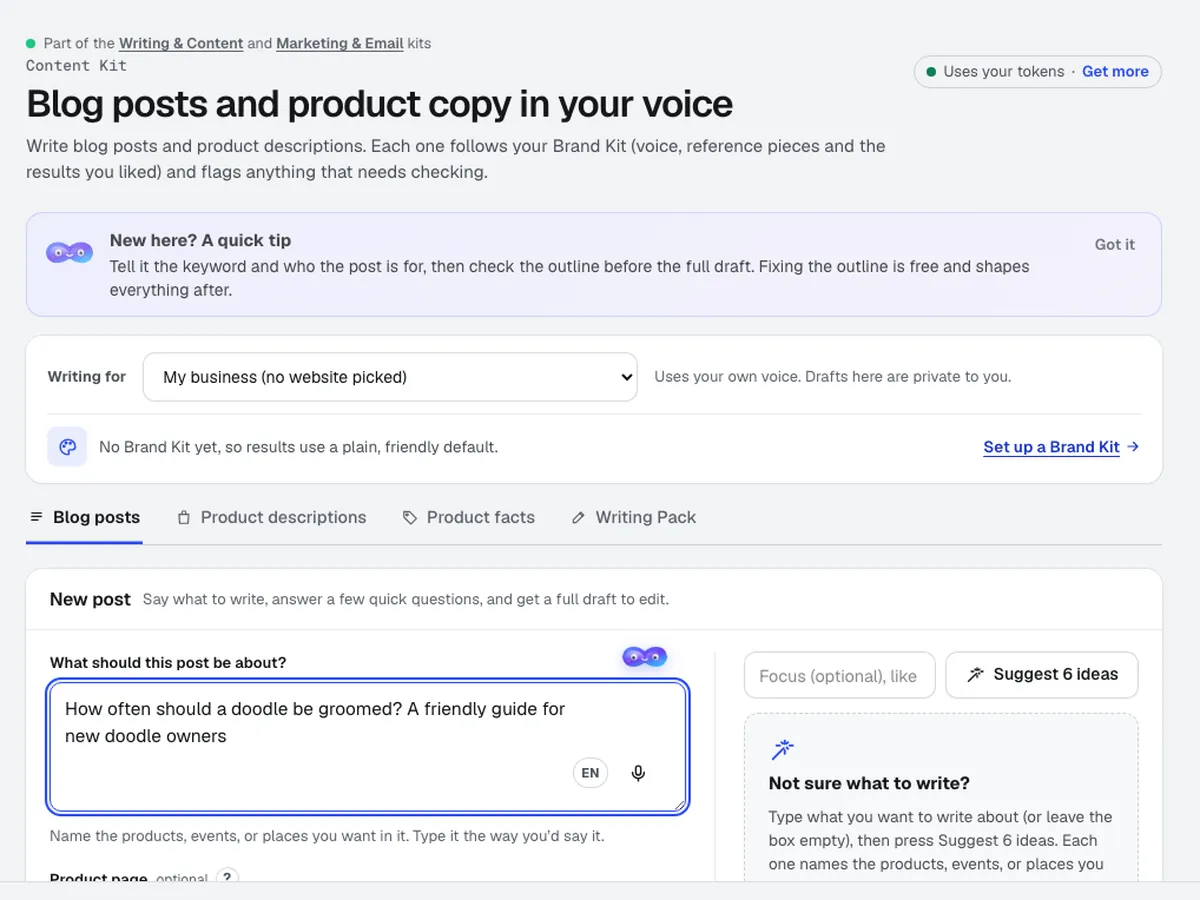
  1. Content Kit's New post step with the idea How often should a doodle be groomed? typed in, and Suggest 6 ideas beside it

    Start from an idea

    Type or say a topic, paste notes or a product page link, or press Suggest 6 ideas. Pick the length and the writing quality.
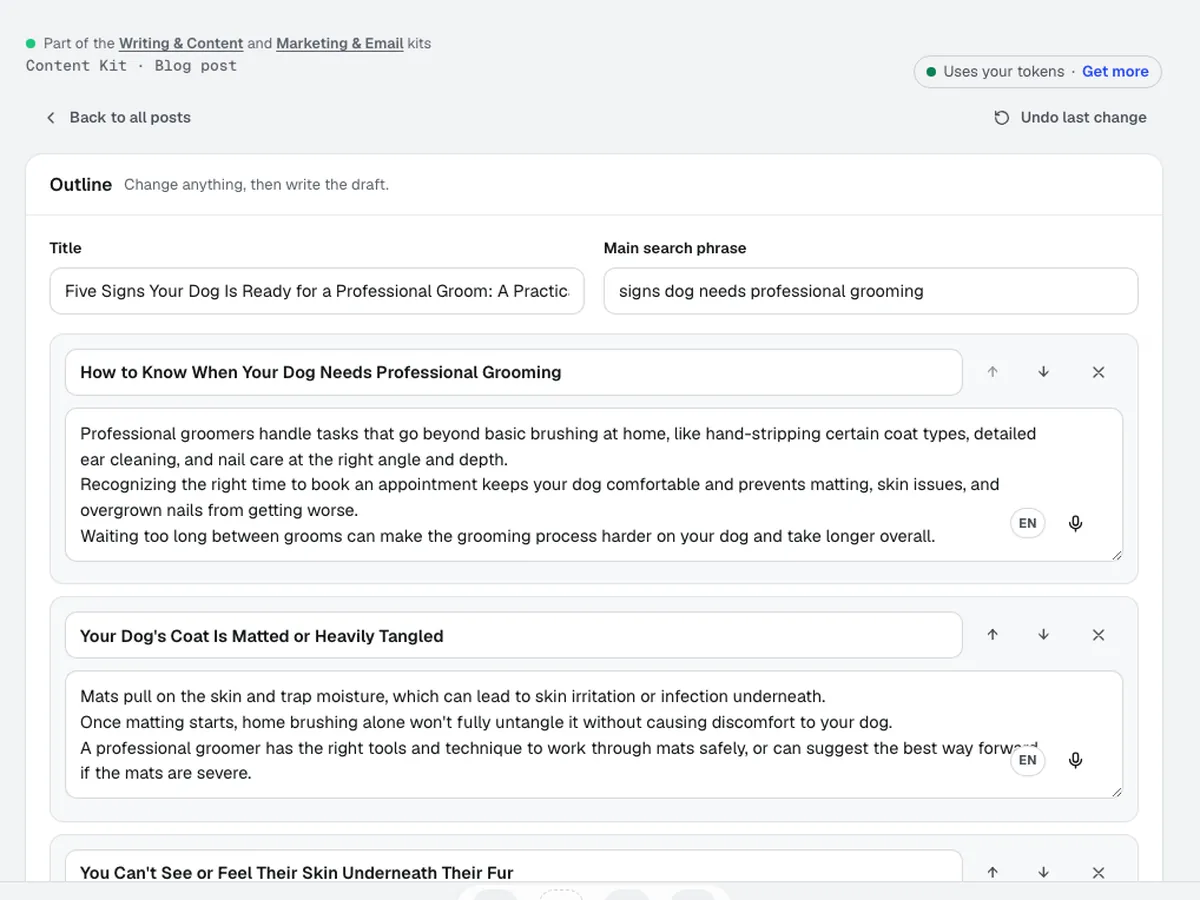
  2. The outline of a post on signs a dog is ready for a professional groom: title, search phrase and each section with its notes, ready to reorder or change

    Check the outline

    Change the headings and order before the full draft is written. Outlines and ideas are free.
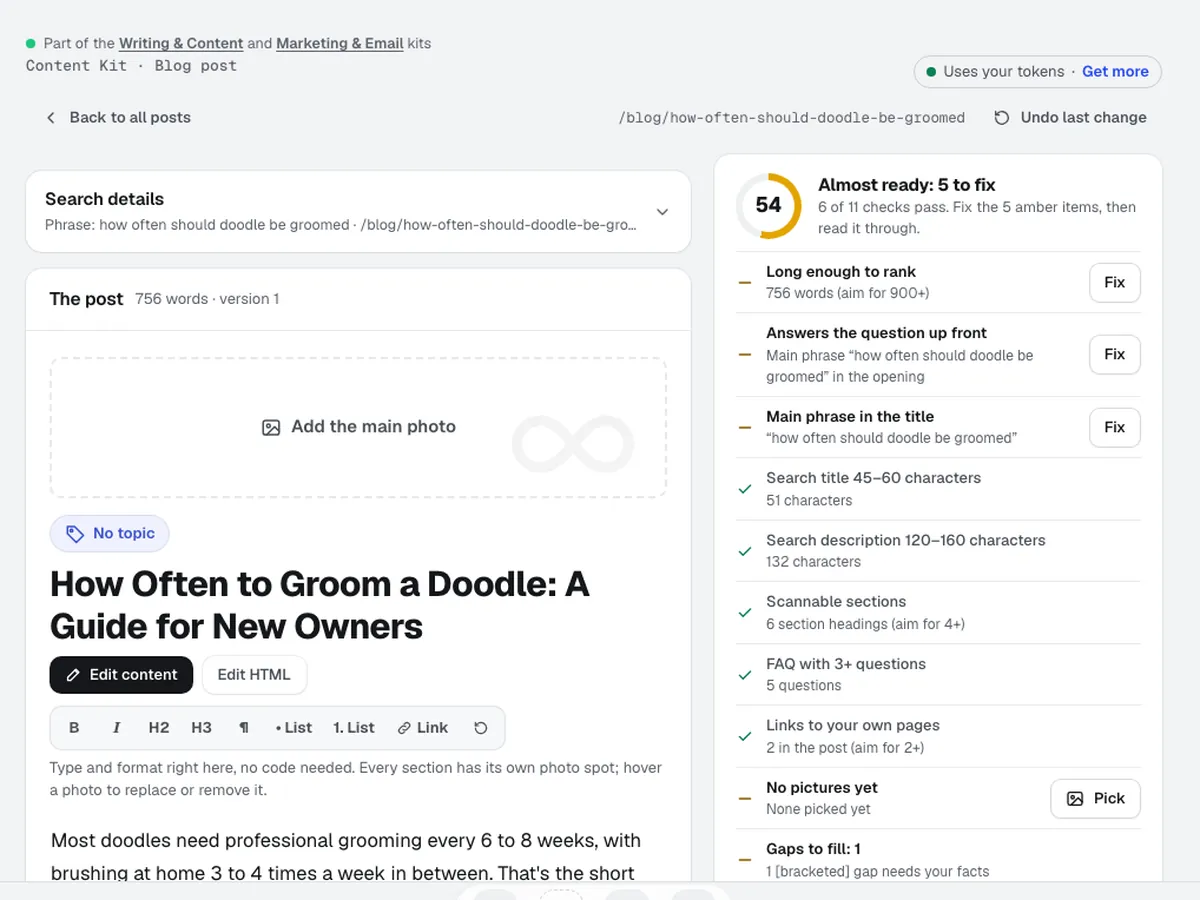
  3. The finished doodle grooming post in the editor, with the Almost ready checklist beside it: length, main phrase in the opening and title, FAQ, links and pictures

    Read the draft and the checklist

    Fill any [placeholders], work through Check before publishing, and pick a cover and section pictures from your Graphics Library, or make one with AI using the picture model you pick (ChatGPT Image by default).

  4. Polish by asking

    Ask for a change in plain words, or use Better titles and Editor notes. Each change is saved as a version, and Undo brings back the last one.

  5. Publish or download

    Put it on your aiKit website, or download Markdown, HTML or CSV to use anywhere.

Who it’s for

How different businesses use Content Kit

Trades & service businesses

A steady blog without a writer

A landscaping company queues ten seasonal ideas in March, writes one post a week in its friendly voice, and checks each Ready to publish score before it goes up.

Retail, restaurants & e-commerce

Descriptions for a new product line

A home-goods shop pastes 20 new products with their specs, gets short and long descriptions for each, approves them in a review grid, and downloads one CSV for its store.

Marketing & agencies

Blogs for ten clients, ten voices

An agency switches voice per client in Content Kit, so a law firm's posts stay formal and a pet groomer's stay playful, with the same checklist on both.

Real estate

Area and buyer guides

An agent writes a first-time buyer guide and a neighborhood guide from her own notes, with an FAQ section and placeholders where local figures need confirming.

Print, promo & signs

Product pages for promo items

A promo products shop saves facts for each item in Product facts, so every blog post that names a product describes it from those facts instead of guessing.

Ideal for

  • Service businesses that want a steady blog without a writer
  • Shops with a list of products that need real descriptions
  • Agencies keeping each client's voice separate
  • Real estate agents writing area and buyer guides

Good to know

  • Not for: Facts only you know: it never invents prices, stats, reviews, or licenses, and flags what to check
  • Not for: Websites outside aiKit: a blog post goes on its project's aiKit site with Put it on the site; for any other site, copy or download the result
  • The AI can get things wrong. Read every draft and check the flagged statements before you publish.
  • Specs come only from the notes you give; missing details are listed, never guessed.
  • Blog ideas use general search knowledge, not live keyword data.

Good to know

Before you use Content Kit

Check the facts and get expert help on serious topics. AI can invent facts, numbers, quotes, and sources. Look up every fact and link before you rely on it. This draft may be wrong, out of date, or not allowed where you are. If it covers legal, medical, financial, tax, safety, contract, insurance, or HR topics, have a qualified person check it before you use or publish it. It is not professional advice.

Questions

Content Kit: questions people ask

What's the best SEO blog writer for posts in my own voice?
Start with a saved voice. aiKit's Content Kit writes every blog draft in the voice you set in Brand Voice, which has a natural writing setting on by default: it varies sentence length, avoids stock phrases, and uses real details instead of grand claims. Each draft comes with a search title and description, headings, an FAQ, links to add and alt text, and a Ready to publish score from 0 to 100. Content Kit also lists every statement you should check before publishing, so you add the real facts that make a post worth reading.
Can AI write a blog post from my notes or a voice memo?
Yes. In aiKit's Content Kit, open New post and type or say your idea with the microphone, paste your rough notes, or paste a link to a page to write from. Content Kit plans an outline you can change, then writes the full draft in your Brand Voice at the length you pick, from about 600 words up to about 3,000 or your own number. It writes only from the facts you gave it plus general knowledge, leaves [placeholders] where a fact is missing, and lists anything to confirm. Ask for changes in plain words afterward; each one is saved as a version.
Can I download AI blog posts as HTML to paste into my own website?
Yes. Every Content Kit draft in aiKit downloads as Markdown or HTML. The HTML file includes the title and meta description for the page head, a suggested address, the article with its headings and pictures, the FAQ section, and structured data for the article and the FAQ that search engines read. Paste it into WordPress, a site builder, or any page editor. If your website is built with aiKit, Put it on the site adds an approved post at /blog/ for you instead, as a draft to check when the site waits for Publish.
Does Content Kit add FAQs and alt text to every blog post?
Yes. Every full blog draft from aiKit's Content Kit includes an FAQ section with questions and answers about the topic, a search title and meta description, suggested links to add, and alt text for each picture. When you pick a cover or section picture from your Graphics Library, you can save the suggested alt text onto that graphic so it's ready the next time. The Ready to publish score counts the FAQ, search details and pictures, so you see at a glance what's still missing before a post goes live.
Can I change an AI-written blog draft by asking in plain words?
Yes. In aiKit's Content Kit, type what you want changed, such as "make the intro shorter" or "add a section on winter care", and the draft is updated. The changed parts are highlighted in the post, every change is saved as a new version, and Undo last change brings the old one back. Asking for changes is free; it uses no tokens. Editor notes lists what an editor would fix, and each note has a Fix it button that turns the advice into a change request.
Is there a free AI blog writer that writes in my brand voice?
Yes. Every signed-in aiKit account, including a free one, can use Content Kit on the account's tokens, which renew each month. A blog post's full draft or a product's first description uses tokens. Blog ideas, outlines, asking for changes, every Suggest button and writing a product again are free. Content Kit, aiKit's AI blog writer, writes every draft in the voice you saved in Brand Voice, and Brand Voice itself is free. Each post comes with a search title, meta description, FAQ, links to add and alt text, so one draft gives you a full post ready to check and publish.
Can an AI blog writer keep up with a steady posting schedule?
Yes. aiKit's Content Kit drafts a full blog post in minutes. It writes in your saved Brand Voice, plans an outline you can change first, and adds the SEO pieces every post needs: a search title, meta description, FAQ, links to add and alt text for every picture. It never invents prices, stats, awards or reviews, and it lists every statement to confirm. Many owners and agencies use Content Kit for regular posts and as an AI product description generator for store copy, then add interviews, original research and local knowledge by hand for their biggest pieces.
Is AI-written content bad for SEO?
What tends to hurt a blog is thin, generic or wrong content, whoever writes it. aiKit's Content Kit is built to avoid that. It writes from the facts you give it, leaves [placeholders] instead of guessing, and lists every statement to check before publishing. A natural writing setting is on by default in your Brand Voice, so posts avoid stock phrases. Every draft includes a search title, meta description, headings, an FAQ and alt text, and the HTML download carries article and FAQ structured data. The Ready to publish score from 0 to 100 shows what's still missing, so you add real details and local knowledge before a post goes live.
Can I publish an AI blog post as it is?
Read it and check it first. AI can invent facts, numbers, quotes, and sources, so Content Kit lists the facts to check. Look up each fact and link before you publish. For legal, medical, financial, tax, or safety topics, have a qualified person review it, since a draft is not professional advice. Add your own details so it sounds like you.
What's the difference between Content Kit and Writing Pack?
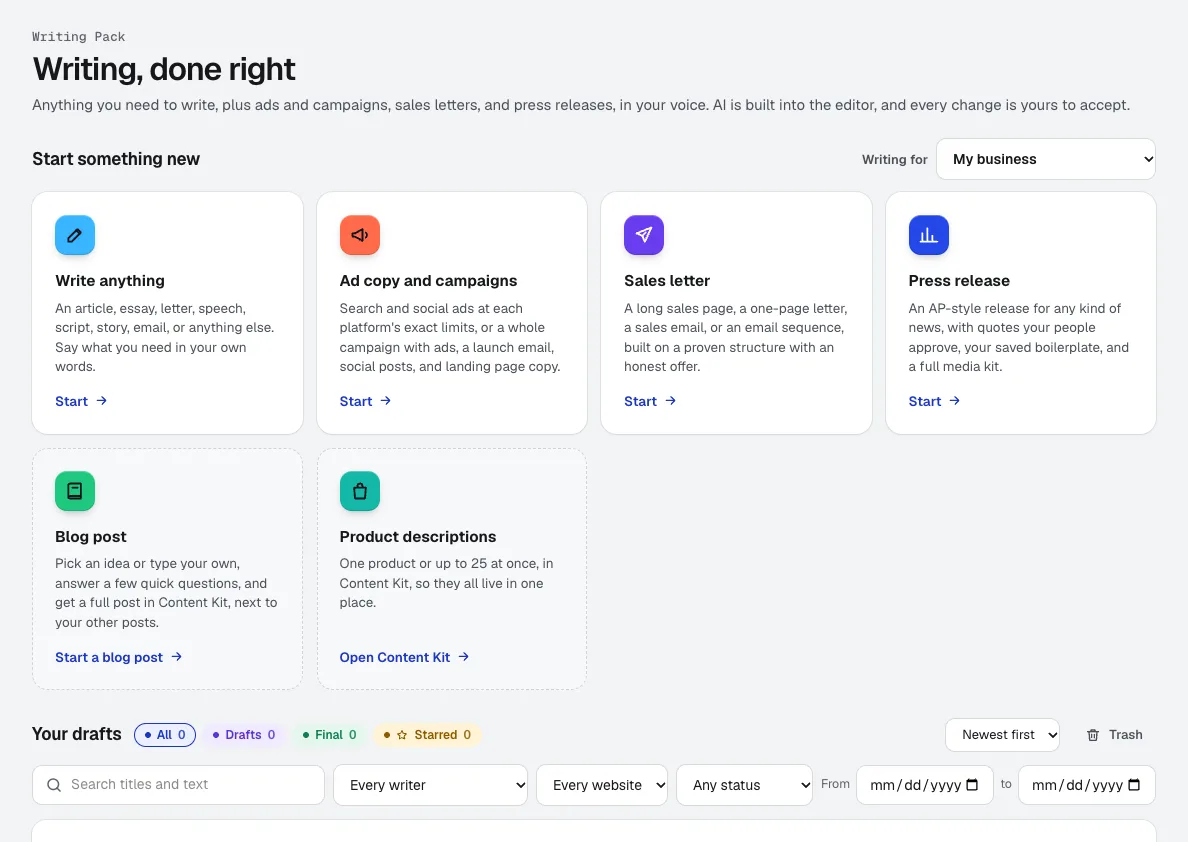
Content Kit writes blog posts and product descriptions for your website, written for search, with search titles, FAQs, and alt text. Writing Pack writes ads, captions, emails, letters, press releases, scripts, and any other copy, in an editor with AI built in. Both use the same Brand Voice and the same Writing for choice. Each tool has a line near the top pointing to the other: Content Kit's says Looking for ads, emails, letters, press releases, or scripts? Use Writing Pack, and Writing Pack's says Looking for blog posts or product descriptions for your website? Use Content Kit.
Does Content Kit ask questions before it writes?
Yes. Blog posts and Product descriptions open with four quick questions for the website you picked in Writing for: the business, who it's for, what it should do, and how it should sound. Tap an answer, pick Other… for your own words, or press Skip. Answers start filled in from your Brand Voice, are saved to your account for that website (so they follow you to any browser or device), and go with every new post and product list until you change them (Change answers on the line that replaces the questions). Plan my post then asks 3 to 5 questions about the post itself, and skips what you already answered.
Can aiKit write blog posts for my business in my own voice?
Yes. Content Kit (in the Tool library, at /tools/content-kit) writes blog posts in the brand voice you set in Brand Voice (/tools/brand-voice): a mix of tones, who you write for, the reading level, words to use and avoid, topics, rules, and as many samples of your own writing as you like, which it matches without copying. You type or say an idea in the New post step (or paste notes, or a link to a page to write from), set the brand voice, the length (Short about 600 words, Standard about 1,200, Long about 2,000, In-depth about 3,000, or your own number), the writing quality (Quick draft, Balanced, Best, Polished, or Fact-checked, the last two being Best plus one extra pass), and Keep it positive (on by default, with its rules shown and editable). More options adds a post type (like How-to guide, Comparison, Seasonal or holiday promo, or Product spotlight), who it is for, reading level, call to action, an FAQ on or off, a comparison table, and an offer you confirm. Plan my post (free) asks 3 to 5 quick tap-to-answer questions written for your idea, shows six idea cards built from your words, and suggests ways to make the post stronger; Skip questions and write goes straight to the draft. Type it the way you'd say it: the writer turns a rambling request into a proper title and search phrase. In about 1 to 3 minutes, with a card showing the step it's on, the full draft opens in the editor, with sections, an FAQ, a search title and description, a suggested address, links to add, and a photo spot for each section. Tick Show me the outline first if you want to change the sections before it writes. For example, a dog groomer could type "How often should a doodle be groomed?" and edit the finished post right on the page: change the photo, the title, or the topic by clicking it, type and format in the visual editor, or ask for changes in plain words. Every change is kept as a version, and you download the post as Markdown or HTML.
Can aiKit write product descriptions for a whole list of products at once?
Yes. In Content Kit's Product descriptions tab, open Bulk and paste one product per line (the name, a dash, then specs or notes) or upload a CSV with a column called name, and up to 25 products are written at once, three at a time, on aiKit's side, so you can close the page and the list keeps going. Each product gets a short and a long description, key features, a specs table built only from your notes, a search title and description, and three photo alt texts. A review grid shows every product with Approve, Write again (free, with an optional note like "shorter"), and All details. When you are done, download a CSV of the approved rows or all of them. For example, a small home-goods shop can paste twenty items with their sizes and materials and review the whole set in one sitting. Details a buyer would want that your notes lack, such as care instructions, are listed instead of guessed.
How do I set a different brand voice for each client or website?
In Brand Voice (/tools/brand-voice), press New voice (or, before your first voice, one of the three ways to start under Make your first voice) and pick who it's for: you, one of your brands (or A new brand…), a client (shared by all of that client's websites), or one website. A website's voice sits on top of its client's voice: anything the website sets wins, and words, topics, and rules from both apply. A website with no client sits on top of its owner's own voice. Each project page also has a Brand voice tab with a summary and Open in Brand Voice, and Content Kit shows Writing in: with the voice it is using.
Will aiKit's writer make up prices, reviews, or facts about my business?
No. Content Kit's writer is told never to invent prices, discounts, statistics, years in business, awards, licenses, reviews, or customer names. When a sentence needs a fact it was not given, it writes around it or leaves a short placeholder in square brackets, such as [years in business], and every statement you should confirm appears in a Check before publishing list next to the draft, with the reason. Product specs come only from the notes you provide, and missing details are listed under Buyers may ask about rather than filled in. Offers appear only when one of your rules names them. It still is an AI and can get general facts wrong, so read each draft and work through the checklist before you publish it. Approving a draft is your sign-off and locks it; a post goes on an aiKit website only when you press Put it on the site and confirm, and on a site where changes wait for Publish it lands in the site's draft for you to check first.

Use Content Kit today.

Make a free aiKit account and open Content Kit, plus every other tool in your kit.

Page last checked against the product on 2026-10-20.