

Brand KitNew
Set how your business sounds and looks once, and every tool follows it
One Brand Kit: a brand voice learned from your own writing, plus your logos, colors, fonts, reference emails and the results you liked. Emails, blog posts, videos, pictures and designs all follow it.
Free account, no card. Already using aiKit? Log in to open Brand Kit
What you get
Set how a business sounds and looks once (voice, logos, colors, fonts, reference emails, and the results you liked), and every tool follows it.
Voice and look in one kit
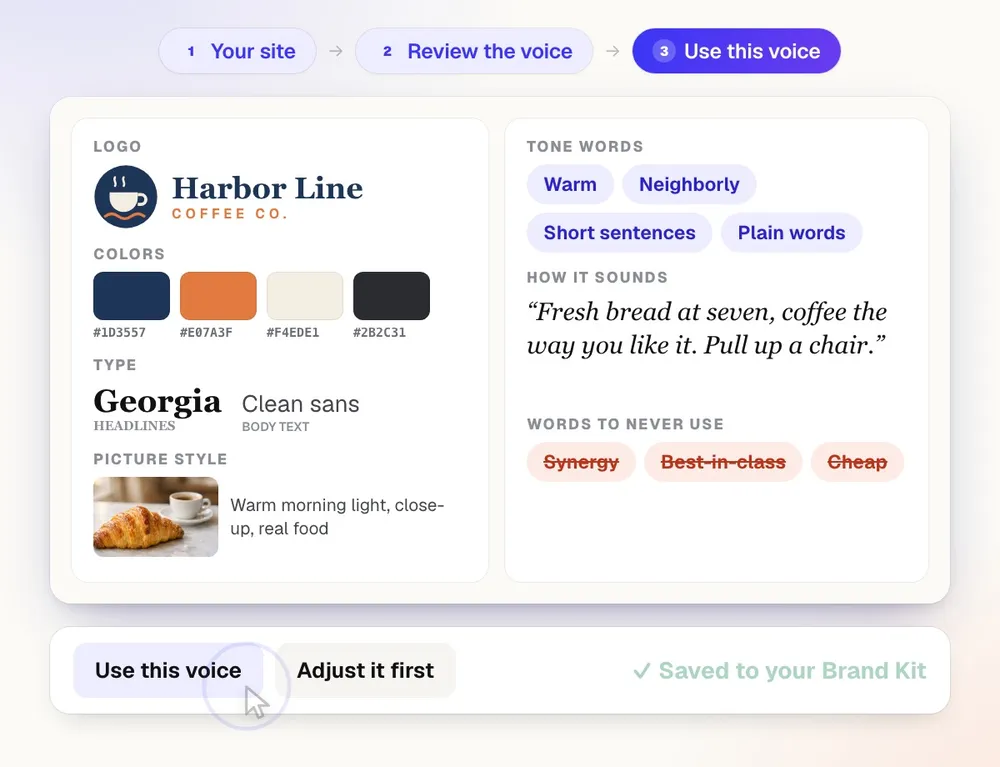
Logos, four color roles plus more brand colors, heading and body fonts, and a picture style sit next to the voice. Vectorize Kit logos come in with one press.
Start from a website or a logo
Paste a brand's or client's website and the logo, colors, fonts, voice and picture style are filled in for you to review. No website? Upload the logo and its colors come with it.
A library of past work
Upload emails, sales sheets, brochures, stationery, banners, flyers, social posts and ads. Each is sorted by type, tagged, and read for its house style, so new work matches what the brand already made.
Reference emails it follows
Save emails, pages and ads you like by pasting them, uploading .html, .eml or .txt files, or a screenshot. New work follows their structure and tone, never their exact words.
Learns the styles you like
Every thumbs up in a tool that makes something is remembered on the kit, and later results lean toward what your liked results share. Forget any of them in one press.
Learns from what you've already written
Add up to 40 samples per voice: pasted text, PDF, Word, Markdown or HTML files, or links. Each trait it finds is backed by a short quote from your own samples, checked word for word.
A tone mix, not a single word
Pick up to four of sixteen tones and set the weights, such as Friendly 70% and Expert 30%. Give your blog, product pages, email or social a different mix.
Rules that are really checked
Add topic pillars and rules like "Always mention free estimates". A rule marked Required is checked word for word, and it can apply to everything or only some channels.
Score any text from 0 to 100
Paste a draft and see the score, the tones aiKit heard, pass or fix checks, and suggested edits that quote the exact words, each one applied in one click.
One voice per client and website
Keep your own voice, up to 50 brand voices, one per client and one per website. A website's voice sits on top of its client's, so agencies never mix clients up.
Read by every aiKit writing tool
Content Kit, Writing Pack, Voice Kit scripts, Motion Maker and Video Kit words, Presentation Builder, Email Studio, Quote Studio notes, the Reviews tool and the website Assistant all use it.
Every feature
Everything in Brand Kit
The complete list, from the tool as it works today.
- Three ways to start: answer a few questions, describe it in your words, or learn it from your own writing (PDF, Word, text, Markdown, HTML, or links)
- A tone mix with weights (say Friendly 70%, Expert 30%) and a different mix per channel: website, blog, product copy, email, social
- As many writing samples as you like, each labeled by type, with quotes from them as proof of what aiKit found
- Topic pillars and rules with ready-made examples for several kinds of business, priorities, and required rules that are checked word for word
- Hear it: a message written the generic way next to your voice, and a checker that scores any text 0 to 100 with edits to apply
- One kit per you, brand, client, and website; a website's kit sits on top of its client's, and every tool shows which kit it uses with a switch
- Look: logos (from your Graphics Library, a link, or Vectorize Kit), four color roles plus more brand colors, heading and body fonts, and a picture style
- References: save emails, pages and ads (paste, .html, .eml, .txt, or a screenshot) that new work follows for structure and tone
- Learned: every thumbs up in a making tool, and Email Studio's Save this look, is remembered and steers later results
- New brand or client from a website address or a logo: the logo, colors, fonts, voice, picture style and footer address are filled in for you to review
- Past work: upload emails, sales sheets, brochures, stationery, banners, flyers, social posts and ads; each is sorted, tagged and read for its house style, and every tool uses it as a style reference
- Visual do's and don'ts every making tool follows, and a brand picker at the top of Email Studio, Brand Studio and Quote Studio that switches every tool at once
What’s included
What you get with Brand Kit, and how it works with the rest of aiKit
Included with a free aiKit account
- Brand Voice is free for every signed-in account
- Three ways to start: answer a few questions, describe it in your words, or learn it from your own writing
- Up to 40 writing samples per voice, from pasted text, PDF, Word, text, Markdown or HTML files up to 8 MB each, or links
- A tone mix of up to four of sixteen tones, plus a different mix for website, blog, products, email or social
- Up to 12 topic pillars and 40 rules per voice, with Required rules checked word for word
- Your own voice, up to 50 brand voices, and one voice per client and per website
- Hear it in this voice and a 0 to 100 checker with suggested edits
What uses AI, and what’s free
Drafting a voice, learning from your samples, reading uploaded files, Hear it, the checker, and Rewrite in my voice or Check against my voice in other tools are free. Change this voice in your words runs within your monthly AI allowance. The pass or fix checks for words to avoid, point of view, sentence length and Required rules run in code, with no AI.
Works with your other aiKit tools
- Content Kit: Every blog post and product description is written in the voice for its channel, and Content Kit shows Writing in: with the voice's name.
- Writing Pack: Ads, sales letters, press releases and general writing follow the Brand Voice you pick.
- Email Studio: Email Studio writes with the voice's email tone and email-only rules.
- Quote Studio: Rewrite in my voice and Check against my voice sit under a quote's Notes for the customer.
- Your websites: The website Assistant reads the website's voice on every request, so new words on the site match the blog.
Keep Brand Kit in any of your kits, next to the tools you use with it. One monthly AI allowance covers every tool you add.
How it works
From first click to finished, in 5 steps.
Pick how to start
Answer a few guided questions, describe the voice in your own words, or press Learn from my writing and add samples.
Review what aiKit found
A card shows the voice: its name, the tone mix in words, and a short sample written in it, with quotes from your samples as proof.
Adjust the details
Tune the tone sliders, set channel tones, add words to use and avoid, topic pillars and rules. Keep it positive is on by default.
Hear it and check it
Hear it in this voice puts a generic message next to the same message in your voice. Check how well it matches scores any text you paste.
Write anywhere in aiKit
Pick the voice in Content Kit, Writing Pack or any other writing tool, and everything you write follows it.
Who it’s for
How different businesses use Brand Kit
Each client sounds like themselves
An agency learns each client's voice from their old newsletters and About page, then writes their posts, ads and emails without one client's tone leaking into another's.
A crew that writes with one voice
A family-run landscaping company describes itself as friendly and down-to-earth, adds the rule "Always mention free estimates", and every quote note and post follows it.
Two brands, two voices
A bakery owner who also runs a food truck keeps a warm, neighborly voice for the bakery and a quicker, playful one for the truck.
Listings that sound like the agent
An agent uploads ten past listing descriptions, and Brand Voice picks up her calm, specific style and the words she never uses, like "cozy" for small rooms.
Your voice when someone else writes
A coach with a virtual assistant shares one voice, and the assistant checks every email draft against it before it goes out.
Ideal for
- Agencies keeping each client's voice separate
- Owners who want posts and product copy to sound like them
- Teams where several people (and AI) write for one brand
- Anyone who has old emails or posts that already sound right
Good to know
- Not for: Writing the posts themselves: Content Kit does that, in this voice
- Not for: Legal or medical wording reviews
- The AI can misread a voice from a few short samples; more and longer samples help, and you review everything before saving.
- Scanned PDFs (pictures of text) aren't read as text; paste the words instead.
- Email Studio writes in the voice, using its email tone and email-only rules.
Good to know
Before you use Brand Kit
Use your own voice and brand. Do not write in the voice of a real person or company as if they wrote it. Upload only logos and brands you own or may use.
Questions
Brand Kit: questions people ask
How can I make AI write in my brand's voice every time?
Is there a free brand voice generator?
How does a brand voice generator keep every piece of writing on brand?
How do I create brand voice guidelines my whole team follows?
Can I use one brand voice for my blog, emails, quotes and website?
Can an agency keep a separate brand voice for each client?
Can I change my brand voice just by describing what to change?
What's included in aiKit's Brand Voice?
Can I copy another company's brand voice?
Can aiKit set up a brand from a website or a logo?
What is Past work in a Brand Kit?
How do I switch between brands and clients?
What is aiKit's Brand Kit?
Does aiKit remember the styles I like?
Can I save reference emails for aiKit to follow?
Works well with
Tools to add to the same kit
Content Kit
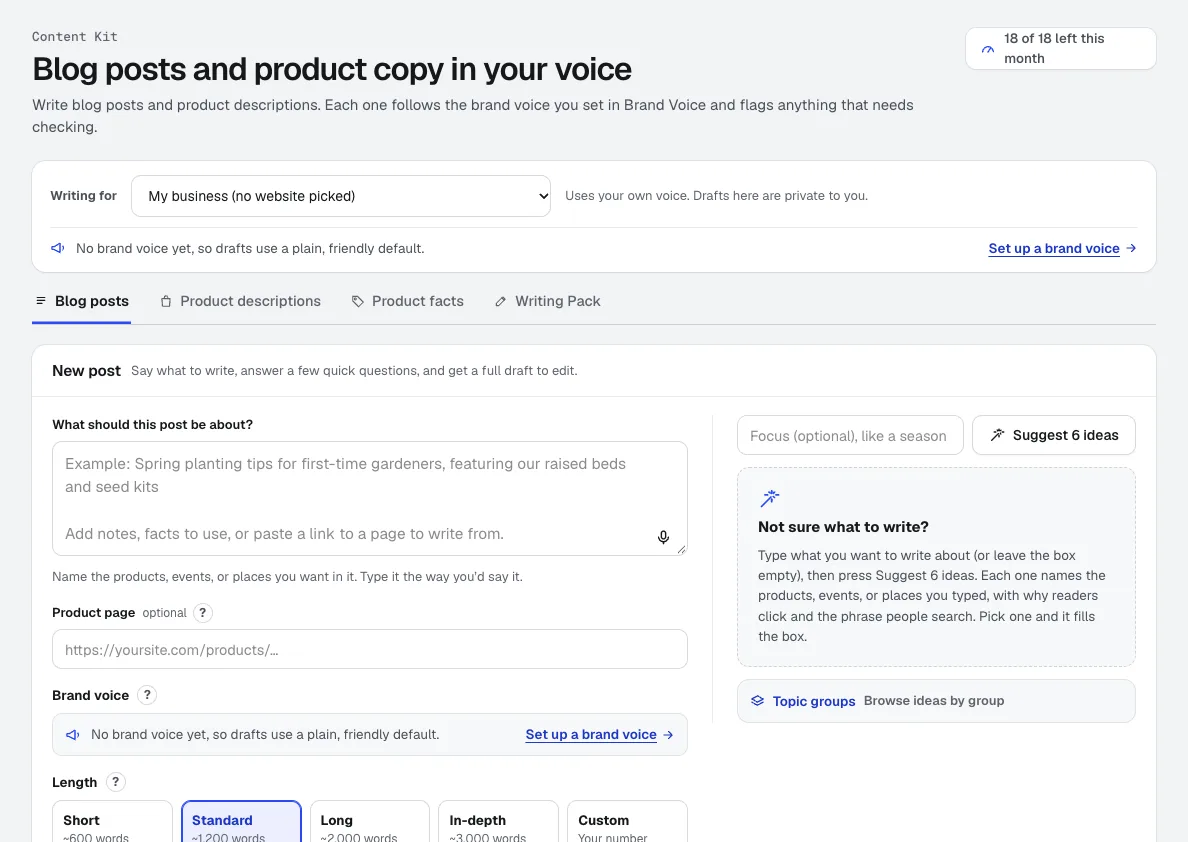
NewContent Kit is an AI blog writer for full blog drafts and product descriptions in your Brand Voice, with search titles, FAQs and alt text. It flags every fact to check before you publish.
Writing Pack
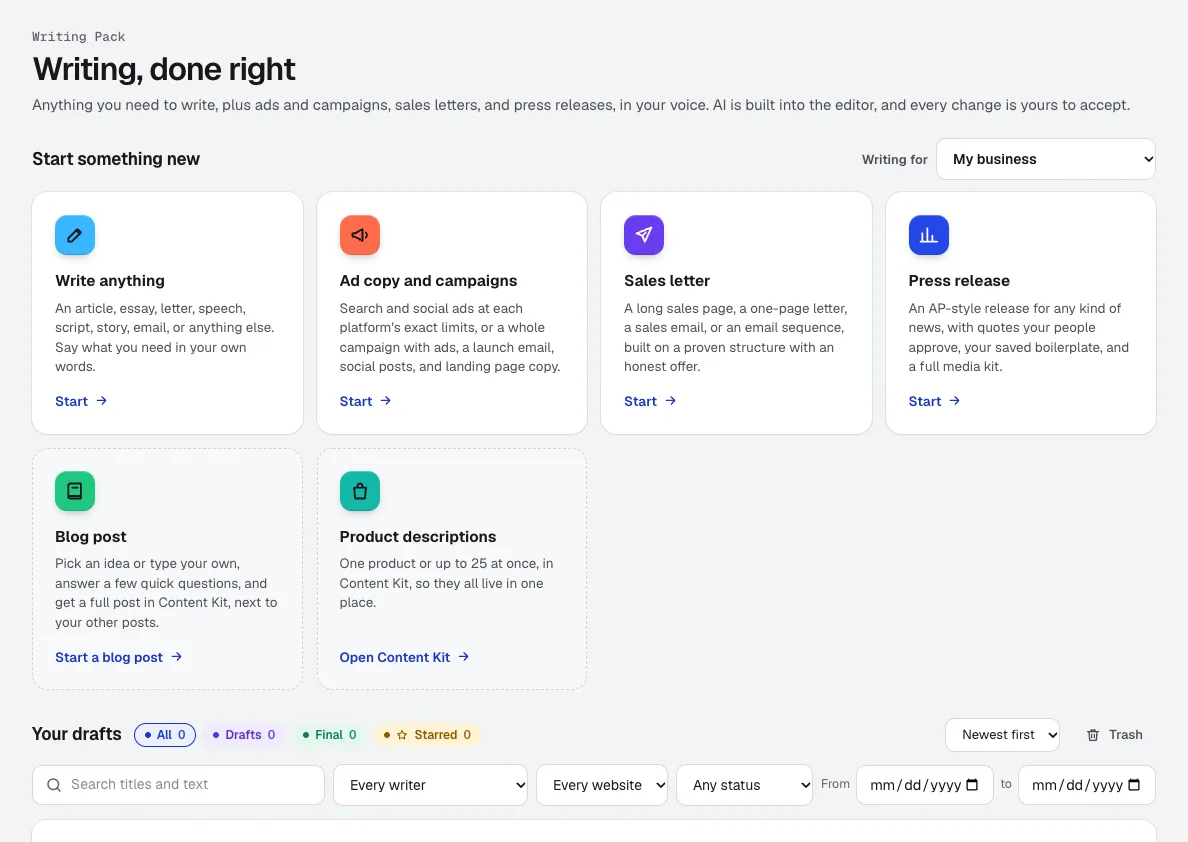
NewAn AI copywriting tool for anything from a speech to a full ad campaign, in the voice you set in Brand Voice. AI is built into the editor, and every change it suggests is yours to accept or reject.
Voice Kit
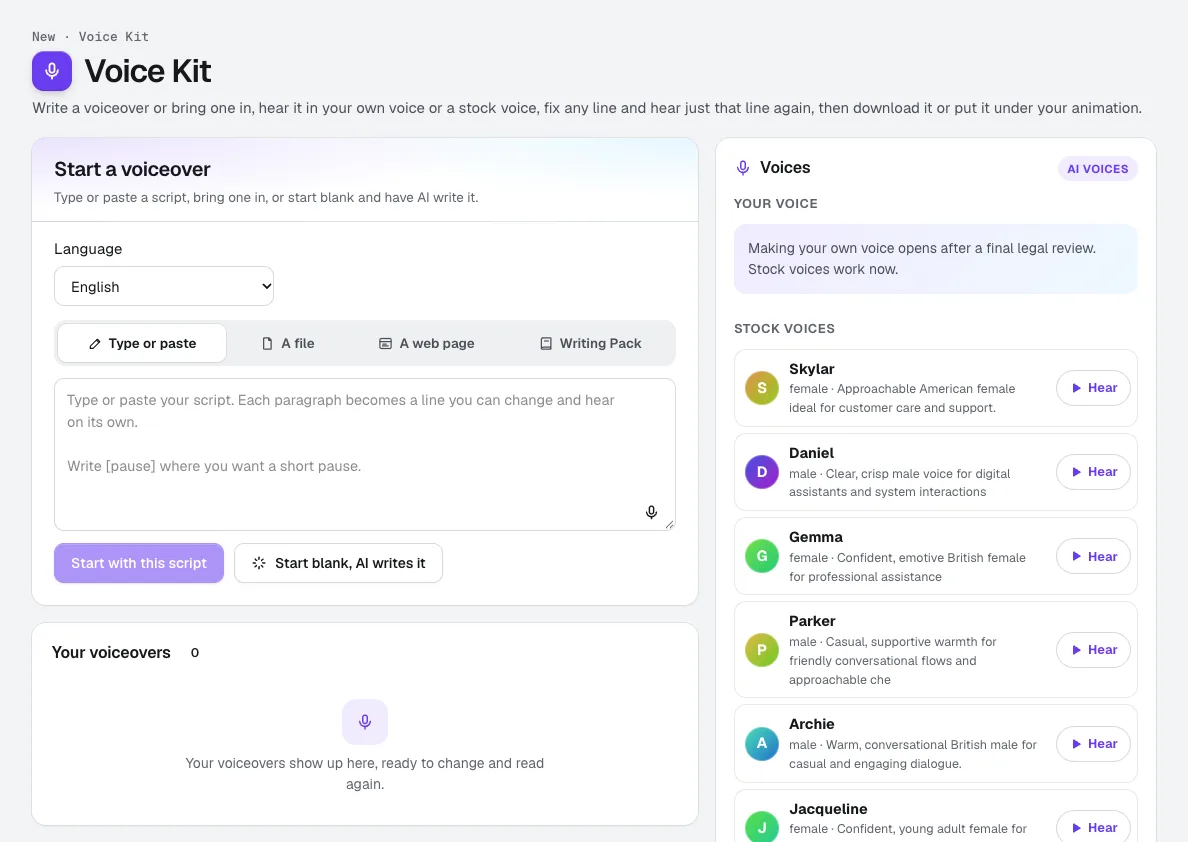
Your voiceRecord about a minute, confirm it is your own voice, and aiKit makes an AI voice of you. Read scripts, ads and animation voiceovers in it, fix any line and hear only that line again, and see the tokens before anything runs.
Use Brand Kit today.
Make a free aiKit account and open Brand Kit, plus every other tool in your kit.
Page last checked against the product on 2026-11-03.