

Graphics LibraryNew
Find the right logo or photo in seconds, not folders
Graphics Library is digital asset management software for teams: every client's and project's logos, photos and design files in one labeled place. Drop in whole folders, label hundreds at once, and anyone on your team finds the file they need.
Free account, no card. Already using aiKit? Log in to open Graphics Library

What you get
Upload whole folders of logos, photos, and design files, label hundreds at once with suggestions, and find any graphic in seconds.
Whole folders in one drop
Drag files or entire folders onto the page. Three upload at a time, each with its own progress, and folder names inside folders are kept.
Duplicates caught before they upload
aiKit compares the pictures themselves, not just file names, so a resized or renamed copy of the same photo is flagged before it takes space.
Label hundreds in one step
Set client, project, categories, tags and rating for a whole upload at once. Suggestions come from folder names and from the pictures, and nothing is added until you click.
Search that knows what's in the picture
Search file and folder names, tags, alt text and descriptions, and filter by use (Logo, Social post, Print file, Photo and more), client, project, main color, shape and size.
Undo anything, even days later
Every label, move and delete is kept in a team history. Undo puts the earlier values back without wiping out newer work, and deleted graphics wait in the Trash for 30 days.
One library for every tool
Magic Canvas, Pro Designer, Mockup Studio and project pages pick pictures straight from the library, and finished designs save back into it.
Every feature
Everything in Graphics Library
The complete list, from the tool as it works today.
- Drag-and-drop upload of many files or whole folders, with progress and retry for each file
- Duplicate warnings that compare the pictures themselves, not just file names
- Client, project, category, and tag labels for a whole upload at once, with suggestions from folder names and from the picture
- Search, filters, saved views, and a link to every graphic and every filtered view
- Alt text for websites, suggested and editable
What’s included
What you get with Graphics Library, and how it works with the rest of aiKit
Included with a free aiKit account
- The Graphics Library itself, with every upload, label, search, filter and share link
- Files up to 25 MB each, and up to 2 GB for each team
- Photos, logos, design files (PSD, AI, EPS, PDF, SVG), short videos and music in one place
- Duplicate checks before upload and a Find duplicates clean-up, with no AI involved
- Label suggestions from file and folder names, free on every upload
- Team history with Undo, and a Trash that keeps deleted graphics for 30 days
What uses AI, and what’s free
Uploading, labeling by hand, search, filters, duplicate checks, share links, zip downloads and the Trash use no AI. Suggestions from file and folder names are free. On browsers that support it, Suggest labels and Enlarge 2× run on your own computer at no cost. When label suggestions come from aiKit's AI instead, they use your monthly AI allowance, and each team also has a monthly limit on AI suggestions.
Works with your other aiKit tools
- Motion Maker: Select graphics and choose Send to Motion Maker to open them on its timeline in the order you picked, and finished animations save back into the library.
- Content Kit: Use in a blog post opens Content Kit with the picture ready as the post's main photo.
- Video Kit: Video Kit opens clips and pictures from the library, suggests extra footage from it, and saves finished videos into it.
- Presentation Builder: Presentation Builder picks slide pictures straight from the library.
- Mockup Studio: Mockup Studio picks the logo for a mockup from the library.
Keep Graphics Library in any of your kits, next to the tools you use with it. One account and one monthly AI allowance cover every tool.
How it works
From first click to finished, in 4 steps.
Drop in your files
Drag files or whole folders onto the page, or paste a copied picture. Images, design files (PSD, AI, EPS, PDF, SVG) and short videos are accepted, up to 25 MB each.
Label the whole batch
Pick the client and project (or make a new one on the spot), add categories, tags and a rating, and review suggestions from folder names and the pictures.
Find it later
Search or filter, open any graphic full size, and set a focus point so it crops well as a square, portrait, wide banner or link preview.
Use and share it
Add graphics to a project, download many as a zip, or send a teammate the link to a graphic or a filtered view.
Who it’s for
How different businesses use Graphics Library
Every client's brand files, sorted
Northlight Studio uploads a new client's folder of 300 photos, tags them all "storefront" in one step, and later finds the five best landscape shots for a homepage in a few clicks.
Customer logos without the inbox search
Harbor Line Print Co. keeps every customer's logo versions under that customer, so the next reorder starts from the approved file instead of an old email.
Listing photos by property
A brokerage files each listing's photos under its own project, with alt text for the website and a focus point so the front of the house stays in every crop.
One home for product photos
Copper Kettle Coffee keeps product, team and location photos in one place, marks the best as Approved, and hides the ones it no longer uses from every picker.
Shared graphics for a training team
A training center's staff find the current course logos and event photos themselves, with Find duplicates clearing out years of copies.
Ideal for
- Agencies and freelancers holding logos and photos for many clients
- Businesses with folders of product, team, and location photos
- Teams handing graphics to whoever builds the next page or post
Good to know
- Not for: Editing pictures or video; it stores, labels, and finds them (MP4, MOV, M4V, and WebM videos included)
- Each file can be up to 25 MB, and each team can keep up to 2 GB.
- Suggestions describe what the picture shows and can be wrong. Nothing is added until you pick it.
- Previews come from the file itself: PSD files and Illustrator-made AI, PDF, and EPS files show one; other PDF and EPS files and HEIC photos outside Safari are kept as uploaded with a file icon.
Why aiKit
Graphics Library vs. shared drive folders
| Point | aiKit Graphics Library | Shared drive folders |
|---|---|---|
| Finding a file | Search names, tags, alt text and descriptions, and filter by use, client, project, color and shape. | Click through folders and remember what someone named the file. |
| Duplicates | Caught before upload by comparing the pictures themselves. | The same photo saved under many names. |
| Labeling | A whole upload labeled at once, with suggestions you approve. | Rename files one by one. |
| Before deleting | Shows where each graphic is used, then keeps it in the Trash for 30 days. | No way to know which page or email used it. |
| Using it in design tools | aiKit's design tools pick from the library directly and save finished work back into it. | Download, then upload again into each app. |
Questions
Graphics Library: questions people ask
Is aiKit's Graphics Library digital asset management software for agencies?
Is a shared photo library better than shared drive folders for marketing files?
Is there a free digital asset management tool for teams?
How do I organize brand assets by client and project in aiKit?
Does the Graphics Library work with other aiKit tools?
Can I store videos and music files in a shared media library?
Can I keep PSD, AI, and EPS design files in the same library as photos?
How can my team find the current logo without asking around?
Does aiKit use free AI on my own computer?
What is the aiKit Graphics Library?
How do I upload a lot of graphics at once in aiKit?
Does aiKit catch duplicate images when I upload?
Can aiKit suggest tags and alt text for my graphics?
Who can see the graphics I upload to aiKit?
How do I add library graphics to a project in aiKit?
Works well with
Tools to add to the same kit
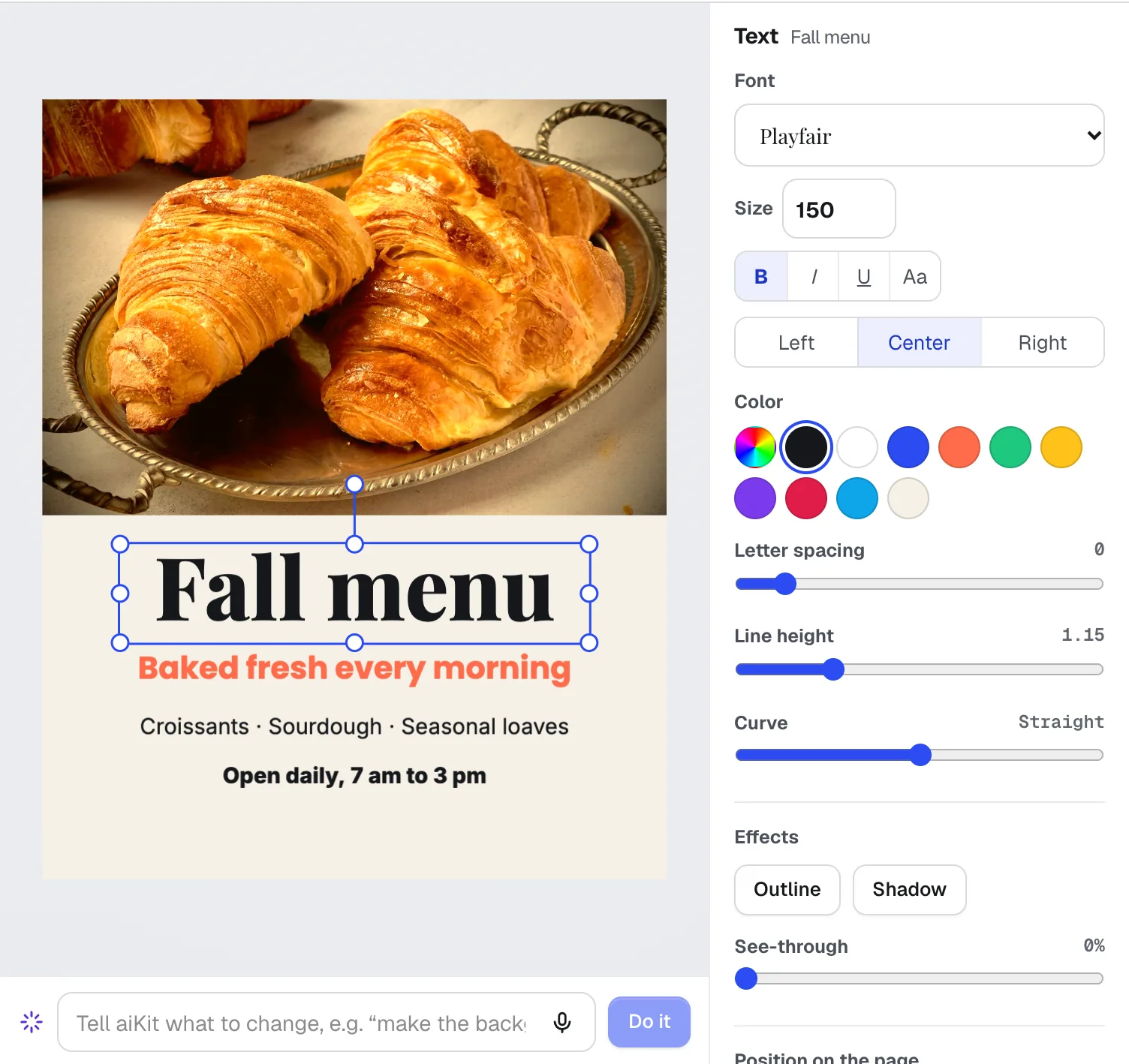
Magic Canvas
NewMagic Canvas is an AI flyer maker and social post designer: it lays out posts, flyers, cards, banners and email headers from your words, then lets you change anything by hand or by saying it. Your brand colors and logos are one click away.
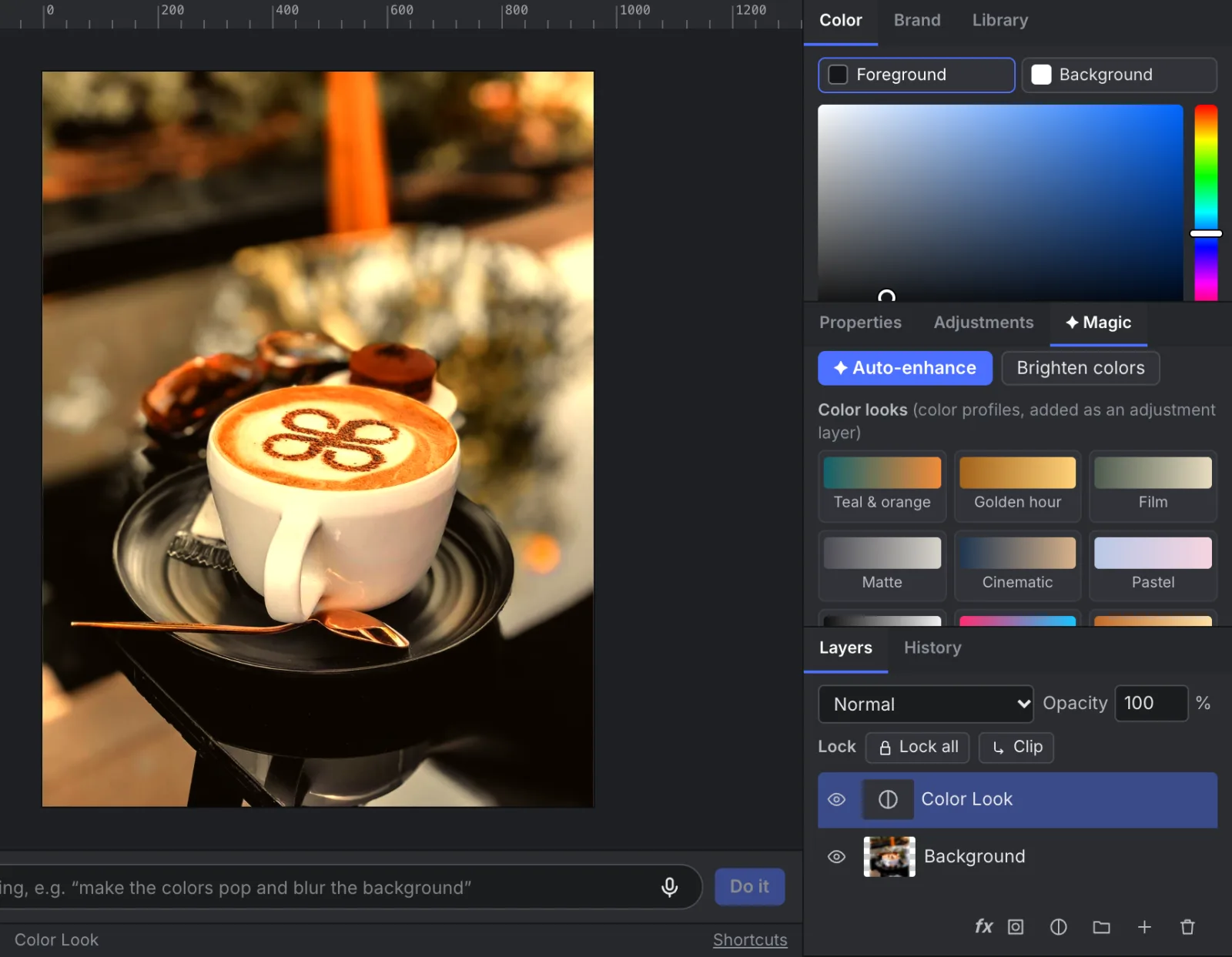
Pro Designer
NewPro Designer gives you layers, masks, selections, retouching brushes and PSD files with nothing to install. Ask for any change in plain words, and the free on-device tools do most of the work.
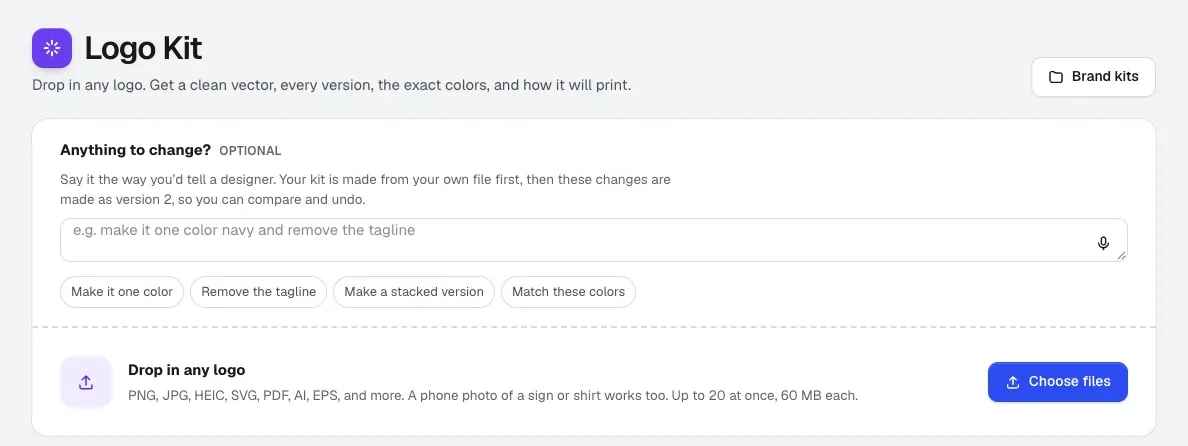
Logo Kit
Convert a logo to vector from a blurry PNG, a PDF or a photo of a sign. Logo Kit gives you a clean vector built from your own file, every version you need, exact brand colors, and a ready-or-not answer for each print method.
Use Graphics Library today.
Make a free aiKit account and open Graphics Library, plus every other tool in your kit.
Page last checked against the product on 2026-10-16.