

Mockup Studio
Show customers their logo on real products, in every color
Mockup Studio is a logo mockup generator for shirts, mugs, signs, packaging and print, or any product photo you bring. It checks the decoration rules a shop checks and hands you a spec sheet for the quote.
Free account, no card. Already using aiKit? Log in to open Mockup Studio
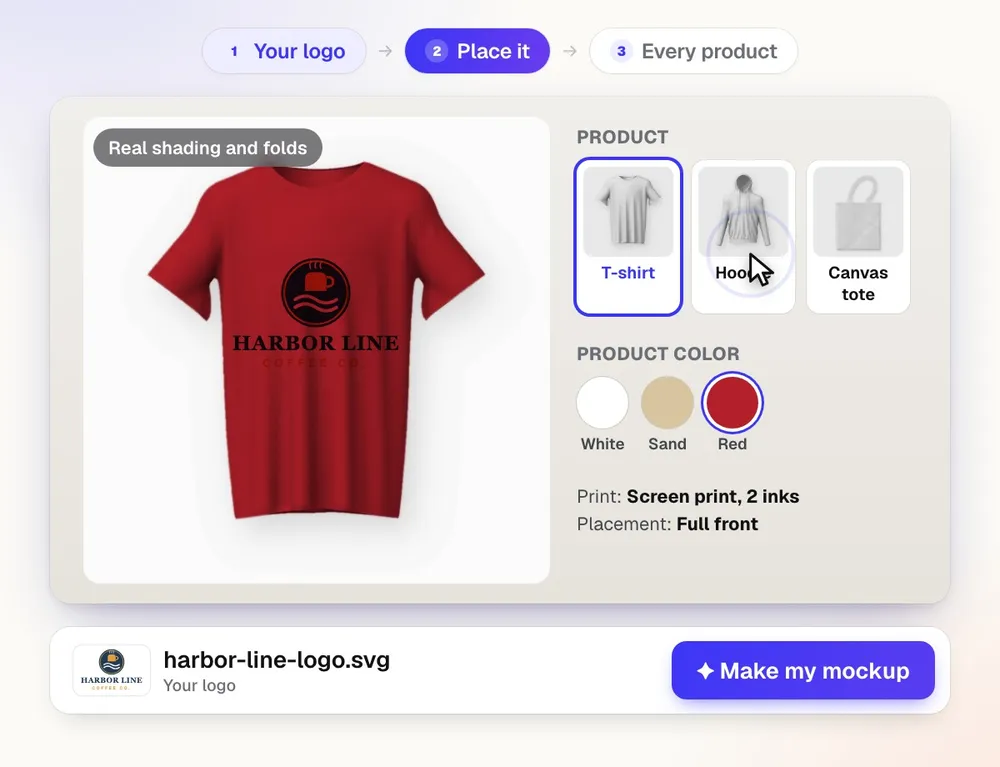
Mockup Studio in short
Mockup Studio puts a logo or all-over art on real-looking products in every color: merch, drinkware, signs, packaging and cards, or a photo of any product you sell. It is for print and promo shops sending virtual samples and agencies pitching branded merch. It places your logo exactly as it is and never redraws it.
| What it makes | Product mockups with your logo or art, in every color |
|---|---|
| Who it is for | Print and promo shops, agencies, and any business choosing branded items |
| Your own products | Add 1 to 5 photos or a blank template of any product |
| Your logo | Placed exactly as it is, never redrawn |
| Good to know | Screen colors differ from ink and thread; check a printed sample |
| Price | Free to start with a monthly AI allowance, no card. Paid plans from $18.88 a month. |
| Runs in | Any web browser, nothing to install |
What you get
Put a logo or all-over art on real-looking products in every color.
Every color at once
See the logo on every product color side by side, so the customer picks from real options instead of asking for one more version.
56 products, plus a photo of any product
Shirts, hoodies, caps, mugs, tumblers, banners, yard signs, business cards, brochures, boxes and pouches are ready. For anything else, upload a phone photo or a screenshot: the product and its print area are found for you, and it can be cleaned up into a flat, evenly lit template.
All-over and repeat prints
Sublimated neck gaiters, jerseys and other edge-to-edge prints: the art covers the whole product, follows its folds and curve, and stops at its edge. Or repeat it as a pattern at any size.
Your logo exactly as it is
The logo is placed, never redrawn, and picks up the product's folds, curves and light. Pick it from Vectorize Kit or your Graphics Library, or upload it.
The checks a shop makes
Fit in the imprint area, line thickness for the method, color count, shaded art on spot-color methods, and file sharpness at that size, most with a one-click fix.
Nine decoration looks
Full color, screen print, pad print, embroidery, laser engraving, deboss, emboss, cut vinyl and foil stamp, each with its own look on the product.
Ready for the quote and the client
Download PNGs, a ZIP with a spec spreadsheet, or a spec sheet PDF. Build a presentation the client can approve from a private link with no account.
Every feature
Everything in Mockup Studio
The complete list, from the tool as it works today.
- One page: pick Promotional items or Print, add your logo, choose a product from the shelf (or your own saved one), add any instructions in your own words, and make the mockup in one click
- Add your own product: drop 1 to 5 photos or a blank template of any product, even a phone photo or screenshot (a neck gaiter flat, worn and folded; a tee front and back) and the art; the product and its print area are found for you and the proof shows right away
- Clean it up into a template: AI turns an odd or worn product photo into a clean, flat, evenly lit blank to put the art on
- Photos of someone wearing the product work too: the print follows the fabric's exact edge, folds and shading and goes behind drawstrings, arms and hair
- All-over and repeat-pattern prints that follow the fabric's folds, shading and curve, with a view per photo
- 32 ready products drawn in every color
- My products: your own categories of blank product photos, print area set for you, your logo on all of them at once
- Full color, screen print, pad print, embroidery, laser, deboss, emboss and vinyl looks
- Every color at once, one logo on many products, PNG and ZIP downloads, and a spec sheet PDF
- Checks for size, fine detail, color count and resolution, with one-click fixes
- Sets saved by client and project, with a link
What’s included
What you get with Mockup Studio, and how it works with the rest of aiKit
Included with a free aiKit account
- Open to every signed-in aiKit account
- 56 ready products in every stock color, plus any product photo, screenshot or supplier image you bring
- Add your own product: from your photos or a blank template, the product and print area found for you, a clean flat template, one mockup per photo, and Save to My products
- Once, All over and Repeat pattern prints, with sublimation
- My products: your own categories of blank product photos, with the print area set for you
- Nine decoration looks and the shop checks for fit, line thickness, color count and resolution
- PNG and ZIP downloads, a spec sheet PDF, and sets saved by client and project
- Presentations and sales sheets a client approves from a private link with no account
What uses AI, and what’s free
Placing logos, every color at once, the decoration checks, My products, downloads, spec sheets, presentations and Erase the marked area run without AI and use none of your monthly AI allowance. The box at the top reads your typed or spoken request with a small amount of AI from your monthly AI allowance; Add your own product reads each photo with a small amount of AI (about 3¢ a photo, plus about 4¢ to map the fabric of a garment), and Clean it up into a template uses an image model (about 10¢); if the reader does not answer, simple wording is still read for free. Photo edits from a description, Clean up product photo, a picture made from typed words, and a background scene from words use an image model and your monthly AI allowance where they are switched on.
Works with your other aiKit tools
- Vectorize Kit: Pick a finished Vectorize Kit logo as the logo for your mockups.
- Graphics Library: Pick a logo from your Graphics Library, or Send to puts a finished mockup there in a Mockups folder with categories, tags, client and project.
- Customer Proofs: Send to makes a new Customer Proof with the mockup as its page, ready to send for approval.
- Motion Maker: Send my latest work to from the toolkit menu hands your newest mockup to Motion Maker or Content Kit.
Keep Mockup Studio in any of your kits, next to the tools you use with it. One monthly AI allowance covers every tool you add.
How it works
From first click to finished, in 4 steps.
Add the logo and the products
Upload the logo or pick it from Vectorize Kit or your Graphics Library, then add products from the library, your own My products categories, or a product photo. Or just type "put my logo on a black hoodie and a white mug."
Set the decoration
For each location (front, back, sleeve, side) choose the method, the exact width in inches or centimeters, the position, rotation and ink colors.
Check and fix
The Checks tab flags anything a shop would catch, like lines too thin for embroidery or a low-resolution logo, with a fix one click away.
Send it out
Show every color, download PNGs or a ZIP, export the spec sheet PDF, build a presentation with a share link, or Send to your Graphics Library, a customer proof or a project.
Who it’s for
How different businesses use Mockup Studio
Virtual samples before the order
Harbor Line Print Co. shows a customer their logo embroidered on caps and screen printed on tees in every stock color, then attaches the spec sheet to the quote.
A merch pitch the client approves by link
Northlight Studio builds a branded presentation of mugs, totes and notebooks for a client. The client favorites, approves and asks for changes on each product from a phone.
Packaging and bags for a new shop
Copper Kettle Coffee sees its logo on stand-up pouches, paper shopping bags and a mailer box before ordering, and picks the kraft finish.
Sponsor items for an event
A festival organizer puts each sponsor's logo on lanyards, a retractable banner stand and drawstring bags, and sends the set to sponsors for sign-off.
Uniforms and truck-ready yard signs
Brightway Landscaping puts its logo on its own blank polo photos with My products, and on a yard sign staked in grass, to choose the crew's look.
Ideal for
- Print and promo shops sending virtual samples
- Agencies pitching branded merch and packaging
- Any business picking shirts, signs or cups for its own brand
Good to know
- Not for: Designing the logo itself; it places your logo exactly as it is and never redraws it
- Mockups show the idea; colors on screen differ from ink and thread. Check a printed sample.
- The print area found on your photo is a starting point; on busy or dark photos, move it or slide its edge in Adjust print area.
- Showing a built-in product on a person isn't built yet; add your own photo of it being worn.
Good to know
Before you use Mockup Studio
A mockup is a picture, not a proof. Mockups help you picture it. Real products, colors, and materials will look different. Only use logos and brands you own or may use.
Questions
Mockup Studio: questions people ask
Is there a free logo mockup generator for promotional products?
How do I make a virtual sample of a customer's logo on a product?
Can I show my logo on every shirt color at once?
Can I export a spec sheet for quoting a promo order?
Can I make customer-ready logo mockups without editing one file per product?
How do I make packaging mockups for my business?
Can I make a mug or tumbler mockup where the logo wraps around the curve?
Can I put a logo on a photo of someone wearing a hoodie or t-shirt?
Does Mockup Studio work with Vectorize Kit, the Graphics Library and Customer Proofs?
Is a mockup the same as a proof?
Can I just type what I want in Mockup Studio?
Can I keep my own blank products in Mockup Studio and put my logo on all of them at once?
Can Mockup Studio make a client presentation or a sales sheet?
What is aiKit Mockup Studio?
Can I make a mockup from my own photo of any product, like a neck gaiter?
Works well with
Tools to add to the same kit
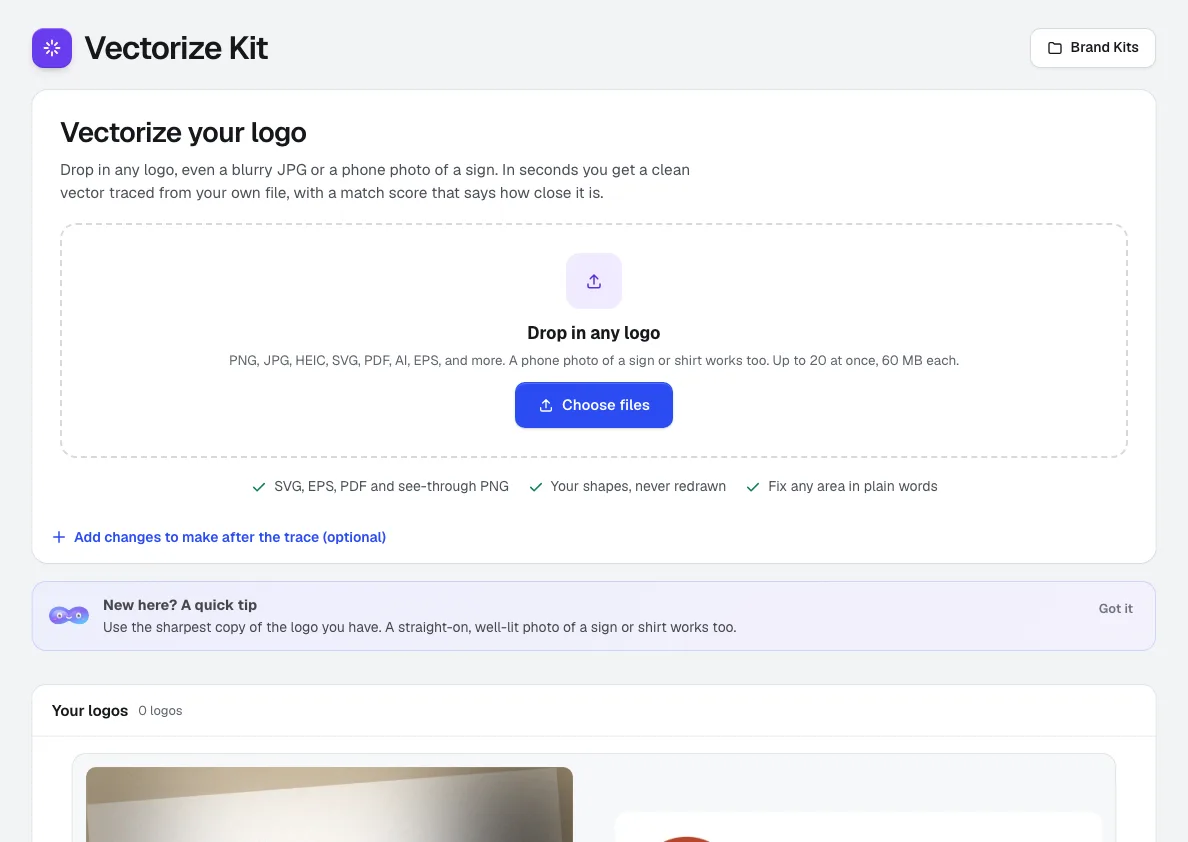
Vectorize Kit
Drop in a blurry JPG, a small PNG, a PDF or a phone photo of a sign. Vectorize Kit traces your own file into a clean vector, shows how closely it matches with a score and a zoomable before and after, and hands you SVG, EPS, PDF and PNG in one click.
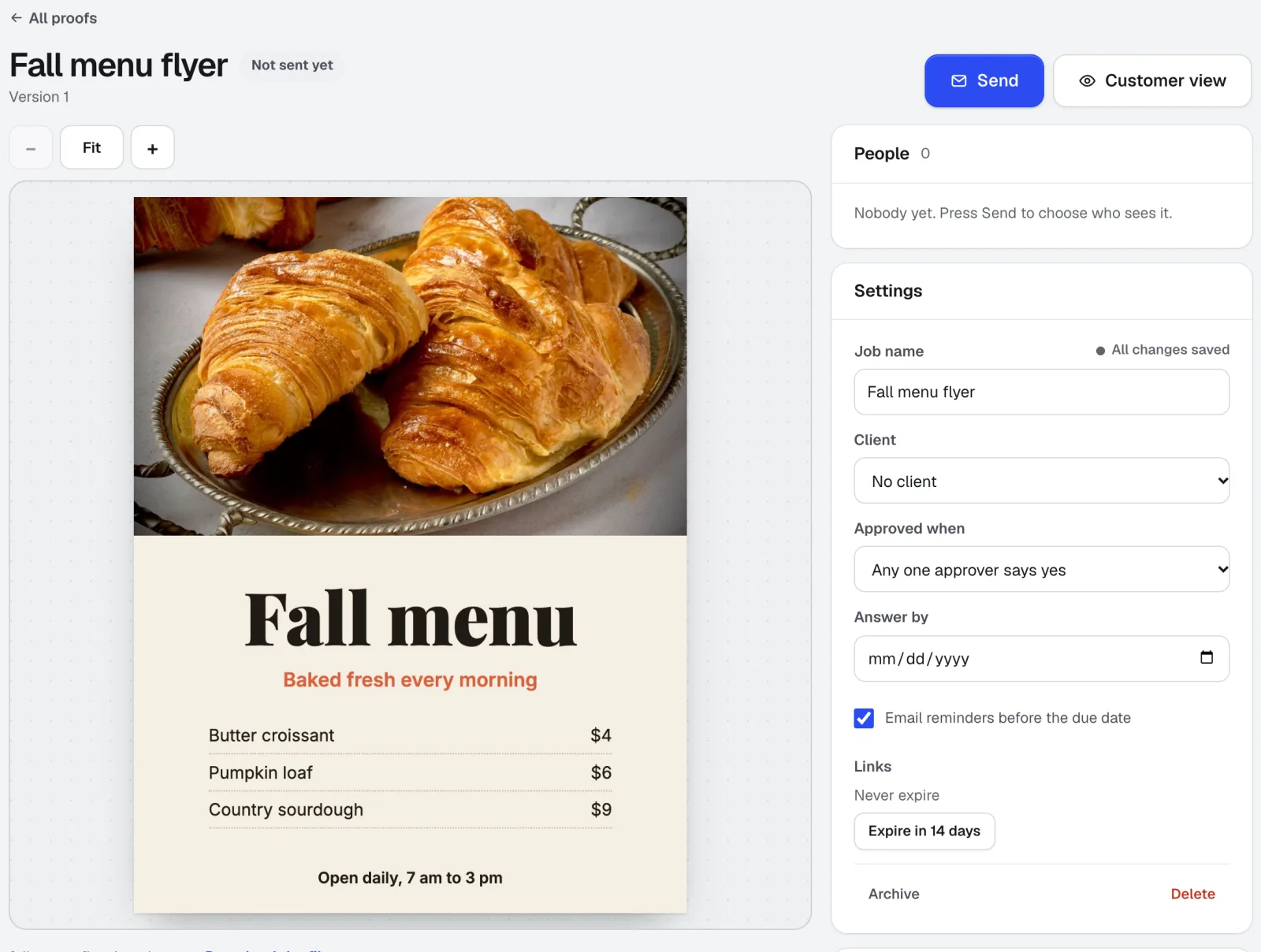
Customer Proofs
No account needed for customersCustomer Proofs is online proofing software for any design, web page, video, or sound file. Send it to one or more people; each gets a private link to pin comments on the exact spot and approve with a checklist and their typed name. No account on their side.
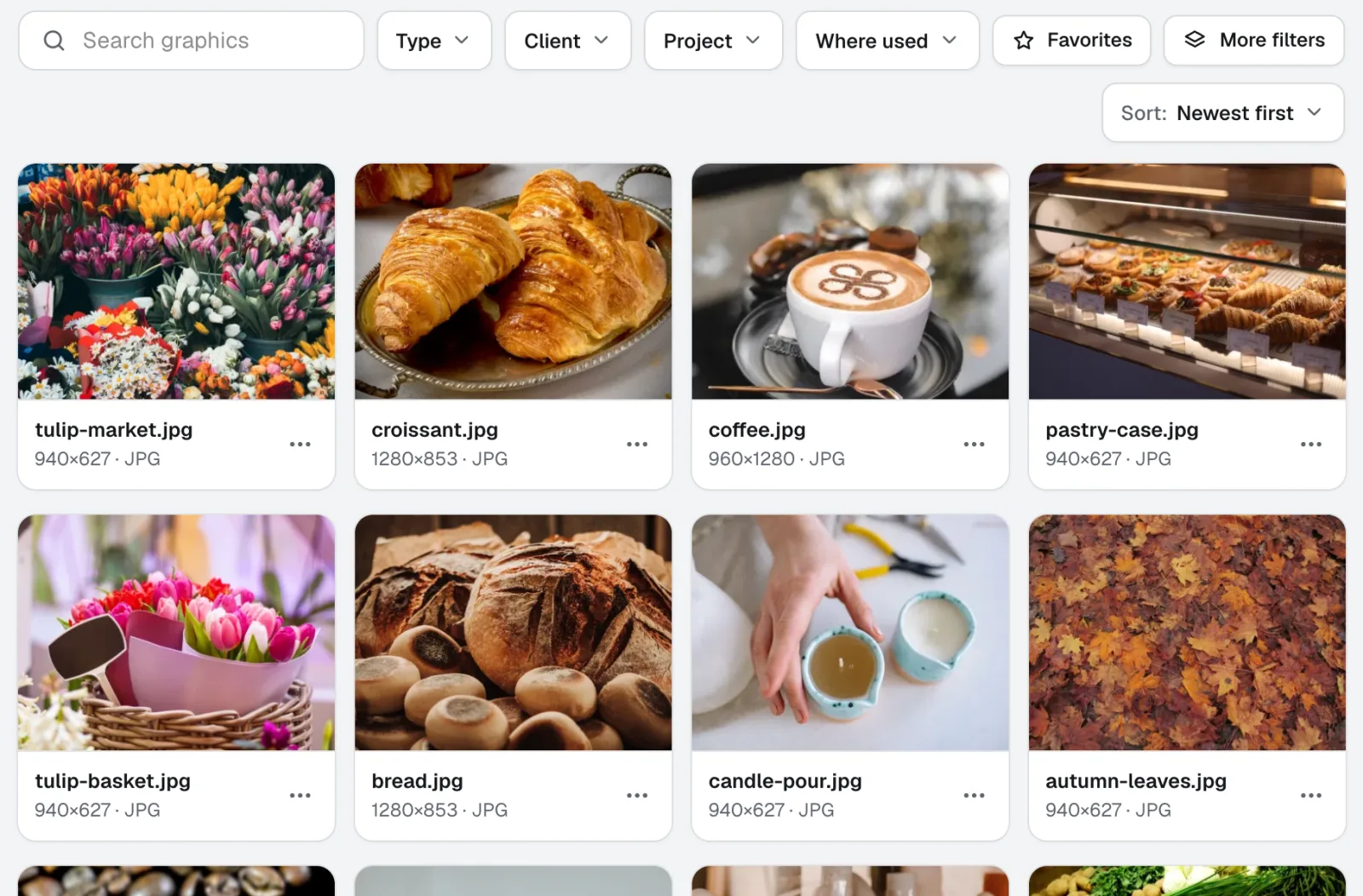
Graphics Library
NewGraphics Library is digital asset management software for teams: every client's and project's logos, photos and design files in one labeled place. Drop in whole folders, label hundreds at once, and anyone on your team finds the file they need.
Use Mockup Studio today.
Make a free aiKit account and open Mockup Studio, plus every other tool in your kit.
Page last checked against the product on 2026-10-20.