

Motion MakerNew
Animated banners, GIFs and promo clips from the photos you have
An animated GIF maker for email, plus banners and promo clips: pick one of 29 animation styles, drop in your photos, type the words right on the stage, and add music cut on the beat. Export an MP4, WebM or email-ready GIF straight from your browser.
Free account, no card. Already using aiKit? Log in to open Motion Maker

What you get
Animated banners, GIFs and short clips from your photos.
29 styles, each a live preview
Pan and zoom, Kinetic words, Price burst, Film letterbox, Confetti pop and more, sorted into tabs like Sale & retail and Events & holidays. Each card plays your own photos, so you see the result before you pick.
Type the words where they show
Click the stage and type. Drag words anywhere, set size, color, font and how they come in, and add up to six more text blocks or a button per scene.
Music that lands on the beat
Pick an aiKit Original you can use in ads and client work, or upload your own MP3, M4A or WAV. Cut on the beat rounds each photo to whole beats so every change hits the music.
85 templates for 21 industries
Templates for your business sets the style, size, music, words and closing card for a menu, a listing, a sale or a hiring post. Your logo goes in from your brand kit.
Email GIFs that stay a sensible size
GIFs start on a complete still for email apps that show only the first frame, and show their file size with advice: under 1.5 MB is a good size.
AI is optional
Everything works by hand. If you want a head start, describe it in one sentence and aiKit's AI picks a style, size, length and words in your Brand Voice, using only the facts you typed. Undo puts it back.
Every feature
Everything in Motion Maker
The complete list, from the tool as it works today.
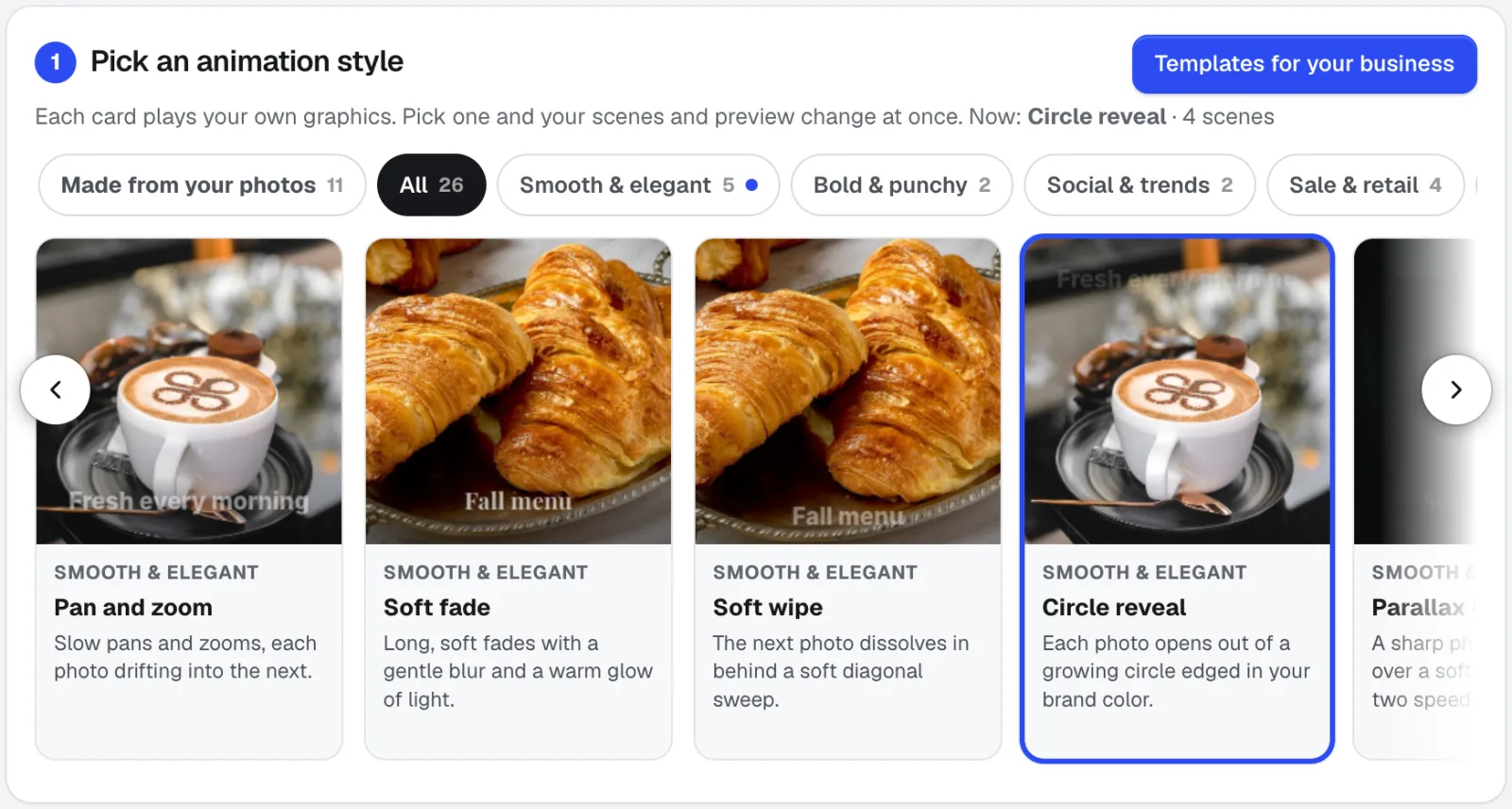
- 29 animation styles in 9 groups, each shown as a live example: pan and zoom, zoom punch, soft fade, photo grid, split screen, soft wipe, circle reveal, parallax layers, kinetic words, product spotlight, countdown offer, minimal, photo stack, logo reveal, bold captions, glitch cut, price burst, flash sale, film letterbox, light leak, confetti pop, twinkle lights, invitation card, comic pop, sticker bounce, luxury listing, magazine spread, window reveal, and classic
- Photos picked from your Graphics Library with checkboxes, numbered in order, or several uploaded at once; drag to change the order; Working on shows one client's or project's graphics
- Words typed right on the stage: drag to move, plus size, color (your brand colors too), type, and how they come in; captions in your Brand Voice; a closing card with your logo
- aiKit Original music you can use anywhere, or your own MP3, M4A, or WAV, cut on the beat, with a waveform, start point, fades, and volume
- Optional: describe it in a sentence and AI picks a style, size, length, and words; Undo puts it back
- MP4, WebM, and GIF made right in your browser, a download, and Save to the Graphics Library with tags
- Saved animations your team can open, duplicate, and change later
- A voiceover from Voice Kit on its own track, with the music dipping while it speaks
What’s included
What you get with Motion Maker, and how it works with the rest of aiKit
Included with a free aiKit account
- All 29 animation styles and 85 templates for 21 industries
- Up to 40 photos or clips per animation
- Exports made in your browser: MP4 and WebM clips with music, and GIFs up to 10 seconds
- 16 aiKit Original music tracks you can use in ads and client work, or your own MP3, M4A or WAV
- Saved animations your team can open, duplicate and change later
- Exports saved to your Graphics Library with tags, or downloaded
What uses AI, and what’s free
Picking a style, placing photos, typing words, adding music and exporting use no AI and are free; every clip and GIF is made in your browser. The two optional helpers, Let AI set it up and Write captions in my Brand Voice, use aiKit's AI and draw on your monthly AI allowance.
Works with your other aiKit tools
- Graphics Library: Pick photos and music from your Graphics Library, or Send to Motion Maker from the library, and save finished files back into it with tags.
- Video Kit: Video Kit's intro and outro cards use Motion Maker's styles, and both tools share the same templates for your industry.
- Voice Kit: A voiceover made in Voice Kit plays on its own track, with the music dipping while it speaks.
- Brand Kit: Write captions in my Brand Voice writes one short line per clip in the voice you saved.
- Vectorize Kit: Your Vectorize Kit brand kit puts your logo on the closing card and your brand colors in the color choices.
Keep Motion Maker in any of your kits, next to the tools you use with it. One monthly AI allowance covers every tool you add.
How it works
From first click to finished, in 5 steps.
Pick a style or a template
Choose from the live style cards, or press Templates for your business, pick your industry and the kind of video.
Fill the scenes
Each style loads named scenes such as Hook, Product and Offer. Press Pick a graphic to choose from your Graphics Library, or upload new photos, and drag to change the order.
Write the words
Type on the stage, or press Write captions in my Brand Voice for one short line per clip that you can change before you use it.
Add music or a voiceover
In the Music tab choose a track, set the start, fades and volume, or bring in a voiceover from Voice Kit with the music dipping while it speaks.
Export and save
Pick a size such as story 1080×1920 or email banner 600×400, then press GIF, MP4 clip or WebM clip. Save the file to your Graphics Library and save the animation to edit later.
Who it’s for
How different businesses use Motion Maker
A weekend sale in the inbox
A gift shop turns four product photos into a 600-pixel Flash sale GIF for its newsletter, plus a 1080×1920 story with music from the same animation.
A new listing in 15 seconds
An agent picks the Film letterbox style, drops in eight listing photos, adds the price and open-house date on the closing scene, and exports a feed post and a story.
Save the date for an event
A venue uses the Invitation card style with a photo in an arch, the date and the RSVP line, then makes a wide clip for the lobby screen from the same file.
Quick promos for many clients
An agency keeps saved animations per client, duplicates last month's promo, swaps in new photos and words, and exports in each client's brand colors.
Show finished work on social
A sign shop turns photos of installed signs into a Photo grid reel with a Logo reveal ending, so every post ends on the shop's name.
Before and after, side by side
A landscaper uses Split screen to slide a before photo past an after photo, adds "Free estimates" as a button, and posts it as a square clip.
Ideal for
- Shops and service businesses showing new products, offers, and finished work
- Agencies making quick promos for many clients from each client's own photos
- Anyone who needs an email GIF that stays a sensible size
Good to know
- Not for: Editing long footage or anything with many tracks (it makes animated graphics, not a video editor)
- Not for: Recording a voice-over itself (make it in Voice Kit and send it here)
- Clips are made in your browser, frame by frame; keep the tab open until each one finishes.
- GIFs hold up to 10 seconds and have no sound. Up to 40 photos or clips per animation.
- MP4 needs a current Chrome, Edge, or Safari; other browsers make WebM.
- Captions and the AI setup are written by AI from what you type and can miss the mark; read them before you export.
- Use only music you have the rights to.
Good to know
Before you use Motion Maker
Check rights and glitches. Check music, fonts, and footage rights before you publish. AI video can have glitches in faces, hands, and text, so watch it through first.
Questions
Motion Maker: questions people ask
What's the easiest way to make an animated GIF for an email newsletter?
Is there a free animated GIF maker for business promos?
Can I see an animation style on my own photos before I pick it?
Can I make an animated web banner for my website?
How do I make a photo slideshow with music for Instagram stories?
Can I make a real estate listing video from photos?
Does Motion Maker work with Video Kit, Voice Kit, and the Graphics Library?
What's the difference between Motion Maker and Video Kit?
What should I check before I publish a Motion Maker video?
How do I make an animated banner, GIF, or short clip from my photos in aiKit?
Does aiKit have video and animation templates for my industry?
Can words move along a path or loop in Motion Maker?
Does Motion Maker suggest options from my own photos?
What animation styles does Motion Maker have?
How do I edit the words in Motion Maker?
Works well with
Tools to add to the same kit
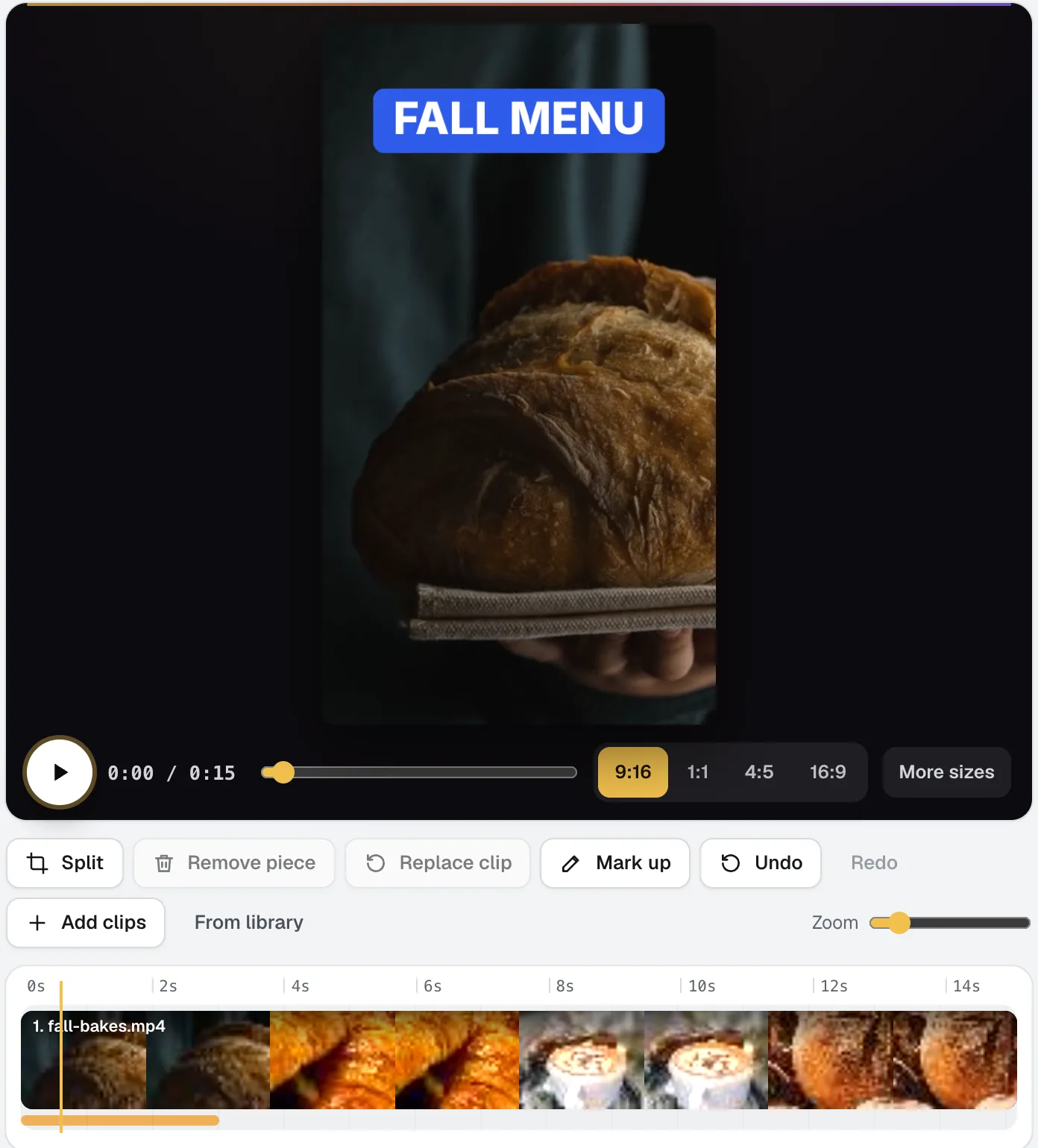
Video Kit
NewVideo Kit is an AI video editor for social media: drop in your clips and edit them like a document. Delete words to cut the video, remove pauses and ums in one pass, and Ask for changes in plain words. Captions, sizes, music and your logo are built in.
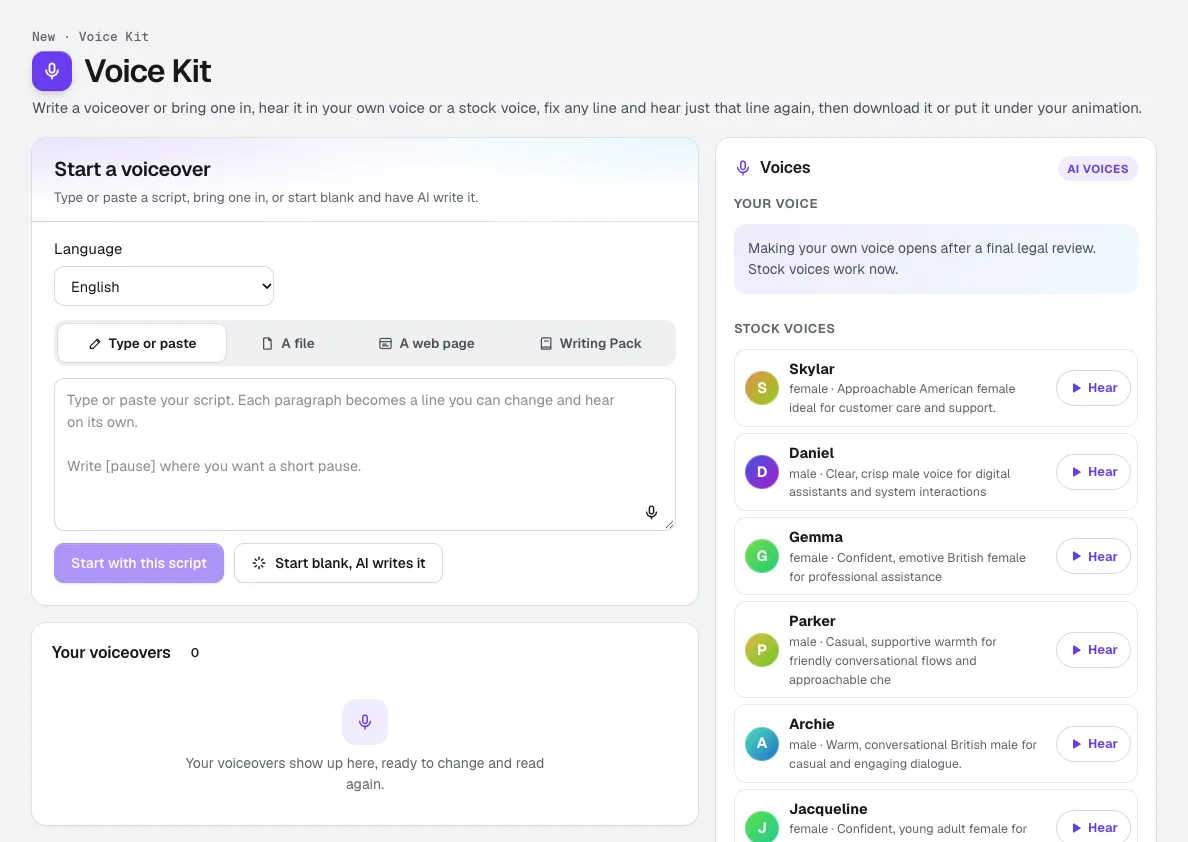
Voice Kit
Your voiceRecord about a minute, confirm it is your own voice, and aiKit makes an AI voice of you. Read scripts, ads and animation voiceovers in it, fix any line and hear only that line again, and see the tokens before anything runs.
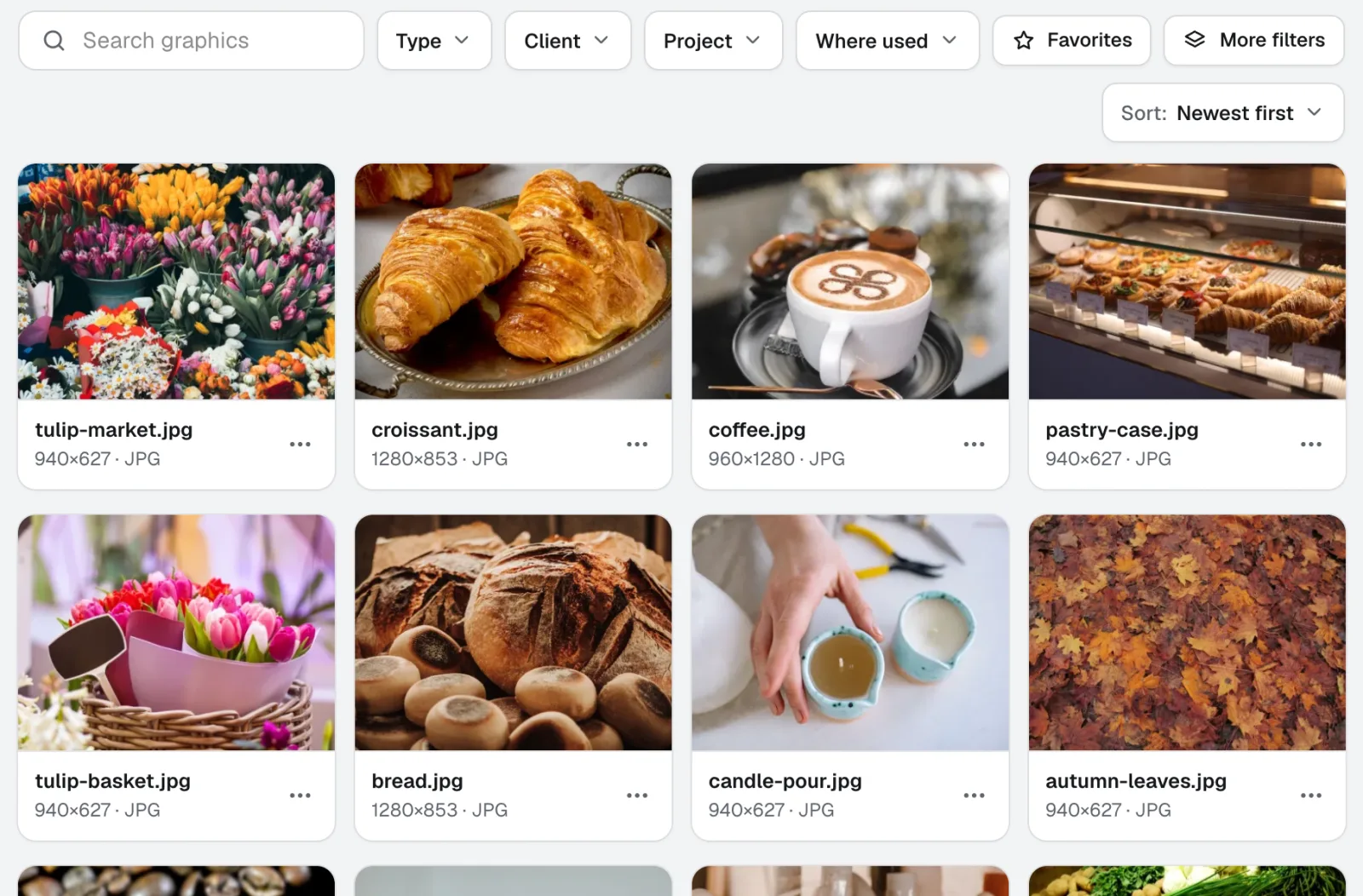
Graphics Library
NewGraphics Library is digital asset management software for teams: every client's and project's logos, photos and design files in one labeled place. Drop in whole folders, label hundreds at once, and anyone on your team finds the file they need.
Use Motion Maker today.
Make a free aiKit account and open Motion Maker, plus every other tool in your kit.
Page last checked against the product on 2026-11-12.