

Vectorize Kit
Logo vectorizer: turn any logo into a clean vector
Drop in a blurry JPG, a small PNG, a PDF or a phone photo of a sign. Vectorize Kit traces your own file into a clean vector, shows how closely it matches with a score and a zoomable before and after, and hands you SVG, EPS, PDF and PNG in one click.
Free account, no card. Already using aiKit? Log in to open Vectorize Kit

What you get
Logo vectorizer.
Accurate, and it shows you how accurate
The match score compares the vector with the picture you uploaded, not with a cleaned-up copy. A Before and after slider with 2x and 4x zoom and Show differences marks any spot that is off.
Blurry and tiny logos come back clean
Soft edges are smoothed into even curves and JPEG color noise is folded back into the logo's real inks, so a blurry two-color logo stays two colors.
Real vector files stay untouched
Send an SVG, PDF, AI or EPS with real paths and those paths are kept exactly. Nothing is traced twice.
SVG, EPS, PDF and PNG in one click
Download the vector in the format the job needs right under the result, or every version in every format in one ZIP.
Fix any area in plain words
"The small text at the bottom left is missing." Type it and a new version is made. Every change can be undone, and anything not done is said first.
A photo is called a photo
Upload a picture that isn't a logo and the page says so up front, with a low score, instead of handing you scattered marks as if they were your logo.
Every feature
Everything in Vectorize Kit
The complete list, from the tool as it works today.
- An accurate vector traced from your own file, with a match score measured against the picture you uploaded
- A Before and after slider with 2x and 4x zoom and Show differences
- One-click SVG, EPS, PDF and see-through PNG downloads
- Real vector files (SVG, PDF, AI, EPS) keep their own paths instead of being traced again
- Blurry and small pictures get smoothed outlines and their true ink colors; a photo that is not a logo is called out
- Fix any area in plain words; every change is a new version you can undo
- Every version: black, white, one color, grayscale, reversed, small size, plus stacked or side-by-side layouts when the icon and words can be separated
- Colors in HEX, RGB, CMYK, and the closest spot match
- A ready or not answer for each print method, with Fix it
- Put it on a product: opens Mockup Studio with the logo
What’s included
What you get with Vectorize Kit, and how it works with the rest of aiKit
Included with a free aiKit account
- Runs on your account's tokens; a logo uses them only once its clean-up finishes
- A clean vector built from your own file, with a match score and a Before and after slider
- Every version (full color, black, white, one color, grayscale, reversed, small size) as SVG, PDF and PNG in one ZIP
- Brand colors in HEX, RGB and CMYK, with the closest spot color match
- A ready-or-not check for seven print methods, with Fix it
- A one-page brand sheet PDF, and brand kits the other aiKit design tools use
- Fix it, Undo and Restore on a finished logo use no tokens
What uses AI, and what’s free
Each logo clean-up uses a small, set amount of your account's tokens once it finishes. Fix it on a print-method card, Undo, Restore, downloads, the brand sheet, Save to brand kit and Save to Graphics are free. A change typed in plain words, such as "make it one color navy," is a small AI read that uses a little of your tokens.
Works with your other aiKit tools
- Magic Canvas: Logos and colors you save with Save to brand kit appear in the Brand panel of Magic Canvas (and the Brand tab of Pro Designer), one click to use.
- Mockup Studio: Mockup Studio picks a finished Vectorize Kit version straight from its logo panel to place it on products.
- Printer’s Helper: Printer’s Helper's From Vectorize Kit button adds a saved logo to a new print job, such as a notepad, envelope or business card.
- Customer Proofs: A new Customer Proof can pick a Vectorize Kit version to send to your customer for approval.
- Graphics Library: Save to Graphics files the versions you tick into your Graphics Library under Logos, ready for mockups, proofs and posts.
Keep Vectorize Kit in any of your kits, next to the tools you use with it. One account and one monthly AI allowance cover every tool.
How it works
From first click to finished, in 4 steps.
Drop in the logo
Drag files onto Vectorize your logo, or press Take a photo on a phone to shoot a logo on a sign, shirt or card. Up to 20 files at once.
Check the vector
Slide between Your upload and Clean vector, zoom to 2x or 4x, turn on Show differences and read the match score in plain words.
Fix any area
Say what is off, such as a missing word or a rough edge, and get a new version. Undo and Restore are free.
Download, then go further if you want
SVG, EPS, PDF or PNG in one click. Then, if you need them: every version, exact colors, print readiness, the brand sheet, or Put it on a product in Mockup Studio.
Who it’s for
How different businesses use Vectorize Kit
From a customer's blurry JPG to an embroidery-ready file
Harbor Line Print Co. drops in a 200-pixel logo a customer emailed. The vector comes back with a match score, the embroidery card says Needs a fix, and Fix it thickens the lines and leaves off the small text.
Onboard a new client's brand in one sitting
Northlight Studio runs a new client's five logo files at once, saves each to a brand kit with its HEX and CMYK values, and sends the one-page brand sheet to the client.
A logo off the side of a truck
Brightway Landscaping has no original file, only its truck. A phone photo of the door decal becomes a vector logo with a white version for dark shirts.
One-color art for engraving and projection
An event production company needs a sponsor's logo in one flat color for laser engraving. A one-sentence request makes it, and the laser card says it's ready.
Menu, cups and signs from one clean logo
Copper Kettle Coffee gets its logo in full color for the menu, one color for cups and reversed for the sign, all from a single PDF.
Ideal for
- Print and promo shops getting blurry logos every day
- Sign and vinyl shops that need clean cut paths
- Agencies onboarding a new client's brand
- Any business that needs its logo in every format
Good to know
- Not for: Designing a new logo from scratch; it traces what you send, it never invents one
- Not for: Turning a photograph into art; it says so when a picture is a photo, not a logo
- Spot color matches are approximate. Check a printed swatch.
- Very small or very blurry lettering can come back thicker or merged; the match score and Show differences show where.
- A color blend in a picture is traced as a few flat bands of color.
Questions
Vectorize Kit: questions people ask
What is the most accurate way to vectorize a logo?
Can I convert a logo to EPS or PDF for a print shop?
What does the match score mean?
What happens if I upload a photo instead of a logo?
How do I turn a blurry logo into a vector file?
Is there a free way to convert a logo to vector online?
Can AI make my logo print-ready for embroidery or screen printing?
How do I find the exact HEX, RGB and CMYK colors in my logo?
Can I get white and one-color versions of my logo for dark shirts?
Does Vectorize Kit change or redesign my logo?
Can I use my cleaned-up logo in other aiKit tools?
What comes in the Vectorize Kit download?
How close is Vectorize Kit's vector to my original logo?
Can I convert a JPG or PNG logo to SVG?
How do I get my logo ready for shirts, mugs and signs?
Works well with
Tools to add to the same kit
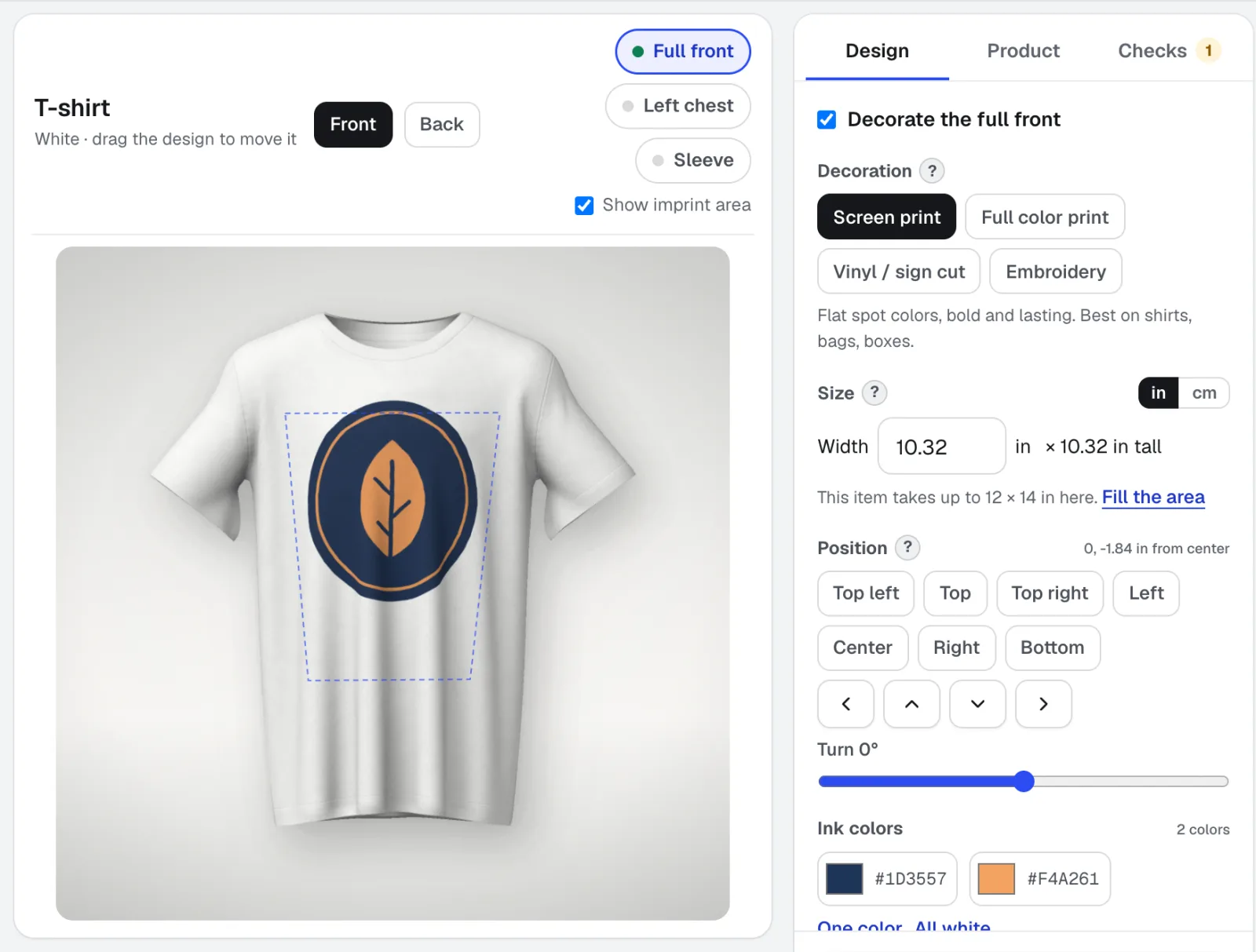
Mockup Studio
Mockup Studio is a logo mockup generator for shirts, mugs, signs, packaging and print, or any product photo you bring. It checks the decoration rules a shop checks and hands you a spec sheet for the quote.
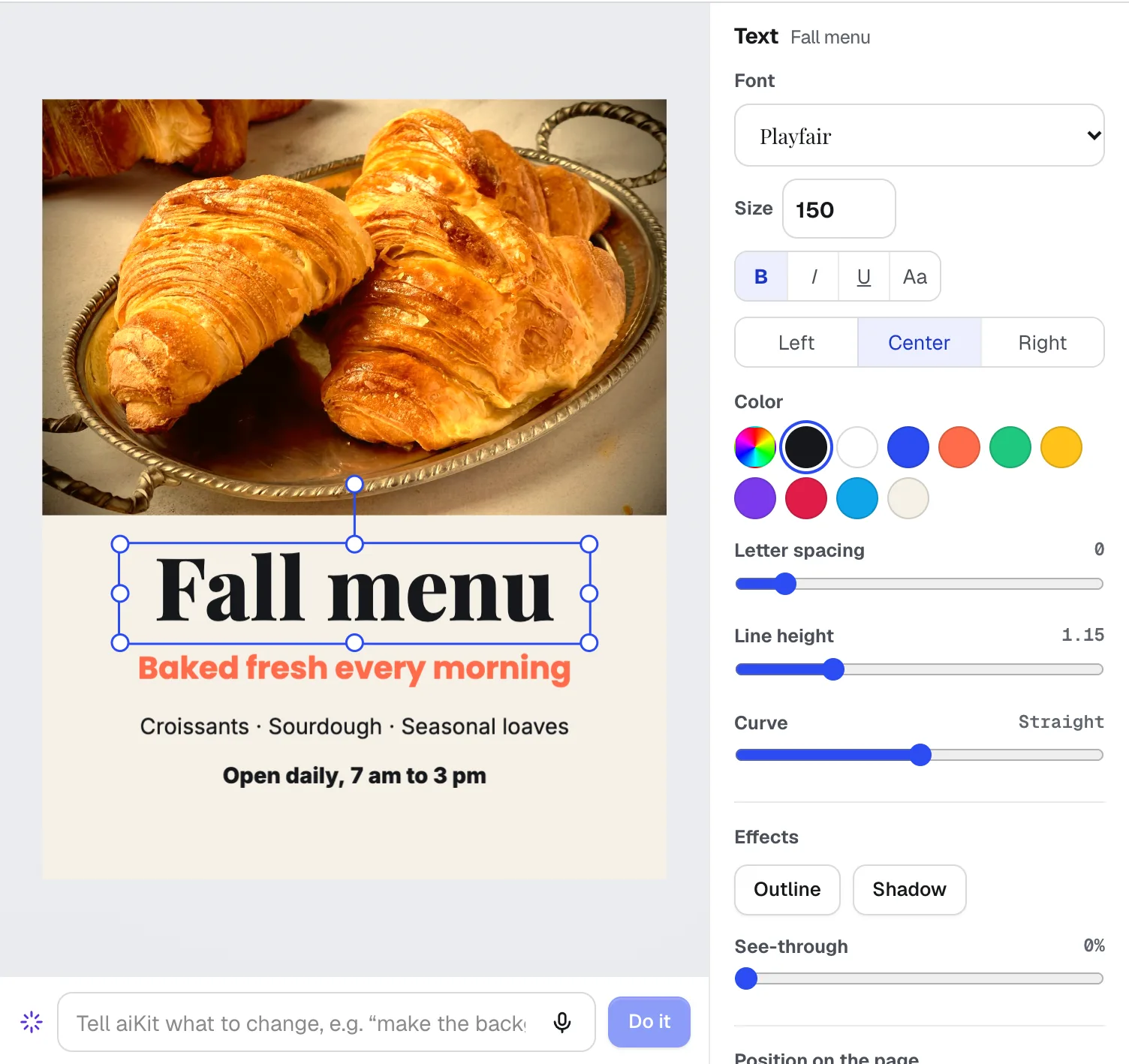
Magic Canvas
NewMagic Canvas is an AI flyer maker and social post designer: it lays out posts, flyers, cards, banners and email headers from your words, then lets you change anything by hand or by saying it. Your brand colors and logos are one click away.
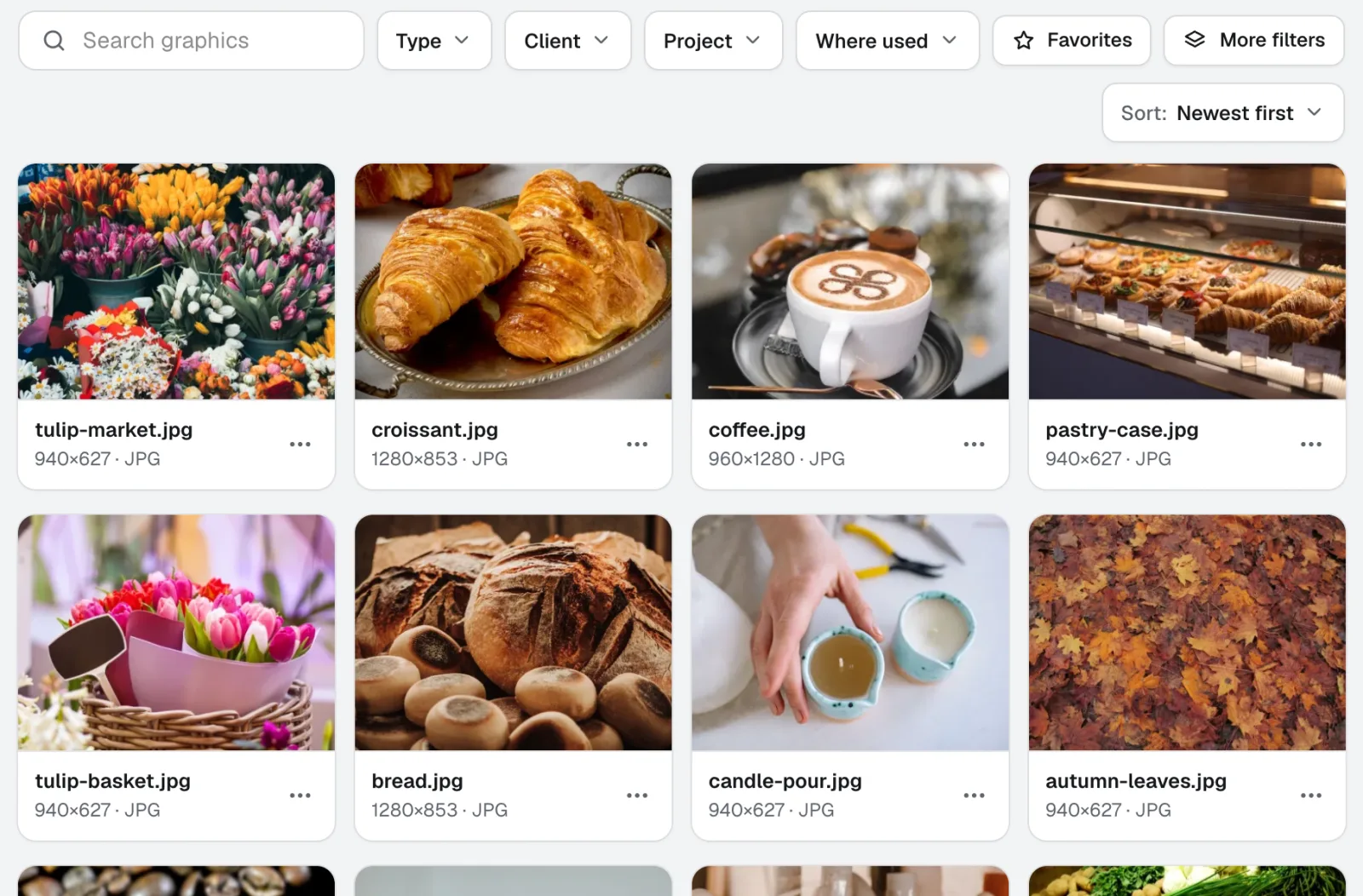
Graphics Library
NewGraphics Library is digital asset management software for teams: every client's and project's logos, photos and design files in one labeled place. Drop in whole folders, label hundreds at once, and anyone on your team finds the file they need.
Use Vectorize Kit today.
Make a free aiKit account and open Vectorize Kit, plus every other tool in your kit.
Page last checked against the product on 2026-10-25.