

Printer’s HelperNew
Say what the file needs. Get a print-ready PDF and a proof.
Drop in a file or a logo and say it in plain words: add bleed, resize, check it, make a notepad. Printer’s Helper is print preflight software that makes the fix too: it builds the file to exact print numbers, shows what it changed, and sends a proof your customer approves.
Free account, no card. Already using aiKit? Log in to open Printer’s Helper

What you get
Make, fix, or resize files by saying what you need.
Ask the way you'd ask a prepress tech
Type "add 1/8 in bleed to this business card" or "resize this postcard to 5 x 7 and keep the design." Shortcuts help, but any request in your own words works.
Your customer's art is never redrawn
Every change is an exact print step: bleed from the art's own edge, art moved inside the safe area, PDF boxes set. Low resolution and RGB color are reported, never quietly changed.
A file check that shows its work
Each check lists what was measured, the rule, where on the page, and how to fix it. Press a fix and the new version shows the before and after, so a fix is proven, not claimed.
New pieces from a logo and a few words
Notepads in nine layouts, 13 ready NCR form templates, business cards in ten layouts, envelopes that match the letterhead. Only your words go on the piece; nothing is made up.
A proof your customer signs from a phone
Send any version as a private link. Your customer marks up the exact spot, ticks a checklist, and types their name to approve. No account needed on their side.
Your printer's numbers, not a guess
Pick our product line, industry standard, or a printer you saved with its own bleed, safe area, gripper, and templates. Every proof says which rules it used.
Every feature
Everything in Printer’s Helper
The complete list, from the tool as it works today.
- A print-ready PDF with print boxes set, and a proof
- JPG, PNG, TIFF, and other copies the version can make
- A plain list of what changed and a file check
- 5 free jobs every month; each job includes 5 changes after its first version, and a 6th change uses 1 more job
What’s included
What you get with Printer’s Helper, and how it works with the rest of aiKit
Included with a free aiKit account
- 5 free jobs every month, no card needed
- Each job includes 5 changes after its first version
- Up to 5 files per job, up to 60 MB each
- A proof, a print-ready PDF, a file check, and a list of what ran on every version
- Downloads such as PDF/X-4, JPG, PNG, TIFF, and every version in one ZIP
- A private approval link for your customer, with no account on their side
What uses AI, and what’s free
The AI that reads your request and builds each version runs inside your Printer’s Helper jobs. On a free account that AI work also counts toward the one monthly AI allowance shared by every aiKit tool. A job includes 5 changes, and versions that come back Not done yet never count. Reading the file check, downloading the files a version made, and sending the proof link need no AI.
Works with your other aiKit tools
- Customer Proofs: Send any version as a proof; each person approves with their typed name.
- Print file check on upload: Files checked on your website open here with Fix it in Printer’s Helper.
- Quote Studio: Shares your companies and logos, and spec-sheet quotes link to a print job.
- Graphics Library: Pick logos and photos for a new piece straight from your library.
- aiKit Hub: A Hub card can link a prepress job and show its live status.
Keep Printer’s Helper in any of your kits, next to the tools you use with it. One account and one monthly AI allowance cover every tool.
How it works
From first click to finished, in 5 steps.
Drop a file or describe the piece
Add up to 5 files (PDF, AI, EPS, SVG, Word, Publisher, TIFF, PSD, PNG, JPG, HEIC, and more, up to 60 MB each), or pick a product and add your logo.
Say what it needs
Type or speak the request. If something that changes the file is missing, like the sticker size, it asks one question at a time.
Check the version it makes
You get a proof with the cut and safe lines, the print-ready PDF, a step-by-step list of what ran, and a file check. It reviews its own proof against your words before showing it, and says "Not done yet" for anything it missed.
Ask for changes in plain words
"Make the logo a little bigger." Each change is a new version; earlier versions stay in the job to download or send.
Send the proof and download the files
Send for approval opens a drawer to email the proof or copy the link. Download the print-ready PDF, a proof PNG, PDF/X-4, JPG, PNG, TIFF, or every version in one ZIP.
Who it’s for
How different businesses use Printer’s Helper
Fix a morning's worth of customer files
Harbor Line Print Co. gets six postcards with no bleed and one flyer with crop marks. Each goes in with one line, "add 1/8 in bleed" or "remove crop marks," and comes back as a print-ready PDF with a file check and a proof link.
Work-order forms from a logo
A heating and cooling company needs 3-part work orders numbered from 1001. The HVAC form template comes with the trade's fields and checklist, the glued edge kept clear, and an FPO file showing the printer where the numbers go.
One design, every size the client asked for
An agency resizes a client's event flyer to letter, half-letter, and 5 x 7, then checks each against the printer's saved bleed and safe area before sending one proof for sign-off.
Notepads and stickers from the shop logo
Maple Street Bakery wants logo notepads and 2 in round stickers. The notepad comes in nine layouts to pick from; the sticker comes with its cut line as its own file.
Yard signs and rack cards ready for the printer
A brokerage sets up yard signs and 4 x 9 rack cards at the printer's exact sizes, with the safe area marked, and gets a proof the agent approves from a phone.
Numbered raffle tickets for a fundraiser
An event team sets up raffle tickets with a stub and a perforation line. The press adds the numbers, and the FPO file shows exactly where they print.
Ideal for
- Designers and agencies who need a piece made, fixed, or resized to an exact size
- Print shops fixing customer files every day
- Business owners who need a notepad, envelope, or sticker from a logo
Good to know
- Not for: Illustration or photo retouching; it never redraws art
- Not for: Making a blurry image sharp
- The AI can misread a file or a request. Always check the proof before it prints.
- Words come only from you; it never invents text for your files.
- Low-resolution images and RGB color are reported, never quietly fixed. Photos print in full color (CMYK), not as PMS plates.
- Custom die cuts are approximate until your printer confirms them.
Why aiKit
Printer’s Helper vs. desktop preflight software and doing it by hand
| Point | aiKit Printer’s Helper | Desktop preflight software and doing it by hand |
|---|---|---|
| How you ask for a change | In plain words: "add bleed," "fit this on a 2 in round sticker" | Menus, profiles, and manual steps in a design app |
| Making the fix | Fixes bleed, safe area, PDF boxes, and plates, then checks the file again | Preflight flags the problem; a person fixes it |
| New pieces from a logo | Notepads, NCR forms, cards, envelopes, and templates built to print specs | Start from a blank page or a printer's template |
| Proof and approval | Private link with markup, a checklist, and a typed-name approval | PDF attached to an email and a reply that says "looks good" |
| Proof the change was made | A log of what actually ran, plus before-and-after file checks | Open the file again and look |
| Getting started | In the browser, 5 free jobs a month, no card | Install software on each computer |
Questions
Printer’s Helper: questions people ask
How do I make a customer's logo print-ready?
Can AI resize a print file without stretching the design?
Can Printer’s Helper open Word, Publisher, or CorelDRAW files?
What is the best print preflight software for a print shop?
Can I preflight a PDF online without installing software?
What's included with Printer’s Helper on a free aiKit account?
Does Printer’s Helper work with Customer Proofs, Quote Studio, and the Hub?
Can Printer’s Helper fix files customers upload on my website?
Is there a free AI prepress tool for print shops?
What happened to Prepress Studio in aiKit?
How does Printer’s Helper show a job that makes many files, like a PDF split into 26 posters?
Can I zoom in on the art in Printer’s Helper without the proof lines on it?
How do I download every version of a Printer’s Helper job at once?
What happens when a Printer’s Helper job takes longer than a few minutes?
Is Printer’s Helper only for printing, or can designers use it too?
Works well with
Tools to add to the same kit
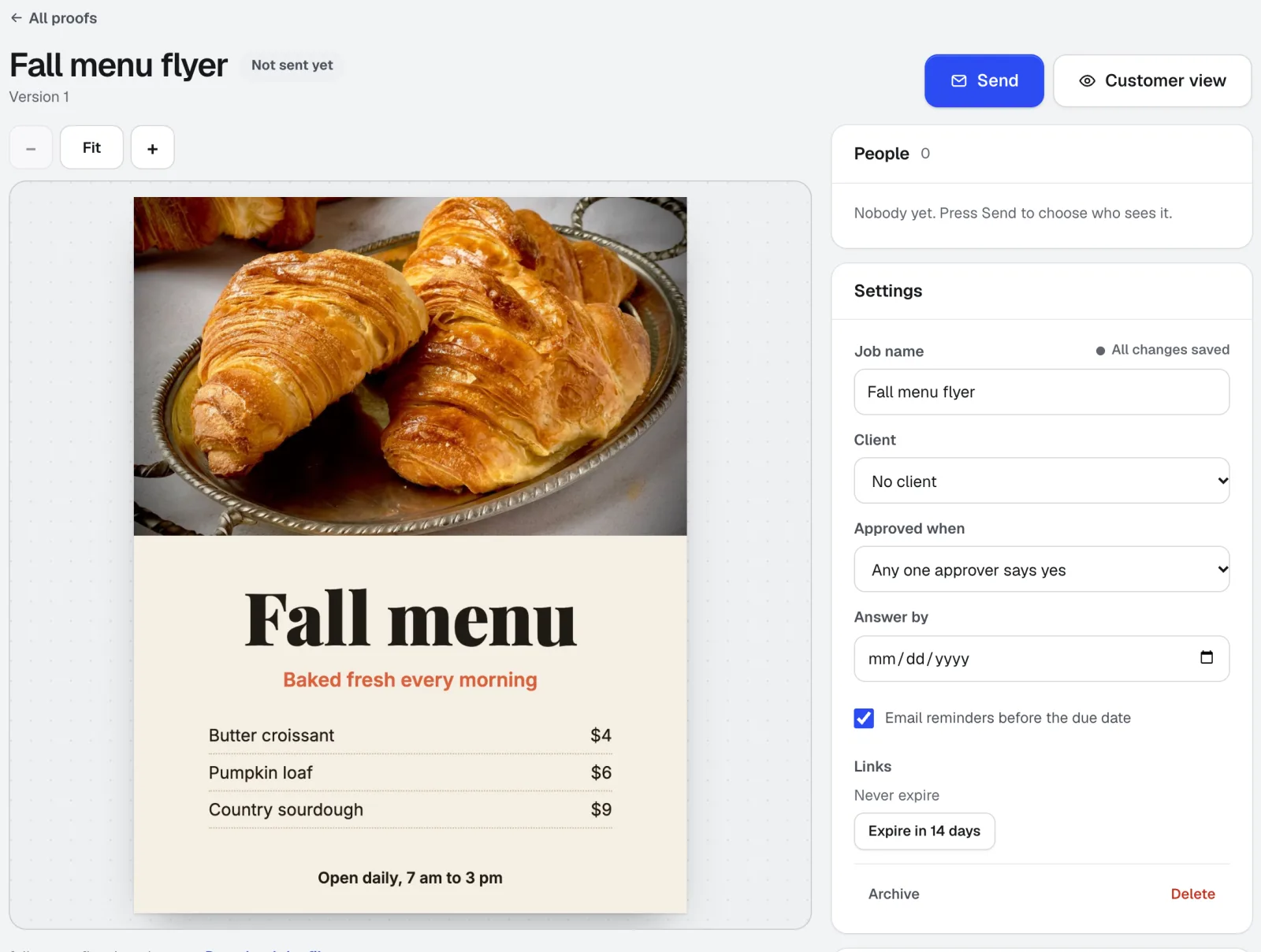
Customer Proofs
No account needed for customersCustomer Proofs is online proofing software for any design, web page, video, or sound file. Send it to one or more people; each gets a private link to pin comments on the exact spot and approve with a checklist and their typed name. No account on their side.
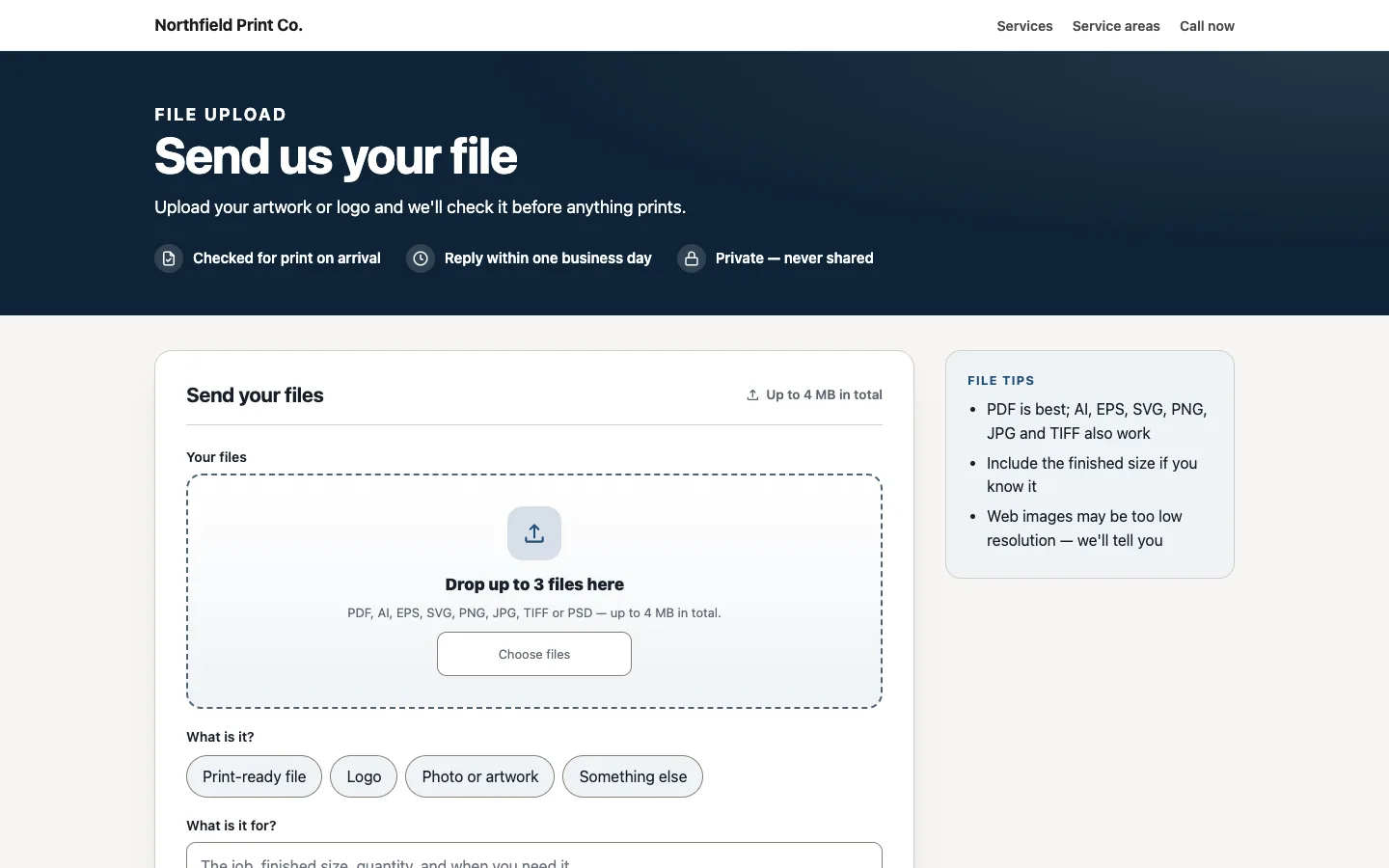
Print file check on upload
aiKit's print file checker reads every file sent through your aiKit website's Send us your file page as it arrives: size, bleed, resolution, fonts, and colors. Fix it in Printer’s Helper is one click away.
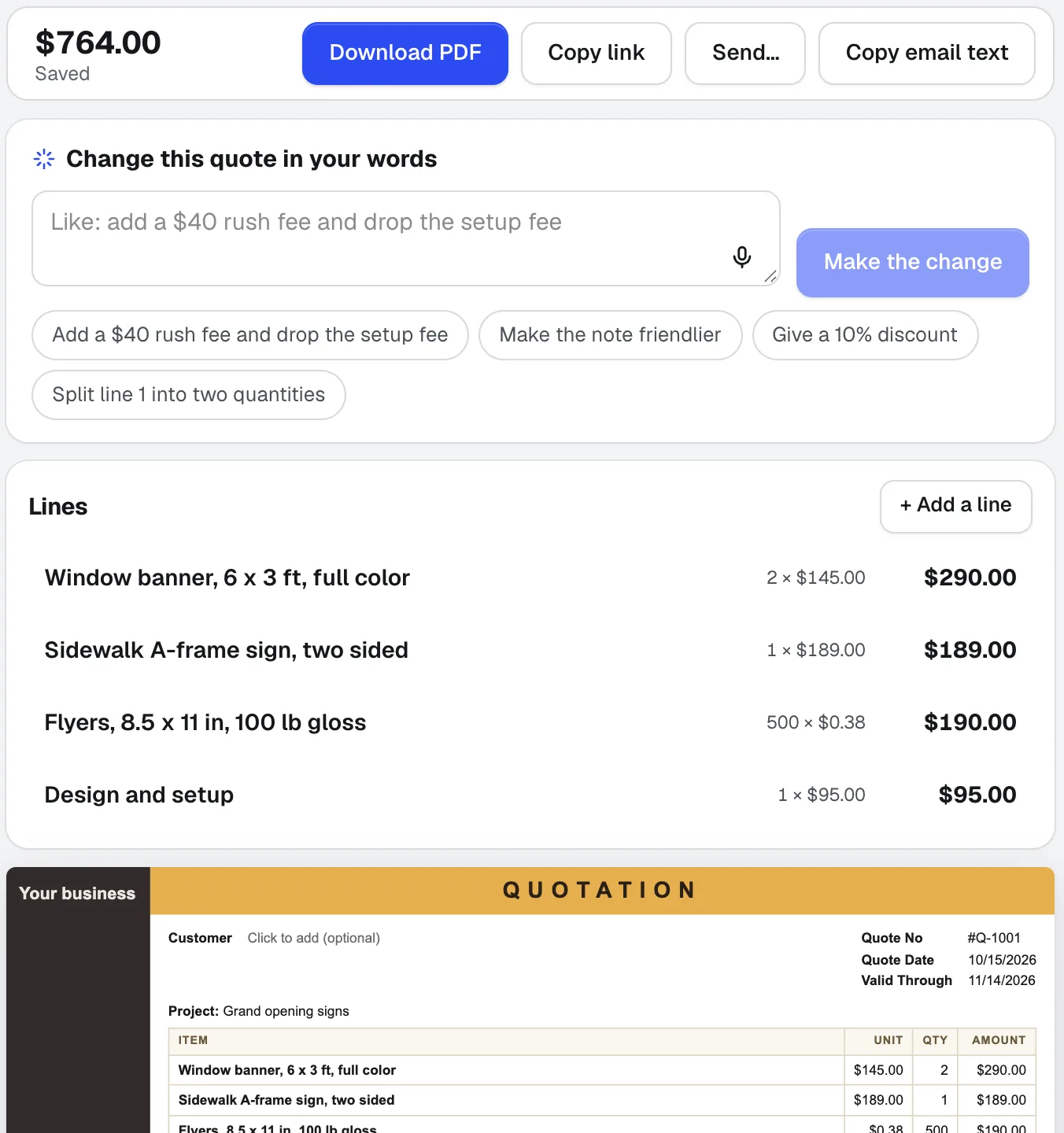
Quote Studio
NewPaste a customer's email, dictate the job, or add a photo of a handwritten list. Quote Studio is quoting software that drafts a one-page quote using only your own prices, then you download the PDF or send a live page your customer accepts online.
Use Printer’s Helper today.
Make a free aiKit account and open Printer’s Helper, plus every other tool in your kit.
Page last checked against the product on 2026-10-16.