

Customer ProofsNo account needed for customers
Send a proof, get a signed yes, with every comment on the spot
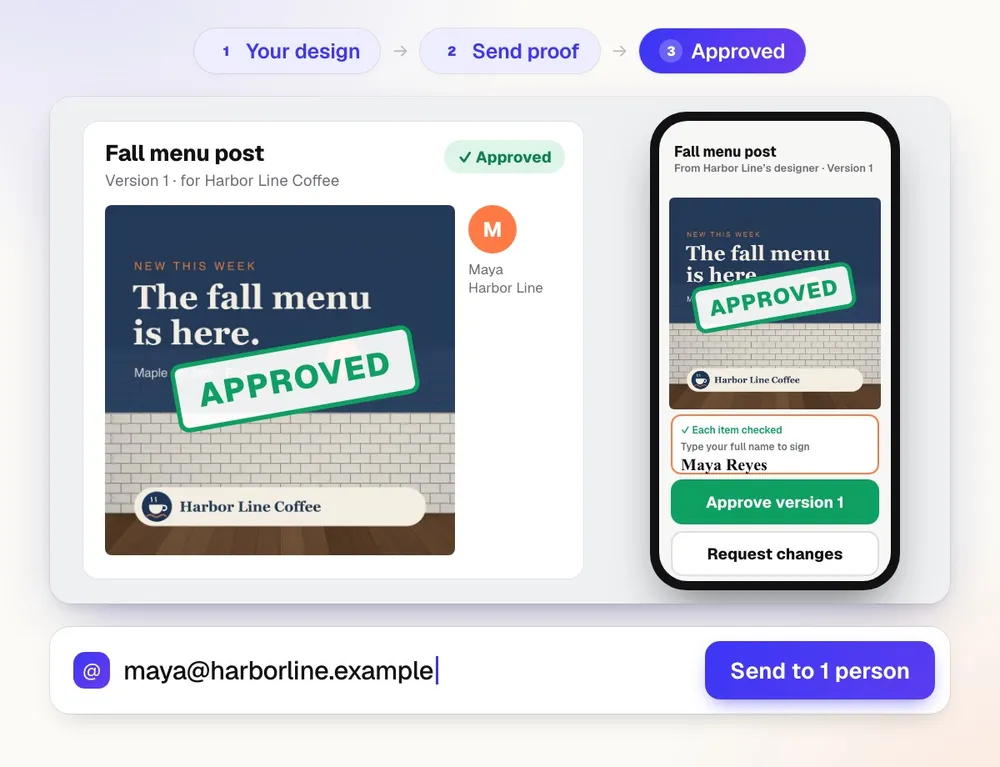
Customer Proofs is online proofing software for any design, web page, video, or sound file. Send it to one or more people; each gets a private link to pin comments on the exact spot and approve with a checklist and their typed name. No account on their side.
Free account, no card. Already using aiKit? Log in to open Customer Proofs
Customer Proofs in short
Customer Proofs sends any design to one or more people, each with a private link where they pin comments and approve with their typed name. It is for print and promo shops, designers and agencies that need sign-off without long email threads. You see who opened, approved or asked for changes, and new versions go to the same people with a what-changed note.
| What it does | Private proof links with pinned comments and typed-name approval |
|---|---|
| Who it is for | Print and promo shops, designers and agencies with more than one approver |
| Files | PDF, PNG, JPG, WEBP, GIF and SVG up to 40 MB; PDFs show up to 30 pages |
| Viewer | Zoom, page thumbnails, cut and safe lines, and compare with the last version |
| Tracking | Who opened, approved or asked for changes, with Remind and Send again |
| Price | Free to start with a monthly AI allowance, no card. Paid plans from $18.88 a month. |
| Runs in | Any web browser, nothing to install |
What you get
Send a proof, get a yes.
A name on every comment and every yes
Each person gets their own private link with a role: Approver, Can comment, or FYI. You know who said what, and who still hasn't answered.
Comments pinned to the exact spot
Pin, box, circle, arrow, pen, highlighter, and text notes in six colors, each numbered on the art and listed with replies. On video and audio, comments sit on the exact moment or range.
An approval that holds up
Approving takes a checklist (spelling, colors, size, dates and prices) and a typed-name signature, saved with the time. The approval record prints every version, person, and answer.
See what changed between versions
Compare puts the last version beside the new one. Show what changed fades everything that stayed the same and boxes each area that moved, so nobody rereads the whole page.
Comments become a to-do list
Turn comments into a numbered change list grouped by page, then copy it, download a CSV, or download a PDF report with every mark drawn on the art.
Every feature
Everything in Customer Proofs
The complete list, from the tool as it works today.
- A private link for each person, so every comment and approval has a name on it
- A viewer with zoom, page thumbnails, cut and safe lines, and side-by-side compare with the last version
- Numbered pins on the exact spot, with replies
- Approve with a checklist and a typed-name signature, saved with the time
- Who opened, approved, or asked for changes, with Remind, Send again, and Copy link
- New versions go to the same people with a what-changed note
What’s included
What you get with Customer Proofs, and how it works with the rest of aiKit
Included with a free aiKit account
- Proofs aren't counted against a monthly number of jobs
- Designs up to 40 MB (PDF, PNG, JPG, WEBP, GIF, SVG); video and audio up to 150 MB
- Up to 25 people on one proof, each with a private link and no account
- Pins, markup tools, version compare, and a typed-name approval
- A change list, a comments CSV, a PDF report, and a printable approval record
- Links that stop working after 7, 14, or 30 days, if you choose
What uses AI, and what’s free
Customer Proofs works without AI: sending, comments, pins, compare, reminders, and approvals use none of your monthly AI allowance. The one AI step is optional: a short summary that turns your customers' change requests and open pins into a to-do list, written only from what they wrote.
Works with your other aiKit tools
- Printer’s Helper: Pick a Printer’s Helper version as the proof instead of uploading a file.
- Your websites: Proof any aiKit website version; requested changes land on its Feedback tab.
- aiKit Hub: A Hub card links the proof, shows Customer approved, and can move lists.
- Quote Studio: Quote Studio's Send window offers the same remembered contacts.
Keep Customer Proofs in any of your kits, next to the tools you use with it. One monthly AI allowance covers every tool you add.
How it works
From first click to finished, in 4 steps.
Add the design
Drop a PDF, PNG, JPG, WEBP, GIF, or SVG up to 40 MB, or a video or audio file up to 150 MB. For print, tick Show cut and safe lines and enter the finished size.
Choose who gets it
Paste one address or a whole list. Give each person a role, pick whether one approver or all approvers must say yes, and set an optional answer-by date.
They mark it up and answer
Your customer opens their link on any phone or computer, zooms in, leaves comments on the spot, and approves with their typed name or asks for changes.
Send the next version to the same people
Upload the new file with a what-changed note. Everyone sees version 2 on the link they already have, and a new round of answers opens.
Who it’s for
How different businesses use Customer Proofs
Business card proofs with cut and safe lines
Harbor Line Print Co. sends a two-sided card proof with the red cut line and safe area showing. The owner and the office manager both have to approve, so it waits for both names before it goes to press.
Sign-off from three people at the client
An agency sends a landing page proof to the marketing lead (approver), the founder (approver), and a coordinator (FYI). Each comment carries a name, and the change list goes straight to the designer.
Menu approval before the reprint
Maple Street Bakery's owner pins "price should be $4.50" on the exact item, approves version 2 after the fix, and the shop keeps the signed record with the time.
Notes on a video, down to the second
A video producer sends a 60-second ad. The client leaves comments at 0:08 to 0:11 and draws a box on the frame; the producer exports the comments as a CSV with start and end times.
Listing flyers approved from a phone
A brokerage's marketing coordinator sends a listing flyer to the agent, who approves it between showings without making an account.
Ideal for
- Print and promo shops and designers who send proofs every day
- Agencies that need sign-off from more than one person at a client
- Any business tired of approvals buried in email threads
Good to know
- Not for: Contracts or payment; an approval here is a sign-off on the proof, not a signed agreement
- Not for: Editing the design itself; make changes in your own design app or Printer’s Helper, then upload the new version
- Files up to 40 MB (PDF, PNG, JPG, WEBP, GIF, SVG); PDFs show up to 30 pages.
- Anyone holding a person's link can act as that person, so links are private to them; set links to stop working after 7, 14, or 30 days if you like.
- Emails go out once email is set up for your account; until then you copy each link and send it yourself.
- The optional AI summary of requested changes uses only what your customers wrote and can still miss nuance, so read the comments too.
Good to know
Before you use Customer Proofs
Check before you print. Colors on screen will not match print, and sizes, bleed, resolution, spelling, and cut lines can be wrong. Open the file at actual size, read every word, and approve your printer's own proof first. aiKit cannot guarantee how it prints.
Questions
Customer Proofs: questions people ask
Is there a free online proofing tool for designers and print shops?
How do I get a client to approve a design in writing?
Do my customers need an account to approve a proof?
Can I see exactly what changed between two versions of a proof?
What should I look for in online proofing software?
What's included with Customer Proofs on a free aiKit account?
Does Customer Proofs work with Printer’s Helper and aiKit websites?
Can I use Customer Proofs instead of an artwork approval form?
Is a customer's approval the same as a printer's proof?
What is aiKit Customer Proofs?
Can I send one proof to several people and know who approved it?
Can I send a video or audio file for approval?
How do I get the comments on a video proof into my editing software?
How does my customer mark up a proof?
How do I send a new version of a proof?
Works well with
Tools to add to the same kit
Printer’s Helper
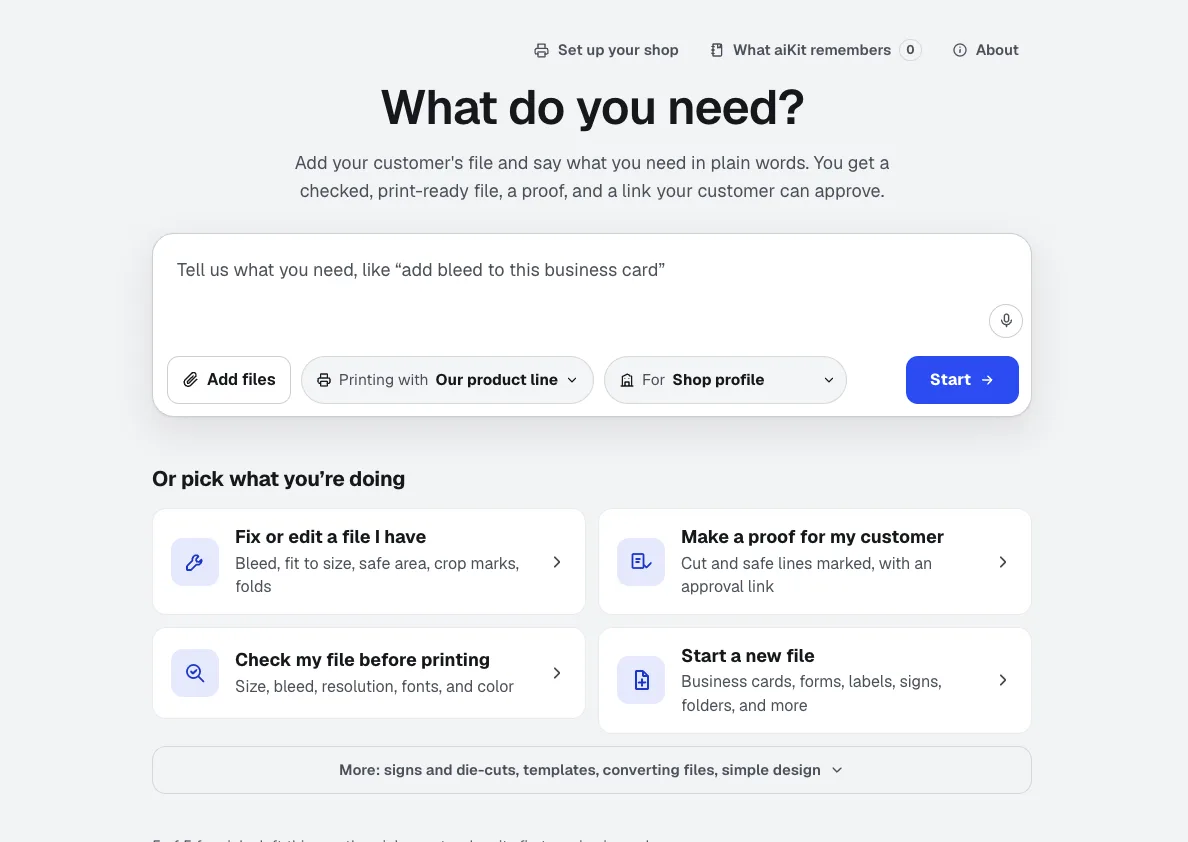
NewDrop in a file or a logo and say it in plain words: add bleed, resize, check it, make a notepad. Printer’s Helper is print preflight software that makes the fix too: it builds the file to exact print numbers, shows what it changed, and sends a proof your customer approves.
Quote Studio
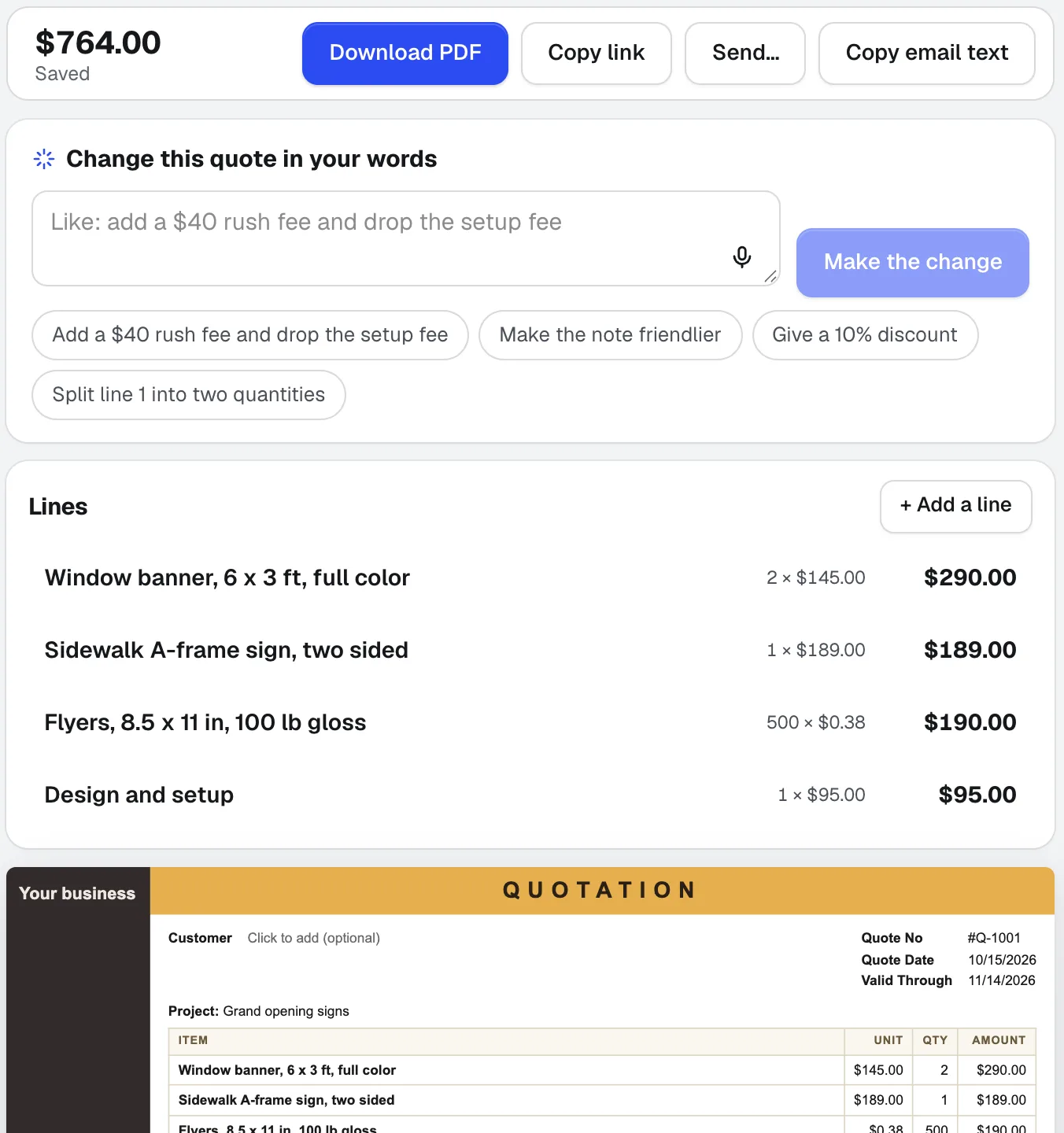
NewPaste a customer's email, dictate the job, or add a photo of a handwritten list. Quote Studio is quoting software that drafts a one-page quote using only your own prices, then you download the PDF or send a live page your customer accepts online.
aiKit Hub
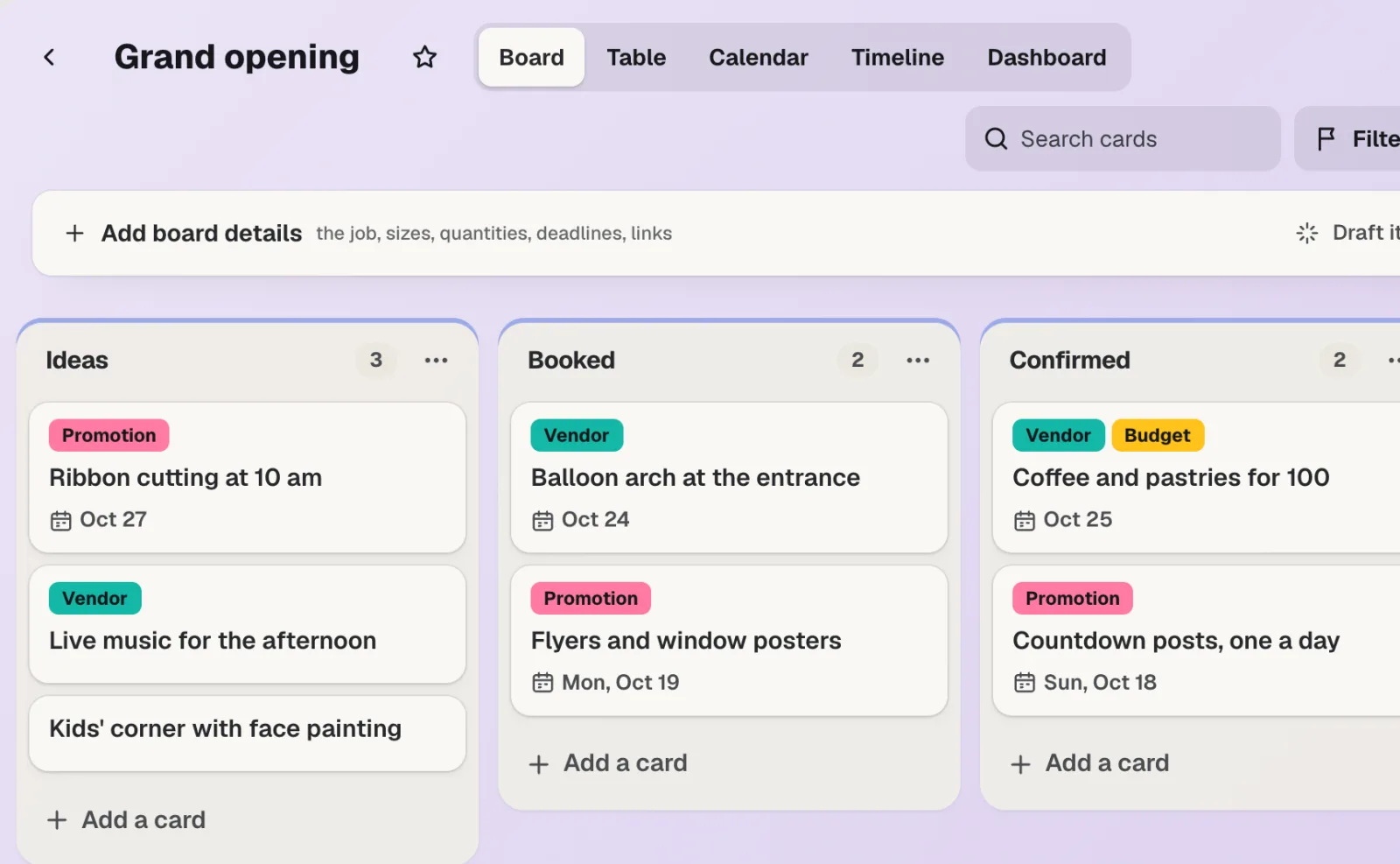
NewaiKit Hub is client project management software: to-do lists that flip into boards, messages, chat, a shared schedule, docs and files, and a client view that shows only what you choose. Your quotes, proofs, bookings and website requests live on the cards they belong to.
Use Customer Proofs today.
Make a free aiKit account and open Customer Proofs, plus every other tool in your kit.
Page last checked against the product on 2026-10-16.