

Avatar StudioNew
Your own AI presenter, in your face and your voice
Avatar Studio makes a talking avatar of you from a few photos. Give it any look in words, write the script with AI or paste your own, and it speaks in your own voice, with captions, music and every social size, in 12 languages.
Free account, no card. Already using aiKit? Log in to open Avatar Studio
What you get
Your own AI presenter.
24 presenters to pick and hear
Invented people of every age, skin tone and style, from a chef to a surgeon to a startup founder. Press play to hear each one, then use them in a click, or invent your own in words.
Your design on their shirt
Upload your T-shirt design or logo and it's printed on the presenter's shirt, following the fabric. Or have them hold your product, wear your name, or stand in your shop.
Fix one line, pay for one line
Every script line is its own part. Change a word and only that line is remade, so a small fix costs seconds, not the whole video.
A free preview first
Hear your voice read the script over your look, with captions and the layout, before any video tokens are spent.
Any look, in plain words
"Navy blazer, bright office behind me" or "watercolor illustration style": the face stays yours. Keep the looks you like and reuse them in every video.
Test three openings
AI writes three different first lines for the same video. Each one becomes its own version, so you can post the one that works.
One video per person
Put {first name} in the first line and paste a list. Only the first line is made for each person; the rest is shared, so it costs little.
Every size from one video
Tall for reels, square for feeds, wide for YouTube with your title beside you. Or put your presenter in the corner of a slide, a product photo or a web page.
Every feature
Everything in Avatar Studio
The complete list, from the tool as it works today.
- 24 ready-made presenters (invented people of every age, skin tone and style), with filters and a play button to hear each voice
- Invent a presenter in words ("a friendly 60-year-old mechanic"): a made-up person, made for you
- Make them yours in one tap: your design or logo on their shirt, holding your product, your business name embroidered on their clothes, your shop or office behind them, your brand colors, your trade's uniform, holiday and season looks, and age, hair and glasses
- Make your avatar from 1 to 5 photos or a short clip, with a consent line read on camera and checked (the same person as in the photos)
- Looks in plain words, any of them: outfits, settings, art styles and characters, with the face kept the same, made with the picture model you pick
- Always remember: rules for every look and video of an avatar, like "no glasses"
- Your own voice from Voice Kit, or a stock voice, for each presenter
- An AI script writer in your Brand Voice: write from a brief, a page or a picture, fit it to a length, or ask for any change; or paste your own
- A free preview: your voice reads the script over the look with captions before any video tokens are spent
- Three quality levels with the price per 30 seconds on each: Everyday, Best quality and Most expressive
- Fix one line: each line is its own part, so a changed line is the only one remade and paid for
- Watch it come to life: every part appears and plays the moment it's ready
- Test other openings: three different first lines for the same video, each its own version
- One video per person: {first name} and {company} in the first line, made for each person on your list
- Two presenters in one video, line by line
- Captions (bold word by word, or clean in a box), music from your Library, jump cuts, body language and mood in words
- Every size from one video: tall 9:16, square 1:1 and wide 16:9 with your title beside the presenter
- Presenter on a picture: put your avatar in a corner of a slide, a product photo or a web page
- A copy in another language, translated and read in your own voice, lips in sync
- A small AI-generated mark (on by default), saved to your Graphics Library, with Download and What's next
What’s included
What you get with Avatar Studio, and how it works with the rest of aiKit
Included with a free aiKit account
- Avatars from photos or a short clip, with recorded consent
- Looks in plain words, kept per avatar
- Your own voice from Voice Kit, or stock voices
- AI script writer in your Brand Voice, with three test openings
- Captions, music, jump cuts, every size and presenter on a picture
- Saved to your Graphics Library, with Download
What uses AI, and what’s free
Each video uses tokens, shown on the Make button before you press it; parts already made cost nothing again, and a failed part is given back. The free preview uses only voice minutes. New looks and script help use a little of your monthly AI allowance.
Works with your other aiKit tools
- Voice Kit: Your presenter speaks in My voice, the AI voice you made in Voice Kit.
- Video Kit: Send the finished video to Video Kit to cut it, add text or join it with other clips.
- Graphics Library: Photos, looks and finished videos all save to your Graphics Library.
- Email Studio: Put the finished video in an email in Email Studio.
Keep Avatar Studio in any of your kits, next to the tools you use with it. One monthly AI allowance covers every tool you add.
How it works
From first click to finished, in 5 steps.
Pick a presenter, or make your own
Pick one of 24 ready-made presenters (press play to hear them), invent one in words, or make an avatar of yourself: upload 1 to 5 clear photos or a short clip, then read one consent line on camera. It checks that it's the same person, and keeps the record.
Pick a look and a voice
Use your photo as it is or make a new look in words. Your own voice from Voice Kit is the first choice.
Write or paste the script
Ask AI for a 30-second hello from a brief, a page or a picture, in your Brand Voice, or paste your own. Ask for any change in plain words.
Preview free, then Make
Play the free preview. When it sounds right, press Make: the tokens are on the button, and each part appears the moment it's ready.
Save any size
Pick Tall, Square or Wide and save the file to your Graphics Library. Download it or send it on to Video Kit or Email Studio.
Who it’s for
How different businesses use Avatar Studio
A weekly tip from the owner
A plumbing company's owner records nothing new: each Monday they paste a short tip and post a tall video with bold captions.
A hello on every listing
An agent makes one avatar, writes a 20-second intro per listing, and puts the presenter in the corner of the listing photo.
Personal outreach at scale
An agency puts {first name} and {company} in the opening line and makes a short video for each of 25 prospects, sharing the rest.
The same lesson in Spanish
A fitness coach makes the lesson once, then a Spanish copy read in their own voice, lips in sync.
Three hooks for one promo
A bakery tests a question, a bold claim and a problem as openings for the same weekend promo and keeps the best one.
Ideal for
- Business owners who want to be on camera every week without setting up a camera
- Sales and customer teams sending a short personal video to each lead or customer
- Coaches, trainers and creators who explain things to camera in more than one language
Good to know
- Not for: Avatars of famous people, children, or anyone who hasn't recorded their own consent
- Not for: Full-body walking or acting scenes (use Scene Studio)
- Not for: Editing your own filmed footage (use Video Kit)
- Each video uses tokens, shown on the Make button before you press it. Only parts not made before count, and a part that fails is given back.
- The free preview uses only voice minutes. Free accounts also get one free video up to 8 seconds on Everyday.
- Each line becomes one part of up to 60 seconds (30 seconds on Most expressive); split longer lines in two.
- You can make an avatar only of yourself, or of someone with you who reads the consent line on your camera.
- AI video can get hands, teeth and fast head turns wrong. Change the look or the line and make that part again.
- The file is put together in your browser while it plays, so saving a 1-minute video takes about a minute.
Good to know
Before you use Avatar Studio
Only you, or someone who agreed. Make avatars only of yourself, or of an adult who is with you and reads the consent line on camera. No famous people, no children. Keep the AI-generated mark on anything public. AI video can get hands and teeth wrong.
Questions
Avatar Studio: questions people ask
Is there an AI avatar maker with ready-made presenters I can hear first?
Can I put my logo or T-shirt design on an AI avatar's shirt?
Is there an AI avatar maker that uses my own voice?
Can I fix one sentence in an AI avatar video without paying for the whole video again?
How do I make a personalized video for each customer with an AI avatar?
Can an AI avatar speak another language with matching lips?
Can I make an AI avatar of someone else?
Can I change my avatar's outfit or background with AI?
Can I make an avatar of a coworker?
Can I use a presenter without making an avatar of myself?
How do I make my avatar in Avatar Studio?
What does an Avatar Studio video cost?
What's the difference between Everyday, Best quality and Most expressive?
Why is my script split into parts?
Can I put captions and music on my avatar video?
Works well with
Tools to add to the same kit
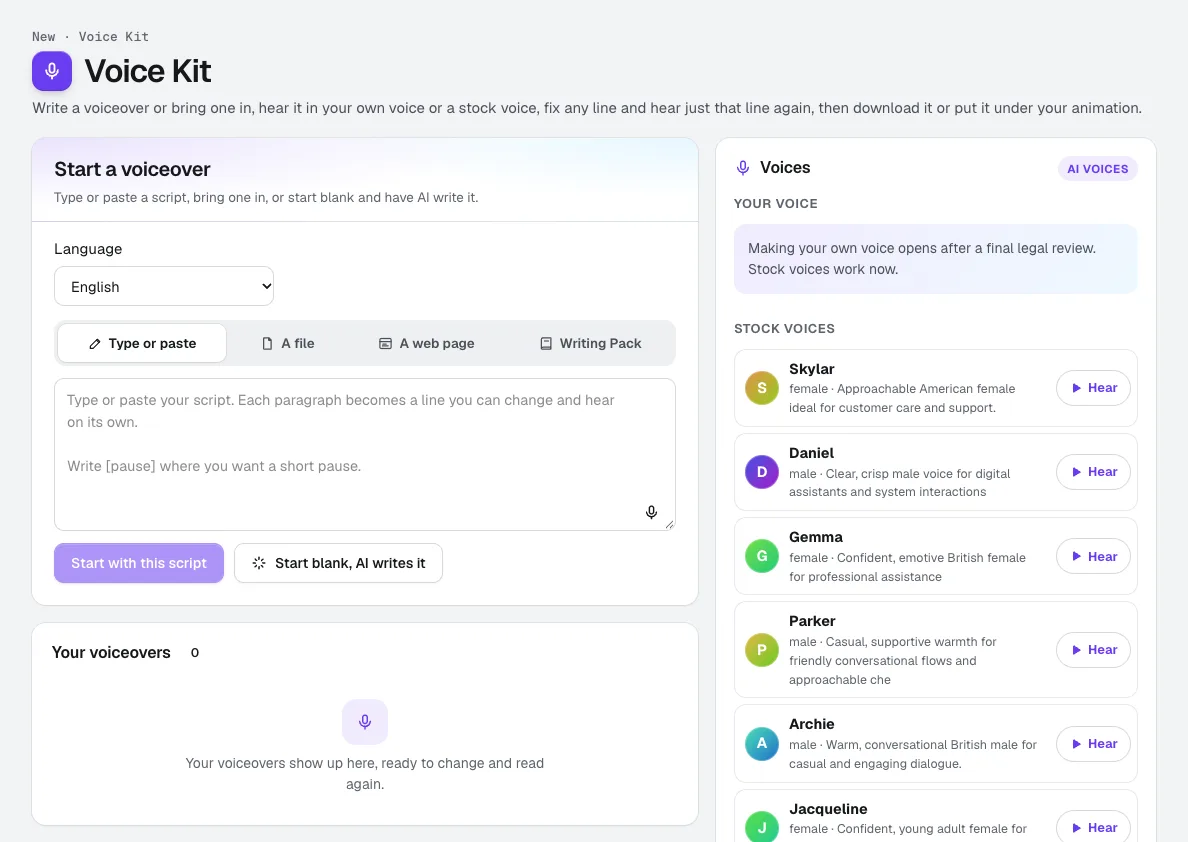
Voice Kit
Your voiceRecord about a minute, confirm it is your own voice, and aiKit makes an AI voice of you. Read scripts, ads and animation voiceovers in it, fix any line and hear only that line again, and see the tokens before anything runs.
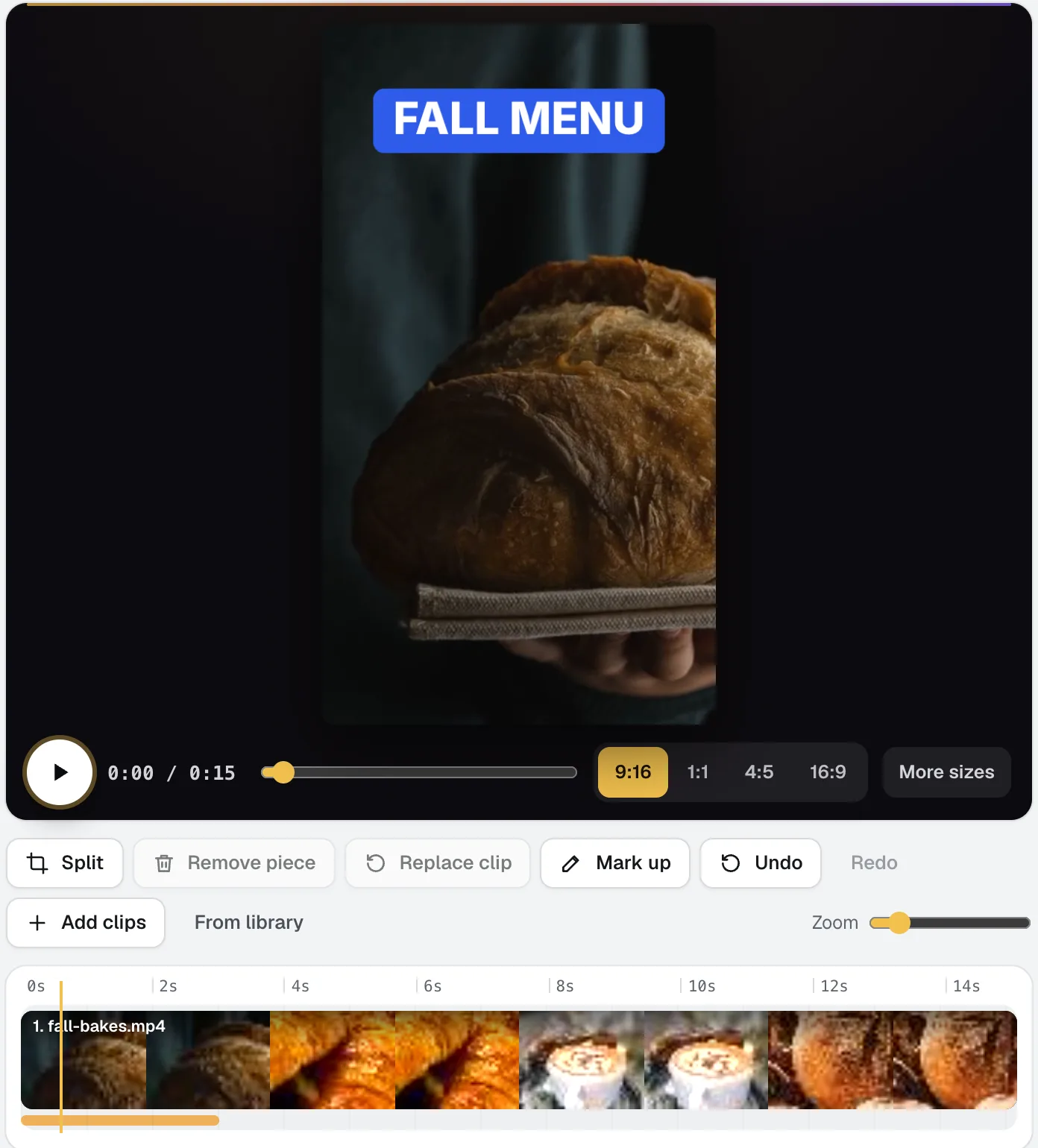
Video Kit
NewVideo Kit is an AI video editor for social media: drop in your clips and edit them like a document. Delete words to cut the video, remove pauses and ums in one pass, and Ask for changes in plain words. Captions, sizes, music and your logo are built in.
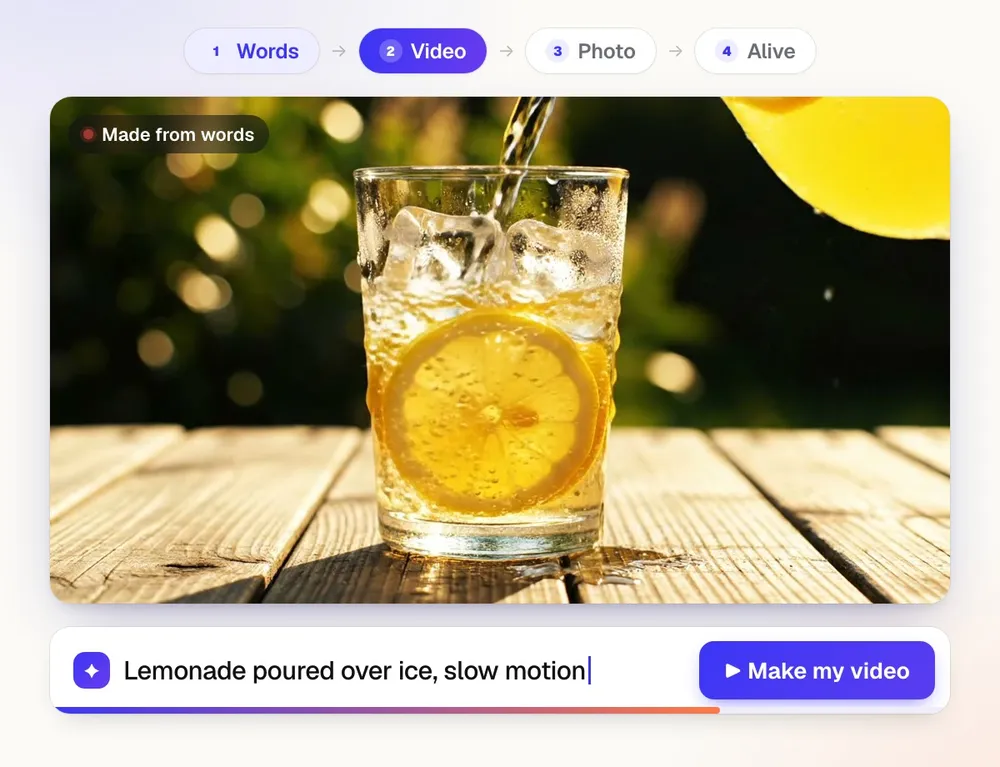
Scene Studio
NewScene Studio is aiKit's AI video generator: describe a scene, bring a photo to life, or give your own clip a new look. Ads and promos for business, funny clips and little stories for fun, with the cost on the button before every click.
Use Avatar Studio today.
Make a free aiKit account and open Avatar Studio, plus every other tool in your kit.
Page last checked against the product on 2026-11-18.