

Presenter StudioNew
Record your screen and your face, then send a link
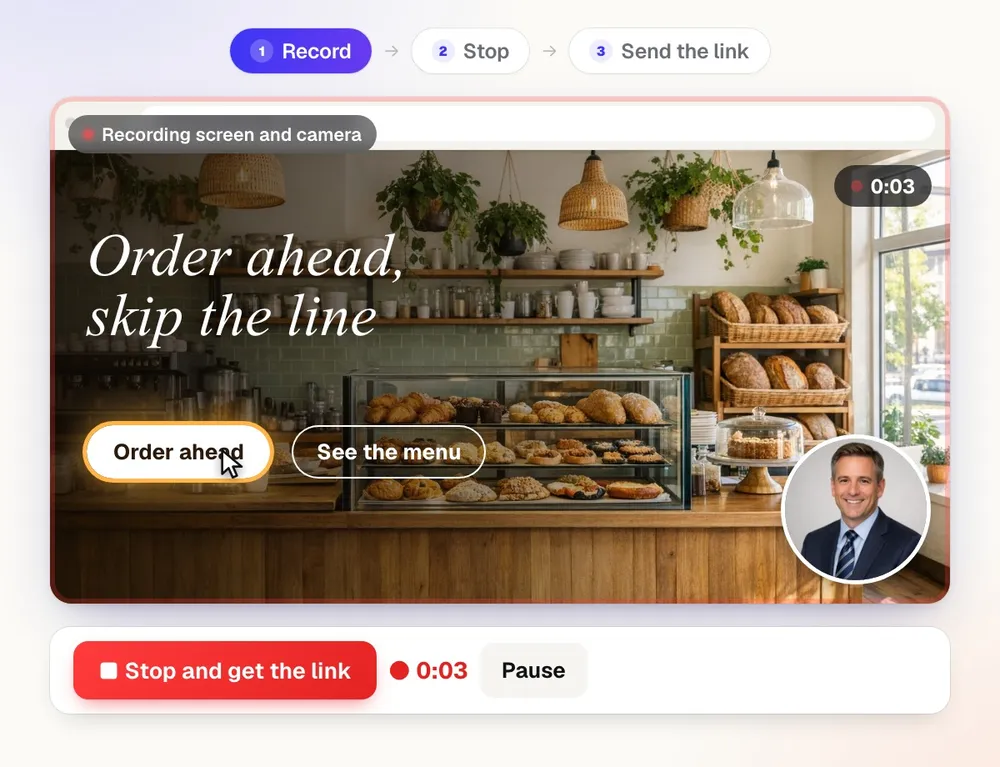
aiKit's Presenter Studio records your screen, your camera or both in the browser, with a teleprompter and a new background behind you. Press Stop and the link is ready, with an AI summary, chapters and captions from what you said.
Free account, no card. Already using aiKit? Log in to open Presenter Studio
What you get
Present on camera, on your screen or both, with a teleprompter and a new background behind you.
The link is ready when you press Stop
The video is sent to the cloud while you talk, so only the last few seconds are left when you stop. Copy the link and paste it anywhere.
A recording is never lost
Every second is also kept on your computer until the cloud confirms the whole file. A closed tab, a sleeping laptop or a dropped connection finishes sending next time.
Notes written from what you said
A title, a summary, key points, chapters and a What to do next list appear beside the video on your link, plus captions and a transcript where every line jumps to its moment.
Comments right at the moment
Viewers react or comment at the exact second, no account needed. Every note is a dot along the video that jumps there; reply, mark it done, and get told about each one.
Send it with everything
Add a video right from Quotes, proofs, Email Studio and Hub messages. People see your video's picture with Watch the video, so the walkthrough arrives with the quote, the proof or the update.
Bring the videos you already have
Upload an MP4, MOV or WebM and it gets a link, a summary, chapters, captions and everything else a recording gets.
Never lose your place
Start from a template or have a script written from a few words, then read it from the teleprompter while you record. Only you see it.
Draw, point and celebrate
Circle things with a pen, point with arrows, spotlight a spot, show click ripples, fire off emoji bursts and add your name banner while you talk. It's all recorded into the video.
Your logo on every link
Add your logo, business name, about line, website and button color once, and every video you share opens with your brand at the top.
Your button, your words
Put your own message and button under the video: open your booking page, a payment link or a quote, or a short form you build. Answers come straight to you.
They can answer with a video
Reply with a video sits under your video. Viewers record a camera or screen answer of up to 5 minutes with no account, and every reply stays with the original as one thread.
From video to guide in a click
Turn any recording into a step-by-step guide with a picture at each step, an email ready to send, or slides you can present, all written from what you said.
They can ask the video
Viewers type a question like "what's the total?" and get the answer from what you said, with a button that plays that exact moment.
Captions in their language
Add Spanish, French, Hebrew, Chinese or 15 more caption languages in a click. Viewers pick theirs from the Captions menu under the video.
Clean it up in a click
Trim the start and end and remove long pauses and ums. The link plays the cleaned-up version right away; the download stays the full original.
Organized like a real video library
Folders inside folders, videos filed under your aiKit clients, search, sort, Trash, and drag a video onto a folder to move it.
Share it anywhere
Copy the link, email it from aiKit with the video's picture and a Watch button, post it to LinkedIn, Facebook, X or WhatsApp, text it, or embed the player on a website.
Every feature
Everything in Presenter Studio
The complete list, from the tool as it works today.
- Screen + camera, screen only, or camera only, recorded in Chrome, Edge or Safari with nothing to install; camera recording on phones
- A round camera bubble on your screen recording, in the corner and size you pick, plus your microphone and the tab or computer sound when the browser offers it
- A 3-second countdown, pause and resume, start over, and recording controls that can float over your other apps (Chrome and Edge)
- Saved as you go: the video goes to the cloud while you record and a copy stays on your computer, so the link is ready a second after Stop and a closed tab or dropped connection never loses it
- A watch page anyone can open from the link with no account, with downloads you can turn on or off
- Link settings: anyone with the link, only you and your team, a password, an end date, or a brand-new link
- A library of your recordings with search, view counts, Copy link and Download
- An AI title, summary, key points, chapters and a What to do next list from what was said, beside the video on your link, plus captions and a searchable transcript where every line jumps to its moment
- Change the notes with any request in your own words
- Turn it into a how-to guide with a picture at each step, an email draft with the link, or slides in the Presentation Builder, only from what was said
- Ask this video: viewers type a question and get an answer only from what was said, with buttons to the moments; you see every question and can switch it off
- Captions in other languages: 19 languages, each translated once from what was said (a few tokens); viewers switch with the Captions menu or the CC button
- Comments and reactions at a moment: viewers type a name (no account) and react or comment at the second that's playing, shown as dots along the video; reply in threads, mark done, and get notified of each one
- Add a video when you send: one button in Quotes, proofs, Email Studio's Video block and Hub messages and comments; aiKit emails and the Hub show the video's picture with Watch the video
- Upload any video (MP4, MOV, WebM) and it gets the same link, AI summary, captions, folders and sharing as a recording
- Templates and a teleprompter: twelve starter scripts (six for real jobs: a new listing, a job site update, a safety briefing, a weekly special, a class invite and a release teaser), Write it for me from a few words, your own saved templates, and a scrolling teleprompter while you record (never in the video)
- Background swap on the camera: blur my room, a brand-color studio, six scenes or your own photo, done on your computer so your room is never uploaded
- Draw while you record: pen, fading highlighter, arrows, spotlight and click ripples, plus emoji bursts, a name banner and a camera bubble ring (white, blue or rainbow), all recorded into the video
- Your branding on every watch page: logo, business name, about line, website and button color
- Your own button and message under the video: open any page (booking, payment, a quote) or a short form you build (up to 8 questions), with answers sent to you
- Reply with a video: anyone who can watch records a camera (or screen + camera) answer up to 5 minutes with no account; replies stay under the original as one thread, and you're notified
- Clean it up: trim the start and end and remove long pauses and ums; the link plays the cleaned-up version at once
- Folders (inside folders), videos filed under your aiKit clients, Recent, Trash, search, sort, grid or list, and bulk move
- Share from one window: copy the link, email it from aiKit or your own email app, post to LinkedIn, Facebook, X or WhatsApp, text it, or embed the player on a website
What’s included
What you get with Presenter Studio, and how it works with the rest of aiKit
Included with a free aiKit account
- Screen + camera, screen only, or camera only, recorded right in the browser
- Up to 10 minutes per video and 25 videos kept on the free plan; paid plans record up to 2 hours per video
- A share link with password, team only, end date and download settings
- AI title, summary, key points, chapters, to-do list, captions and transcript
- Clean it up: trim the ends and remove long pauses and ums
- Folders, clients, search, Trash, and the Share window (email, social, text, embed)
What uses AI, and what’s free
Writing down what was said and making the notes (title, summary, chapters, to-dos) use your monthly AI allowance; only the sound is sent, never the picture. Recording, uploading, the share link, Clean it up, folders, sharing and downloads use no AI.
Works with your other aiKit tools
- Transcribe & Summarize: The notes are made by the same transcript reader as Transcribe & Summarize, pointed at your video message.
Keep Presenter Studio in any of your kits, next to the tools you use with it. One monthly AI allowance covers every tool you add.
How it works
From first click to finished, in 5 steps.
Pick what to record
Screen + camera (your screen with you in a round bubble), Screen only, or Camera only. Name it if you like, and pick your camera and microphone.
Talk it through
Press Start recording, pick the tab, window or screen to share, and go. Pause and Resume any time; the free plan records up to 10 minutes per video.
Press Stop and get the link
The link is ready at once, and the AI notes follow a moment later: title, summary, chapters, to-dos and captions.
Tidy it and choose who can watch
Trim the ends or cut pauses and ums. Add a password, keep it to your team, set an end date, or turn downloads off.
Send it
Open Share: copy the link, email it, post it, text it or embed it. Viewers watch in their browser with no account.
Who it’s for
How different businesses use Presenter Studio
Walk a customer through their quote
A landscaping company records its screen over the quote, points at each line, and emails the link; the to-do list on the watch page reminds the customer to send their address.
Show a client the website changes
A design studio records a two-minute tour of the new homepage, files the video under that client, and sends the link instead of booking a call.
Explain a proof without a phone call
A sign shop records the proof on screen with the owner in the camera bubble, trims the start, and texts the link to the customer for approval.
Short lessons students can rewatch
A tutor records a worked example, and the chapters and transcript let students jump straight to the step they missed.
A personal hello to a new lead
An agent records a 60-second camera-only welcome, and the link opens on any phone with the agent's summary under the video.
Async updates instead of meetings
A consultant records a weekly update on screen, removes the ums, and shares it to a client team that watches when it suits them.
Ideal for
- Owners and teams explaining a change, a quote or a job to a client
- Walking a teammate or a new hire through how something is done
- Saying hello to a new lead with your face, not a form letter
- Reporting a problem on a website by showing it
Good to know
- Not for: Editing a polished social video (use Video Kit)
- Not for: Live meetings or calls
- Not for: Recording your screen on a phone (phone browsers only allow the camera)
- Free plan: up to 10 minutes per video and 25 videos, kept for good. Paid plans: up to 2 hours per video.
- Viewer details are coming in a later round. Downloads stay the full original recording.
- Screen recording needs a computer; phone browsers can record the camera only.
Good to know
Before you use Presenter Studio
Record only what you may share. Do not record people who have not agreed, passwords, or private information. Recording laws vary, so tell people when you are recording them.
Questions
Presenter Studio: questions people ask
Can I blur or replace my background in a screen recording without a green screen?
Is there a free screen recorder that records my camera too, with no download?
How do I send a screen recording to a client as a link?
Can viewers leave comments at a specific time in my screen recording?
Can a client reply to my video message with their own video?
Can I put a call-to-action button under a video message?
Is it legal to record my screen with other people on the call?
What is aiKit's Presenter Studio?
How long can I record, and how many videos can I keep?
What happens if my browser closes or the internet drops while I'm recording?
Can I record my screen on a phone?
Can I put a password or an end date on a video link?
Can I download my recording?
Can I organize my screen recordings into folders and by client?
How do I email or share a screen recording?
Works well with
Tools to add to the same kit
Transcribe & Summarize
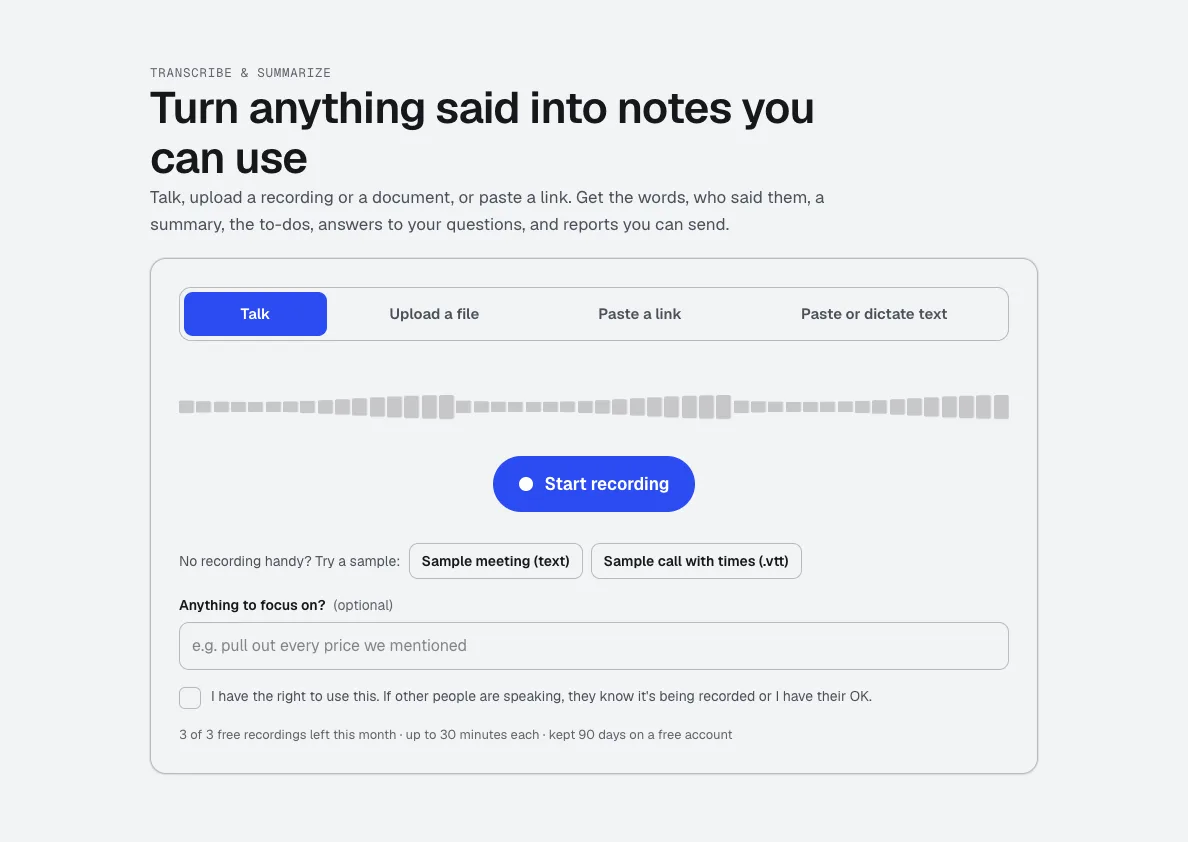
NewTalk, upload a recording, or paste a link. Get the transcript with times and speakers, a summary, the decisions and to-dos, and ready-to-send reports like minutes or a client brief.
Video Kit
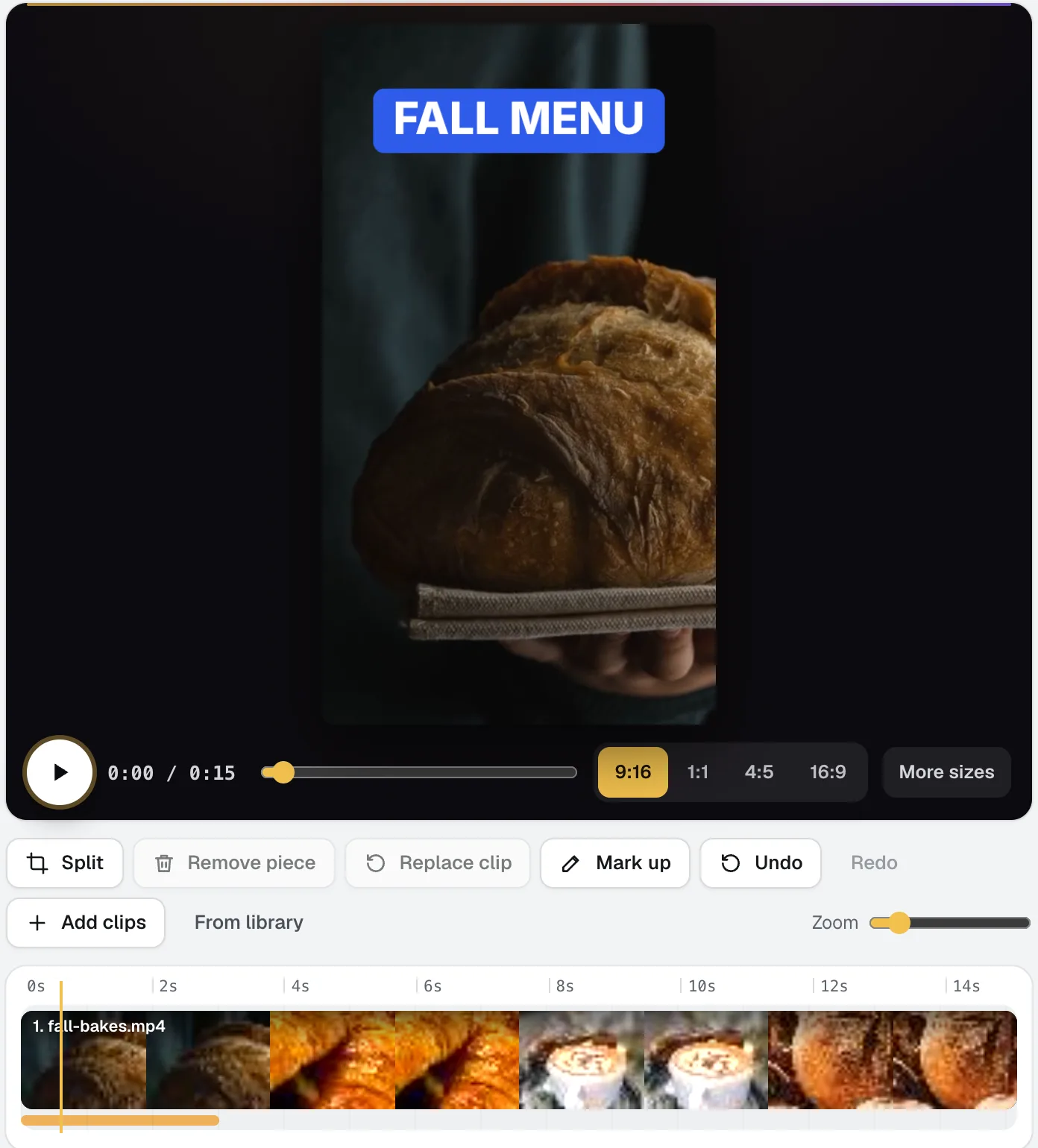
NewVideo Kit is an AI video editor for social media: drop in your clips and edit them like a document. Delete words to cut the video, remove pauses and ums in one pass, and Ask for changes in plain words. Captions, sizes, music and your logo are built in.
Voice Kit
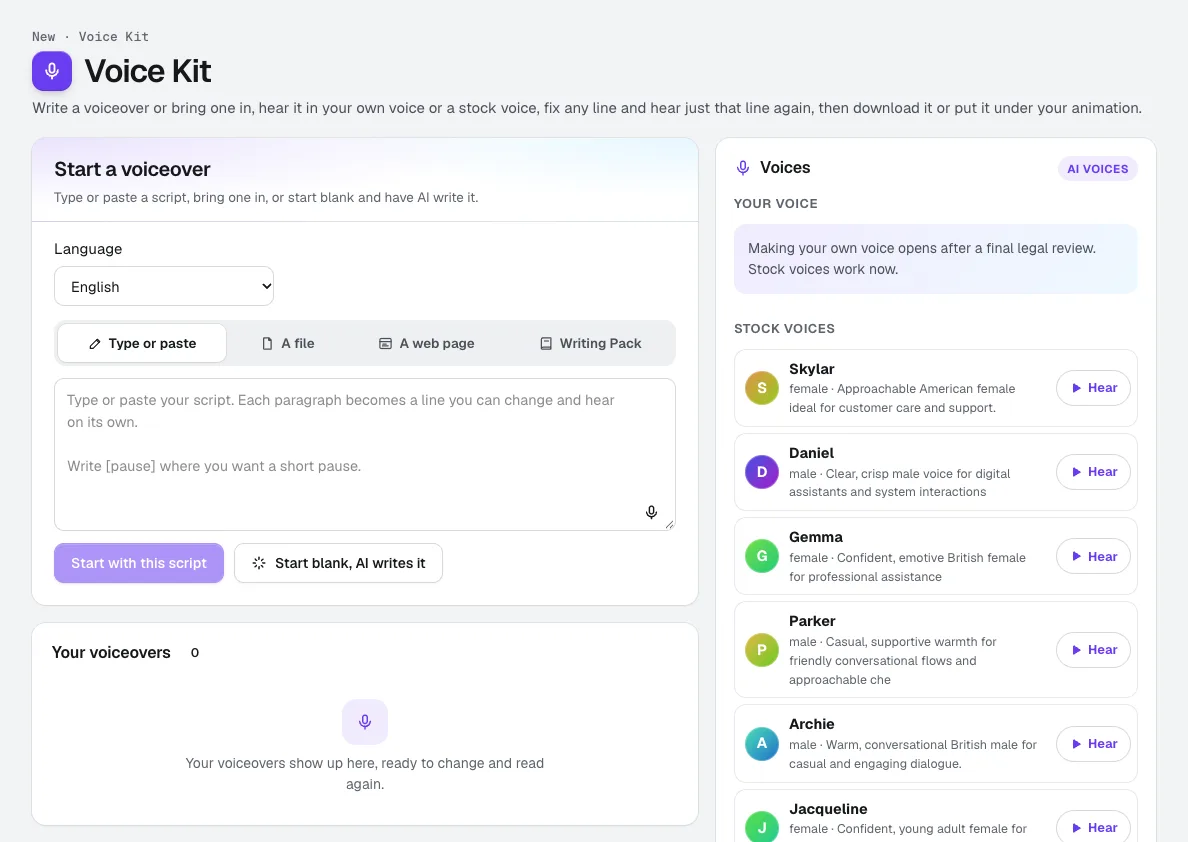
Your voiceRecord about a minute, confirm it is your own voice, and aiKit makes an AI voice of you. Read scripts, ads and animation voiceovers in it, fix any line and hear only that line again, and see the tokens before anything runs.
Use Presenter Studio today.
Make a free aiKit account and open Presenter Studio, plus every other tool in your kit.
Page last checked against the product on 2026-11-22.