

aiKit HubNew
A Hub card for every job, client and file
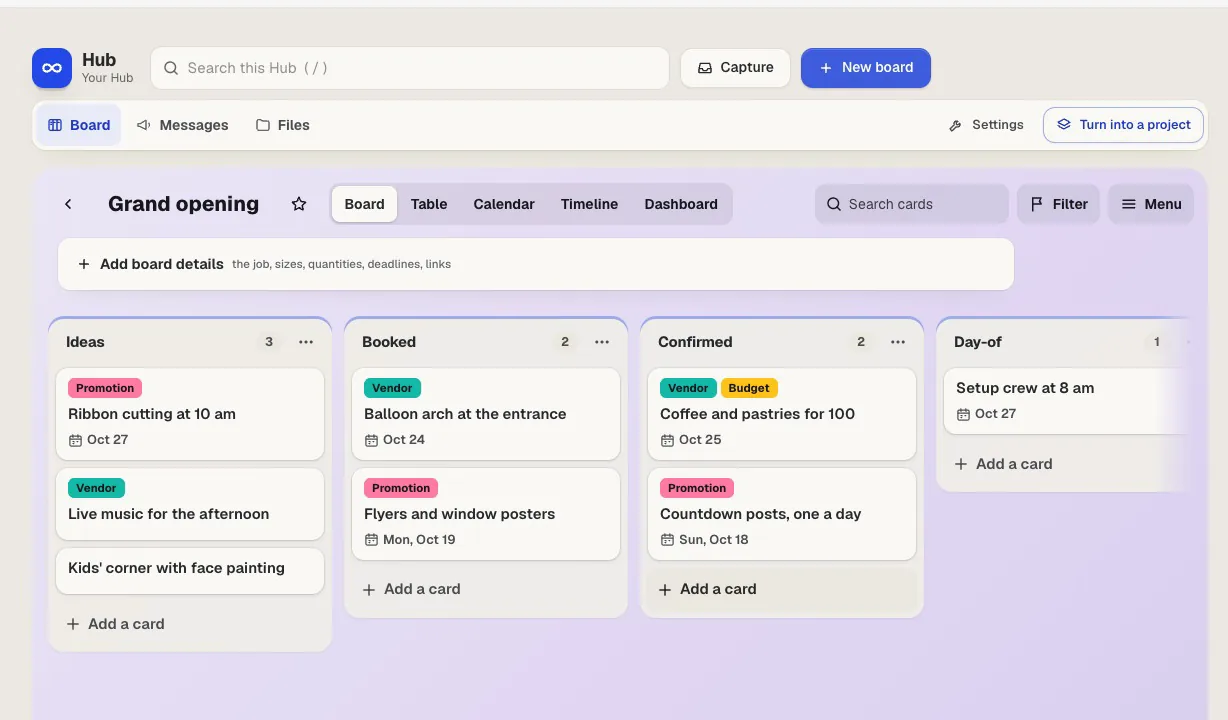
aiKit Hub is client project management software: to-do lists that flip into boards, messages, chat, a shared schedule, docs and files, and a client view that shows only what you choose. Your quotes, proofs, bookings and website requests live on the cards they belong to.
Free account, no card. Already using aiKit? Log in to open aiKit Hub
What you get
Run every project and client.
One list, six views
Show any to-do list as a List, Board, Table, Calendar, Timeline or Dashboard. Cards carry assignees, dates, repeats, labels, custom fields, steps, covers, votes and Waiting on.
Clients see only what you share
In a client project everything starts team-only. Switch a list, message, doc or file to Clients see this, add team-only notes inside shared threads, and press Preview as client to see exactly their view.
Rules you write in plain English
"When a card moves to Done, notify the client." Pick when and what happens, read it back as a sentence, and save. Rules never set off other rules, and there's no monthly limit on how often they run.
Your aiKit work on the card
Link a quote, customer proof, prepress job, booking or website request to a card. It shows the live status, and the card can move on its own when the quote is accepted or the proof approved.
Every conversation in context
Message Board, Campfire chat, Pings and Check-ins sit inside each project, next to the Schedule, Docs & Files with versions, the Hill Chart and Lineup.
Move in without losing anything
Import from Basecamp, Trello, Asana, ClickUp, Monday, Notion, Jira or a spreadsheet. Nothing is added until you see the preview, and Undo this import removes everything it brought in.
Every feature
Everything in aiKit Hub
The complete list, from the tool as it works today.
- To-do lists that flip between List, Board, Table, Calendar, Timeline and Dashboard, with labels, custom fields, steps, covers, votes, repeats and “waiting on”
- Plain-English rules and buttons (“When a card moves to Done, notify the client”) with no monthly run limit
- Message Board, Campfire chat, Pings, Check-ins, Schedule with a calendar feed, Docs & Files with versions, Hill Chart and Lineup
- Client projects: switch each item to “Clients see this” or keep it team-only, add team-only notes in client threads, and preview exactly what the client sees
- Links to your quotes, proofs, print jobs, bookings and website requests, which update the card when the customer accepts or approves
- My Day across every project, a personal Inbox for quick capture (type, talk, or snap a photo), Hey! notifications, reports and search
- Import from Basecamp, Trello, Asana, ClickUp, Monday, Notion, Jira or a spreadsheet, with a preview first and Undo after
What’s included
What you get with aiKit Hub, and how it works with the rest of aiKit
Included with a free aiKit account
- A free plan with no card: you, 3 client or guest seats, and 3 projects
- 1 GB of files, with files up to 25 MB each
- List, Board, Table, Calendar, Timeline, and Dashboard views
- Plain-English rules and buttons with no monthly run limit
- A client view that shows only what you share
- Import from Basecamp, Trello, Asana, ClickUp, Monday, Notion, Jira, or a spreadsheet
What uses AI, and what’s free
The AI helpers are optional: Ask, Summarize this week, What's at risk, Catch me up, Turn a message into to-dos, and Draft a check-in recap. Each run uses a small part of one token from your monthly AI allowance, shared with every aiKit tool, and clients never run them. Lists, boards, chat, files, rules, and the client view use no AI.
Works with your other aiKit tools
- Quote Studio: Cards link quotes and move when a customer accepts.
- Customer Proofs: Cards link proofs and show Customer approved.
- Your websites: Website requests, bookings, and quote requests become cards in the list you pick.
- Goal Kit: Send to Hub turns a goal plan into dated cards.
- Transcribe & Summarize: Send a meeting's to-dos to your Hub.
Keep aiKit Hub in any of your kits, next to the tools you use with it. One monthly AI allowance covers every tool you add.
How it works
From first click to finished, in 4 steps.
Start a project or import one
Press New project, or bring work over from another tool or a spreadsheet with a preview first.
Invite your team and your client
Everyone signs in with their own account. Clients see only what you switch to Clients see this.
Plan the work
Make to-do lists, flip them into boards, set dates and owners, and write rules and buttons for the busywork.
Run the day from My Day
See everything assigned to you across every project, capture new to-dos by typing, talking or snapping a photo, and keep up with Hey! notifications.
Who it’s for
How different businesses use aiKit Hub
A print shop's job board
An invented print shop runs each order as a card. When the customer approves the proof, the card moves to Ready to print on its own, and a Ready for pickup button notifies the client.
Clients in the loop, not the inbox
A fictional agency shares the launch checklist and the design messages with each client, keeps budget notes team-only, and checks Preview as client before every share.
Bookings become cards
A made-up cleaning company links its aiKit website, so every new booking and quote request becomes a card in the right list, due the day before the visit.
One client, one vendor, one project
An invented event production company adds a client and a rental vendor to the same project. Each company sees only what's shared with it, never the other's posts.
A course launch on a timeline
A fictional training center plans a new course on the Timeline view, tracks progress on the Hill Chart, and collects weekly Check-ins from instructors.
Every listing, edited by asking
An invented brokerage keeps each listing's photos, documents and showing schedule in its own project, with the seller seeing only the shared updates.
Ideal for
- Businesses and shops juggling many customer jobs at once
- Agencies and freelancers who want clients in the loop without email chains
- Teams moving off Basecamp or Trello who want both in one tool
Good to know
- Not for: Payroll, invoicing or accounting (Quote Studio handles quotes)
- Not for: Large engineering teams that need sprints, story points and code links
- Free (no card needed): 1 team member (you), 3 client or guest seats, 3 projects, 1 GB, files up to 25 MB.
- Starter $18.88/mo: 1 team member, 10 clients, 5 projects, 10 GB. Pro $48.88: 3 team, 50 clients, 25 projects, 50 GB. Team $88.88: 5 team, 150 clients, no project limit, 150 GB. Business $198.88: 7 team, 300 clients, 250 GB. Agency $388.88: 10 team, 500 clients, 400 GB. Extra storage: +50 GB $8.88, +150 GB $18.88, +500 GB $48.88 a month. Nothing is ever charged automatically.
- Email notifications go out once email is set up for your account; until then everything lands in Hey! and the bell.
- A forwarding email address per project, a map view, and native phone apps are not here yet (the web app works on phones).
Good to know
Before you use aiKit Hub
Check what each client can see. Before you invite a client, open their view and check what they can see.
Questions
aiKit Hub: questions people ask
What's a good way to manage client jobs, files and messages?
Is there a project management tool with both to-do lists and kanban boards?
How do I share some project updates with a client but keep others private?
Can I automate my project board without writing code?
What is the best client project management software for an agency or shop?
Is there free project management software with a client view?
Does aiKit Hub work with Goal Kit, Transcribe, and my aiKit website?
What's included in aiKit Hub besides boards?
How do I control what a client sees in Hub?
How do I see whether someone I invited to my Hub has joined?
How is aiKit Hub different from Basecamp or Trello?
What does a client see in aiKit Hub?
How do I choose who sees a new project or board in aiKit Hub?
Can I import my projects from Basecamp or Trello into aiKit Hub?
Does aiKit Hub have Trello-style boards?
Works well with
Tools to add to the same kit
Quote Studio
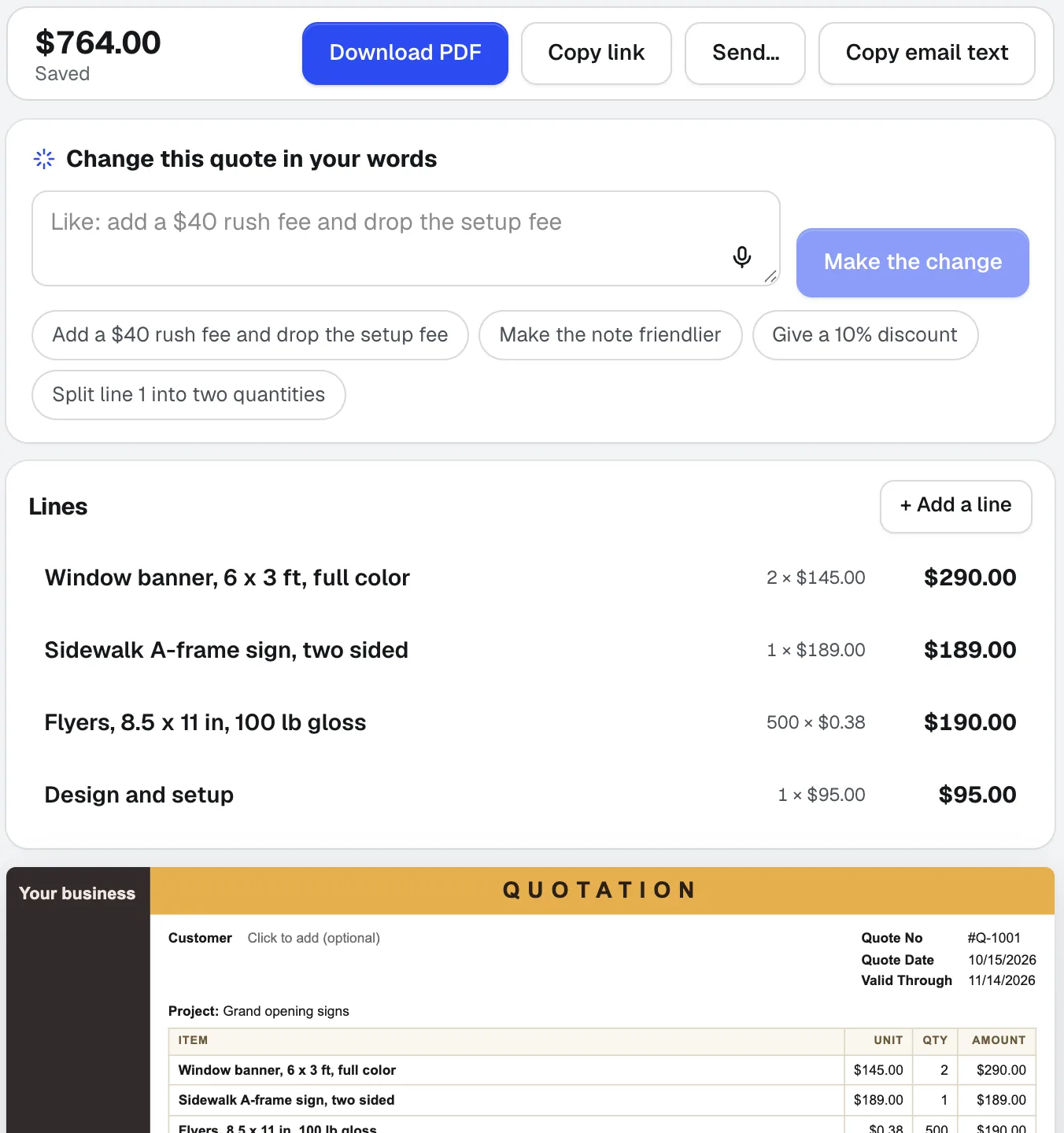
NewPaste a customer's email, dictate the job, or add a photo of a handwritten list. Quote Studio is quoting software that drafts a one-page quote using only your own prices, then you download the PDF or send a live page your customer accepts online.
Customer Proofs
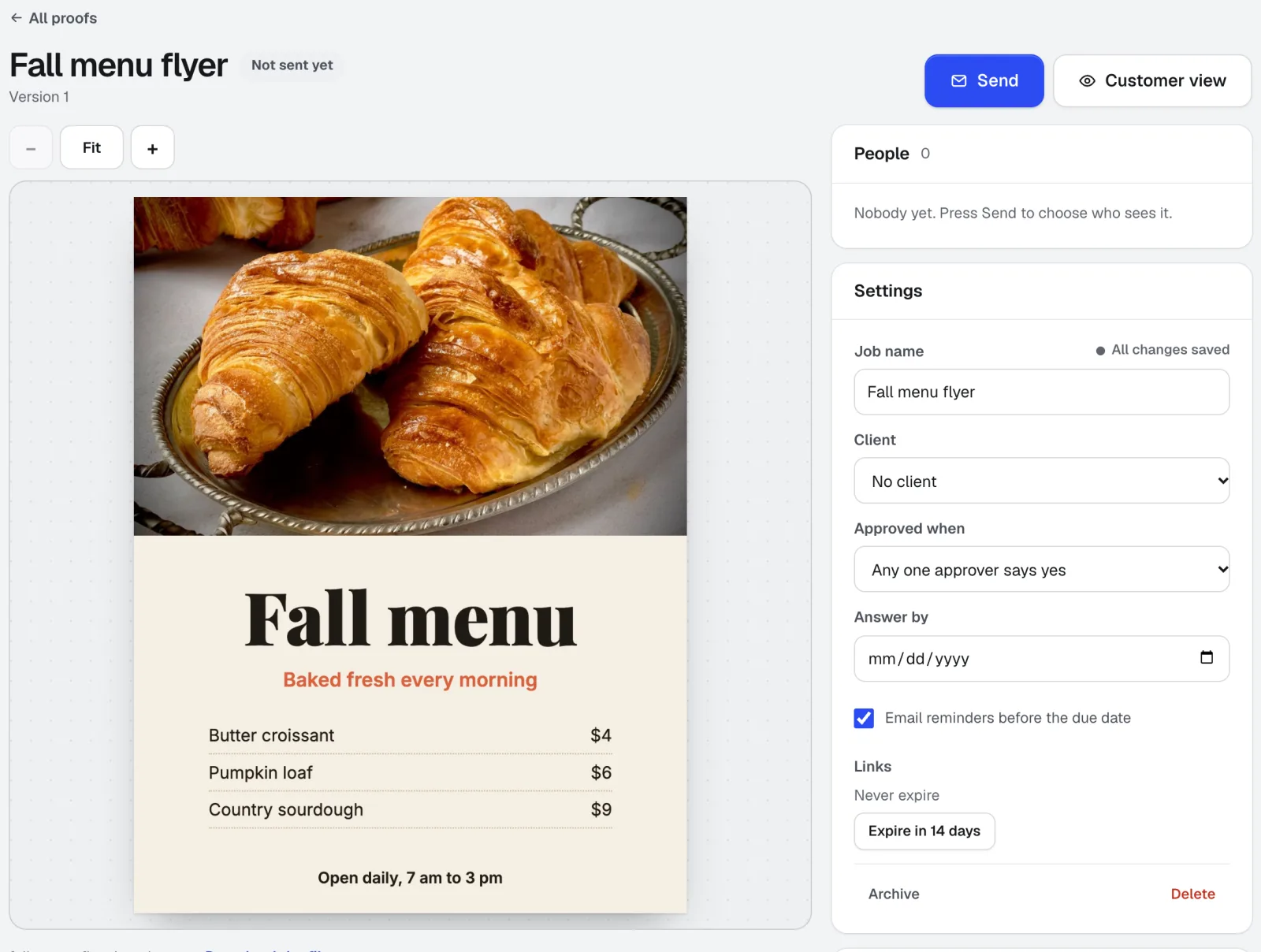
No account needed for customersCustomer Proofs is online proofing software for any design, web page, video, or sound file. Send it to one or more people; each gets a private link to pin comments on the exact spot and approve with a checklist and their typed name. No account on their side.
Your websites
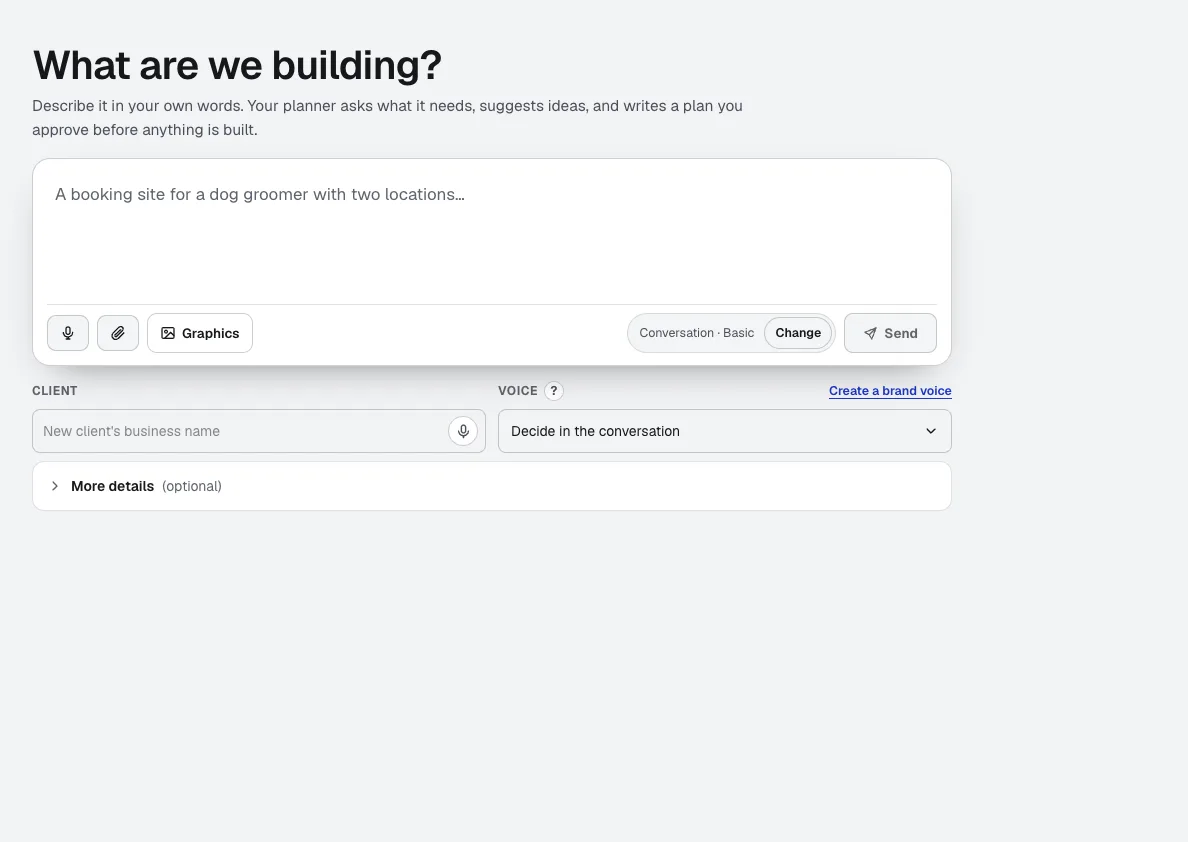
aiKit is an AI website builder with hosting: it plans the pages, writes the copy, builds the site and hosts it. Every later change is a request in your own words, saved as a version you can undo, for your own business or for every client you run sites for.
Use aiKit Hub today.
Make a free aiKit account and open aiKit Hub, plus every other tool in your kit.
Page last checked against the product on 2026-10-19.