

Quote StudioNew
Paste the scope of work. Get a finished quote priced from your prices.
Paste a customer's email, dictate the job, or add a photo of a handwritten list. Quote Studio is quoting software that drafts a one-page quote using only your own prices, then you download the PDF or send a live page your customer accepts online.
Free account, no card. Already using aiKit? Log in to open Quote Studio
Quote Studio in short
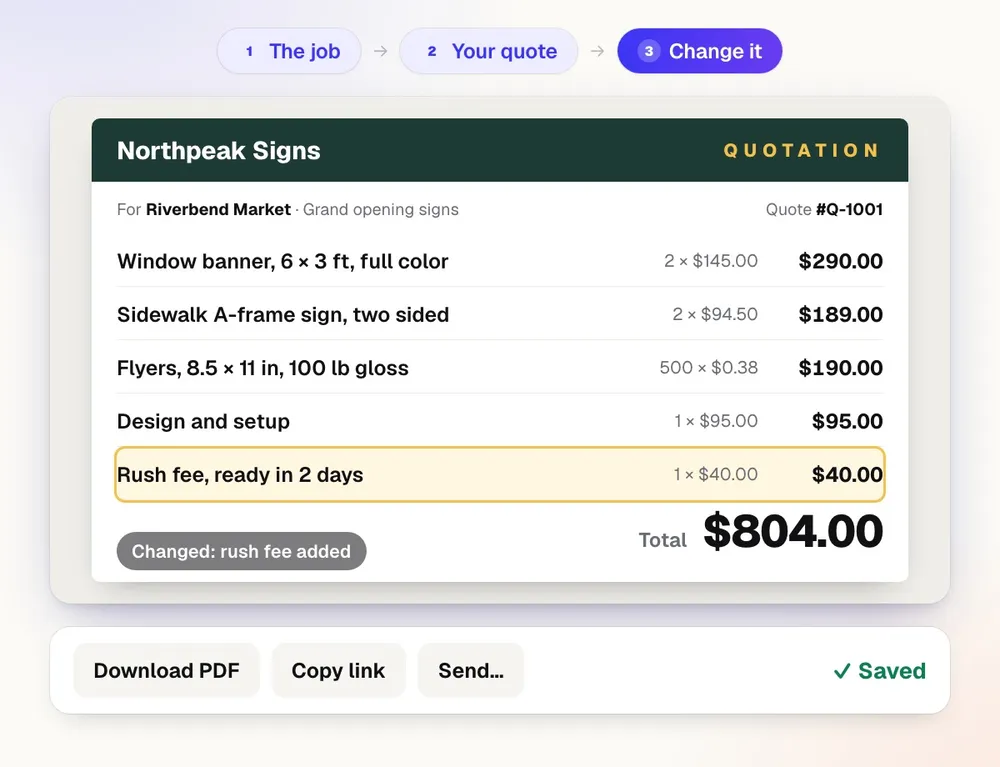
Quote Studio turns a pasted scope of work into a finished one-page quote in seconds, priced only from your own prices. It is for contractors, service businesses, print shops and agencies that quote every job. You download the PDF or send a live page where your customer picks an option and accepts with their typed name.
| What it makes | A one-page quote as a PDF and as a live page your customer accepts |
|---|---|
| Who it is for | Contractors, service businesses, print and promo shops, and agencies |
| Pricing source | Only your own prices; one tax rate per quote |
| Extras | Shipping, discount, tax, deposit percent, pick-one options and terms |
| Payments | None: aiKit never charges your customer |
| Price | Free to start with a monthly AI allowance, no card. Paid plans from $18.88 a month. |
| Runs in | Any web browser, nothing to install |
What you get
Paste the scope of work, get a finished one-page quote in seconds — priced only from your own prices — then download the PDF or send a live page your customer accepts.
It never guesses a price
Prices come from your prices box, your saved products, and your past quotes. A line with no known price is marked Price needed, and downloading or sending waits until you fill it in.
No extras you didn't ask for
It drafts one line per thing the scope asks for, with size, material, colors, and quantity in the specification. It never adds warranties, add-ons, or training on its own.
Change it by saying it
"Add a $40 rush fee and drop the setup fee." The answer lists what changed, measured before and after.
A live page your customer accepts
Your customer picks an option, ticks add-ons, types their full name, and accepts. The total is worked out by aiKit from the quote you shared, never from their browser.
Several companies, separate numbering
Up to 20 companies, each with its own logo, terms, payment line, and quote numbers. The quote and its page wear the company you pick.
Teach it your prices once
Import a CSV or Excel price list (read on your computer, so numbers stay exact), a product page, or a PDF or photo of a price sheet. Nothing is used until you accept it.
Every feature
Everything in Quote Studio
The complete list, from the tool as it works today.
- Quick quote: paste, type, dictate or upload the scope of work and specs, and the finished quote appears beside the form, exactly like the PDF
- Several companies per account, each with its own logo, address, terms and quote numbers
- Click any line or part of the quote to change it, or ask for a change in plain words, with live totals
- Shipping, a discount, tax, a deposit percent, pick-one options, and terms under More options, plus your logo
- Download PDF, Copy link, or Send by email, and a live page where your customer picks an option, accepts with their typed name, or asks a question
- Where each quote stands (sent, viewed, accepted), what the customer did, and a follow-up date
- Older quotes (the earlier Quote Studio screen, still open from Your quotes) keeps locked versions with Compare, Decline with a reason, reminders on day 2, 5, and 10, and Convert to job
What’s included
What you get with Quote Studio, and how it works with the rest of aiKit
Included with a free aiKit account
- Quotes aren't counted against a monthly number of jobs
- Quick quote from a pasted, typed, dictated, or uploaded scope of work
- Several companies per account, each with its own logo, terms, and quote numbers
- Optional extras, pick-one options, discount, tax, shipping, and a deposit percent
- Download PDF, Copy link, or Send by email, and a live page your customer accepts
- Where each quote stands, with a follow-up date
What uses AI, and what’s free
Drafting a quote from a scope of work, plain-words changes, and the AI helpers that write lines and the intro use your account's monthly tokens, shared with every aiKit tool. Building a quote by hand, sending it, the customer's page, acceptance, PDFs, and follow-ups use no AI. Prices come only from your own saved prices, never from the AI.
Works with your other aiKit tools
- Your websites: Requests from your website's quote form start a quote in one press.
- Reviews & customer photos: A job marked Done adds the customer to Reviews and schedules the ask.
- aiKit Hub: A Hub card links the quote and moves when the customer accepts.
- Presentation Builder: Turn a quote into a Presentation Builder deck in one step.
- Printer’s Helper: Shares your company logos, and spec-sheet quotes link to a print job.
Keep Quote Studio in any of your kits, next to the tools you use with it. One monthly AI allowance covers every tool you add.
How it works
From first click to finished, in 5 steps.
Pick the company and paste the scope
Paste the email or request, type it, press the mic and say it, or add a PDF, picture, Word file, text file, or saved email up to 3 MB.
Add your prices if you like
Write them the way you say them: "cards $48 per 250, design $85/hr, 10% off this one." Saved prices and past quotes are used too.
Press Make the quote
In a few seconds the one-page quote appears beside the form, exactly like the PDF. Check these lists every question and assumption.
Fix anything by clicking it or asking
Click a line to change its quantity or price, or type the change in plain words. Undo this change puts the quote back the way it was.
Download, link, or send
Download the PDF, copy the customer's live link, or open Send & track to email it and set a follow-up date. You see when they open it, ask a question, or accept.
Who it’s for
How different businesses use Quote Studio
A landscaping estimate from a voice note
A landscaper says the job into the mic on the way back to the truck: mulch, edging, two shrubs. The quote comes back with each line, and the shrubs marked Price needed because they aren't on the price list yet.
Price breaks without a spreadsheet
Harbor Line Print Co. imports its price sheet once. A request for 500 two-sided cards and 200 rack cards is priced from the right break, with the real count shown in the specification.
Good, better, best on one page
An agency quotes a website in three options, marks one recommended, and adds optional extras the client can tick. The client picks one and accepts on the live page.
Event rentals from the client's email
A rental company pastes a planner's email listing lights, a dance floor, and a delivery window. The quote lists each item from the price list with the location and details under each line.
Two businesses, two sets of quotes
A consultant who also runs a training company sends quotes from both, each with its own logo, terms, and numbering.
Ideal for
- Service businesses and contractors who quote every job
- Print and promo shops quoting options and quantities
- Agencies sending project estimates with optional extras
Good to know
- Not for: Taking payments; a deposit is shown as an amount you collect your own way
- Not for: Contracts that need a lawyer's review; acceptance here is a typed-name yes to your quote and terms
- Emails and reminders go out once email is set up for your account; until then you copy each link and send it yourself.
- One tax rate per quote, and aiKit doesn't look up rates for you.
- No payments: aiKit never charges your customer.
Good to know
Before you use Quote Studio
Check every price and number. AI can get math, quantities, taxes, discounts, and terms wrong. Confirm each figure and the terms before you send it to a customer. You are responsible for what you quote.
Questions
Quote Studio: questions people ask
How can a contractor send an estimate customers can accept online?
Can I make a quote from a voice note or a photo of a handwritten list?
What is the best quoting software for contractors and print shops?
What's included with Quote Studio on a free aiKit account?
Does Quote Studio work with my aiKit website, Reviews, and the Hub?
Can an AI quote generator fill in and add up the quote for me?
What does my customer see when they open an aiKit quote?
Is Quote Studio a good fit for service businesses like cleaners and landscapers?
Can I trust the prices on a quote from Quote Studio?
Does the quote AI make up prices or add extras I don't sell?
Can I quote from more than one company?
Where are free shipping, discount, tax and deposit on a quote?
What is aiKit Quote Studio?
Can I turn a quote request from my website into a quote?
Can my customer choose options on an aiKit quote?
Works well with
Tools to add to the same kit
Customer Proofs
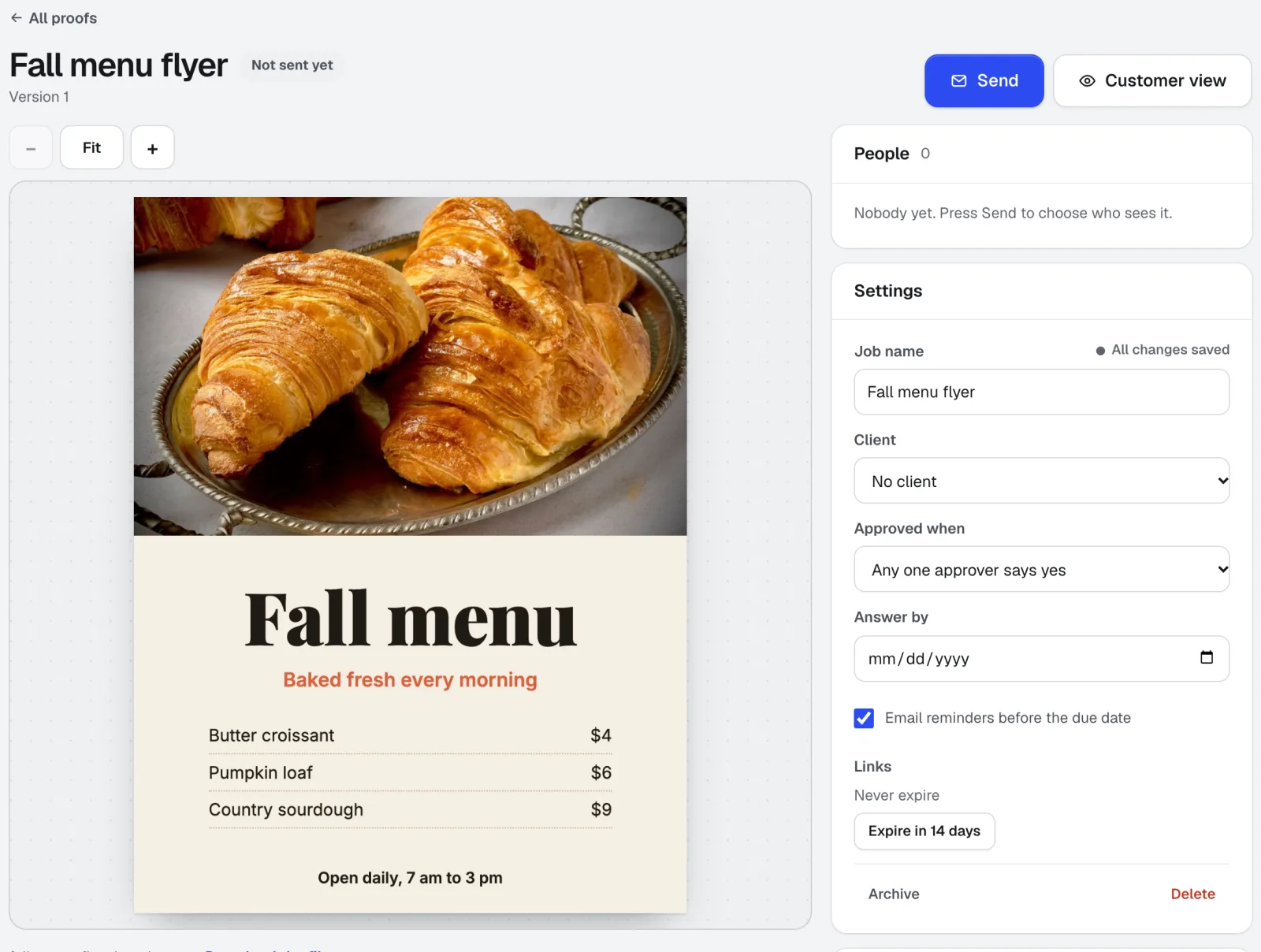
No account needed for customersCustomer Proofs is online proofing software for any design, web page, video, or sound file. Send it to one or more people; each gets a private link to pin comments on the exact spot and approve with a checklist and their typed name. No account on their side.
Reviews & customer photos
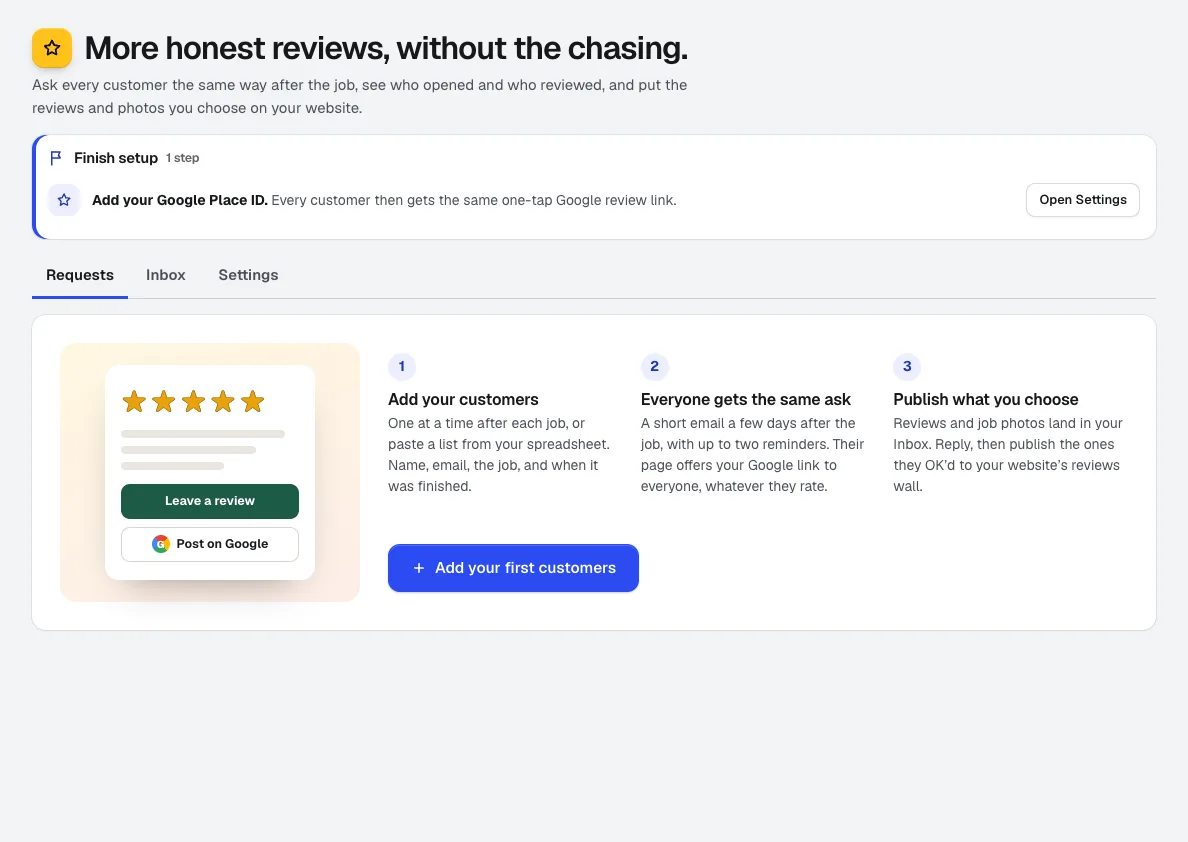
NewGet more Google reviews: add customers after the job and Reviews asks them on schedule, tracks who opened, visited, and reviewed, collects job photos, and puts the reviews you pick on your aiKit website.
Printer’s Helper
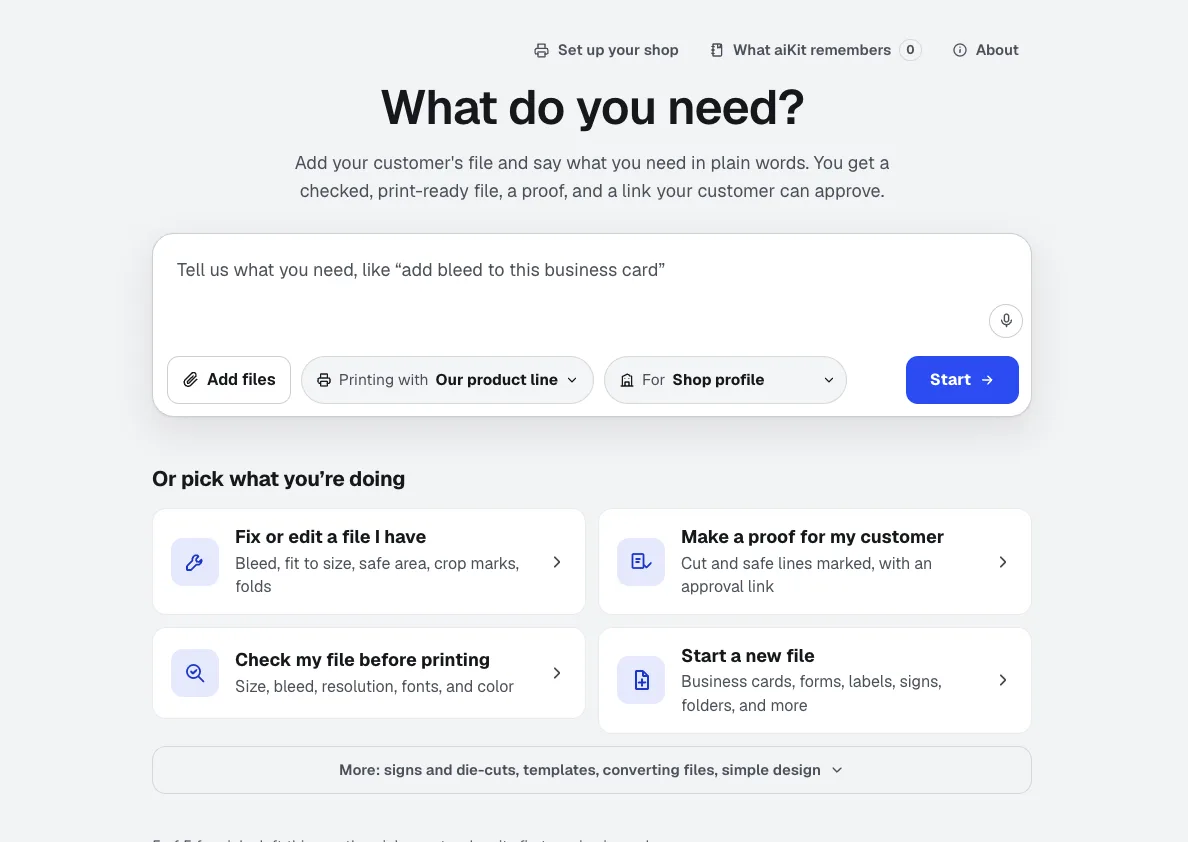
NewDrop in a file or a logo and say it in plain words: add bleed, resize, check it, make a notepad. Printer’s Helper is print preflight software that makes the fix too: it builds the file to exact print numbers, shows what it changed, and sends a proof your customer approves.
Use Quote Studio today.
Make a free aiKit account and open Quote Studio, plus every other tool in your kit.
Page last checked against the product on 2026-10-16.