

Music MakerNew
Original songs, jingles and background music, in two takes
aiKit's AI music generator turns a description, or a few tapped styles, into 2 versions of an original song with AI-written lyrics, your lyrics, or no vocals. Cut it for an ad, send it for approval, or drop it under your video.
Free account, no card. Already using aiKit? Log in to open Music Maker
What you get
Songs with vocals, jingles, and background music from a description or a few taps on styles.
Two takes every time
Every click makes 2 versions of the song, so you pick the better one instead of starting over. Versions that don't finish aren't charged.
Lyrics that name your business
AI writes original lyrics that name your business and follow your Brand Voice, or paste your own. Change them in any words: "funnier", "add our phone number", "shorter chorus".
Cut for ads, loop for video
Download an exact 6-second bumper, a 15-, 30- or 60-second spot, or a seamless loop for videos and hold music, made in your browser.
Hum it, then make it real
Hum a tune or sing a line into the microphone, or pick a song from your Library, and remix it into a new style. Choose how much to change it.
Client approval built in
Send for approval turns a song into a proof your client plays, comments on at any moment, and approves.
Never a dead end
If an engine is busy or out of credit, your song moves to the next engine automatically and a note tells you which one made it.
Every feature
Everything in Music Maker
The complete list, from the tool as it works today.
- Describe the song in plain words, or tap styles: genre, mood, tempo, instruments, vocal style, era, what it's for, and length (15 seconds to 3 minutes)
- Lyrics written by AI, your own lyrics, or instrumental only
- 2 versions every click, a player with a waveform, Regenerate, and Make it longer
- Remix: upload your own song and restyle it, choosing how much to change
- Download MP3 or WAV, save to the Graphics Library, or send it to Video Kit, Motion Maker, or Voice Kit (as a music bed under a voice read)
- A Business-safe Pro engine trained on licensed music, for commercial work
What’s included
What you get with Music Maker, and how it works with the rest of aiKit
Included with a free aiKit account
- Songs with vocals, instrumental beds, jingles and remixes, 2 versions per click
- Free accounts: 30-second clips, 3 song clicks a month, MP3 downloads
- AI lyrics in your Brand Voice, your own lyrics, or instrumental, plus a change box that takes any instruction
- Ad-length cuts and seamless loops, made in your browser
- Remix from an upload, your Library, a hummed idea, or one of your own songs
What uses AI, and what’s free
Making songs uses your monthly AI allowance, a flat amount per click shown on the Make button; versions that don't finish aren't charged. Writing or changing lyrics on their own uses a fraction of that. Playing, cutting, downloads, saving to the Library and sending to other tools use no AI.
Works with your other aiKit tools
- Video Kit: Send to Video Kit makes the song the music under your video, dipping while people speak.
- Motion Maker: Send to Motion Maker makes the song your animation's music.
- Voice Kit: Send to Voice Kit puts the song under your next voice read as a music bed that dips while the voice speaks.
- Graphics Library: Save to Library keeps every song as an MP3 in a Music Maker folder, tagged to a client or project if you pick one.
- Customer Proofs: Send for approval makes the song a proof your client plays, comments on at any moment, and approves.
- Brand Voice: AI lyrics follow your saved Brand Voice; untick it for a one-off.
Keep Music Maker in any of your kits, next to the tools you use with it. One account and one monthly AI allowance cover every tool.
How it works
From first click to finished, in 5 steps.
Describe it or tap styles
Say what the song is for in plain words, or tap an idea card for your kind of business. Add genre, mood, tempo, instruments, vocal style, era and length.
Pick lyrics
AI writes them, you paste your own, or go instrumental. Name your business and the lyrics mention it in the chorus.
Make 2 songs
Press Make 2 songs. Progress shows each step, and the songs land in Your songs in about 30 to 90 seconds.
Listen and refine
Play both versions in the player, then Regenerate, Make it longer, Remix this, or rate the result and say what went wrong.
Use it
Download MP3 or WAV, cut it for an ad, save it to your Graphics Library, send it for approval, or send it to Video Kit, Motion Maker or Voice Kit.
Who it’s for
How different businesses use Music Maker
A 15-second weekend sale jingle
A neighborhood boutique describes its weekend sale, names the shop in the lyrics, and downloads a 15-second cut for its radio-style ad.
Hold music and a catchy jingle
A plumbing company makes a seamless loop for its phone line and a 15-second jingle about same-day service for its truck video.
Music approved before the edit
An agency makes a bed for a product launch promo, sends it to the client for approval, and drops the approved take into Video Kit.
A home tour soundtrack
An agent makes an elegant, hopeful instrumental for a listing walkthrough and sends it to Video Kit under the tour footage.
A song that teaches
A teacher writes simple lyrics about the water cycle, picks a kids choir vocal style, and plays both versions to the class.
A podcast intro from a hummed idea
A podcaster hums a four-note idea into the microphone and remixes it into a confident synthwave intro.
Ideal for
- Small businesses that need a jingle or ad music without hiring a studio
- Creators who need background music for videos, animations, and voiceovers
- Anyone who wants a personal song (a birthday, a thank-you, a team anthem)
Good to know
- Not for: Copying a real artist's voice or a real song's lyrics (it writes original music in that spirit instead)
- Not for: Remixing songs you don't own or have the rights to
- A click uses 4 credits from your plan's monthly pool (the Pro engine uses 16 to 31, by length). Versions that don't finish aren't charged, and if an engine is busy or out of credit the song moves to another one automatically.
- Free accounts make 30-second clips, 3 clicks a month; WAV downloads and full-length songs are on paid plans.
- Whenever a music engine isn't connected, you hear a labeled sample tune and no credits are used.
- AI music can mishear lyrics or drift from the style: press Regenerate, or rate the result and say what went wrong.
Why aiKit
Music Maker vs. stock music libraries
| Point | aiKit Music Maker | Stock music libraries |
|---|---|---|
| Fits your brand | Original music and lyrics that name your business, in your Brand Voice | The same tracks other businesses use |
| Exact ad lengths | 6, 15, 30 and 60-second cuts and seamless loops in one click | Trim and fade the track yourself in an editor |
| Choices | 2 versions every click, plus Regenerate and Remix | Search page after page for a close match |
| Client sign-off | Send for approval: your client comments on any moment and approves | Email files back and forth |
| Into your video | Send to Video Kit, Motion Maker or Voice Kit in one click | Download, then import into each tool |
Questions
Music Maker: questions people ask
What's the easiest way to make a jingle for my business with AI?
Is there a free AI music generator for videos?
Can I make background music without vocals for a video or podcast?
Can AI music be used in ads and on social media?
How do I make a song with AI in aiKit?
How much does Music Maker cost?
Can I use Music Maker music in ads and videos for my business?
Can I remix a song I already have?
Can I get a 15- or 30-second version of a song for an ad?
Can my client approve a song before I use it?
Can I hum a tune and turn it into a song?
Can I put a Music Maker song under a voiceover?
Works well with
Tools to add to the same kit
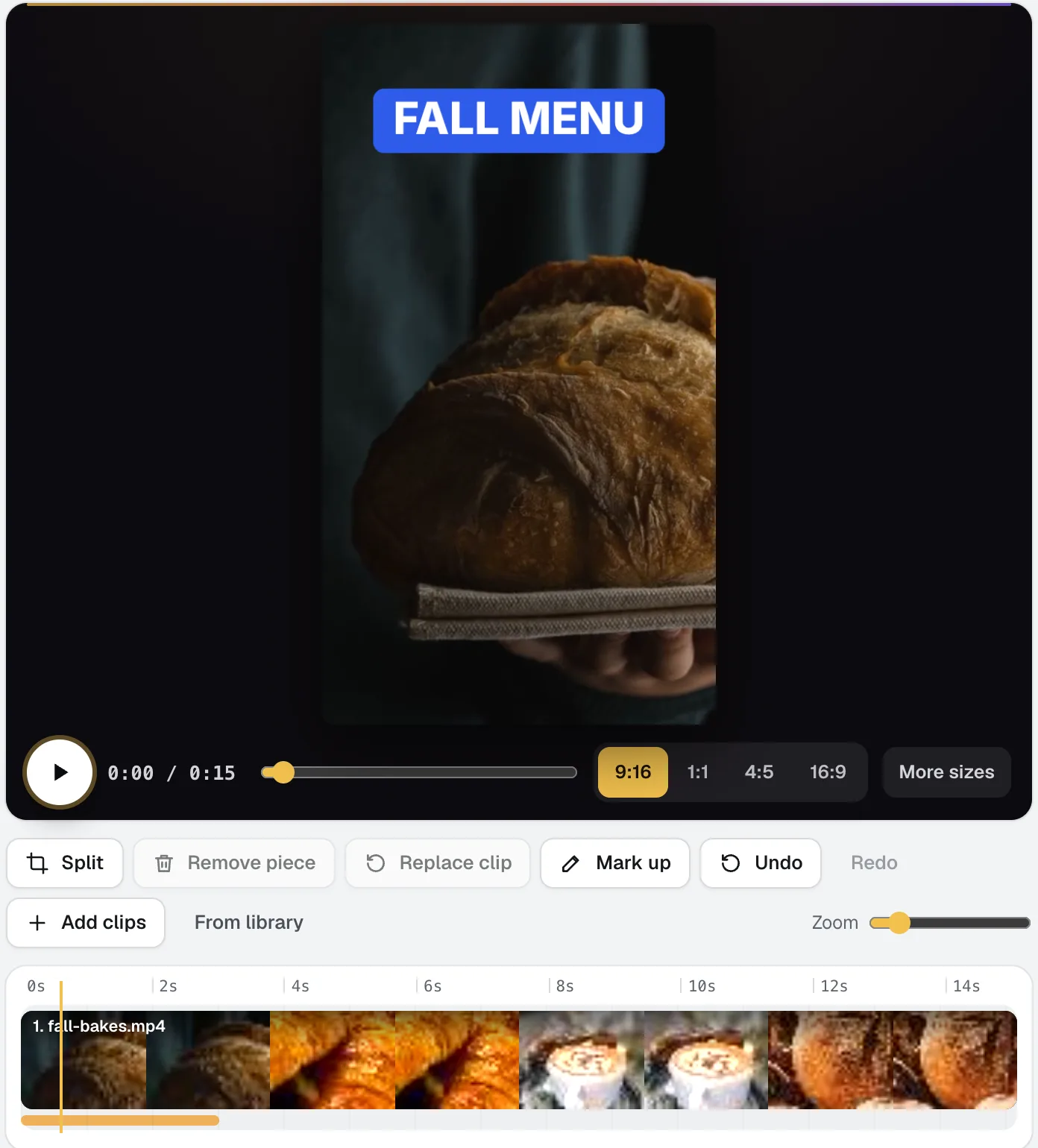
Video Kit
NewVideo Kit is an AI video editor for social media: drop in your clips and edit them like a document. Delete words to cut the video, remove pauses and ums in one pass, and ask for any change in plain words. Captions, sizes, music and your logo are built in.
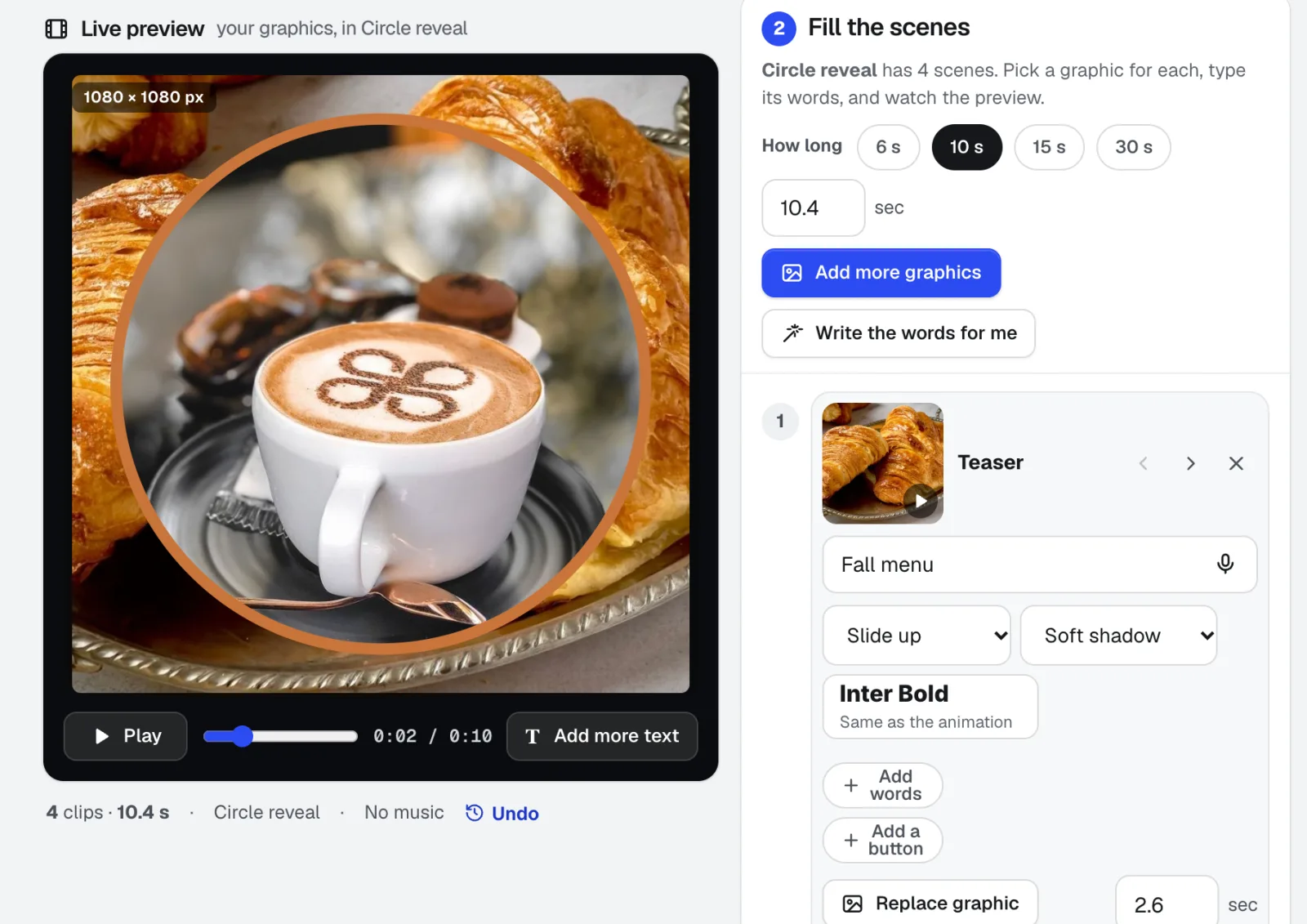
Motion Maker
NewAn animated GIF maker for email, plus banners and promo clips: pick one of 26 animation styles, drop in your photos, type the words right on the stage, and add music cut on the beat. Export an MP4, WebM or email-ready GIF straight from your browser.
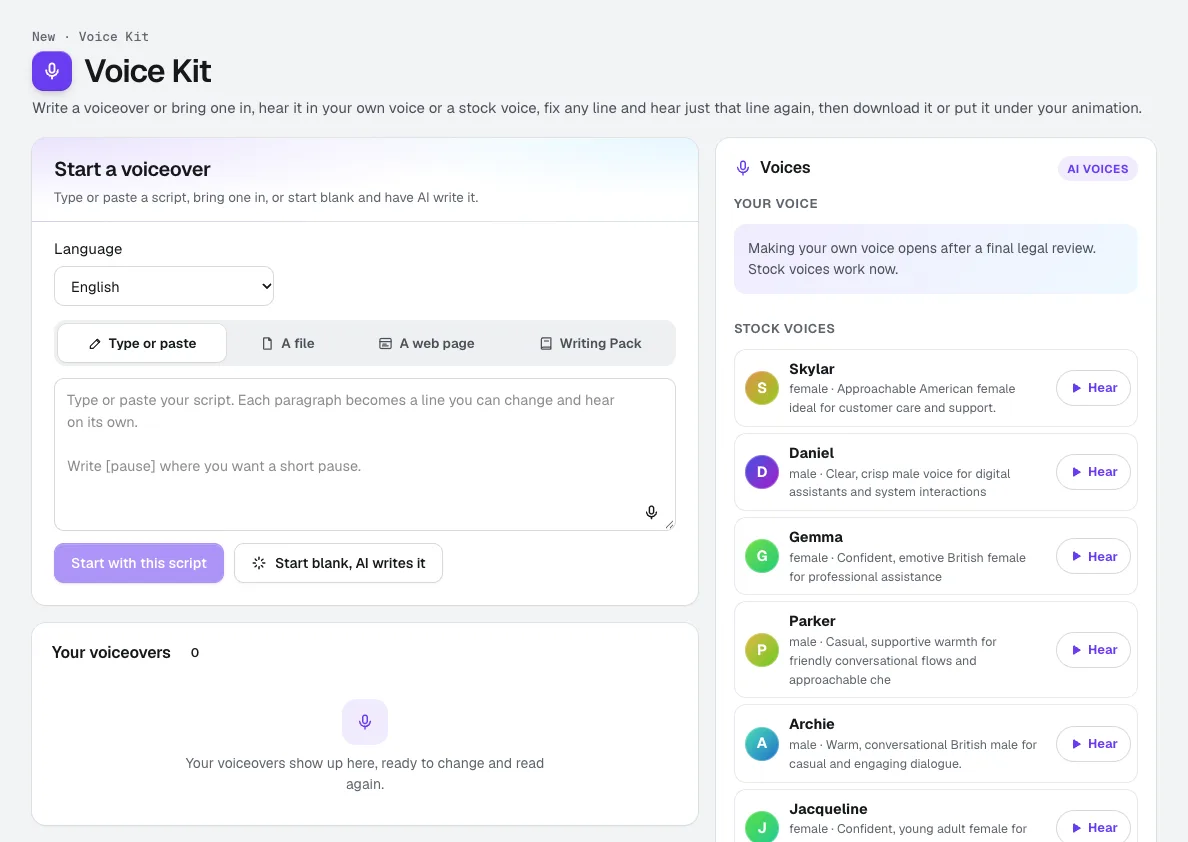
Voice Kit
NewaiKit's AI voiceover generator writes or fits your script in your Brand Voice, a natural AI voice reads it, and you fix any line and hear only that line again. Download it, or put it under your animation or video.
Use Music Maker today.
Make a free aiKit account and open Music Maker, plus every other tool in your kit.
Page last checked against the product on 2026-10-17.