

Photo StudioNew
Make any picture from your words, with the look you click
Photo Studio is an AI image generator for your business: describe a picture, click and mix looks from 288 real sample pictures, put your own product in new scenes or restyle a photo, and get photos, product shots, scenes and art in the exact size for social, web or print.
Free account, no card. Already using aiKit? Log in to open Photo Studio
What you get
Make any picture from your words.
Click the look, skip the prompt words
Style, medium, lighting, camera shot, color mood, composition and frames, each shown as a real sample picture. Mix up to 3 styles into one look, and real photo is the default.
Scenes made for your business
Industry packs give ready-made scenes for 12 kinds of business: food, real estate, fashion, events, products, beauty, fitness, cars, travel, home services, kids and tech.
Your product, in any scene
Add a photo of your product and pick one of 10 suggested scenes or describe your own. The product keeps its exact shape, label and words; only the scene around it is new.
Models in plain words
Everyday, Quick & cheap, Words in the picture, Google look and Illustration, or Auto, which picks one and says why. Compare models shows four side by side.
Change it by saying it
"Make the sky pink" or "add a red umbrella": the rest of the picture stays the same. More like this and Remix give fresh takes on a picture you like.
Sharp enough to print
Upscale 2× free on your own computer, 4× Print-sharp on our server, and 6× or 8× (up to 8192 pixels) for posters and banners on paid plans.
Straight into your other tools
Every picture saves to your Graphics Library and opens in Video Kit, Motion Maker, Magic Canvas, Pro Designer or Mockup Studio with one click.
Every feature
Everything in Photo Studio
The complete list, from the tool as it works today.
- A box that takes any description, plus a mic for talking it in
- Three ways to start: describe it, Your product (your product photo in new scenes, with 10 suggested scenes), or Restyle a photo (same layout, a new look); plus up to 3 inspiration pictures
- 288 looks with real sample pictures: 56 styles in groups (Photo, Futuristic, Infinite Soldier with Everything is Possible, Positive & inspiring, Art, Illustration, 3D, Creative & surreal), Medium & art movement, Lighting, Camera & shot, Color mood, Composition, Borders & frames, and Industry packs for 18 kinds of business; mix up to 3 styles; real photo by default
- 16 sizes for social, web and print, trimmed to the exact shape
- Five models in plain words (Everyday, Quick & cheap, Words in the picture, Google look, Illustration) or Auto, Standard or Best detail quality, see-through backgrounds, and Compare models side by side
- 1 to 8 pictures at once, More like this, Remix, and Change it by words ("make the sky pink")
- Upscale: 2× free on your own computer, 4× Print-sharp, and 6× / 8× for big prints on paid plans
- Every picture saves to your Graphics Library; History keeps the exact words, looks and model, and Send to opens it in Video Kit, Motion Maker, Magic Canvas, Pro Designer or Mockup Studio
What’s included
What you get with Photo Studio, and how it works with the rest of aiKit
Included with a free aiKit account
- Every look, size and model, on every account
- Change it by words, More like this, Remix and Compare models
- 2× upscale free on your own computer, plus 4× Print-sharp
- History with the exact words, and every picture saved to your Graphics Library
- 6× and 8× upscales on paid plans
What uses AI, and what’s free
Each picture, change and server upscale uses a little of your monthly AI allowance (the button shows how much first). Picking looks, history, downloads, sending to other tools and the 2× upscale are free. A picture that fails is not counted.
Works with your other aiKit tools
- Graphics Library: Every picture saves to the Photo Studio folder in your Graphics Library, marked as made with AI.
- Video Kit: Send to Video Kit puts the picture on the timeline as a still clip, with Add more from Library for other saved pictures.
- Motion Maker: Send to Motion Maker opens the picture ready to animate.
- Magic Canvas: Send to Magic Canvas opens a new design with the picture placed on it.
- Pro Designer: Send to Pro Designer opens the picture for retouching and adding text.
- Mockup Studio: Send to Mockup Studio puts the picture on a product as the art.
Keep Photo Studio in any of your kits, next to the tools you use with it. One account and one monthly AI allowance cover every tool.
How it works
From first click to finished, in 4 steps.
Describe it
Write what you want in your own words, or say it with the microphone. With an industry scene picked, you can leave the box empty.
Pick the looks and the size
Click samples in the looks panel and a size from Social, Web or Print. Picked looks show as chips you can remove.
Make 1 to 8 at once
Leave the model on Auto or pick one, choose how many, and press Make. The cost shows on the button before you press it.
Keep, change and send
Open a picture big, change it by words, upscale it, download it, or send it to another tool. History keeps the exact words, looks and model.
Who it’s for
How different businesses use Photo Studio
Menu and special-of-the-day photos
Maple Street Bakery picks the Hero dish scene, adds Golden hour and Dreamy bokeh, and has two croissant photos for Saturday's post in under a minute.
Room and twilight scenes for listings
Cedar Point Realty makes a twilight exterior and a bright living room for a mailer, then upscales the cover photo 4× for print.
Ads without a photo shoot
Brightway Landscaping describes a fresh spring yard, picks Landscaped yard and Bright sun, and sends the best one to Magic Canvas for a flyer.
Event mood boards
A wedding planner compares four models on a reception scene with string lights to show the couple different looks.
Art in a signature style
A coach saves a Watercolor and Pastel look combination and makes a matching picture for every weekly post.
Concepts for client review
Northlight Studio makes eight takes on a product shot, ticks the best three in History and sends them to Video Kit for a short ad.
Ideal for
- Business owners who need fresh pictures for posts, ads, menus and listings without a photo shoot
- Designers and marketers who want to compare models and looks quickly, then upscale the winner for print
- Anyone who'd rather click a look (golden hour, drone shot, watercolor) than learn prompt words
Good to know
- Not for: Editing a photo you already have pixel by pixel (use Pro Designer)
- Not for: Logos you need as clean vector files (use Logo Kit)
- Each picture uses a little of your AI credit (about 0.1–0.6 credits depending on the model).
- Words inside pictures read best with the Words in the picture model.
- 6× and 8× upscales come with the paid plans.
Why aiKit
Photo Studio vs. prompt-only AI image apps
| Point | aiKit Photo Studio | Prompt-only AI image apps |
|---|---|---|
| Getting the look | Click real sample pictures for style, lighting, camera and more; they combine. | Type style words and hope the model reads them the same way. |
| Choosing a model | Six models in plain words, Auto with a reason, and Compare side by side. | One model, or model names you have to research. |
| Sizes | 16 named sizes for social, web and print, trimmed to the exact shape. | A few square or wide shapes; you crop it yourself. |
| Fixing one thing | Change it by words; the rest stays the same. | Make a new picture and start over. |
| What happens next | Saved to your library and one click into video, design and mockup tools. | Download it, then upload it somewhere else. |
Questions
Photo Studio: questions people ask
Is there an AI image generator where I click styles instead of writing prompts?
Can an AI image generator make pictures in exact social and print sizes?
What is aiKit Photo Studio?
Which AI image models does Photo Studio use?
Can Photo Studio put readable words in a picture?
How do I change part of a picture Photo Studio made?
Can I make a picture bigger for printing?
Where do Photo Studio pictures go?
Can Photo Studio put my own product photo in new scenes?
Can I restyle a photo I already have?
How much does a Photo Studio picture cost?
Works well with
Tools to add to the same kit
Magic Canvas
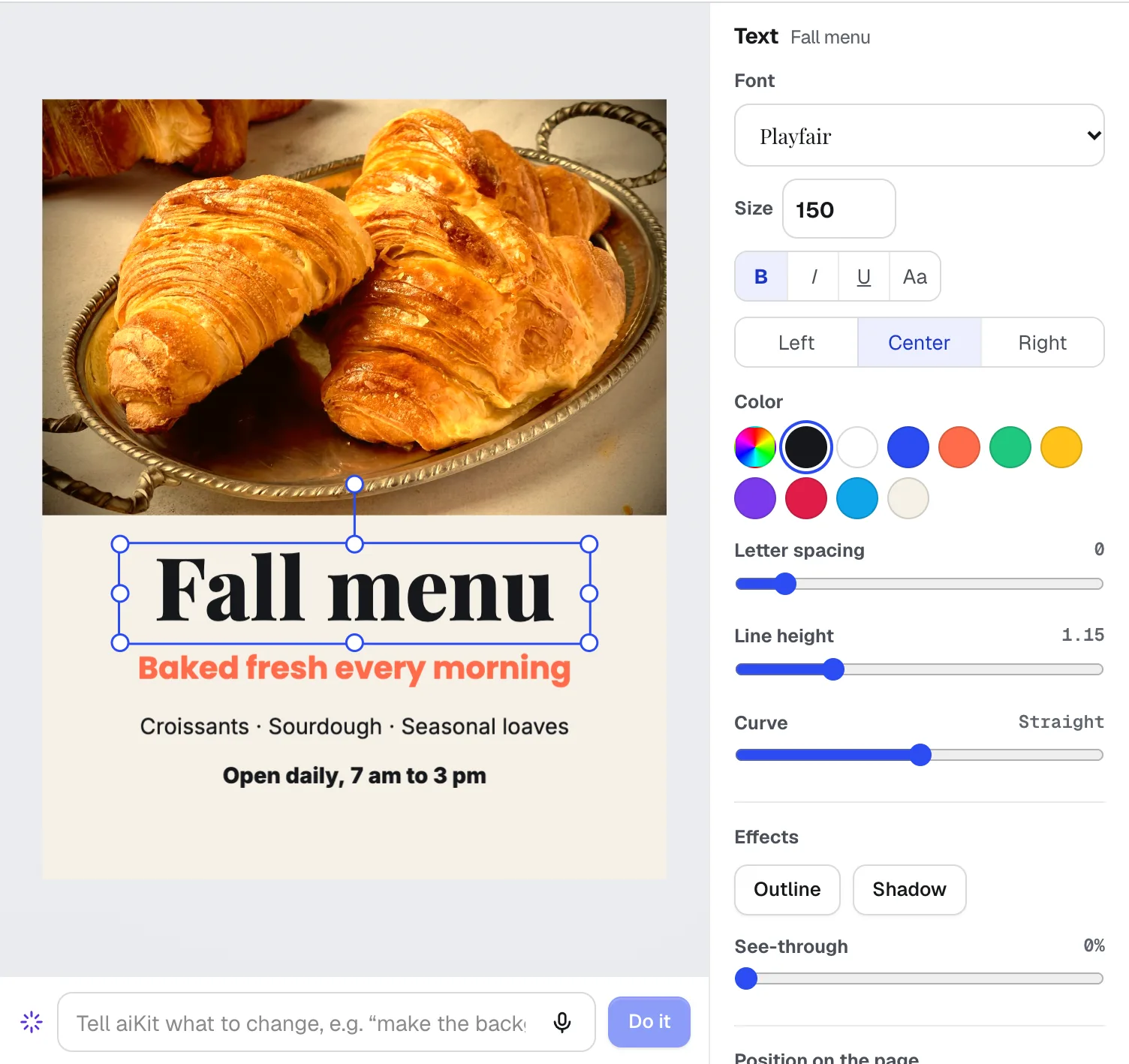
NewMagic Canvas is an AI flyer maker and social post designer: it lays out posts, flyers, cards, banners and email headers from your words, then lets you change anything by hand or by saying it. Your brand colors and logos are one click away.
Video Kit
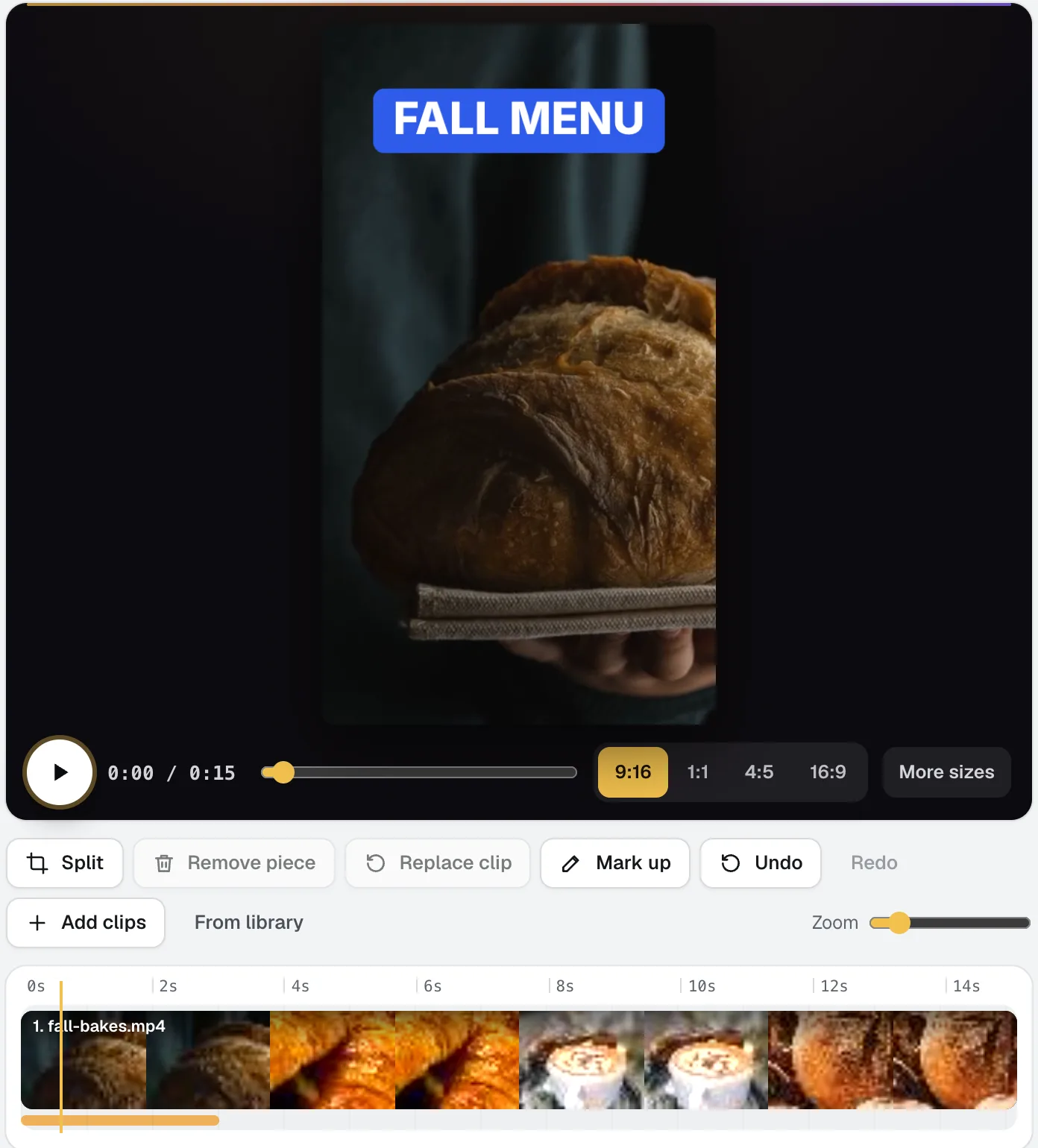
NewVideo Kit is an AI video editor for social media: drop in your clips and edit them like a document. Delete words to cut the video, remove pauses and ums in one pass, and ask for any change in plain words. Captions, sizes, music and your logo are built in.
Graphics Library
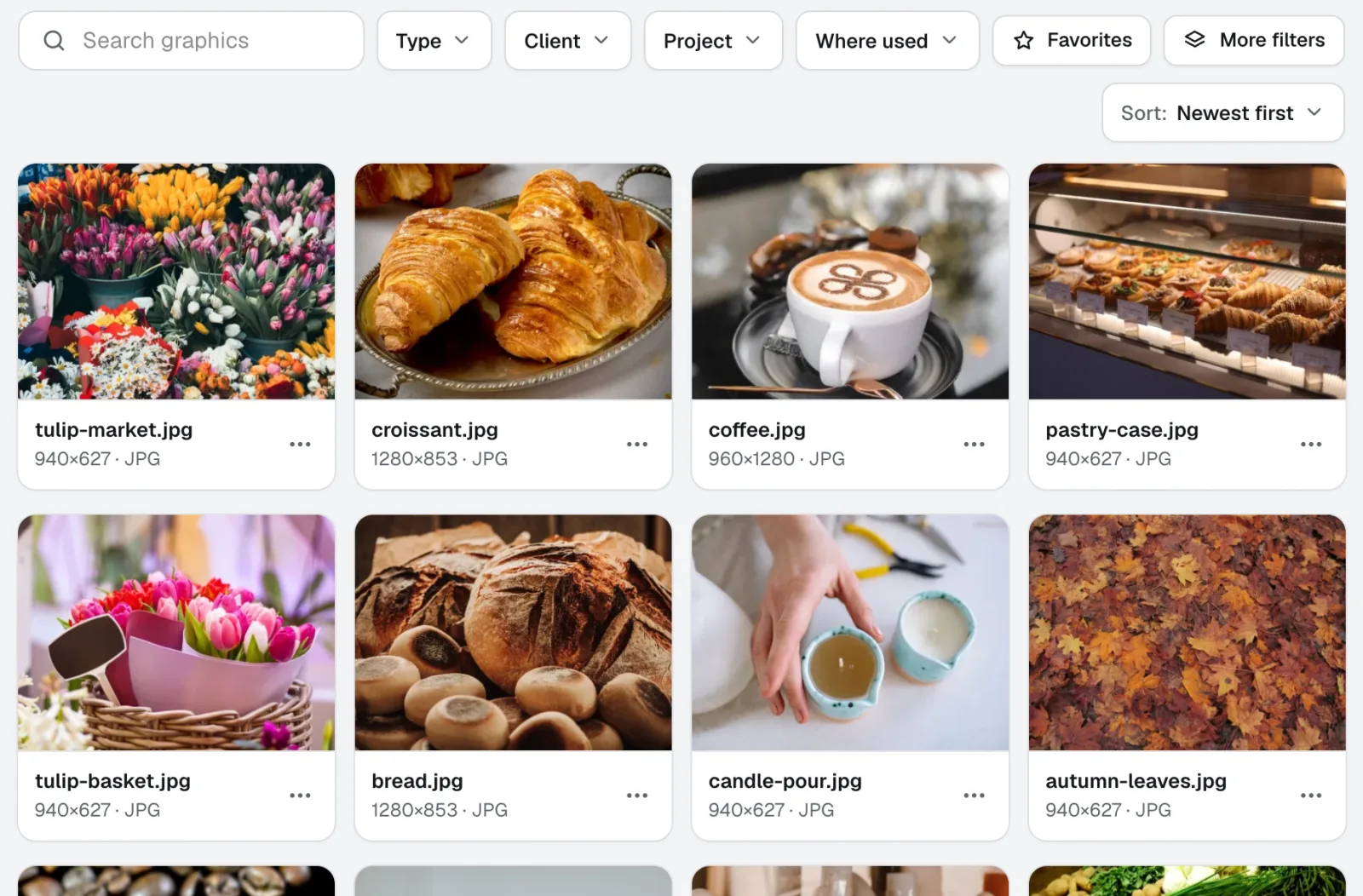
NewGraphics Library is digital asset management software for teams: every client's and project's logos, photos and design files in one labeled place. Drop in whole folders, label hundreds at once, and anyone on your team finds the file they need.
Use Photo Studio today.
Make a free aiKit account and open Photo Studio, plus every other tool in your kit.
Page last checked against the product on 2026-10-18.