

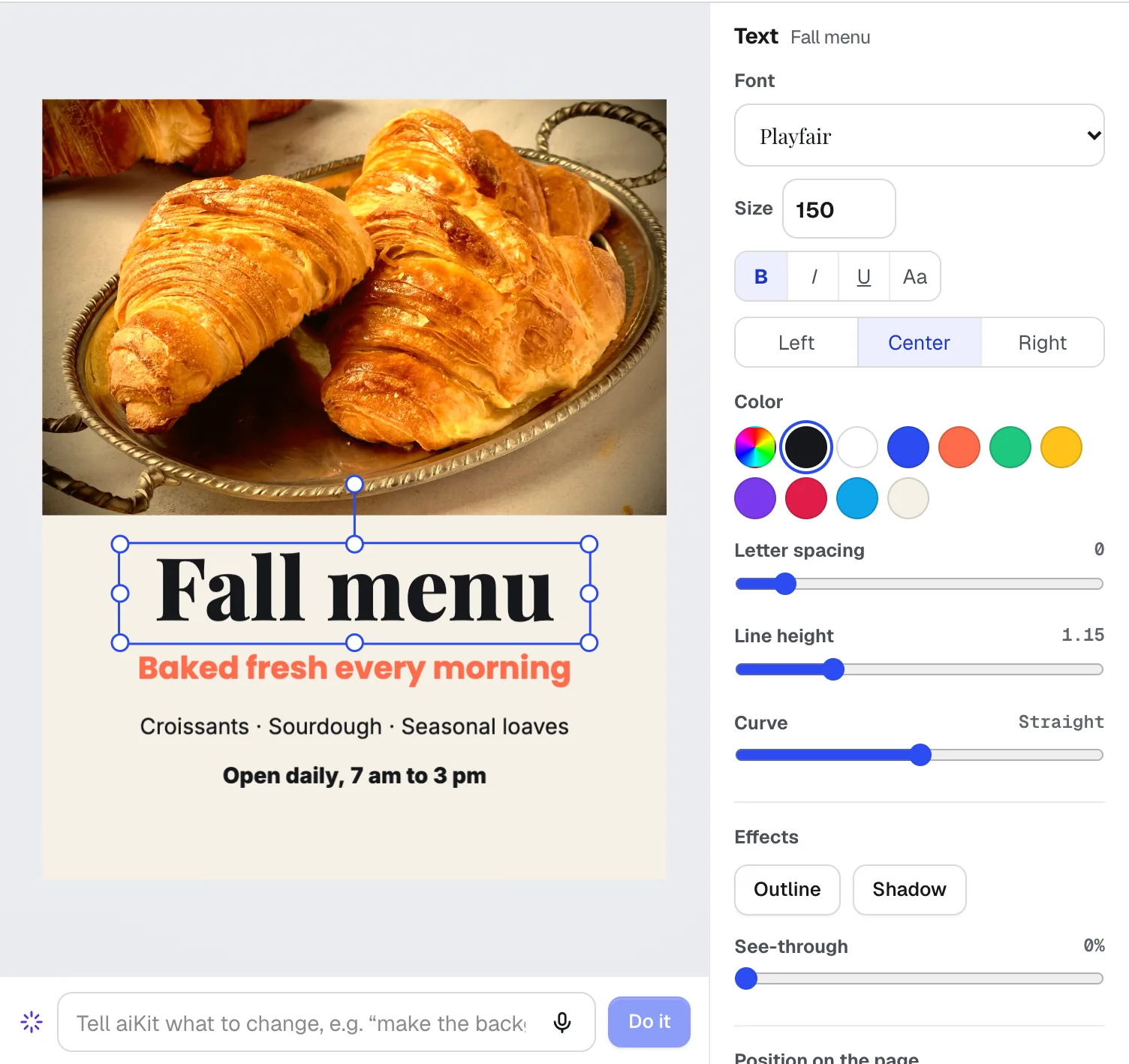
The situation
Bakeries sell what is fresh today, which means the marketing has to be fresh today too. The croissants come out at six, the special changes on Thursday, the holiday pre-order form has to be posted by the weekend, and the person who bakes is usually the same person who is supposed to post about it. Hiring a designer for a cinnamon roll post makes no sense, and a phone photo under the kitchen lights rarely does the pastry justice.
The other half of the job is word of mouth. A bakery lives on locals who come back and on strangers who pick it from a map, and both read reviews. Asking every customer for one, the same honest way, is easy to plan and hard to keep doing on a busy morning. The tools below are built for exactly those small, repeated jobs.
The aiKit tools for this job
- Magic Canvas: Lays out a post, a menu board or a pre-order flyer from one sentence, with real layers you can change and a print PDF with bleed.
- Photo Studio: Makes styled food scenes and puts your real product photo into new settings when you have no time for a shoot.
- Video Kit: Turns a short phone clip of the owner talking about a new bake into a captioned reel with your logo.
- Reviews & customer photos: Sends every customer the same honest review ask with your Google link, and gives you a QR code for the counter.
Step by step
Set up your look once
Save your logo and colors once (Vectorize Kit's Save to brand kit puts them in Magic Canvas's Brand panel), so every post and flyer starts on brand with one click.
Magic Canvas →Describe today's post
In Magic Canvas pick an Instagram post or Story size, type what it is for, such as "Saturday cinnamon roll special, warm and cozy, $4 each", and press Make my design. Prices and words come from what you type.
Magic Canvas →Get a better picture if you need one
In Photo Studio use Your product to keep your real pastry exactly as it is in a new scene, or describe a scene and click looks like Golden hour. Send the one you like to Magic Canvas.
Photo Studio →Film it, then let the captions do the work
Record 30 to 60 seconds on your phone, drop it into Video Kit, press Make captions, delete the stumbles by deleting words, add your logo and an outro, and export a 9:16 MP4.
Video Kit →Ask every customer for a review
In Reviews paste your Google review link, add customers from a list or a CSV, and print your public review page's QR code for the counter and the bag stickers.
Reviews & customer photos →
Examples
A fall menu post before the doors open
Oak & Ember Bakehouse, an invented neighborhood bakery, types "fall menu post with our apple hand pies, hours 7 to 2" into Magic Canvas. It gets a layered post, swaps in its own photo, applies a warm color look, and downloads a PNG for the morning post and a print PDF for the window.

This week's special, captioned
The owner of Little Crumb Bakery films herself describing a pumpkin loaf. Video Kit removes the pauses and ums, puts the words on screen as she says them, adds the logo, and the reel is up before lunch.
Reviews from the receipt
Sugar Lane Pastry prints its review page's QR code on receipts and pastes its loyalty list into Reviews. Customers get one private page with stars, a few words and the Google button, and the owner publishes the kindest ones to the bakery's aiKit website.
Tips
- Type the real price and hours yourself; the AI only uses what you give it, so the post is right the first time.
- Use Your product in Photo Studio when the item is real and for sale; it keeps your pastry pixel for pixel instead of inventing a new one.
- Shoot videos tall and close, and talk to the camera; captions carry the message for people scrolling with the sound off.
- Ask every customer for a review the same way. aiKit never filters who gets the Google link, which keeps you on the right side of Google's rules.