

Writing PackNew
Ads, sales letters and press releases in your own voice
An AI copywriting tool for anything from a speech to a full ad campaign, in the voice you set in Brand Voice. AI is built into the editor, and every change it suggests is yours to accept or reject.
Free account, no card. Already using aiKit? Log in to open Writing Pack
What you get
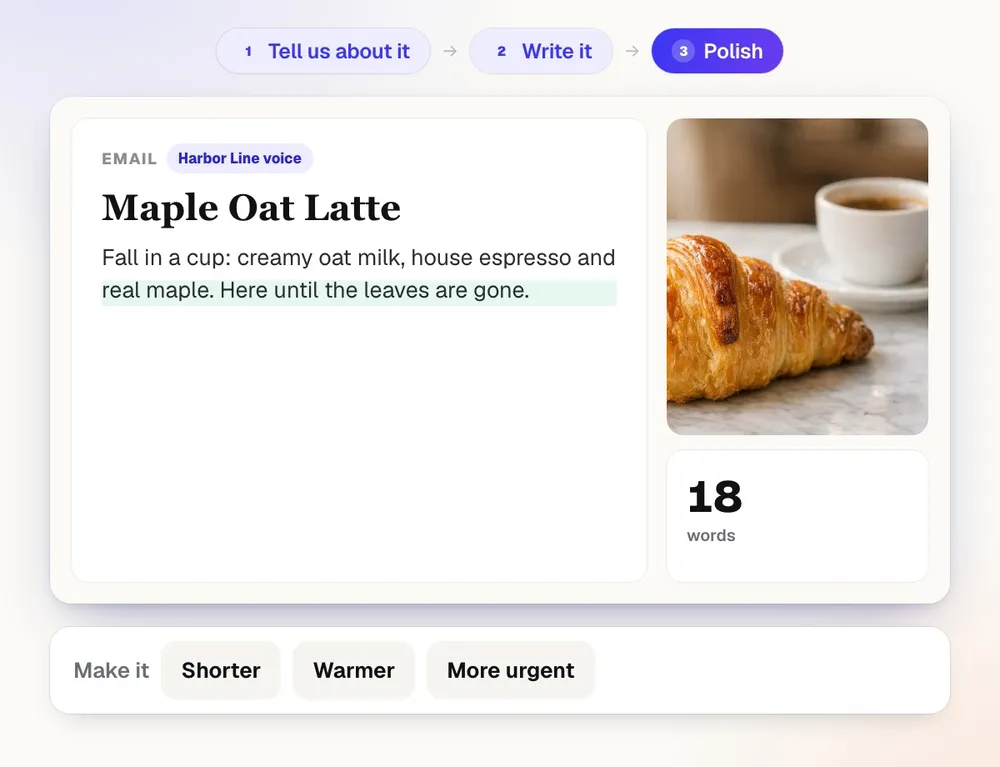
Ads, captions, emails, letters, press releases, and scripts.
Hear it in your own voice
Read any draft aloud from the Read aloud menu in My voice, the AI voice you made in Voice Kit, or send a script on with What's next?: read it in my voice, put it in a video, add music.
Ads that fit every platform
Headlines and ad text at the exact character limits for Google Search, Performance Max, Meta, Stories and Reels, TikTok, LinkedIn and Microsoft, or placements you type.
A whole campaign with one message
Get 2 to 6 ad groups with A/B angles, keywords and negatives, a campaign plan, a launch email, social posts and landing page copy, plus Google Ads Editor CSV files.
Press releases for nine kinds of news
Launches, events, awards, hires, milestones and more, in AP style, with quotes each person approves, a pitch email, a media alert and a distribution checklist.
Sales letters built on proven structures
A long page, a one-page letter, a sales email, or a 3 to 7 email sequence, with alternate headlines, openings and P.S. lines to swap in. Proof comes only from what you give it.
AI that asks before it changes
Select text to shorten, change the tone, translate or rewrite it, or type / to write at the cursor. Every AI change shows as a suggestion you accept or reject.
No made-up facts or reviews
Anything it doesn't know is left as a highlighted [placeholder], and it never writes testimonials. A list of facts to confirm comes with each draft.
Every feature
Everything in Writing Pack
The complete list, from the tool as it works today.
- Four quick questions first on every new draft (the business, who it's for, the goal, the tone), filled in from your Brand Voice, with Other for your own words and Skip
- Write anything: an article, essay, letter, speech, script, story, email, or your own kind, with an optional 2 to 4 more questions about the piece, Standard or Best writing quality, and a list of any facts to confirm
- Ads at each platform's exact limits (Google, Performance Max, Meta, Stories and Reels, TikTok, LinkedIn, Microsoft, or placements you type), or a full campaign with ad groups, A/B angles, keywords, negatives, a plan, previews, Google Ads Editor CSVs, and a matching launch email, social posts, and landing page copy
- Sales letters on proven structures (long page, one-page letter, sales email, or a 3 to 7 email sequence) with an honest offer, real proof only, alternate headlines, openings, and P.S. lines to swap in
- Press releases in AP style for nine kinds of news, quotes each person approves, saved boilerplate and contact, social posts, a pitch email, a media alert, and a distribution checklist
- Read any script aloud in My voice (the AI voice you made in Voice Kit) from the Read aloud menu, or send it to Voice Kit, Scene Studio or Music Maker from What's next?
- A full editor with AI built in: select text to improve, shorten, change the tone, make it positive, translate, or ask for anything; type / to have AI write at the cursor; every AI change is a suggestion to accept or reject
- A chat beside the draft, references it writes from (PDF, Word, notes, links, pictures), Keep it positive rule sets with a live checker, versions, and Word, PDF, HTML, Markdown, and text downloads
What’s included
What you get with Writing Pack, and how it works with the rest of aiKit
Included with a free aiKit account
- Open to every signed-in account, with no separate monthly count: it draws on your monthly AI allowance
- Write anything (article, essay, letter, speech, script, story, email or your own kind), ads and full ad campaigns, sales letters, and press releases
- Ads checked against each platform's character limits, with Google Ads Editor, Microsoft Advertising, keyword and every-line CSV downloads
- A full editor where every AI change is a suggestion you accept or reject, plus a chat beside the draft and saved versions
- Keep it positive rule sets with a checker that underlines anything that breaks them as you type
- Word, PDF, HTML, Markdown and text downloads
What uses AI, and what’s free
Writing a draft, rewriting selected text, typing / to write at the cursor, the chat, and Fix them with AI all use your monthly AI allowance. Best quality uses more than Standard, and the Write it bar shows about how many tokens a run will use before you press it, and a bigger run (a whole campaign or several versions) is labeled Bigger run and asks you to press Write it again to confirm. The character-limit checks, the Keep it positive checker, versions and downloads run without AI.
Works with your other aiKit tools
- Brand Kit: Every draft is written in the Brand Voice you pick, for your own business or a client's website.
- Voice Kit: Read any draft aloud in My voice from the Read aloud menu, or press Read it in my voice under the draft to open it in Voice Kit as a script.
- Content Kit: Blog posts and product descriptions for your website belong in Content Kit: the Writing Pack's Blog post and Product descriptions cards, and its Use Content Kit link, open it.
- Graphics Library: A Picture block in the editor drops in a picture from your Graphics Library.
- Reviews & customer photos: Sales letters quote reviews you published in the Reviews tool, so the proof is real customer words.
Keep Writing Pack in any of your kits, next to the tools you use with it. One monthly AI allowance covers every tool you add.
How it works
From first click to finished, in 5 steps.
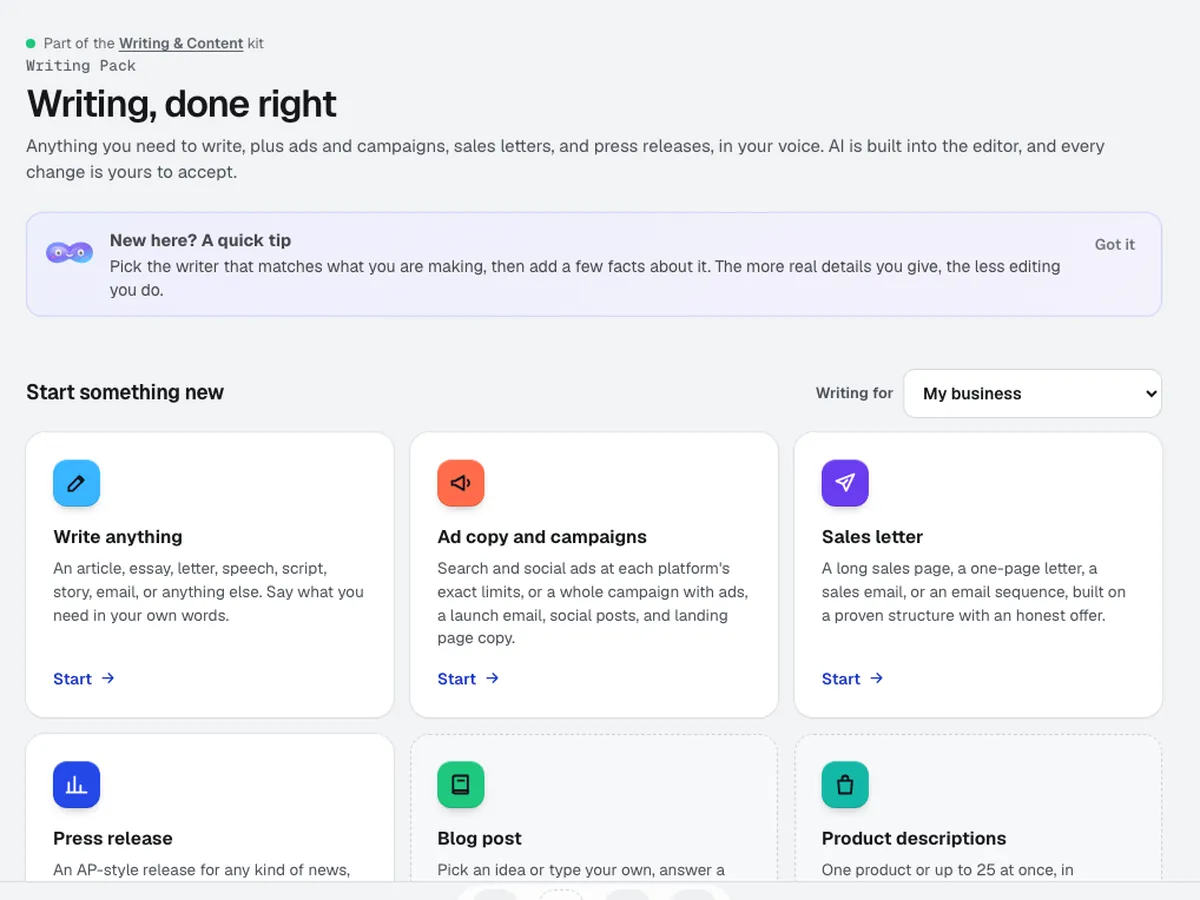
Pick what you're writing
Choose Write anything, Ad copy and campaigns, Sales letter or Press release. For general writing, pick an article, essay, letter, speech, script, story, email or your own kind.
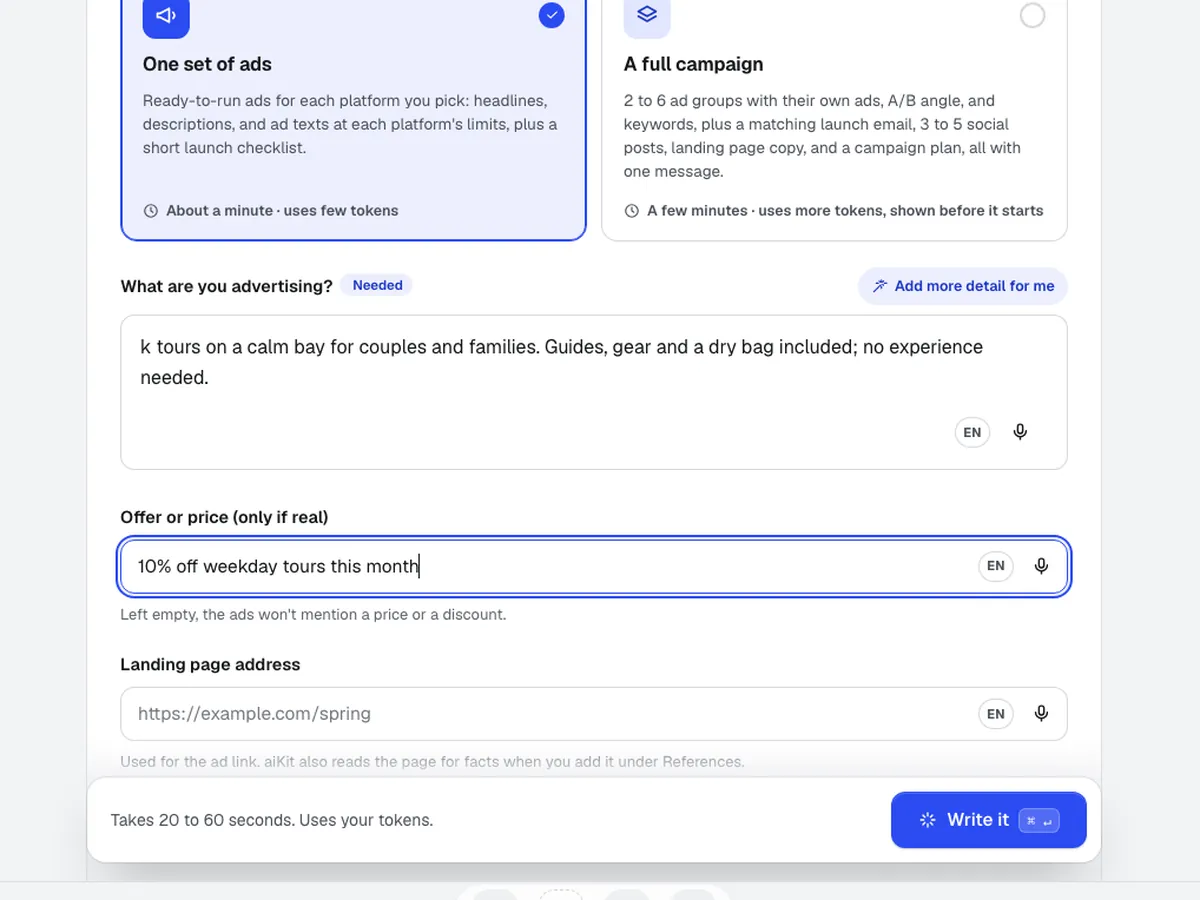
Give it the facts
Answer four quick questions (the business, who it's for, the goal, the tone), filled in from your Brand Voice or skipped, fill in a few fields, and add references such as a PDF brochure, a Word file, notes, links or pictures.
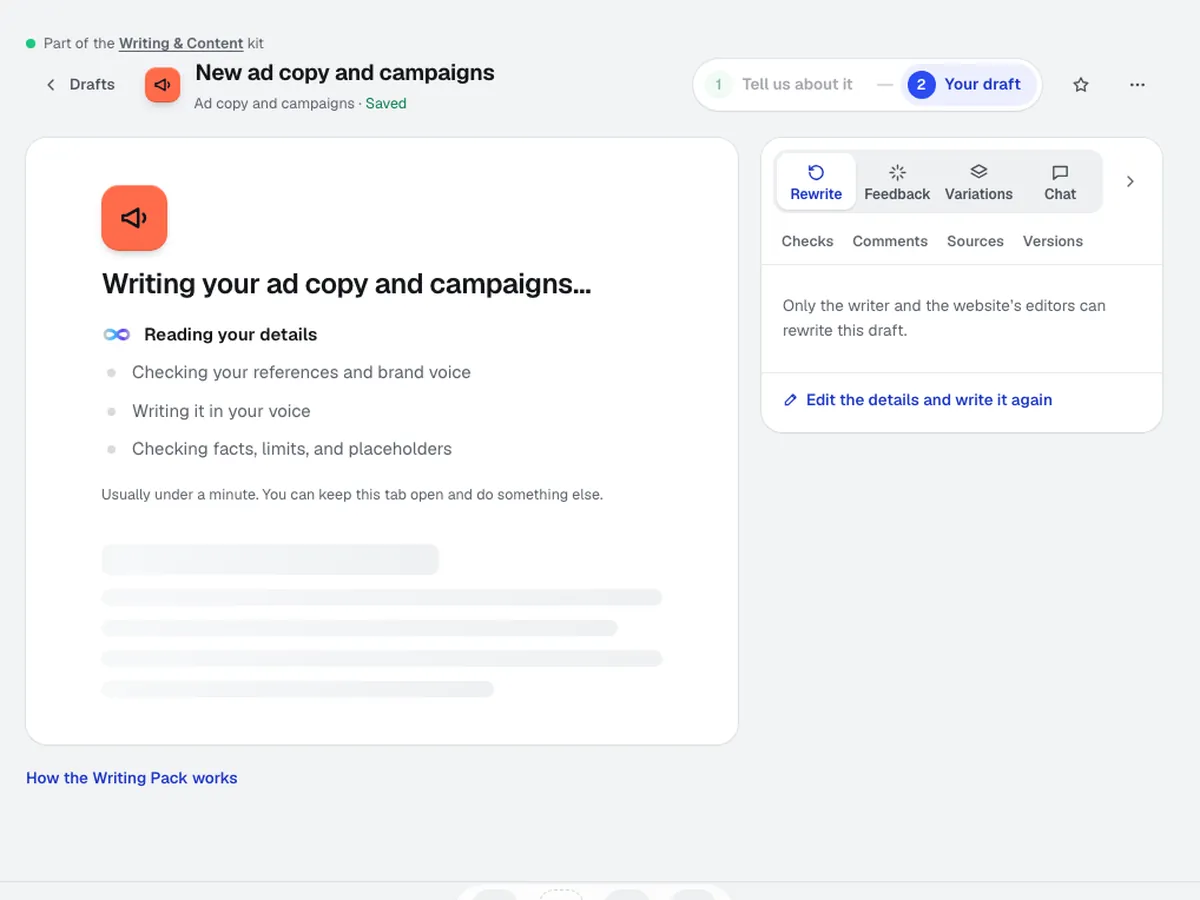
Get the draft in your voice
It writes in the Brand Voice you picked, at Standard or Best quality. A long piece or a whole campaign shows about how much of your monthly AI allowance it uses first.
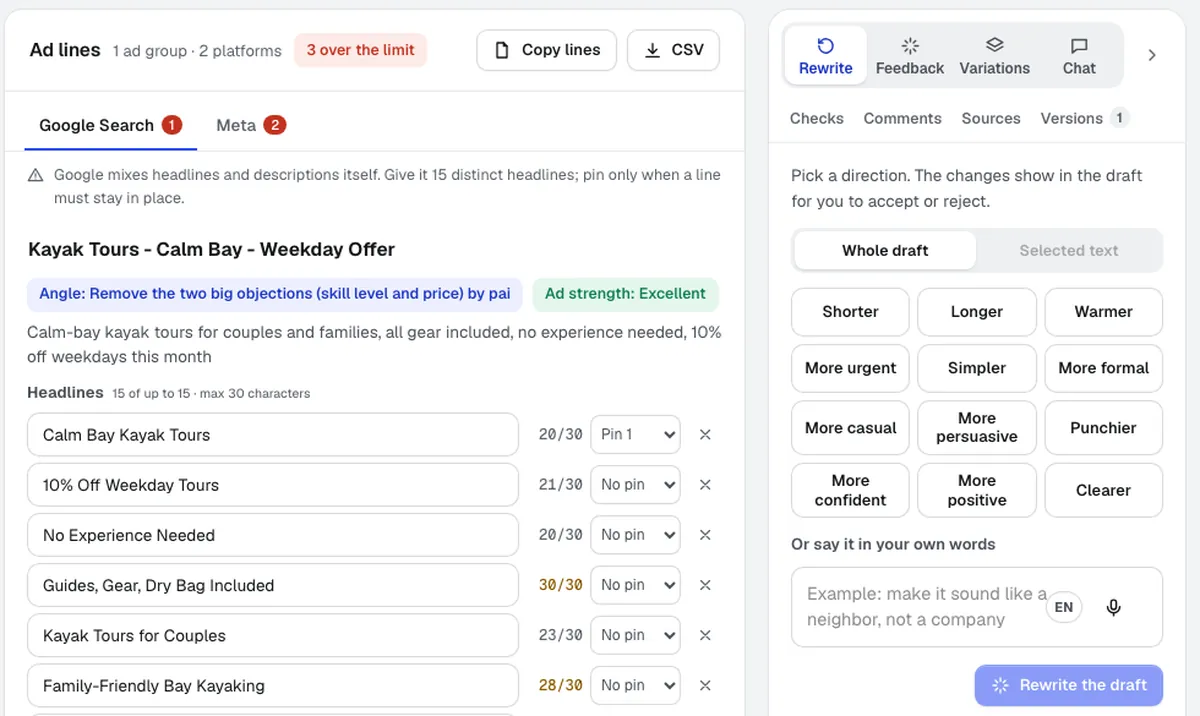
Edit with AI beside you
Accept or reject each suggestion, chat beside the draft, keep versions, and run the Keep it positive checker.
Download and use it
Download Word, PDF, HTML, Markdown or text, or the ad CSVs, and paste or upload them where they go.
Who it’s for
How different businesses use Writing Pack
Search ads for a spring push
An HVAC company writes Google Search and Meta ads for a spring tune-up at each platform's limits, then downloads the Google Ads Editor CSV to upload in one go.
Campaigns for several clients
An agency builds a full campaign for each client in that client's Brand Voice, with ad groups, keywords, a launch email and social posts that all carry one message.
A grand-opening press release
An invented shop, Maple Street Bakery, announces a second location with an AP-style release, an approved quote from the owner, a pitch email for local reporters and a media alert.
A sales email sequence for an event
A lighting rental company writes a 5-email sequence for wedding planners, with a clear offer, alternate headlines and openings, and P.S. lines to swap in.
A sales page for a workshop
A consultant uploads the workshop outline as a PDF and gets a long sales page with placeholders where real testimonials go, ready to fill with actual client quotes.
A speech for graduation night
A school principal answers three quick questions and gets a draft speech, then shortens two paragraphs by selecting them and accepting the suggested edits.
Ideal for
- Owners who write their own ads, offers, and announcements
- Agencies writing campaigns and releases for several clients
- Anyone who wants AI help that shows every change before it lands
Good to know
- Not for: Blog posts and product descriptions: Content Kit writes those (the pack links there)
- Not for: Customer testimonials: it never writes them, because made-up reviews mislead buyers
- Not for: Publishing ads or sending releases for you: copy or download the result
- The AI can get things wrong. Read every draft and fill in the highlighted [placeholders] before you use it.
- Facts come only from what you give it and your references; anything missing is left as a [placeholder], never guessed.
- Uses your account's tokens; a whole campaign or a long letter shows the tokens first and asks.
Good to know
Before you use Writing Pack
Not professional advice. This draft may be wrong, out of date, or not allowed where you are. If it covers legal, medical, financial, tax, safety, contract, insurance, or HR topics, have a qualified person check it before you use or publish it. It is not professional advice. AI can invent facts, numbers, quotes, and sources. Look up every fact and link before you rely on it.
Questions
Writing Pack: questions people ask
Can AI read my script out loud in my own voice?
Is there a free AI copywriting tool for ads, sales letters and press releases?
What does an AI copywriting tool give me in a first draft?
Is there an AI ad copy generator that makes Google Ads Editor files?
Can AI write Facebook and Instagram ad copy for my business?
Can I write a press release without hiring a PR agency?
Can AI write a sales email sequence or a sales letter for me?
Can the Writing Pack write landing page copy for an ad campaign?
Does the Writing Pack work with my brand voice and other aiKit tools?
What's included in aiKit's Writing Pack?
Can I use Writing Pack for legal or medical text?
What does aiKit's Writing Pack write?
Can aiKit write a speech, an essay, a story, or a personal letter?
How do I get my press release covered by the news?
Should I pay for a press release wire service?
Works well with
Tools to add to the same kit
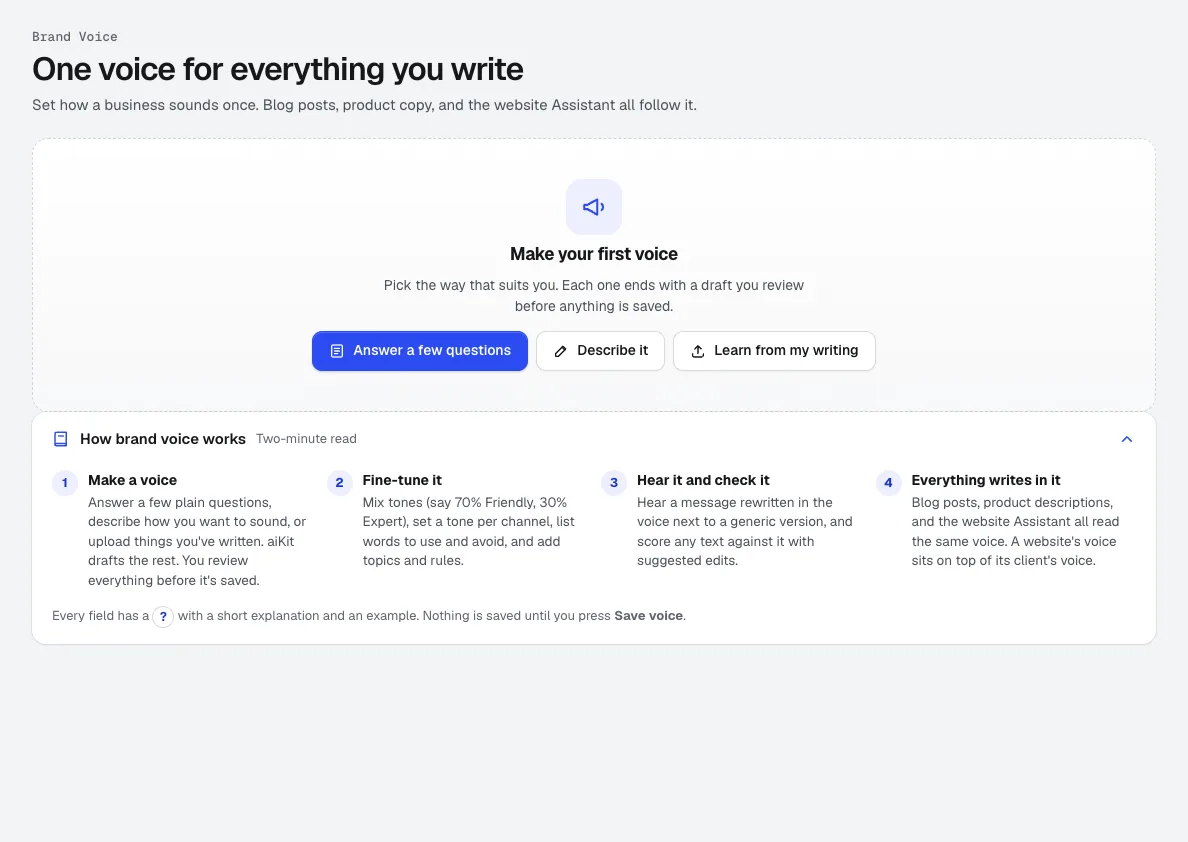
Brand Kit
NewOne Brand Kit: a brand voice learned from your own writing, plus your logos, colors, fonts, reference emails and the results you liked. Emails, blog posts, videos, pictures and designs all follow it.
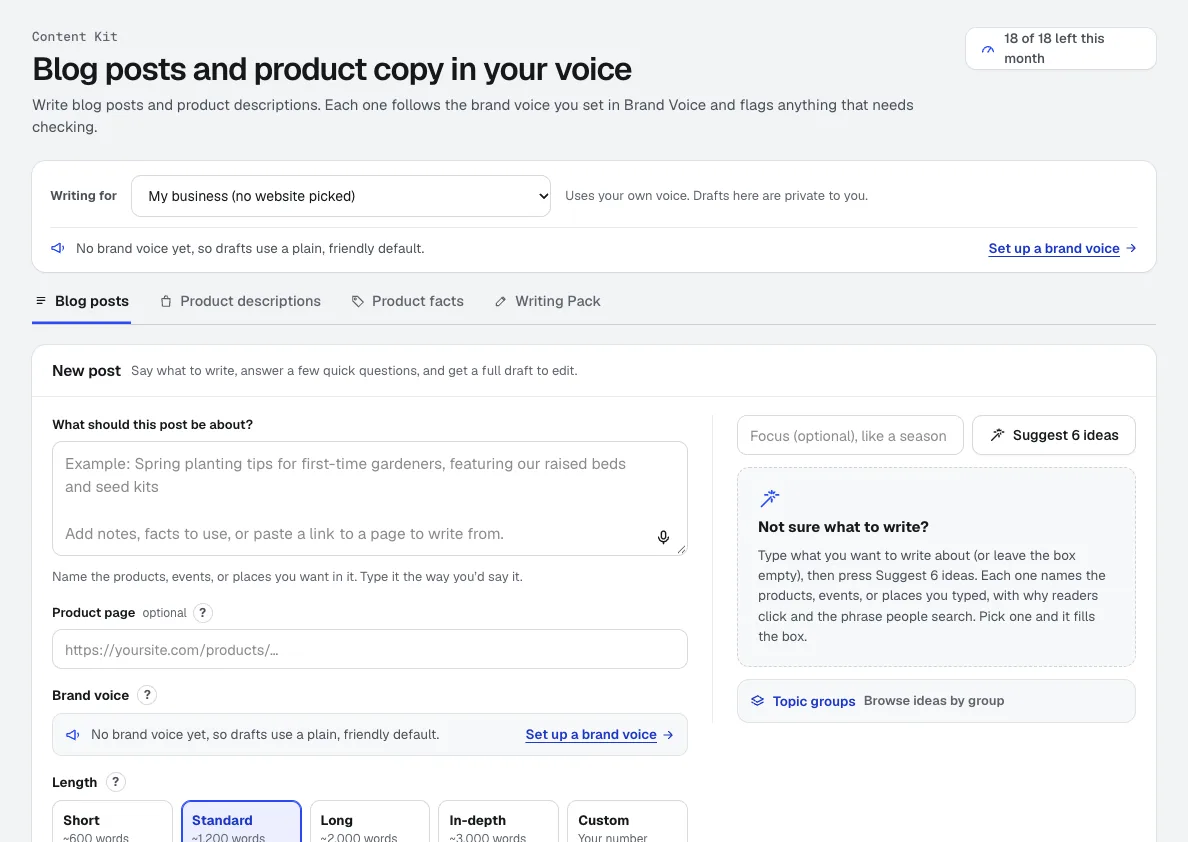
Content Kit
NewContent Kit is an AI blog writer for full blog drafts and product descriptions in your Brand Voice, with search titles, FAQs and alt text. It flags every fact to check before you publish.
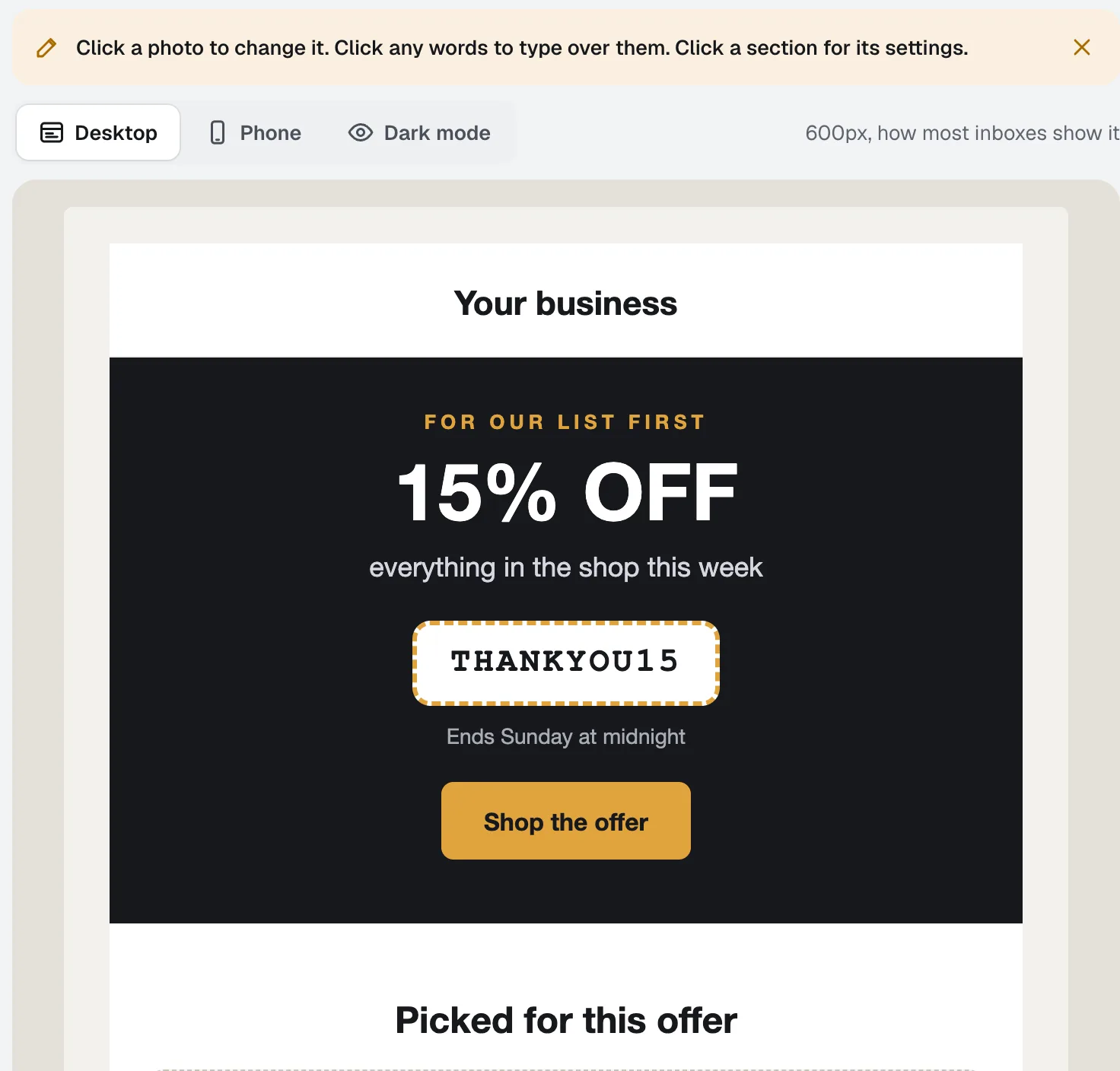
Email Studio
BetaEmail Studio is an email template builder you edit by clicking the email itself. Pick a goal, start from a layout in your brand colors, and let the assistant write it in your Brand Voice, then export the HTML or save it to your own Klaviyo as a template.
Use Writing Pack today.
Make a free aiKit account and open Writing Pack, plus every other tool in your kit.
Page last checked against the product on 2026-10-27.