

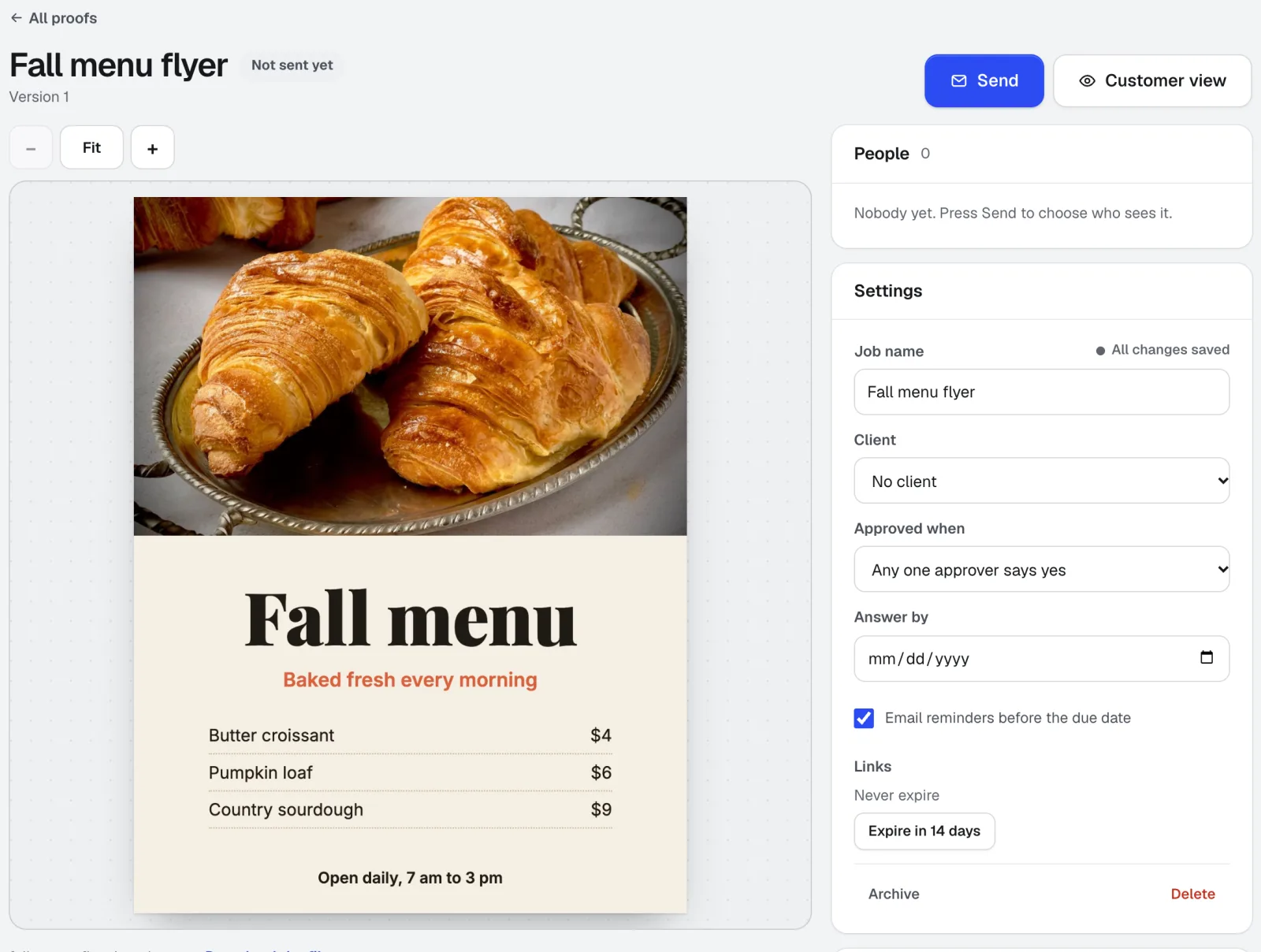
The situation
Proof approvals in a print shop tend to live in email: a PDF attached, a reply that says "looks good" from someone who may or may not be the decision maker, then a second email the next morning asking to change the phone number. When a reprint is on the line, "I approved it in an email somewhere" is not a record.
Shops need a proof the customer can open on a phone, with the cut line and safe area visible, a way to mark the exact spot that is wrong, and a dated, named approval for each person who has to sign off. They also need to know who has not looked yet.
The aiKit tools for this job
- Customer Proofs: Private proof links with pins, markup, version compare and a typed-name approval saved with the time.
- Printer’s Helper: Pick a Printer's Helper version as the proof instead of uploading a file.
- aiKit Hub: A Hub card links the proof, shows Customer approved, and can move to the next list.
Step by step
Add the design
Drop a PDF, PNG, JPG, WEBP, GIF or SVG up to 40 MB (PDFs show up to 30 pages). For print, tick Show cut and safe lines and enter the finished size.
Customer Proofs →Choose who gets it
Paste one address or a whole list, up to 25 people. Give each a role, pick whether one approver or all approvers must say yes, and set an optional answer-by date.
Customer Proofs →They mark it up and answer
Each person opens a private link on any phone or computer, zooms in, leaves numbered pins on the spot, and approves with a checklist and typed name or asks for changes.
Customer Proofs →Send version 2 to the same people
Upload the fixed file with a what-changed note. Everyone sees it on the link they already have, with side-by-side compare against the last version.
Customer Proofs →Keep the record
See who opened, approved or asked for changes, with Remind and Send again. Download a change list, a comments CSV, a PDF report or a printable approval record.
Customer Proofs →
Examples
Two approvers on a business card
Copperline Print & Copy, an invented shop, sends a two-sided card proof with the red cut line and safe area showing. The owner and the office manager both have to approve, so the job waits for both names before it goes to press.
A menu fix pinned on the exact item
The owner of an invented diner, Juniper Street Grill, pins "should be $11.50" on one entree. The shop uploads version 2 with a note, the owner compares it side by side, approves, and the signed record shows the time.
Sign proofs approved between meetings
Mesa Sign Works sends a storefront sign proof to a property manager, who approves from a phone at a job site without creating an account.
Tips
- Turn on cut and safe lines for every print proof; most change requests disappear when customers see where the trim is.
- Use "all approvers must say yes" when a partner or a manager also signs off.
- Set links to stop working after 7, 14 or 30 days for jobs with sensitive art.
- Until email is set up for your account, copy each person's link and send it from your own email or text.