

The situation
Sign quotes are full of small parts: the banner, the grommets, the A-frame, the install, the rush. Customers ask in loose terms ("a big banner for the grand opening"), and every quote means looking up sizes and materials, doing the square-foot math, and writing it up again in a template.
Meanwhile the customer is comparing shops. The shop that sends a clear quote first, with a picture of the sign and an easy way to say yes, tends to get the job.
The aiKit tools for this job
- Quote Studio: Drafts the sign quote from the request and prices each line from your saved prices.
- Mockup Studio: Shows the customer's logo on a banner, a retractable stand or a yard sign before the order.
- Customer Proofs: Gets a typed-name sign-off on the final artwork before production.
- Printer’s Helper: Sets up the production file at the exact size, and shares your company logos with Quote Studio.
Step by step
Save your sign prices
Write them the way you say them, such as "13 oz banner $9 a square foot, grommets included, install $95". Saved prices and past quotes are used on every new quote.
Quote Studio →Paste the request
Paste the customer's email, type it, say it into the mic, or add a photo of a sketch. Requests from your aiKit website's quote form start a quote in one press.
Quote Studio →Make the quote and check it
Press Make the quote. Lines come back priced from your list; anything not on it is marked Price needed, and a missing quantity is marked Check how many.
Quote Studio →Show the sign
In Mockup Studio, put the customer's logo on a banner or sign, and download the picture or the spec sheet to send with the quote.
Mockup Studio →Send and follow up
Send the live page or the PDF and set a follow-up date. The customer picks an option, ticks add-ons, and accepts with a typed name.
Quote Studio →
Examples
Grand opening package from one email
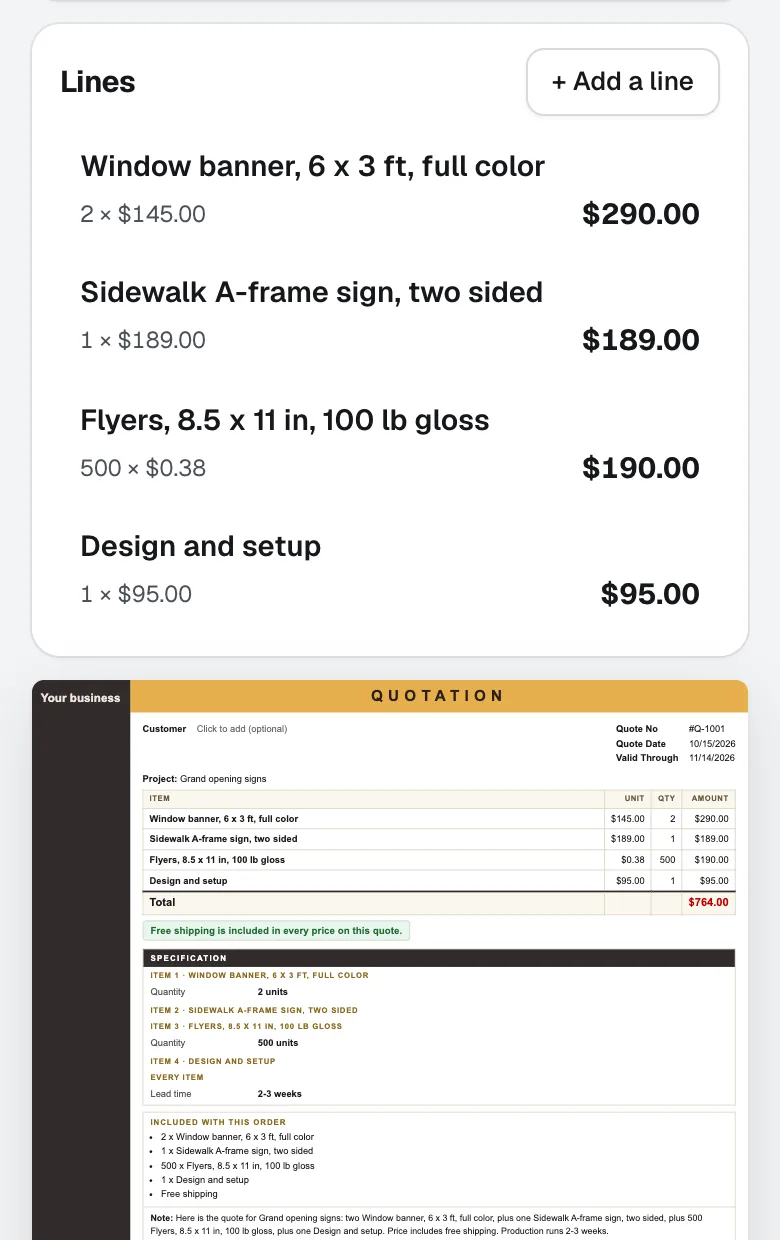
Mesa Sign Works, an invented sign shop, pastes a cafe owner's email asking for two banners, an A-frame and flyers. The quote lists each item from the price list with sizes under each line, and the owner adds setup by typing "add install on Friday morning".
Good and better storefront options
Lakeline Signs quotes a storefront with two pick-one options, cut vinyl or a full printed panel, and an optional after-hours install. The customer switches between them on a phone and accepts the panel.
Two shops, one login
An owner who runs a sign shop and a separate vehicle wrap business sends quotes from both, each with its own logo, terms and quote numbers.
Tips
- Save prices per square foot and per item; the quote handles the rest of the math from your list.
- Add a picture of the sign from Mockup Studio; customers approve what they can see.
- Use one tax rate per quote, and set it yourself; aiKit does not look up rates.
- Put the deposit percent on the quote so it shows the amount; you collect it your own way.